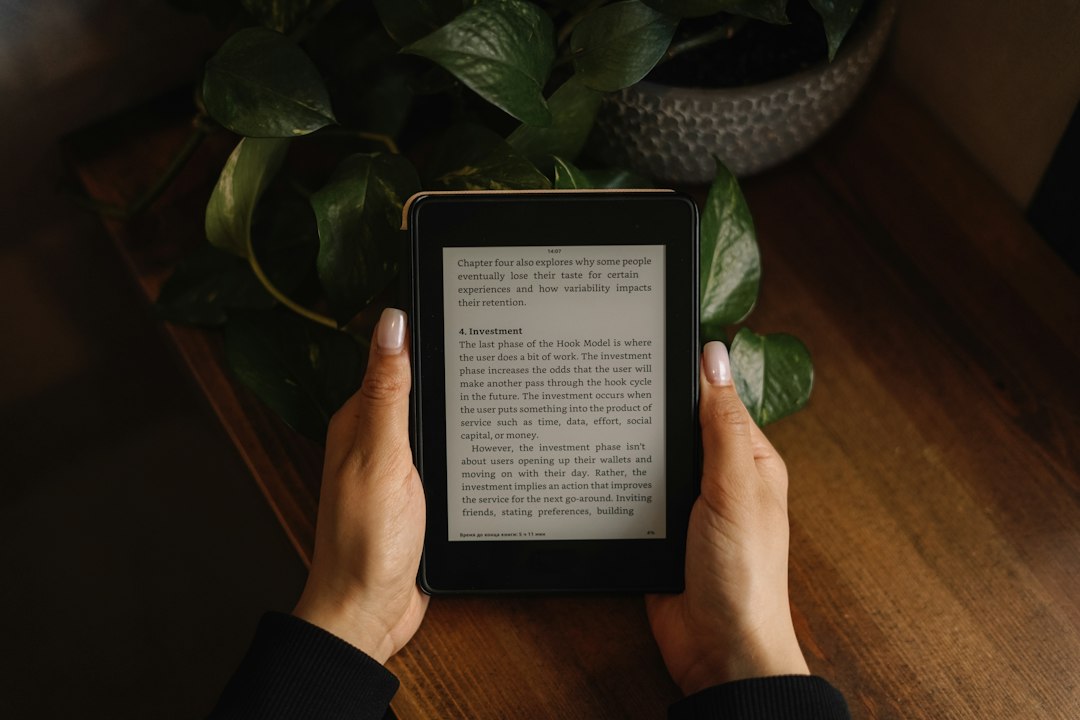
The enduring battery life of Amazon’s Kindle e-readers is a subject of frequent admiration. In a world where smartphones and tablets demand daily charging, the ability of a Kindle to last weeks, and sometimes even months, on a single charge is a remarkable feat of engineering. This longevity isn’t an accident; it’s the result of deliberate design choices centered around two core pillars: the revolutionary E-Ink display technology and a suite of sophisticated power-saving strategies. For avid readers who prefer to stay immersed in their literary worlds without the constant anxiety of a dying battery, understanding these mechanisms offers a deeper appreciation for the humble e-reader.
The Magic of E-Ink: A Display Unlike Any Other
The most significant contributor to the Kindle’s exceptional battery life is undoubtedly its E-Ink display. Unlike the backlit LCD or OLED screens found in most electronic devices, E-Ink mimics the appearance of ink on paper, offering a visually comfortable and remarkably power-efficient reading experience. This fundamental difference in display technology dictates a completely different approach to power consumption.
How E-Ink Works: The Microcapsule Revolution
At its heart, E-Ink technology relies on tiny, transparent microcapsules, each roughly the diameter of a human hair. Within these microcapsules are two types of charged particles: positively charged white particles and negatively charged black particles. These microcapsules are suspended in a clear fluid. Applying an electric field to the display causes these particles to move. When a positive charge is applied to the surface, the negatively charged black particles are attracted to the top, making that area appear black. Conversely, when a negative charge is applied, the positively charged white particles rise to the surface, resulting in a white appearance. By precisely controlling the electrical charges across a grid of pixels, E-Ink can create the text and images that form the reader’s digital book.
The key to its power efficiency lies in the fact that once the particles are in place, they remain there without needing further energy. This is known as a bistable display. Unlike LCDs, which require a constant refresh rate to maintain an image (and thus consume continuous power), E-Ink only draws power when the image is changing – when a page is turned or the display is updated. This fundamentally alters the power consumption profile, allowing for extended periods of inactivity without draining the battery.
The Advantages of Paper-Like Display
The advantages of E-Ink extend beyond just battery life. The reflective nature of the display means it uses ambient light, just like a real book. This eliminates the harsh, self-emitted light of traditional screens, which can cause eye strain and fatigue during long reading sessions. This “paper-like” quality is a primary reason why many prefer e-readers for extended reading. Furthermore, E-Ink displays offer excellent contrast and readability in direct sunlight, a scenario where backlit screens often struggle. The clarity and sharpness of text on an E-Ink screen contribute to a more pleasant and immersive reading experience, further distancing it from the experience of reading on a tablet or smartphone. The subtle, almost imperceptible flicker during page turns is a small price to pay for the overall benefits of this unique display technology.
Contrast with Traditional Screens: A Power Consumption Chasm
The contrast in power consumption between an E-Ink display and a backlit LCD or OLED screen is stark. An LCD screen uses a backlight that is always on, even when displaying a static image. Pixels then selectively block or allow this light to pass through, creating the image. This constant backlight draws a significant amount of power. OLED screens are more efficient as each pixel generates its own light, allowing for true blacks (where pixels are off and consume no power), but they still require active illumination to display any content.
In contrast, an E-Ink display only consumes power during the “writing” process – when a new page is rendered. Once the page is displayed, the display essentially becomes a passive surface, requiring no energy to maintain the image. This “write-once, hold-forever” characteristic is the fundamental reason behind the Kindle’s incredible battery life. While the processor and other components do consume some power even when idle, the vast majority of the battery drain in a typical electronic device comes from the display. By employing E-Ink, Amazon has effectively removed the biggest power hog, paving the way for weeks of use.
The impressive battery life of Kindle devices can be attributed to several factors, including their use of E Ink technology, which consumes significantly less power compared to traditional LCD screens. Additionally, the optimization of software and hardware allows for efficient energy management, ensuring that the battery lasts for weeks on a single charge. For a deeper understanding of the science behind Kindle’s long-lasting battery, you can read more in this related article on Freaky Science: Freaky Science.
Intelligent Power Management: Beyond the Display

While E-Ink is the primary hero, Amazon has not rested on its laurels. The Kindle’s power efficiency is further bolstered by a comprehensive and intelligent power management system. This system works tirelessly in the background, optimizing every aspect of the device’s operation to conserve energy when not actively being used for reading.
Sleep and Hibernation Modes: Conserving Every Watt
When a Kindle is not in active use – for example, when the cover is closed or the device is left idle for a period – it doesn’t simply shut down its display. Instead, it enters sophisticated sleep and hibernation modes. In sleep mode, the E-Ink display is frozen, and most of the internal components are put into a low-power state. Only essential functions, like maintaining the clock and listening for user input, remain active. This allows for a rapid wake-up time, so the user can resume reading almost instantly.
Hibernation mode is even more aggressive. This mode is typically activated after a longer period of inactivity and conserves even more power by shutting down almost all components. The device essentially takes a snapshot of its current state and then powers down nearly everything. When the user next interacts with the Kindle, it boots back up from this saved state. This is why on some older Kindle models, you might notice a brief startup sequence when waking from a deep hibernation. The trade-off for this extreme power saving is a slightly longer wake-up time, but for users prioritizing the longest possible battery life, it’s a worthwhile compromise.
Background Processes: Minimizing Unnecessary Activity
Modern electronic devices are often plagued by background processes that consume power even when the user is not actively interacting with them. Amazon has engineered the Kindle to be exceptionally lean in this regard. For instance, e-readers do not continuously download new content or update apps in the background in the same way a smartphone does. While the Kindle can connect to Wi-Fi for downloading books and syncing reading progress, these connections are made only when necessary and are managed efficiently. When not actively syncing or downloading, the Wi-Fi radio is powered down completely, preventing it from draining the battery. Similarly, any background indexing of books or software updates is performed in a manner that minimizes its impact on battery life, often by deferring these tasks to times when the device is charging or during brief periods of high power availability.
Screen Refresh Optimization: A Subtle but Important Factor
Even though E-Ink only consumes power when the display changes, the frequency and intensity of these changes can still have an impact. The Kindle’s software is optimized to minimize screen refreshes. When turning a page, for instance, the device doesn’t necessarily perform a full refresh of the entire screen. Instead, it often employs a partial refresh technique, only updating the areas of the screen that have changed. This reduces the amount of electrical energy required to display the new content. Some users might notice a very subtle “ghosting” effect on older E-Ink displays, where faint remnants of previous text appear. This is a side effect of aggressive optimization to minimize full screen refreshes. Newer generations of E-Ink displays and Kindle software have largely mitigated this issue, offering a cleaner page turn while still maintaining efficiency.
Battery Technology and Capacity: The Foundation of Longevity
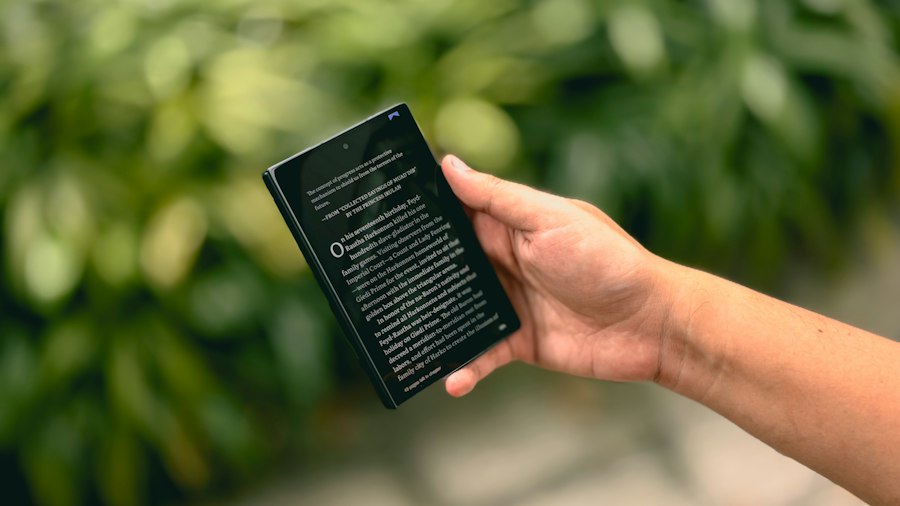
Beyond the display and software optimizations, the physical battery itself plays a crucial role in the Kindle’s extended lifespan. While not as revolutionary as E-Ink, the battery technology and its capacity are carefully chosen to complement the low power draw of the e-reader.
Lithium-Ion Batteries: The Standard, Optimized for E-Readers
Like most modern portable electronic devices, Kindles utilize rechargeable lithium-ion batteries. These batteries offer a good balance of energy density (how much energy they can store relative to their size and weight) and longevity. However, what differentiates the Kindle is how these batteries are paired with the device’s low power requirements. A typical smartphone might have a battery capable of powering a power-hungry, high-resolution, constantly active screen for a day or two. A Kindle, with its power-sipping E-Ink display and optimized software, can achieve weeks or even months of use from a battery of comparable, or even smaller, capacity. This means the battery doesn’t have to work as hard, and its charge lasts significantly longer.
Battery Capacity: Sized for Weeks, Not Hours
The actual capacity of a Kindle’s battery, measured in milliampere-hours (mAh), is often less than that of a comparable smartphone or tablet. This might seem counterintuitive, but it’s a deliberate design choice. Because the E-Ink display consumes so little power, a smaller battery is sufficient to provide weeks of reading time. For example, a Kindle Paperwhite might have a battery capacity of around 1,500 mAh, whereas a modern smartphone could have batteries ranging from 3,000 mAh to 5,000 mAh or more. However, the smartphone’s screen alone can consume several hundred milliamps per hour when actively used, while a Kindle’s E-Ink display might only draw a few milliamps during a page turn and virtually nothing when static. This disparity in display power draw makes the smaller Kindle battery effectively last much longer.
Charging Cycles and Battery Health: A Long-Term Perspective
Lithium-ion batteries degrade over time and with each charge cycle. However, because a Kindle is charged so infrequently, its battery experiences far fewer charge cycles compared to a device that is charged daily. This means that over the years, the battery in a Kindle will likely retain its capacity for much longer, contributing to its sustained long-term usability and the perception of enduring battery life. Users are less likely to experience a significant drop-off in battery performance even after several years of ownership. This contrasts with smartphones, where battery degradation can become noticeable within a year or two of heavy daily charging.
User Habits and Settings: Maximizing Your Kindle’s Endurance
While the Kindle is engineered for exceptional battery life, user habits and specific settings can further influence how long a single charge lasts. Understanding these factors can empower users to eke out even more reading time between charges.
Wi-Fi and Bluetooth: The Power Draw Dilemma
The most significant power consumers on a Kindle, apart from the display during page turns, are its wireless radios: Wi-Fi and Bluetooth. When Wi-Fi is active, the device is constantly searching for networks and can consume a noticeable amount of power, especially if it’s struggling to find a signal. Similarly, Bluetooth, while generally more power-efficient than Wi-Fi, still draws power when active. For users who are not actively downloading new books or syncing their reading progress, turning off Wi-Fi and Bluetooth when not in use can significantly extend battery life. Many users adopt a strategy of only turning on Wi-Fi when they intend to download new content or sync, and then turning it off again.
Screen Brightness and Warm Light: A Trade-Off for Comfort
More recent Kindle models, like the Paperwhite and Oasis, feature built-in adjustable front lights and some even offer a warm light setting. While these features greatly enhance readability in various lighting conditions, they do consume power. The brighter the light is set, the more energy is drawn. Similarly, the warm light feature, which shifts the color temperature of the display to reduce blue light, also requires additional power. For maximum battery life, users can opt to use the lowest comfortable brightness setting or rely on ambient light as much as possible. For those who read in low-light conditions, finding the “sweet spot” for brightness that balances readability with power conservation is key.
Document Downloads and Syncing: Strategic Usage
Downloading large documents or syncing a substantial library of books can temporarily drain the battery more quickly. While these processes are designed to be efficient, they still require the processor and Wi-Fi radio to work. Users who frequently download many books at once might notice a slightly larger battery drain than those who download one or two books at a time. Similarly, frequent syncing of reading progress across multiple devices can also contribute to battery consumption. A mindful approach, perhaps downloading content in batches rather than a constant stream, can help maintain optimal battery performance over longer periods.
The impressive battery life of Kindle devices can be attributed to several factors, including the use of E Ink technology, which consumes significantly less power compared to traditional screens. This allows users to read for weeks on a single charge, making it an ideal choice for avid readers. For a deeper understanding of the science behind this remarkable battery longevity, you can explore a related article that discusses the intricacies of Kindle technology and its efficiency. Check it out here to learn more about how these devices manage to stay powered for so long.
The Future of E-Reader Battery Life: Continuous Innovation
| Factor | Description | Impact on Battery Life |
|---|---|---|
| E-Ink Display Technology | Uses electronic ink that only consumes power when changing pages, not while displaying static content. | Significantly reduces power consumption during reading, extending battery life. |
| Low Power Processor | Kindle uses a processor optimized for low energy consumption rather than high performance. | Minimizes energy use during device operation. |
| Wi-Fi and Connectivity Management | Wi-Fi and cellular radios can be turned off or are used sparingly. | Reduces battery drain from wireless communication. |
| Efficient Software | Kindle OS is streamlined for reading, avoiding unnecessary background processes. | Conserves battery by limiting CPU usage. |
| Battery Capacity | Kindle devices have batteries sized to support weeks of reading on a single charge. | Enables long usage periods between charges. |
| Adjustable Front Light | Front light brightness can be adjusted or turned off to save power. | Lower brightness settings extend battery life. |
| Power Saving Modes | Sleep mode and automatic screen dimming reduce power when idle. | Prevents unnecessary battery drain during inactivity. |
The impressive battery life of current Kindles is a testament to ongoing innovation in both hardware and software. As technology advances, users can expect further improvements in e-reader efficiency, making these devices even more enduring companions for bibliophiles.
Next-Generation E-Ink Displays: Enhanced Refresh Rates and Color
The evolution of E-Ink technology is far from over. Manufacturers are continuously working on next-generation E-Ink displays that offer faster refresh rates, reducing the perceived lag during page turns and allowing for more complex visual content. Innovations in color E-Ink are also on the horizon, potentially bringing visual aids and richer content to e-readers without significantly compromising battery life. The goal is to achieve near-instantaneous page turns and vibrant, yet power-efficient, color reproduction.
Smarter Power Management Software: Predictive Optimization
Software will continue to play a vital role in optimizing power consumption. Future Kindle software could incorporate more sophisticated predictive algorithms that learn user reading habits and optimize power management accordingly. For instance, the device might learn when a user typically reads and proactively manage background processes to ensure maximum battery availability during those times. Intelligent power gating, where unused components are powered down more aggressively and rapidly, will also be a focus.
Battery Technology Advancements: Increased Energy Density
While E-Ink is the primary driver, advancements in battery technology itself will also contribute. As solid-state batteries or other next-generation energy storage solutions become more viable, they could offer even higher energy densities, allowing for smaller batteries that can still provide weeks or months of power. The ongoing research into more efficient and sustainable battery chemistries holds promise for further extending the operational life of portable electronics.
The enduring battery life of the Amazon Kindle is a powerful illustration of how thoughtful design and technological innovation can create a device that truly serves its purpose with minimal interruption. By combining the revolutionary E-Ink display with intelligent power management strategies and an appropriately sized battery, Amazon has created an e-reader that allows readers to immerse themselves in stories for extended periods, free from the tyranny of the charging cable. This commitment to efficiency ensures that the Kindle remains a beloved and practical tool for book lovers worldwide.

Why Your Kindle Screen Doesn’t Work the Way You Think
FAQs
1. How long does a Kindle battery typically last?
A Kindle battery can last for weeks on a single charge, depending on usage and model. Some models can even last up to a month on a single charge.
2. What factors contribute to the long battery life of a Kindle?
Kindle devices use E Ink technology, which consumes very little power compared to traditional LCD screens. Additionally, the lack of background processes and apps running in the background helps conserve battery life.
3. Does the type of content being read affect the Kindle’s battery life?
Yes, the type of content being read can affect the Kindle’s battery life. Reading text-based content consumes less power compared to reading graphic-intensive content like comics or magazines.
4. How does the Kindle’s battery life compare to other e-readers?
Kindle’s battery life is often longer than other e-readers due to its efficient E Ink technology and optimized software. This allows Kindle users to go longer periods without needing to recharge their devices.
5. Are there any tips to further extend the battery life of a Kindle?
To extend the battery life of a Kindle, users can lower the screen brightness, turn off wireless connectivity when not needed, and avoid using features that drain the battery quickly, such as audio playback or heavy internet browsing.