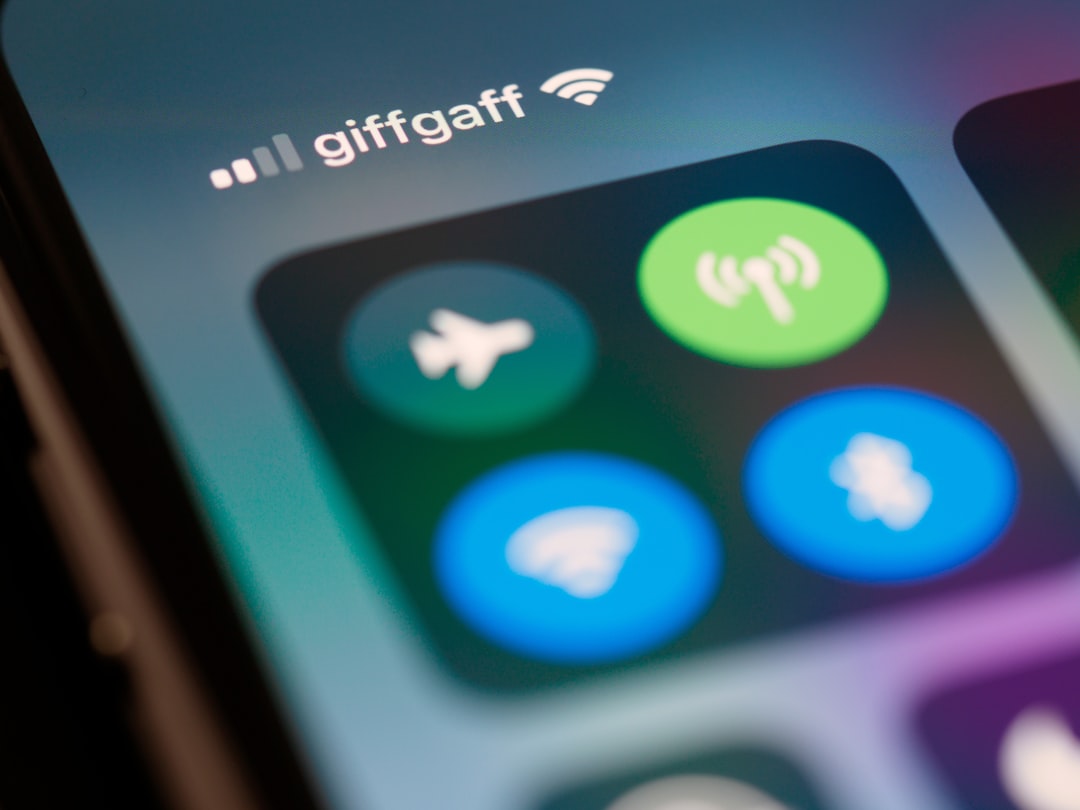
You’re settled into your seat, the cabin lights dimming, and the flight attendant has just announced final preparations for takeoff. You reach for your phone, intending to connect your wireless earbuds for that much-anticipated movie or podcast. But then it hits you: “Airplane Mode.” Do you have to sacrifice your Bluetooth connection? You’ve probably seen the icon, a little fan-like symbol, and toggled it on without much thought. But when it comes to Bluetooth, the rules can feel a bit murky, especially when you’re thousands of feet in the air. This article is here to clear the air, so to speak, and explain exactly what you need to know about using Bluetooth in airplane mode.
Before we dive into the specifics of Bluetooth, it’s crucial to understand what Airplane Mode actually does. When you activate Airplane Mode, you’re essentially disabling all the wireless transmitters on your device. This includes cellular data, Wi-Fi, and, yes, Bluetooth. The primary reason for this is to prevent any potential interference with the aircraft’s sensitive navigation and communication systems. While modern aircraft are significantly more shielded than older models, the precautionary principle still holds.
Why is Airplane Mode Necessary?
The concern with active wireless signals on a plane stems from their potential to broadcast radio waves. These radio waves, even if individually weak, could theoretically combine or resonate in ways that disrupt the delicate electronic instruments that pilots rely on to navigate and communicate with air traffic control. Think of it like a cacophony of competing voices; if everyone starts talking at once on certain frequencies, important messages can get lost. Airlines and aviation authorities err on the side of caution to ensure the utmost safety of every flight.
The Evolution of Airplane Mode Regulations
It’s worth noting that the regulations surrounding electronic device usage on flights have evolved significantly over the years. In the early days of air travel and mobile technology, the rules were much stricter. Devices were often required to be completely powered off during critical phases of flight. As technology has advanced and aircraft systems have become more robust, some of these restrictions have been relaxed. This has led to the current landscape where, for example, you might be allowed to use Wi-Fi on many flights once you reach cruising altitude. However, the core principle of disabling potentially interfering transmissions remains.
What’s Actually Disabled?
When you flip that switch to Airplane Mode, you’re deactivating several key communication functions:
Cellular Network Connection
This is the most obvious one. Your phone will no longer be able to connect to cellular towers, meaning you won’t have service for calls, texts, or mobile data. This is the primary function of Airplane Mode.
Wi-Fi Connectivity
Similarly, your device will disconnect from any Wi-Fi networks. This is why you usually can’t browse the web or use streaming apps that require an internet connection while Airplane Mode is engaged.
Bluetooth Transmission
This is where things get interesting and are often misunderstood. Bluetooth, like Wi-Fi and cellular, uses radio waves to communicate. Therefore, it’s also disabled by default when Airplane Mode is activated.
If you’re curious about the functionality of Bluetooth while in airplane mode, you might find it helpful to read a related article that explores this topic in more detail. It discusses the nuances of using Bluetooth connections during flights and how different airlines have varying policies. For more information, you can check out the article here: Freaky Science.
The Bluetooth Dilemma: Can You Use It in Airplane Mode?
This is the million-dollar question, and the answer is: yes, you often can, but with a crucial step. While Airplane Mode initially disables Bluetooth, most modern devices and airlines now allow you to re-enable Bluetooth after activating Airplane Mode. This is a significant shift from older policies and a welcome development for travelers.
The “Turn Off and Turn Back On” Strategy
The key to using Bluetooth in Airplane Mode lies in a simple, two-step process:
Step 1: Activate Airplane Mode
First and foremost, you must put your device into Airplane Mode. This ensures that all other potentially disruptive transmissions, like cellular signals, are switched off. You’ll usually find the Airplane Mode toggle in your device’s quick settings menu or general settings.
Step 2: Re-enable Bluetooth Individually
Once Airplane Mode is active, you can then go back into your device’s settings and manually turn Bluetooth back on. Your device will now have Airplane Mode engaged (preventing cellular and Wi-Fi) but will be able to detect and connect to Bluetooth devices like headphones, speakers, or smartwatches.
Why This Works
The reason this works is that aviation authorities and airlines have determined that low-power Bluetooth transmissions are generally considered safe and unlikely to interfere with aircraft systems, especially once the aircraft has reached a safe altitude. By allowing you to selectively re-enable Bluetooth, they are acknowledging the technological advancements and the low risk associated with this particular short-range communication protocol.
Important Caveat: Always Listen to the Crew
While this is a widely accepted practice, it’s absolutely paramount to always listen to and follow the instructions of the flight crew. There may be specific circumstances or certain aircraft where even re-enabled Bluetooth is not permitted. If the flight attendants instruct you to turn off all wireless devices, including Bluetooth, you must comply immediately. Their word is final when it comes to flight safety.
Benefits of Using Bluetooth on a Flight
The ability to use Bluetooth in Airplane Mode opens up a world of convenience and comfort for your journey. No longer are you tethered by pesky wires that can get tangled or snagged.
Seamless Audio Experience
This is arguably the biggest win. Wireless headphones and earbuds offer unparalleled freedom. You can move around your seat without worrying about pulling a cord, and the overall audio experience is often cleaner and more immersive without the physical connection. This is especially beneficial for long flights where you want to enjoy movies, music, or podcasts without distraction.
Reduced Clutter and Tangling
Wires can be a real nuisance in the confined space of an airplane seat. They get caught on armrests, buckle latches, and can easily become a tangled mess. Bluetooth eliminates this frustration entirely, allowing you to enjoy your entertainment with ease.
Connecting to In-Flight Entertainment Systems
Many modern aircraft are equipped with Bluetooth-enabled in-flight entertainment (IFE) systems. This means you can pair your personal Bluetooth headphones directly with the seatback screen, enjoying your audio privately and wirelessly. This is a game-changer for those who dislike the standard airline earbuds.
Smartwatch and Fitness Tracker Functionality
If you wear a smartwatch or fitness tracker, you might want to keep it connected to your phone via Bluetooth during the flight. This allows it to continue tracking your activity (though GPS might be unavailable at altitude) and receive notifications without you needing to constantly check your phone.
Potential Limitations and Considerations
While using Bluetooth in Airplane Mode is generally allowed, there are a few things to keep in mind.
Battery Consumption
Leaving Bluetooth on, even at low power, does consume battery life. If you have a very long flight and rely heavily on your Bluetooth devices, it’s a good idea to ensure your devices are fully charged before boarding or bring a portable power bank.
Device Compatibility
Not all Bluetooth devices are created equal, and not all in-flight entertainment systems are equipped with Bluetooth. While it’s becoming more common, you might still encounter flights where you can’t connect your headphones to the seatback screen. In such cases, having a wired backup is always a wise precaution.
Range Limitations
Bluetooth is a short-range technology. This means your device needs to be relatively close to the device it’s connecting to. For personal use with headphones or a smartwatch, this is rarely an issue. However, if you were hoping to connect to a distant speaker, it wouldn’t work.
Re-Pairing Challenges
Sometimes, after activating Airplane Mode and then re-enabling Bluetooth, you might need to re-pair your devices. This is usually a quick process, but it’s something to be aware of if you’re in a rush.
The “Always On” Signal Myth
It’s a common misconception that Bluetooth is constantly “broadcasting” a powerful signal that can interfere with aircraft. In reality, Bluetooth operates on very low power and its signal is designed for short-range communication. This is why it’s generally considered safe once Airplane Mode is active and Bluetooth is selectively re-enabled.
When traveling, many people wonder about the functionality of their devices, particularly whether you can use Bluetooth in airplane mode. This topic is often discussed in various articles, including one that provides insights into the nuances of airplane mode and its features. For a deeper understanding, you can check out this informative piece that explores the topic further. If you’re curious about how to maximize your device’s capabilities while flying, be sure to read more in this related article.
Best Practices for Bluetooth Use on Flights
| Question | Answer |
|---|---|
| Can you use Bluetooth in airplane mode? | Yes, you can typically use Bluetooth in airplane mode as it is a low-power communication technology that is allowed on most flights. |
To ensure a smooth and enjoyable experience, here are some best practices to follow when using Bluetooth in Airplane Mode.
Charge All Your Devices Fully
This is the most crucial step for any flight. Make sure your phone, Bluetooth headphones, earbuds, smartwatch, and any other devices you plan to use are fully charged before you board the plane.
Pack a Backup Wired Option
Even though Bluetooth is widely permitted, it’s always wise to have a backup. Pack a pair of wired headphones or an adapter cable in case your Bluetooth devices have issues or the in-flight entertainment system isn’t Bluetooth-enabled.
Familiarize Yourself with Your Device Settings
Before your flight, take a moment to understand how to quickly activate Airplane Mode and re-enable Bluetooth on your specific device. Knowing this beforehand will save you time and potential frustration.
Test Your Connections Before Takeoff
If possible, try pairing your Bluetooth headphones with your phone while you’re still at the gate or on the tarmac. This allows you to troubleshoot any connection issues before you’re in the air and unable to do so.
Be Mindful of Others
While you’re enjoying your private audio oasis, be considerate of your fellow passengers. Ensure your headphones are not leaking sound, and avoid playing anything at an excessively loud volume.
Turn Off Unnecessary Bluetooth Connections
If you have multiple Bluetooth devices connected to your phone, consider disconnecting those you won’t be using during the flight to conserve battery. For example, if your smartwatch is paired but you don’t need it for anything specific during the flight, you might disconnect it from your phone.
Monitor Battery Levels
Keep an eye on the battery levels of your Bluetooth devices throughout the flight. If you notice a particular device is draining quickly, you might consider turning it off until you need it.
Respect Flight Attendant Instructions
We cannot stress this enough. If the flight attendants ask you to turn off all wireless devices, do so without question. Your compliance ensures the safety and smooth operation of the flight for everyone.
In conclusion, the days of having to completely forgo your beloved wireless earbuds or speakers on a flight are largely behind us. By understanding how Airplane Mode works and the simple steps to re-enable Bluetooth, you can enhance your travel experience significantly. Just remember to always prioritize safety, follow crew instructions, and enjoy your journey with seamless, wireless audio. Safe travels!

Your Phone Can Still Know Where You Are in Airplane Mode
FAQs
1. Can you use Bluetooth in airplane mode?
No, Bluetooth is typically disabled in airplane mode to comply with airline regulations and to prevent interference with aircraft systems.
2. Why is Bluetooth disabled in airplane mode?
Bluetooth is disabled in airplane mode to ensure that all wireless signals are turned off, reducing the risk of interference with the aircraft’s communication and navigation systems.
3. Are there any exceptions to using Bluetooth in airplane mode?
Some airlines may allow the use of Bluetooth devices in airplane mode, but it is always best to check with the airline and follow their specific guidelines.
4. Can I use Bluetooth headphones in airplane mode?
In most cases, Bluetooth headphones will not function in airplane mode as the Bluetooth signal is typically disabled. It is recommended to use wired headphones during flight.
5. What are the alternatives to using Bluetooth in airplane mode?
If you need to use headphones or other audio devices during flight, consider using wired connections or utilizing the in-flight entertainment system provided by the airline.