You’re settling into your seat, the cabin lights dim, and the flight attendant’s voice announces the imminent departure. As you pull out your phone, you see it – that all-too-familiar notification, “Airplane Mode must be enabled.” Frustration might flicker, especially if you were just about to finish that important email or stream the last chapter of your audiobook. But what if you could still enjoy the convenience of your wireless devices, like your noise-canceling headphones or your smartwatch, without jeopardizing the flight’s safety? This is where understanding Bluetooth and airplane mode becomes crucial. You might be surprised to learn that these two technologies aren’t necessarily mortal enemies. This guide is designed to demystify the often-confusing intersection of Bluetooth and airplane mode, empowering you to make informed decisions and maximize your comfort and productivity during your travels.
When you flick that switch to airplane mode, you’re not just silencing your device’s ability to make calls. You’re essentially disabling its radio frequency (RF) transmitters, which are the components responsible for broadcasting and receiving wireless signals. This is done as a precautionary measure by airlines to prevent any potential interference with the aircraft’s sensitive navigation and communication systems. While the actual risk of interference from modern consumer electronics is incredibly low, airlines err on the side of caution, and adhering to their regulations is paramount.
The Core Functionality of Airplane Mode
At its heart, airplane mode is about isolating your device from external networks. This includes:
Cellular Networks: The Primary Target
The most obvious function of airplane mode is to disconnect your smartphone or tablet from cellular towers. This prevents your device from attempting to connect to the mobile network, which could theoretically cause interference with ground-based cellular infrastructure or, more importantly, the aircraft’s communication systems. You won’t be able to make or receive calls or send/receive text messages.
Wi-Fi and its Airplane Mode Status
This is where things get interesting. When you initially enable airplane mode, your Wi-Fi connection is typically disabled along with cellular. However, most modern devices offer a crucial override for Wi-Fi. You’ll often see an option to turn Wi-Fi back on while still in airplane mode. This is a key distinction. It means you can still access in-flight Wi-Fi if the airline provides it, without reactivating your cellular radio.
GPS and its Independence
You might be wondering about your GPS. Generally, GPS receivers are passive; they only listen for signals from satellites. They don’t transmit any radio waves that could cause interference. Therefore, GPS functionality is usually unaffected by airplane mode and can still be used for navigation when the plane is not in the immediate vicinity of sensitive airport operations.
When using your smartphone during a flight, it’s essential to understand how airplane mode interacts with Bluetooth functionality. While airplane mode disables cellular connections, it often allows Bluetooth to remain active, enabling you to connect to wireless headphones or other devices. For more insights on this topic, you can read a related article that discusses the implications of using Bluetooth while airplane mode is on at this link.
Bluetooth and Interference: A Historical Perspective and Modern Realities
The concern about electronic devices interfering with aircraft systems stems from earlier generations of technology. Older phones and devices had more powerful and less refined radio transmitters. Today’s Bluetooth technology, however, is designed to be much more efficient and operate on a different frequency band than critical aircraft communication systems.
The Evolution of Wireless Technology
It’s important to remember the context of these regulations. In the past, a multitude of devices transmitting on various frequencies could indeed pose a nuisance, if not a genuine risk. Think of the sheer number of devices that might be active on a full flight.
Bluetooth Frequency and Power Levels
Bluetooth operates in the 2.4 GHz ISM (Industrial, Scientific, and Medical) band, a frequency commonly used by many other devices like microwaves and Wi-Fi. However, Bluetooth is designed with very low power output. Its range is typically limited to around 10 meters (33 feet) for Class 2 devices, which are the most common type found in consumer electronics. This low power output significantly reduces the likelihood of it causing any substantial interference with sensitive aircraft electronics, which are designed to operate with robust shielding and robust communication protocols.
The Myth of Universal Prohibition
While the initial blanket ban on all wireless devices was a sensible precaution, it has been gradually relaxed as technology has advanced and the understanding of potential interference has evolved. This evolution has led to the current situation where certain wireless technologies, like Bluetooth, are often permitted on a case-by-case basis, or with specific usage guidelines.
The Crucial Distinction: Bluetooth in Airplane Mode
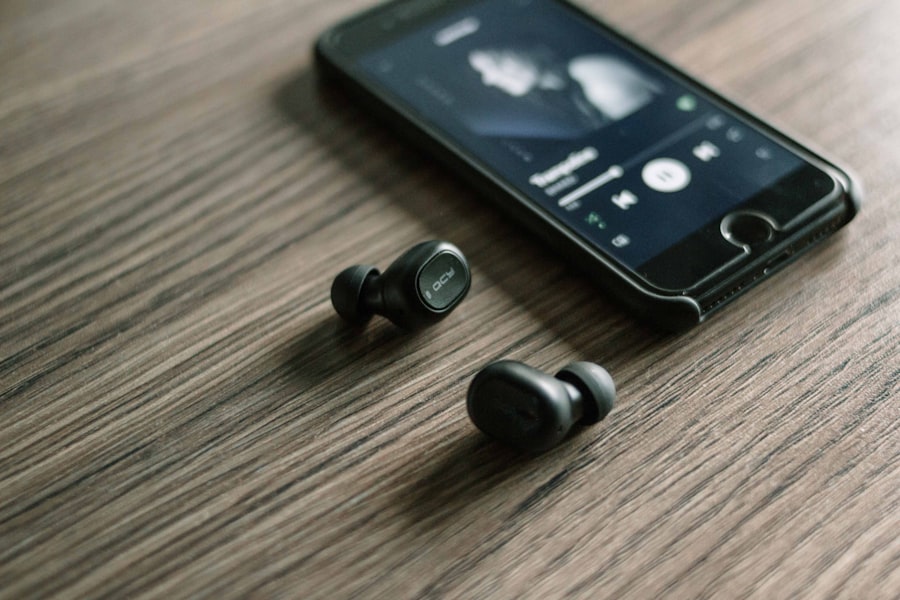
This is the core of your question. Can you use Bluetooth while your device is in airplane mode? The answer, for most modern devices, is a resounding yes, with a critical caveat.
The “Enable Bluetooth After Airplane Mode” Strategy
The typical procedure involves the following steps:
Step 1: Engage Airplane Mode
First and foremost, you must enable airplane mode. This will disconnect your device from cellular networks and usually Wi-Fi. This is non-negotiable for safety and airline regulations.
Step 2: Re-enable Bluetooth Separately
Once airplane mode is active, you will find that your Bluetooth functionality is also disabled. However, your device’s operating system will usually allow you to go into your Bluetooth settings and turn Bluetooth back on. This is the crucial step. You are essentially using airplane mode to disable the high-power, potentially disruptive transmitters (cellular and Wi-Fi) while allowing the low-power, localized Bluetooth transmitter to function.
Step 3: Connect Your Bluetooth Devices
With Bluetooth now active, you can go ahead and pair or connect your wireless headphones, earbuds, smartwatch, or any other Bluetooth-enabled peripheral. You’ll be able to enjoy your music, podcasts, or use your fitness tracker without any issues.
Why This Works: The Separation of Transmitters
The reason this strategy is permissible is that airlines are primarily concerned with the potential for interference from high-power radio transmitters. Cellular and Wi-Fi transmitters, especially when attempting to connect to distant towers or access points, can emit signals with greater strength and broader reach. Bluetooth, on the other hand, is designed for short-range communication and operates at significantly lower power levels. By enabling airplane mode, you’re switching off the main culprits, and then selectively re-enabling Bluetooth for your personal, localized use.
Practical Applications and Benefits of Using Bluetooth in Airplane Mode

The ability to use Bluetooth in airplane mode opens up a world of convenience and enhances your travel experience significantly. No longer are you relegated to wired headphones or the silence of a disconnected world for the entire flight.
Enhancing Your In-Flight Entertainment
This is perhaps the most popular and immediate benefit.
Wireless Headphones and Earbuds: Your Personal Sanctuary
The dream of enjoying your movies, music, or audiobooks with high-quality wireless headphones or earbuds without being tethered by a cable is now a reality. This is especially valuable on longer flights, where the freedom of movement and the absence of tangled wires can make a significant difference to your comfort. You can easily get up to stretch your legs or visit the lavatory without fumbling with your audio connection.
Seamless Audio for In-Flight Entertainment Systems
Many modern aircraft now offer in-flight entertainment systems that can be connected to via Bluetooth. This means you can use your own comfortable and familiar headphones to enjoy the movie selection or listen to the onboard music channels, rather than relying on the often mediocre quality of provided earbuds.
Staying Connected (in a Limited Way) with Wearable Technology
Your smartwatch can still be a valuable companion during your flight, even in airplane mode.
Fitness Tracking and Health Monitoring
If you’re a fitness enthusiast, you can continue to track your steps, heart rate, and other health metrics during your flight. This allows you to maintain your routine and stay informed about your well-being even while airborne.
Smartwatch Notifications (with caveats)
While you won’t receive notifications from your phone’s cellular network or Wi-Fi, your smartwatch might still display notifications that are synced locally or that come from its own internal functions. This can be helpful for keeping track of time or accessing specific watch features.
Other Bluetooth Peripherals
Beyond audio and wearables, other Bluetooth devices can also be useful.
Bluetooth Keyboards and Mice for Tablets and Laptops
If you need to do some work or extensive typing on your tablet or laptop, a Bluetooth keyboard and mouse can significantly improve your productivity. You can set up a comfortable workstation without being limited by cables, making it easier to stay focused.
Wireless Game Controllers for Mobile Gaming
For those who enjoy mobile gaming, a Bluetooth controller can elevate the experience, providing more precise control and an ergonomic advantage over touchscreen controls, especially during long journeys.
When using your smartphone on a flight, it’s important to understand how airplane mode functions, especially regarding Bluetooth connectivity. While airplane mode disables cellular signals, it often allows Bluetooth to remain active, enabling you to connect to wireless headphones or other devices. For more insights on this topic, you can read a related article that explores the nuances of Bluetooth usage while in airplane mode. To learn more, check out this informative piece on Freaky Science.
Important Considerations and Best Practices
| Metrics | Data |
|---|---|
| Bluetooth Connectivity | Disabled |
| Airplane Mode | Enabled |
| Functionality | Bluetooth is turned off while airplane mode is on |
While using Bluetooth in airplane mode is generally safe and convenient, there are still a few crucial points to keep in mind to ensure a smooth and compliant experience.
Always Prioritize Airline Instructions
This cannot be stressed enough. Airline crew members are there to ensure the safety of everyone on board. If they issue a specific instruction regarding electronic devices, you must follow it, regardless of what you read in this guide. Their judgment is based on the specific aircraft, the flight conditions, and current aviation regulations.
Listen to the Cabin Crew
Pay close attention to announcements and instructions from the flight attendants. They will usually reiterate when and how you can use electronic devices.
Adhere to Takeoff and Landing Restrictions
During critical phases of flight like takeoff and landing, all non-essential electronic devices are typically required to be turned off or in strict airplane mode. Even with Bluetooth enabled, it’s best to err on the side of caution and comply fully with these directives.
Device-Specific Settings and Updates
The way Bluetooth interacts with airplane mode can vary slightly between different device manufacturers and operating system versions.
Know Your Device’s Settings
Take some time before your flight to familiarize yourself with your phone or tablet’s airplane mode and Bluetooth settings. Practice enabling airplane mode and then re-enabling Bluetooth. This will save you confusion and frustration at 30,000 feet.
Keep Your Software Updated
Ensure your device’s operating system and firmware are up to date. Manufacturers often release updates that improve the performance and compatibility of wireless features, including their interaction with airplane mode.
Battery Life Management
While Bluetooth is low-power, it still consumes battery. Be mindful of this, especially on longer flights.
Monitor Your Battery Usage
Keep an eye on your device’s battery level, especially if you’re using multiple Bluetooth devices or engaging in power-intensive activities.
Carry a Portable Charger
A portable power bank is an essential travel companion. It can ensure your devices, including your Bluetooth accessories, stay charged throughout your journey.
In conclusion, the days of being completely disconnected from your favorite wireless peripherals during a flight are largely over, thanks to the evolution of technology and the thoughtful implementation of airplane mode. By understanding how airplane mode works and how to selectively re-enable Bluetooth, you can unlock a more comfortable, entertaining, and productive travel experience. Remember to always prioritize safety, listen to your airline crew, and familiarize yourself with your device’s capabilities. Happy travels, and enjoy your connected journey!

Your Phone Can Still Know Where You Are in Airplane Mode
FAQs
What is Bluetooth?
Bluetooth is a wireless technology that allows devices to communicate with each other over short distances. It is commonly used for connecting devices such as smartphones, headphones, and speakers.
Can Bluetooth be used while airplane mode is on?
Yes, Bluetooth can typically be used while airplane mode is on. Airplane mode disables the device’s cellular, Wi-Fi, and GPS capabilities, but usually allows Bluetooth to remain active.
What are the benefits of using Bluetooth while airplane mode is on?
Using Bluetooth while airplane mode is on allows you to continue using wireless accessories such as headphones, speakers, and smartwatches without interfering with the aircraft’s communication systems.
Are there any restrictions on using Bluetooth while airplane mode is on?
Some airlines may have specific policies regarding the use of Bluetooth devices during flights, so it’s important to check with the airline before using Bluetooth while airplane mode is on.
Can using Bluetooth while airplane mode is on affect the aircraft’s systems?
Bluetooth signals are generally considered to be low-power and should not interfere with the aircraft’s communication and navigation systems. However, it’s always best to follow the airline’s guidelines and regulations regarding electronic devices during flights.