You’re likely looking at one right now. That glowing rectangle in front of you, whether it’s your laptop screen, your smartphone, or your television, is a marvel of modern technology, and at its heart lies the fascinating world of RGB displays and color creation. You interact with it every single moment you’re engaged with digital media, yet how it conjures those vibrant hues, those subtle gradients, and those photorealistic images might remain a bit of a mystery. This article is your personal guide to demystifying the magic, helping you understand precisely how your RGB display brings the digital world to life.
At the core of your display’s ability to produce color lies the RGB color model. It’s not just an acronym; it’s the fundamental principle that governs how your screen works. Imagine the entire spectrum of visible light. Your display, however, doesn’t need to reproduce every single wavelength individually. Instead, it cleverly uses three primary colors of light to trick your eyes into perceiving a vast array of colors.
Red, Green, and Blue: The Primaries of Light
You’ve probably seen “RGB” splashed across product descriptions, but what does it actually mean in practice? It stands for Red, Green, and Blue. These are not just any colors; they are the additive primary colors of light. This distinction is crucial. Unlike mixing paints, where you start with white and add colors to get darker shades (subtractive color mixing), with light, you start with darkness and add light to create brighter colors.
- Red: This is your first primary. When your display emits pure red light, you see red.
- Green: Your second primary. Pure green light results in a green perception.
- Blue: The final primary. Pure blue light illuminates your screen in blue.
The Magic of Additive Mixing: Creating Secondary Colors
The real power of the RGB model comes alive when you start mixing these primary colors of light. Unlike subtractive mixing, where mixing red, yellow, and blue paint results in a muddy brown, additive mixing of light produces brighter colors.
- Cyan: When you combine red and green light in equal intensity, you perceive cyan – a bluish-green. Think of it as the absence of blue light in a white light spectrum.
- Magenta: Combining red and blue light creates magenta, a vibrant purplish-pink. This is akin to the absence of green light.
- Yellow: The combination of green and blue light produces yellow, a warm, sunny hue. This represents the absence of red light.
The Ultimate Color: White Light and the Absence of Color
The most crucial aspects of additive mixing are the creation of pure white and the representation of black.
- White: When you combine red, green, and blue light, all at their maximum intensity, your display produces pure white light. This is the culmination of all three primaries working together.
- Black: The absence of light is black. When your display turns off all its red, green, and blue light emitters, you see black. In reality, a perfect black is difficult to achieve on an active display, as some light may still leak through, but the principle is the absence of emitted light.
RGB displays create color by combining red, green, and blue light in various intensities, allowing for a wide spectrum of colors to be produced. This process is fundamental to modern display technology, as it enables devices like televisions, computer monitors, and smartphones to render vibrant images. For a deeper understanding of how these displays work and the science behind color creation, you can read a related article on this topic at Freaky Science.
Pixels: The Tiny Color Creators on Your Screen
Now that you understand the RGB model, let’s zoom in on the actual components that make it happen on your screen: pixels. Every image you see is composed of millions, or even billions, of these tiny units, and each pixel is a master of color.
What is a Pixel?
A pixel, short for “picture element,” is the smallest controllable element of a picture represented on a screen. Imagine your display as a grid, and each square in that grid is a pixel. The resolution of your display – for example, 1920×1080 – tells you how many pixels are arranged horizontally and vertically to form the entire image. More pixels mean a sharper, more detailed image.
Sub-pixels: The RGB Trio within Each Pixel
Within each individual pixel, there are even smaller components responsible for producing the color: sub-pixels. In an RGB display, each pixel is typically made up of three sub-pixels: one red, one green, and one blue.
- Red Sub-pixel: This element emits red light.
- Green Sub-pixel: This element emits green light.
- Blue Sub-pixel: This element emits blue light.
Controlling Intensity: The Key to Infinite Colors
The true brilliance of the RGB display lies in its ability to precisely control the intensity of each of these red, green, and blue sub-pixels within a single pixel. By varying the brightness of each sub-pixel, the display can create millions of different colors.
- 8-bit Color Depth: Most displays today use at least 8 bits per color channel. This means that for each sub-pixel (red, green, and blue), there are 2^8 = 256 possible intensity levels.
- Calculating the Total Colors: With 256 levels for red, 256 for green, and 256 for blue, the total number of unique colors a single pixel can display is 256 x 256 x 256 = 16,777,216. This is often referred to as “True Color” or 24-bit color (8 bits per channel x 3 channels).
- Higher Color Depths: Some professional displays and newer consumer models offer higher color depths, such as 10-bit or even 12-bit per channel. This results in an even more staggering number of colors, leading to smoother gradients and more nuanced visual representations. A 10-bit display, for instance, can produce over a billion colors.
How Displays Create Light: Understanding the Technologies

While the RGB model and pixels are universal, the physical technologies used to create and control these sub-pixels vary between different types of displays. You’ve likely encountered terms like LCD, OLED, and others, each with its own unique approach.
Liquid Crystal Displays (LCDs): The Versatile Workhorse
LCD technology has been dominant for a long time, and you’ll find it in many laptops, monitors, and older televisions. LCDs rely on a backlight and a liquid crystal layer to control light.
- Backlight: This is the primary source of light for an LCD. Traditionally, this was often a fluorescent lamp (CCFL), but modern LCDs predominantly use LEDs (Light Emitting Diodes) as their backlight, leading to the term “LED display” (which is essentially an LCD with an LED backlight). The backlight emits white light.
- Liquid Crystals: Sandwiched between polarizing filters, the liquid crystals act like tiny shutters. When an electrical current is applied to them, their molecular structure changes, affecting how much light can pass through.
- Color Filters: Behind the liquid crystal layer, and in front of each sub-pixel, is a color filter. This filter allows only red, green, or blue light to pass through.
- How it Works: The backlight shines through the liquid crystal layer. By controlling the electrical current to the liquid crystals, the amount of light passing through is adjusted. This light then passes through the color filter, and its intensity is modulated to create the desired RGB combination for each pixel.
Variations in LCD Backlighting: Edge-lit vs. Direct-lit
The way the backlight is implemented can affect the display’s performance.
- Edge-lit: The LEDs are placed around the edges of the display. This allows for thinner designs but can sometimes lead to less uniform brightness across the screen.
- Direct-lit (or Full-Array Local Dimming – FALD): The LEDs are placed behind the entire display panel. This allows for more precise control over brightness in different zones of the screen, leading to better contrast and deeper blacks.
Organic Light-Emitting Diodes (OLEDs): The Self-Emitting Powerhouse
OLED technology represents a significant leap forward, offering superior contrast and vibrant colors by having each pixel generate its own light.
- Organic Compounds: OLED displays use organic compounds that emit light when an electric current is passed through them.
- Self-Emissive Pixels: The key difference is that each sub-pixel in an OLED display is a light source. This means there’s no need for a backlight.
- Perfect Blacks: Because each pixel can be individually turned off, OLED displays can achieve true black. When a pixel is off, it emits no light, resulting in infinite contrast.
- Vibrant Colors and Fast Response Times: The direct emission of light allows for incredibly vibrant colors and very fast response times, meaning there’s virtually no motion blur.
OLED Panel Structures: RGB OLED vs. White OLED (WOLED)
There are different ways OLED pixels are constructed to achieve color.
- RGB OLED: Each pixel consists of separate red, green, and blue organic sub-pixels. This is the most direct method and is common in smartphones and some high-end TVs.
- White OLED (WOLED): This design uses white OLED sub-pixels and then applies color filters to create red, green, and blue. While simpler to manufacture at scale and potentially more durable, it can sometimes result in slightly less color purity compared to RGB OLED. This is the technology used in many LG OLED TVs.
Other Display Technologies: A Glimpse into the Future
While LCD and OLED are the most prevalent, other technologies contribute to the display landscape.
- Quantum Dot Displays (QLED): Often marketed as a premium LCD technology, QLED displays use a layer of quantum dots – tiny semiconductor nanoparticles that emit specific colors of light when illuminated. This enhances color accuracy and brightness compared to traditional LCDs, but they still rely on an LED backlight.
- MicroLED: This is an emerging technology that uses microscopic LEDs as individual pixels. MicroLED offers the potential for perfect blacks like OLED, extremely high brightness, and long lifespan, but it is currently very expensive and difficult to manufacture at scale for consumer devices.
Color Accuracy and Gamut: Seeing Colors as Intended
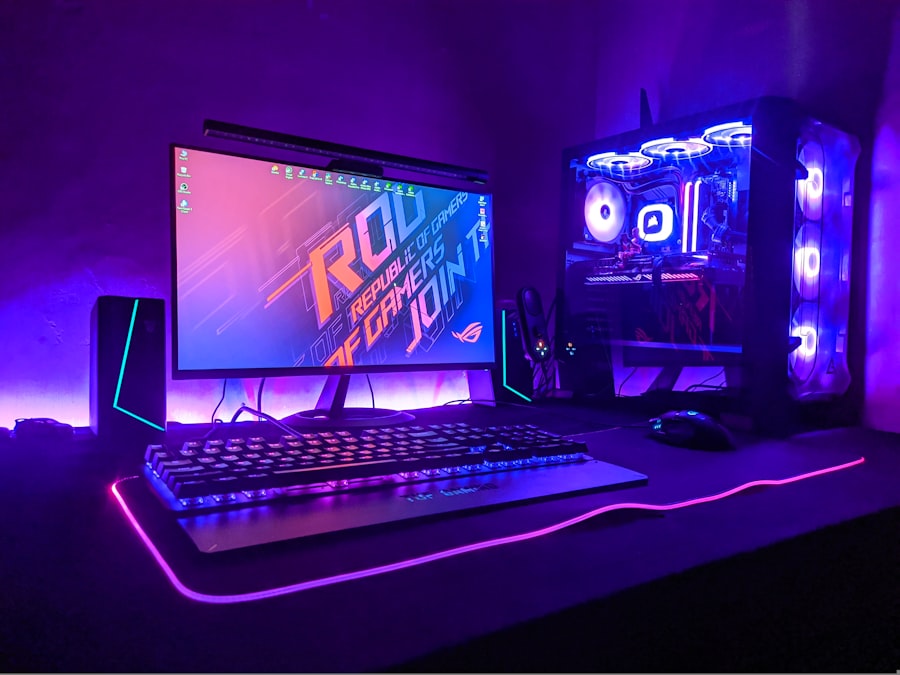
Understanding how your display creates color is one thing, but ensuring those colors are accurate and represent a wide range of hues is another. This is where color accuracy and gamut come into play.
What is Color Accuracy?
Color accuracy refers to how closely the colors displayed on your screen match the intended colors of the content you are viewing. It’s about whether that vibrant red in a photograph truly appears as intended or if it’s shifted towards orange or pink.
- Calibration: Displays are often calibrated to meet specific color standards. Calibration involves adjusting the display’s settings to ensure accurate color reproduction.
- Professional Standards: Professionals in fields like photography, graphic design, and video editing rely on highly color-accurate displays to ensure their work is perceived correctly by others. Standards like sRGB, Adobe RGB, and DCI-P3 are crucial benchmarks.
Understanding Color Gamut: The Range of Reproducible Colors
Color gamut, also known as color space, refers to the range of colors that a particular display can reproduce. Think of it as the palette of colors available to your screen.
- sRGB: This is the standard color space for the internet and most consumer devices. If a display can reproduce 100% of the sRGB gamut, it means it can show all the colors typically seen on websites and in many digital photos.
- Adobe RGB: This gamut is wider than sRGB and is often used by professional photographers and print designers because it encompasses more greens and cyans, which are important for printing.
- DCI-P3: This color space is used primarily in digital cinema. It’s even wider than Adobe RGB, particularly in the red and green regions, and is becoming increasingly common in high-end televisions and monitors.
- Rec. 2020: This is a very wide color space designed for ultra-high-definition (UHD) television. While very few displays can currently reproduce its full gamut, it represents the future of color in broadcast and streaming.
The Importance of Gamut Coverage
When you see specifications like “99% sRGB” or “95% DCI-P3” on a display, it tells you how much of that particular color space the display can cover. A higher percentage generally means a richer and more accurate color experience.
- Wide Color Gamut (WCG): Displays that can reproduce a wider range of colors than sRGB are often referred to as Wide Color Gamut displays. This leads to more vivid and lifelike images, especially when viewing content mastered in those wider color spaces.
RGB displays create color by combining red, green, and blue light in various intensities, allowing for a wide spectrum of colors to be produced. This fascinating process is explored in detail in a related article that delves into the science behind color perception and display technology. For those interested in understanding how these colors are formed and manipulated, you can read more about it here. By adjusting the intensity of each color component, RGB displays can create millions of different shades, making them essential for everything from televisions to computer monitors.
Display Settings and You: Fine-Tuning Your Visual Experience
| Color Model | Red | Green | Blue |
|---|---|---|---|
| Additive Color Mixing | 255 | 0 | 0 |
| Subtractive Color Mixing | 0 | 255 | 0 |
| Combining All Colors | 255 | 255 | 255 |
Now that you’re armed with the knowledge of how RGB displays create color, you can leverage this understanding to optimize your own viewing experience. Those seemingly complex settings on your display are not just decorative; they are your tools for controlling how you perceive the digital world.
Picture Modes: Tailoring to Your Content
Most modern displays come with pre-set picture modes designed for different types of content.
- Standard/Normal: A good all-rounder for everyday viewing.
- Cinema/Movie: Often designed to be more color-accurate for films, with a warmer color temperature.
- Vivid/Dynamic: These modes push colors to their maximum intensity, often oversaturating them for a more eye-catching look. While appealing to some, they are not ideal for accurate color representation.
- Game: Optimized for low input lag and often feature enhanced contrast and brightness for gaming.
- Sports: May boost motion handling and brightness to make fast-paced action clearer.
Brightness and Contrast: The Foundation of Visuals
These are perhaps the most fundamental settings.
- Brightness: Controls the overall luminance of the display. Adjusting this to match your room’s lighting is crucial for comfortable viewing and to prevent eye strain.
- Contrast: Determines the difference between the brightest whites and the darkest blacks. A higher contrast ratio generally leads to a more dynamic and immersive image.
Color Temperature: The Warmth or Coolness of White
Color temperature affects the overall tint of white light.
- Warm: This setting makes white appear more reddish or yellowish, which can be more comfortable for prolonged viewing and is often preferred for movies.
- Cool: This setting makes white appear more bluish, which can make colors pop but might feel harsher for some.
- Neutral: A balanced setting that aims for a pure white.
Advanced Settings: For the Discerning Viewer
Beyond the basic settings, you might find more advanced options.
- Sharpness: Controls the edge definition. Too much sharpness can create artificial-looking halos around objects; too little can make the image appear soft.
- Color Saturation: Adjusts the intensity of all colors. Similar to Vivid mode, over-saturating can make colors look unnatural.
- Gamma: Affects the mid-tone brightness of the image. Proper gamma settings ensure that details in both dark and bright areas are visible without being crushed or washed out.
- Color Management/Expert Settings: These allow for very fine-grained control over individual color channels (red, green, blue) and their saturation and hue. This is where professional calibration tools come into play.
The Power of Calibration: Achieving Peak Performance
For those who demand the utmost accuracy, display calibration is the answer.
- Calibration Tools: These typically involve a colorimeter or spectrophotometer that measures the light output of your display.
- Software: Calibration software then uses these measurements to generate an ICC profile that tells your operating system how to adjust the color output of your graphics card to compensate for the display’s inaccuracies.
- Benefits: Calibration ensures that the colors you see are as close as possible to the intended colors, especially crucial for creative professionals.
The Future of Color: What’s Next for Your Displays?
The evolution of RGB displays is far from over. As technology advances, you can expect even more impressive feats of color reproduction and visual fidelity.
Higher Resolutions and Refresh Rates: Sharper, Smoother Experiences
While not directly about color creation, higher resolutions (like 8K and beyond) and higher refresh rates (240Hz, 360Hz) will further enhance the perceived quality of your images. More pixels mean more detail, and faster refresh rates mean smoother motion, all of which contribute to a more immersive visual experience where the colors can shine.
Enhanced HDR (High Dynamic Range) Capabilities
HDR is already revolutionizing how we experience contrast and color. Future advancements will likely see even wider dynamic ranges, allowing for brighter highlights and deeper shadows, with a greater emphasis on the nuances within those extremes. This means colors will have more impact and realism.
New Color Technologies and Standards
As mentioned with MicroLED, new display technologies will continue to emerge, pushing the boundaries of what’s possible. We’ll also see the adoption and refinement of wider color spaces and new standards that allow for an even more expansive and accurate color palette.
Increased Energy Efficiency and Sustainability
As displays become more powerful, there’s a growing focus on making them more energy-efficient. This involves optimizing the underlying technologies to produce stunning visuals with less power consumption, which is a win for both your electricity bill and the environment.
Personalized Color Experiences
Imagine a future where your display can adapt its color profile not just to the content but also to your individual vision or even your mood. While this might seem like science fiction, the ongoing research into perceptual color science and adaptive display technology hints at such possibilities.
By understanding the fundamental principles of RGB displays and color creation, you unlock a deeper appreciation for the technology you use every day. From the basic building blocks of red, green, and blue light to the intricate workings of pixels and sub-pixels, and the various technologies that bring them to life, you now have a clearer picture of how your screen paints the digital world. So, the next time you marvel at a breathtaking image or a vibrant scene, you’ll know it’s not just magic; it’s a symphony of carefully orchestrated light, all powered by the principles of RGB.

Why Your Brain Had to Invent Magenta
FAQs
1. What is an RGB display?
An RGB display is a type of display technology that uses red, green, and blue light to create a wide range of colors. These three colors are the primary colors of light and can be combined in different intensities to produce millions of different hues.
2. How do RGB displays create color?
RGB displays create color by combining different intensities of red, green, and blue light. By varying the intensity of each color, the display can produce a wide range of colors. This is known as additive color mixing, where the three primary colors are added together to create new colors.
3. What are the advantages of using an RGB display?
One advantage of using an RGB display is its ability to produce a wide range of colors, making it ideal for displaying vibrant and realistic images. Additionally, RGB displays are commonly used in electronic devices such as TVs, computer monitors, and smartphones due to their ability to create high-quality images.
4. Are there any limitations to RGB displays?
One limitation of RGB displays is that they are not able to produce all the colors visible to the human eye. This is because the color gamut of an RGB display is limited to the range of colors that can be created by combining red, green, and blue light. Additionally, RGB displays may struggle to accurately reproduce certain shades, such as deep reds and blues.
5. How are RGB displays different from other display technologies?
RGB displays differ from other display technologies, such as CMYK (cyan, magenta, yellow, black) and OLED (organic light-emitting diode), in the way they create color. While RGB displays use additive color mixing with red, green, and blue light, CMYK displays use subtractive color mixing with cyan, magenta, yellow, and black inks, and OLED displays use organic compounds that emit light when an electric current is applied.