
You’ve likely seen it, perhaps even fiddled with it yourself. That little airplane icon, a curious little symbol that pops up on your phone, tablet, or laptop. It’s called Airplane Mode, and while its presence is familiar, its purpose and inner workings might remain a bit of a mystery. Fear not, for this guide is here to demystify this ubiquitous digital setting. You’re about to embark on a journey to understand exactly what Airplane Mode does, why it exists, and how it achieves its seemingly magical feat of silencing your devices’ digital chatter.
At its core, Airplane Mode is a simple yet crucial function designed to prevent your electronic devices from emitting radio signals that could interfere with sensitive aircraft systems. Think of it as hitting a universal “off” switch for all your device’s wireless communication capabilities. When you activate Airplane Mode, you’re essentially telling your device to cease all wireless transmissions. This includes your cellular data, Wi-Fi, Bluetooth, and even GPS. It’s a comprehensive shutdown of all the ways your device attempts to communicate wirelessly with the outside world.
Silencing the Wireless Symphony: A Detailed Breakdown
Let’s break down precisely which wireless signals are affected when you engage Airplane Mode. It’s not just one single radio; it’s a carefully orchestrated shutdown of several distinct communication pathways.
Cellular Connectivity: The Core of the Matter
The most significant impact of Airplane Mode is the disconnection from your cellular network. This means no more calls, no more text messages (SMS and MMS), and no more mobile data. Your phone essentially becomes a “dumb” phone, incapable of reaching out to cell towers for communication. This is the primary reason for its mandatory use during flights, as cellular signals, even at a low power, could theoretically interfere with the aircraft’s navigation and communication systems. You’ll see the familiar signal bars disappear, replaced by the omnipresent airplane icon.
Why is Cellular Interference a Concern?
The concern isn’t that your phone will suddenly cause a plane to crash. Modern aircraft are incredibly robust and shielded. However, the concern is about cumulative effects and the potential for unexpected interference. Imagine hundreds of phones all attempting to connect to cell towers simultaneously. While individual signals are weak, the sheer volume could, in theory, create a phantom load on the network or cause minor disruptions. Aviation authorities err on the side of caution, and it’s far simpler and safer to mandate a complete wireless shutdown. Furthermore, the frequencies used by cellular networks can overlap with those used by aircraft communication systems, creating a risk of signal bleed and interference.
Wi-Fi: Your Gateway to the Internet, Temporarily Closed
When Airplane Mode is activated, your Wi-Fi connection is also severed. This means you won’t be able to connect to any wireless networks, whether it’s the airport’s free Wi-Fi or the in-flight entertainment system’s network. Your device will stop scanning for available Wi-Fi signals and will disconnect from any currently connected network. This is a crucial aspect of the wireless shutdown, as Wi-Fi signals are also radio waves that could potentially interfere with aircraft systems.
The Case for In-Flight Wi-Fi
It’s worth noting that many airlines now offer in-flight Wi-Fi. This is often achieved through a system that uses satellite or ground-based connections to provide internet access. When you turn on Airplane Mode, you disable your device’s ability to initiate a Wi-Fi connection. However, if the airline’s Wi-Fi system is designed to operate on different frequencies or with specific protocols that have been approved for in-flight use, you will usually have the option to re-enable Wi-Fi after activating Airplane Mode. This is a testament to the advancements in aviation technology, which now allows for controlled wireless access during flights.
Bluetooth: The Silent Companion, Also Muted
Your Bluetooth connection, responsible for pairing your devices with headphones, speakers, smartwatches, and other accessories, is also turned off when Airplane Mode is engaged. This prevents your device from broadcasting or receiving Bluetooth signals. While Bluetooth operates on a different frequency band than cellular or Wi-Fi, it’s still a radio transmission, and the aviation industry’s precautionary principle extends to all wireless signals.
Bluetooth’s Low Power, Still a Precaution
Bluetooth is known for its low power consumption and relatively short range. However, in the context of sensitive avionics, even these low-power signals are considered a potential risk, especially when multiplied by hundreds of devices. The decision to disable Bluetooth is a straightforward measure to eliminate any potential for interference, regardless of its perceived strength.
GPS: Navigating Without a Signal
Even your Global Positioning System (GPS) receiver is typically deactivated when Airplane Mode is on. GPS relies on receiving signals from satellites to determine your location. While this isn’t a transmitting function from your device, the receiver is still actively listening for radio frequencies. For safety reasons, and to ensure that the device isn’t attempting to establish a connection that might draw power or create a subtle electromagnetic field, GPS is usually turned off as well.
Why Disable GPS?
The primary reason for disabling GPS in Airplane Mode is to conserve battery power. The GPS receiver constantly searches for satellite signals, which can be a drain on your device’s battery, especially if it’s struggling to get a lock. More importantly, by disabling all forms of wireless communication, including the passive listening of GPS, you ensure a complete and absolute cessation of radio signal emissions from your device.
If you’re curious about the implications of using airplane mode on your devices, you might find the article on the science behind electromagnetic waves particularly enlightening. It delves into how airplane mode affects your phone’s connectivity and the broader impact of electromagnetic fields on our daily lives. For more information, you can read the article here: Freaky Science.
The “Why” Behind the Icon: Safety and Regulations
The existence of Airplane Mode is not an arbitrary inconvenience; it’s a direct response to safety regulations and a proactive measure to protect the integrity of aircraft operations. The fundamental principle is to eliminate any potential for electromagnetic interference.
Understanding Electromagnetic Interference (EMI)
Electromagnetic Interference, or EMI, occurs when one electronic device disrupts the proper functioning of another electronic device through electromagnetic waves. These waves can be generated by various sources, including radio transmitters, power lines, and even household appliances. In the context of aviation, even a small amount of EMI can have significant consequences.
The Critical Role of Avionics
Aircraft are equipped with sophisticated electronic systems known as avionics. These systems are responsible for a vast array of functions, including navigation, communication, flight control, and weather monitoring. They are designed with stringent shielding and filtering to be highly resistant to interference. However, even the most robust systems have their limits, and introducing an uncontrolled source of radio signals into the cockpit or cabin is a risk that aviation authorities are unwilling to take.
The “Black Box” of Interference
Think of the avionics as the brain and nervous system of the aircraft. They need to operate flawlessly, especially during critical phases of flight like takeoff and landing. Any disruption, however minor, could potentially lead to misinterpretations of data, loss of communication with air traffic control, or even incorrect flight path information. While modern aircraft have advanced shielding, the sheer number of personal electronic devices on a flight, each with its own unique radio frequency output, creates a complex and unpredictable electromagnetic environment.
Regulatory Mandates: The Law of the Skies
Aviation authorities worldwide, such as the Federal Aviation Administration (FAA) in the United States and the European Union Aviation Safety Agency (EASA), have established regulations concerning the use of electronic devices on aircraft. These regulations generally require passengers to switch to Airplane Mode during certain phases of flight.
The Evolution of Rules
It’s important to note that the rules surrounding electronic device usage on airplanes have evolved over time. In the early days of personal electronics, a strict “off” policy was often enforced. As technology advanced and aircraft became more shielded, a more nuanced approach has been adopted. The current emphasis is on disabling the transmitting functions of devices, allowing for the continued use of certain features in Airplane Mode, such as playing downloaded games or reading e-books.
Collaboration Between Technology and Aviation
The development of Airplane Mode is a prime example of how technology and aviation have adapted to each other. Manufacturers have integrated this feature into devices, and airlines and regulators have worked together to establish clear guidelines for its use. This ongoing dialogue ensures that passenger convenience and safety are balanced.
Beyond the Flight: Other Uses for Airplane Mode
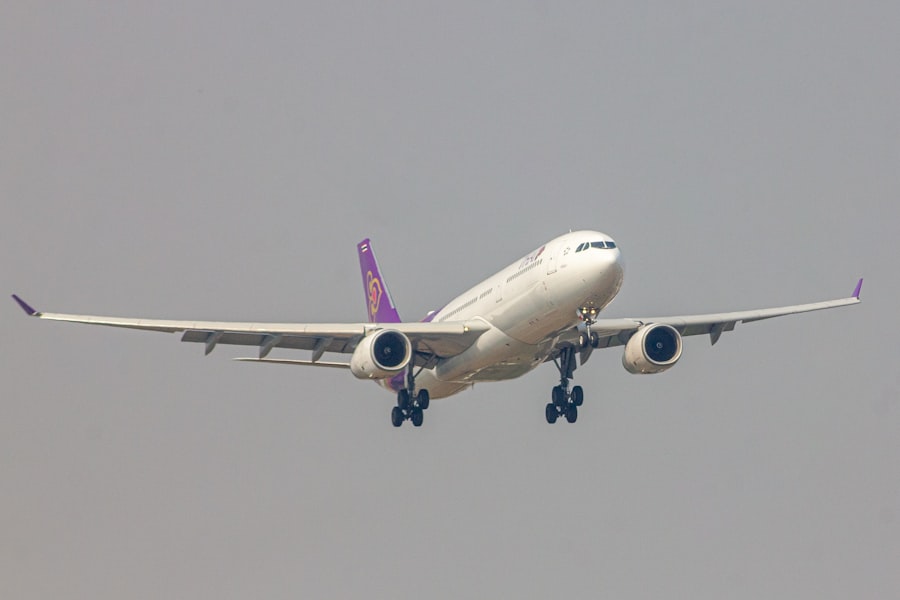
While its primary purpose is for air travel, Airplane Mode has a few other handy applications that you might find useful in your daily life. These uses leverage the core function of silencing wireless transmissions for various practical reasons.
Conserving Battery Life: A Digital Diet
One of the most immediate and noticeable benefits of activating Airplane Mode, even when you’re not flying, is its impact on battery life. By disabling all the radios that are constantly searching for signals, you significantly reduce your device’s power consumption. This is particularly useful if you need your phone to last longer throughout the day and don’t need active wireless connectivity.
The Radio Drain: Understanding the Power Hog
Your phone’s cellular radio, Wi-Fi, and Bluetooth radios are constantly working. They scan for networks, attempt to connect, and maintain connections. This process requires energy, and the more searching and connecting your device does, the more battery it consumes. When Airplane Mode is on, these radios are essentially put to sleep, dramatically slowing down battery drain.
Extended Use Scenarios
If you’re going on a long hike, attending a full-day conference, or simply know you’ll be away from a charger for an extended period, putting your phone in Airplane Mode can be a lifesaver. You can still use offline apps, play downloaded music or videos, and even take photos, all without the constant battery drain of seeking wireless signals.
Ensuring Focus: A Digital Detox
In today’s hyper-connected world, distractions are everywhere. Notifications ping, emails arrive, and social media beckons. Airplane Mode offers a simple yet effective way to create a sanctuary of focus. By silencing all incoming notifications, you can immerse yourself in your work, a book, or a conversation without the constant interruption of your digital life.
The Power of Uninterrupted Concentration
For students studying for exams, professionals working on important projects, or anyone seeking a moment of uninterrupted peace, Airplane Mode is an invaluable tool. It allows you to reclaim your attention and dedicate it to the task at hand, free from the allure of the digital world.
Mindful Technology Use
This application of Airplane Mode encourages mindful technology use. Instead of passively reacting to notifications, you are actively choosing when and how to engage with your devices. It’s a small step towards digital well-being and a healthier relationship with your technology.
Offline Entertainment: Your Personal Media Hub
Even without an internet connection, your device can still be a source of entertainment. With Airplane Mode engaged, you can enjoy downloaded music, movies, podcasts, audiobooks, and e-books without any interruptions or data usage. This turns your device into a personal portable media library.
Pre-Flight and Long Journeys
This is especially useful for long flights or train journeys where Wi-Fi might be expensive or unavailable. Downloading your favorite entertainment content before you leave ensures you have hours of distraction and enjoyment at your fingertips, all while complying with airline regulations.
The Convenience of Offline Access
The ability to access your media offline is a testament to the growing offline capabilities of modern apps and devices. It allows for a more seamless and less stressful travel experience, where connectivity is not a prerequisite for enjoyment.
How Does it Work? The Technology Behind the Icon

Understanding the technical magic behind Airplane Mode reveals the elegant simplicity of its design. It’s not a complex piece of software; it’s a clever way to toggle off specific hardware components.
The Wireless Radio Hardware
At the heart of your smartphone, tablet, or laptop are various wireless radio transmitters and receivers. These are specialized chips and antennas designed to emit and receive specific radio frequencies. When you activate Airplane Mode, you’re essentially instructing the device’s operating system to shut down the power supply to these radio components.
The Role of the Operating System
Your device’s operating system (like iOS, Android, Windows, or macOS) acts as the conductor of this digital orchestra. When you tap the Airplane Mode icon, the operating system sends a command to the hardware to disable the relevant wireless modules. This is a direct hardware-level switch, not just a software setting that blocks signals.
A Unified Command
The beauty of Airplane Mode is that it consolidates the disabling of multiple wireless radios into a single, easy-to-use command. Instead of having to manually turn off Bluetooth, then Wi-Fi, then cellular data, Airplane Mode handles it all with one tap.
The Power Switch Analogy
Think of Airplane Mode like a master power switch for all your device’s wireless radios. When the switch is “on” (Airplane Mode is activated), the power is cut to these components. When the switch is “off” (Airplane Mode is deactivated), the power is restored, and the radios can begin their normal operations.
Energy Efficiency by Design
This hardware-level shutdown is incredibly efficient for conserving battery power. It’s not just about stopping the signals; it’s about stopping the components that generate and process those signals from consuming energy altogether.
The Microscopic Switch
Within the complex circuitry of your device, there are tiny electronic switches that control the flow of power to different components. Airplane Mode essentially flips these switches to the “off” position for the wireless radios.
When exploring the concept of airplane mode, it’s interesting to consider how this feature impacts our devices and connectivity. For a deeper understanding of related topics, you might find the article on the science behind technology quite enlightening. It delves into various aspects of how our gadgets function in different modes and can be accessed through this link. Understanding these features can enhance our appreciation of the technology we use daily.
Re-enabling Wireless Connectivity: A Gradual Return
| Aspect | Explanation |
|---|---|
| Definition | It is a setting available on most smartphones and other electronic devices that, when activated, suspends the device’s radio-frequency signal transmission. |
| Function | It allows the user to use the device in situations where the use of radio-frequency signals is prohibited, such as during flights or in hospitals. |
| Benefits | It helps to conserve battery life, reduces interference with sensitive equipment, and allows for uninterrupted use of the device in situations where radio-frequency signals are not allowed. |
| Activation | It can usually be activated through the device’s settings or by using a physical switch or button. |
The beauty of Airplane Mode is that it’s not a permanent state. You can selectively re-enable specific wireless functions once you’re no longer in a situation where they are prohibited. This provides flexibility and allows you to enjoy the benefits of wireless connectivity when it’s safe and appropriate.
The Option to Re-enable Wi-Fi and Bluetooth
As mentioned earlier, many airlines allow you to re-enable Wi-Fi and Bluetooth after activating Airplane Mode. This is because these systems have been designed and certified for in-flight use and operate on frequencies and with protocols that are deemed safe. You’ll typically find separate toggles for Wi-Fi and Bluetooth within your device’s settings menu, even when Airplane Mode is active.
Controlled Reintegration
This allows for a controlled reintroduction of wireless signals. You’re not just flipping a single switch back on; you’re making conscious decisions about which wireless connections you want to re-establish, ensuring that you’re complying with any specific in-flight guidelines.
The “Flight Mode” Toggle
When you re-enable Wi-Fi or Bluetooth, the Airplane Mode icon will usually remain on your screen, indicating that the cellular radio is still disabled. This is a visual cue that your device is still operating in a modified state, with only specific wireless functions active.
When to Turn It Off Completely
Once you have landed and are clear of any airport or aircraft restrictions, you can simply tap the Airplane Mode icon again to turn it off completely. This will restore all of your device’s wireless communication capabilities, allowing you to reconnect to cellular networks, Wi-Fi, and Bluetooth devices.
The Full Reawakening
Turning off Airplane Mode is like opening all the doors and windows for your device’s digital communications. It will immediately begin scanning for cellular signals, Wi-Fi networks, and Bluetooth devices, re-establishing all the connections it needs to function in its fully connected state.
The Convenience of Choice
This ability to selectively re-enable or completely disable Airplane Mode gives you complete control over your device’s wireless connectivity, allowing you to tailor its functionality to your specific needs and the environment you are in.
In conclusion, Airplane Mode is more than just a button to press on your phone; it’s a vital safety feature that underscores the importance of electromagnetic compatibility in aviation. By understanding what it does, why it’s mandated, and how it works, you can navigate the skies with confidence and peace of mind, knowing that you’re contributing to a safe and secure travel experience. And beyond the airplane, you now have a better appreciation for its other practical applications in managing your digital life.

Your Phone Can Still Know Where You Are in Airplane Mode
FAQs
What is airplane mode?
Airplane mode is a setting available on most smartphones, tablets, and other electronic devices that disables the device’s wireless communication functions. This includes disabling cellular, Wi-Fi, and Bluetooth connections.
Why is it called airplane mode?
The term “airplane mode” comes from the fact that the setting was originally designed to be used during flights. By disabling wireless communication, it reduces the potential for interference with aircraft systems.
When should I use airplane mode?
Airplane mode should be used during flights, as required by airline regulations. It can also be used in other situations where you want to disable wireless communication, such as in areas with poor reception or when you want to conserve battery life.
Can I use Wi-Fi or Bluetooth in airplane mode?
When airplane mode is enabled, Wi-Fi and Bluetooth are typically disabled. However, some devices allow you to manually re-enable Wi-Fi and Bluetooth while in airplane mode, allowing you to use these functions without enabling cellular communication.
Is it safe to use electronic devices in airplane mode during a flight?
Yes, it is safe to use electronic devices in airplane mode during a flight. Airplane mode disables the wireless communication functions that could potentially interfere with aircraft systems, making it safe to use devices for activities such as reading, gaming, or watching pre-downloaded content.