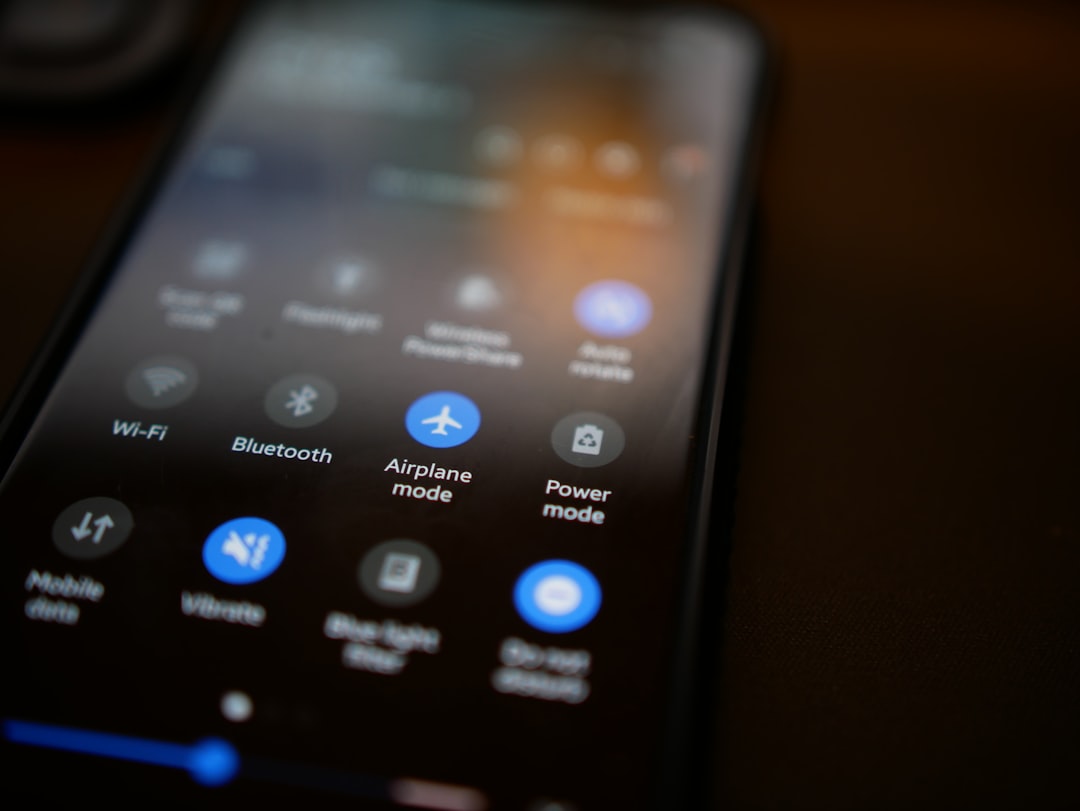
You’ve probably seen that little airplane icon on your phone, a symbol that’s as familiar as the power button. You’ve likely toggled it on and off countless times without a second thought, a reflex action before a flight, or perhaps to quell battery drain. But have you ever stopped to consider what’s actually happening under the hood when you engage airplane mode? Beyond the obvious cessation of calls and texts, a cascade of effects unfolds, transforming your device from a connected portal into a self-contained digital island. This article will take you on a journey into the heart of airplane mode, exploring its multifaceted benefits and the technological ballet that occurs when you hit that switch.
The primary purpose of airplane mode is elegantly simple: to disable your device’s wireless communication capabilities. This isn’t just about cutting off your connection to the world; it’s a precise technological intervention with significant implications. Think of it as hitting a master switch that deactivates a multitude of radio transmitters and receivers within your smartphone, tablet, or laptop.
Deactivating Cellular Radios: The End of Network Connectivity
When you activate airplane mode, the most immediate and noticeable effect is the disconnection from your cellular network. Your phone’s modem, responsible for communicating with cell towers, is immediately powered down. This means no more incoming or outgoing calls, no more text messages (SMS/MMS), and no more cellular data. Your signal bars vanish, replaced by that ubiquitous airplane icon, a visual cue that you are no longer part of the mobile telephony ecosystem.
What Happens to Your SIM Card?
Your SIM card, the tiny chip that authenticates your device to your mobile carrier, is effectively rendered inert in terms of network communication. While the SIM itself remains physically in your device, its ability to initiate or receive network signals is temporarily suspended. You might see a notification indicating “No SIM” or a similar message, even though the card is still present. This is because the cellular radio it relies on is no longer active.
The Impact on Data Usage
Without an active cellular connection, your device cannot utilize your mobile data plan. This is a significant benefit for those who are conscious of their data consumption or who are traveling abroad and wish to avoid exorbitant roaming charges. All internet access that relies on cellular data will cease.
Disabling Wi-Fi and Bluetooth: A Comprehensive Wireless Shutdown
Airplane mode doesn’t stop at just cellular. It also gracefully shuts down your device’s Wi-Fi and Bluetooth radios. This comprehensive approach ensures that all forms of wireless communication are temporarily disabled, preventing any unintended transmissions.
Why Disable Wi-Fi?
While Wi-Fi is a different technology from cellular, it still operates on radio frequencies. In certain environments, such as on aircraft, even Wi-Fi signals could potentially interfere with sensitive navigation or communication systems. Therefore, disabling Wi-Fi in airplane mode is a precautionary measure to ensure complete isolation from external wireless networks.
The Bluetooth Connection Goes Dark
Similarly, Bluetooth, a short-range wireless technology, is also deactivated. This means your headphones, smartwatches, speakers, and any other Bluetooth-enabled accessories will lose their connection to your device. This is particularly relevant during flights, where the use of Bluetooth devices might be restricted due to potential interference.
The Immediate Visual Cues: What You See and Don’t See
The instant you toggle airplane mode on, your device undergoes a visible transformation. The familiar Wi-Fi symbol, cellular signal bars, and Bluetooth icon all disappear from your status bar. They are replaced by the distinctive airplane icon, usually found in a corner of your screen, signaling the active state of airplane mode.
Connectivity Icons Vanish
You’ll notice the absence of any indicators suggesting an active wireless connection. This is a clear visual confirmation that your device is no longer attempting to communicate wirelessly with external networks or devices.
Notifications Halt
Crucially, you will stop receiving any notifications that rely on these wireless connections. This includes instant messages from apps like WhatsApp or Telegram, email alerts, social media updates, and any other real-time data pushed to your device.
When you activate airplane mode on your device, it disables all wireless communications, including cellular, Wi-Fi, and Bluetooth connections. This feature is particularly useful during flights, as it helps prevent interference with the aircraft’s navigation systems. For a deeper understanding of the implications and benefits of using airplane mode, you can read a related article that explores the science behind this technology. Check it out here: Freaky Science.
Beyond the Flight: Unexpected Benefits of Airplane Mode
While designed with air travel in mind, airplane mode offers a surprising array of benefits that extend far beyond the cabin of an airplane. These advantages can improve your device’s performance, conserve battery life, and even enhance your digital well-being.
Conserving Battery Life: A Power-Saving Powerhouse
One of the most significant and widely appreciated benefits of airplane mode is its impact on battery life. By shutting down power-hungry wireless radios, you can dramatically extend the time your device stays charged.
The Energy Drain of Wireless Radios
Your smartphone’s cellular modem, Wi-Fi, and Bluetooth radios are constantly searching for signals or actively transmitting. This continuous process consumes a substantial amount of power, especially when you have a weak signal, forcing your device to work harder to maintain a connection.
The Dramatic Impact on Standby Time
When these radios are turned off, your device enters a low-power state. The battery drain during standby becomes significantly reduced, allowing your device to last much longer between charges. This is particularly useful when you’re away from a power source for an extended period.
Optimizing for Offline Use
If you’re planning on using your device for offline activities like reading e-books, listening to downloaded music, or playing offline games, activating airplane mode is a smart move. It ensures that your battery isn’t being unnecessarily depleted by background network activity.
Boosting Performance: A Faster, More Responsive Device
Believe it or not, airplane mode can also contribute to a snappier and more responsive device. This is especially true when your device is struggling with a weak or intermittent wireless connection.
The Burden of Constant Searching
When your device is actively trying to connect to a weak cellular or Wi-Fi signal, its processor is working overtime. It’s constantly scanning for available networks, attempting to establish a connection, and managing dropped connections. This background activity can slow down the overall performance of your device.
Freeing Up System Resources
By disabling these wireless searches, airplane mode frees up valuable processing power and memory. This allows your device to dedicate its resources to the apps you are actively using, resulting in a smoother and faster user experience.
Improving Responsiveness for Offline Tasks
For tasks that don’t require an internet connection, such as opening apps, scrolling through photos, or writing notes, disabling wireless activity can make your device feel more immediate and responsive.
Enhancing Focus and Productivity: Reclaiming Your Attention
In today’s hyper-connected world, distractions are an ever-present challenge. Airplane mode offers a simple yet effective tool to reclaim your focus and boost your productivity by creating a digital sanctuary.
The Constant Barrage of Notifications
Notifications, while often useful, can also be incredibly disruptive. Every buzz, ping, or banner can pull your attention away from the task at hand, breaking your concentration and reducing your efficiency.
Creating a Zone of Undistracted Work
By silencing all incoming notifications, airplane mode allows you to enter a state of deep work. You can immerse yourself in your tasks without the constant temptation to check your phone, leading to higher quality work and increased output.
Intentional Engagement with Digital Content
When you turn airplane mode off, you can choose when to reconnect and engage with your digital world. This intentionality allows you to better manage your digital consumption and avoid the mindless scrolling that can eat into valuable time.
Ensuring Device Stability: Preventing Interference and Crashes
In certain situations, your device’s wireless transmissions can actually cause problems, either for itself or for other sensitive equipment. Airplane mode acts as a safeguard against these potential issues.
Preventing Interference with Aircraft Systems
This is the most well-known reason for airplane mode. While the risk of a smartphone interfering with aircraft navigation or communication systems is generally considered low with modern technology, regulations are in place for a reason. Airplane mode ensures absolute compliance and eliminates any potential for interference.
Protecting Sensitive Medical Equipment
In hospitals and other healthcare settings, electronic devices can sometimes interfere with sensitive medical equipment. Airplane mode is often recommended or mandated in these environments to ensure the safety of patients.
Preventing Unintended Data Transfers
In crowded or complex wireless environments, your device might inadvertently attempt to connect to the wrong network or initiate unintended data transfers. Airplane mode provides a clean slate, preventing these kinds of electronic gaffes.
Practical Applications of Airplane Mode: Beyond the Skies
The utility of airplane mode extends to a variety of everyday scenarios, offering practical solutions for common frustrations and needs. You might be surprised at how often this simple setting can come to your rescue.
The Ultimate Battery Saver in a Pinch
When your phone is on its last legs and you need to conserve every last drop of battery life, airplane mode is your best friend.
Extending Phone Calls and Crucial Communications
If you have an important call to make or receive and your battery is critically low, enabling airplane mode immediately after the call can help preserve enough power for that vital conversation.
Ensuring Access to Essential Offline Features
Even with a dying battery, you might still need to access downloaded maps, a downloaded e-book, or a note. Airplane mode will keep these functionalities alive for longer.
A Digital Detox Tool: Reclaiming Your Time and Sanity
In an age of constant connectivity, the ability to disconnect is a powerful tool for mental well-being. Airplane mode provides an immediate and effective way to achieve this.
Setting Boundaries for Family Time
During family dinners or quality time, enabling airplane mode on everyone’s devices can foster more present and engaged interactions, free from the interruptions of the digital world.
Promoting Better Sleep Habits
Before bed, switching to airplane mode can help you wind down without the temptation to scroll through social media or check emails. This can lead to improved sleep quality.
Creating Uninterrupted Study or Work Sessions
When you need to focus on a critical project or an important study session, airplane mode creates a distraction-free environment, allowing you to dedicate your full attention to the task at hand.
Troubleshooting Connectivity Issues: A First Step in Diagnosis
When your device is experiencing Wi-Fi or cellular connectivity problems, a simple toggle of airplane mode can often be the solution.
Resetting Network Connections
Turning airplane mode on and then off again effectively resets your device’s network connections. It forces the device to re-establish its wireless links from scratch, which can resolve temporary glitches or conflicts.
Clearing Out Network Cache
This process can also help clear out any cached network information that might be causing issues, allowing for a fresh and clean connection.
Enhancing Gaming and Media Consumption: A Smoother Experience
For certain types of digital entertainment, disabling wireless connections can lead to a more enjoyable experience.
Lag-Free Offline Gaming
Many mobile games can be played offline, and disabling all wireless radios ensures that background processes don’t interfere with the game’s performance, leading to smoother gameplay and no frustrating lag.
Buffering-Free Downloaded Content Playback
When watching downloaded videos or listening to downloaded music, airplane mode guarantees that no background downloads or updates will interrupt your playback, ensuring a seamless and uninterrupted experience.
Re-enabling Connectivity: The Seamless Transition Back
Just as easily as you can turn airplane mode on, you can also turn it off to seamlessly reintegrate your device into the connected world. The process is straightforward and typically takes just a few moments.
The Automatic Reconnection Process
When you disable airplane mode, your device will immediately begin searching for available wireless networks.
Reconnecting to Cellular Towers
Your device’s cellular modem will power back on and start searching for the nearest cell towers. It will then attempt to re-authenticate with your mobile carrier, and within seconds, you should see your signal bars reappear.
Searching for Wi-Fi Networks
Similarly, your Wi-Fi radio will become active and scan for previously known or available Wi-Fi networks. If you have Wi-Fi auto-connect enabled for a particular network, your device will attempt to join it automatically.
Re-establishing Bluetooth Connections
Your Bluetooth radio will also reactivate. If you have previously paired Bluetooth devices nearby and their Bluetooth is also enabled, your device will attempt to re-establish those connections.
The Return of Notifications and Real-Time Data
Once your device has successfully reconnected to the internet (via cellular or Wi-Fi), you will begin to receive notifications again.
Catching Up on Missed Alerts
You might experience a brief flurry of notifications as your device catches up on any messages, emails, or alerts that arrived while airplane mode was active.
Resuming Background Data Synchronization
Any background data synchronization tasks that were paused, such as app updates or cloud backups, will resume once your internet connection is re-established.
A Conscious Choice: When to Reconnect and How
The beauty of airplane mode lies in its on-demand nature. You control when you disconnect and when you reconnect, allowing you to tailor your device’s connectivity to your needs.
Strategic Reconnection for Efficiency
You might choose to reconnect only when you specifically need internet access, rather than leaving it on constantly. This can help manage data usage and prevent unnecessary battery drain.
The Power of Intentional Engagement
By consciously deciding when to turn airplane mode off, you are making an intentional choice to engage with the digital world, rather than being passively consumed by it. This can lead to a more mindful and productive use of your device.
When you activate airplane mode on your device, it disables all wireless communications, including cellular, Wi-Fi, and Bluetooth connections. This feature is particularly useful during flights, as it helps prevent interference with the aircraft’s navigation systems. If you’re curious about the science behind airplane mode and its effects on your device, you might find this related article insightful. For more information, you can read about it here.
Airplane Mode: A Simple Tool with Profound Impact
| Effect | Description |
|---|---|
| No Network | Disables all wireless communication, including cellular, Wi-Fi, and Bluetooth. |
| No Calls or Texts | Prevents incoming and outgoing calls and text messages. |
| No Internet Access | Stops all data transfer, including browsing the web and using online apps. |
| Extended Battery Life | Conserves battery power by turning off power-hungry wireless radios. |
In conclusion, airplane mode is far more than just a flight requirement. It’s a powerful, versatile tool that offers a wealth of benefits, from conserving battery and enhancing performance to promoting focus and ensuring device stability. By understanding what happens when you turn it on, you can leverage its capabilities to your advantage in countless everyday situations. So, the next time you see that little airplane icon, remember the quiet revolution it represents – a moment of digital serenity and enhanced control that’s always at your fingertips. You have the power to silence the noise and reclaim your focus, all with a simple flick of a switch.

Your Phone Can Still Know Where You Are in Airplane Mode
FAQs
1. What is airplane mode on a device?
Airplane mode is a setting available on most smartphones, tablets, and other electronic devices that disables the device’s wireless communication functions. This includes disabling cellular, Wi-Fi, and Bluetooth connections.
2. What happens when you turn on airplane mode?
When airplane mode is turned on, the device’s wireless communication functions are disabled. This means that the device will not be able to make or receive calls, send or receive text messages, or connect to the internet via Wi-Fi or cellular data.
3. Can you still use the device while in airplane mode?
Yes, you can still use the device while in airplane mode. You can access any content that is stored locally on the device, such as photos, videos, music, and documents. However, you will not be able to access online content or use apps that require an internet connection.
4. Why is it called “airplane mode”?
The term “airplane mode” comes from the fact that it is commonly used during flights. Airplane mode is required to be turned on during flights to comply with aviation regulations and to prevent interference with the aircraft’s communication and navigation systems.
5. Are there any benefits to using airplane mode even when not on a plane?
Yes, there are several benefits to using airplane mode even when not on a plane. It can help conserve battery life, reduce distractions, and prevent unwanted interruptions during important meetings or events. Additionally, using airplane mode in areas with weak cellular signals can help improve battery life by preventing the device from constantly searching for a signal.