High-resolution audio refers to audio files with sampling rates and bit depths that exceed standard CD specifications. Standard CDs operate at 44.1 kHz sampling rate with 16-bit depth, while high-resolution audio typically features sampling rates up to 192 kHz and bit depths of 24 bits or higher. This increased sampling rate and bit depth capture greater detail in the audio signal, preserving more information from the original recording.
The technical advantages of high-resolution audio include improved clarity and extended frequency response. Higher sampling rates allow for more accurate representation of sound waves, while increased bit depth provides greater dynamic range and reduced quantization noise. These characteristics can result in more detailed reproduction of instrumental timbre and vocal nuances that may be compressed or lost in standard audio formats.
However, the audibility of these improvements depends on several factors, including the quality of the original recording, playback equipment, and individual listener perception.
Key Takeaways
- High-res audio requires compatible equipment and properly selected audio files for optimal sound quality.
- Setting up and calibrating your digital audio player, amplifier, and speakers is crucial for the best listening experience.
- Regular testing and troubleshooting help maintain system performance and resolve common playback issues.
- Proper maintenance of your high-res audio system ensures longevity and consistent audio quality.
- Enjoying high-res audio involves both technical setup and personal preference to fully appreciate the enhanced sound.
Choosing the Right Equipment
To fully appreciate high-res audio, selecting the right equipment is crucial. You’ll want to invest in a digital audio player (DAP) that supports high-resolution formats. Many modern DAPs are designed specifically for audiophiles, offering support for various file types such as FLAC, ALAC, and DSD.
When choosing your player, consider factors such as battery life, storage capacity, and user interface. A well-designed DAP will not only enhance your listening experience but also provide you with the convenience of accessing your entire music library on the go. In addition to a capable digital audio player, you’ll need high-quality headphones or speakers to truly experience the benefits of high-res audio.
Look for headphones that have a wide frequency response and low distortion levels. Open-back headphones are often favored for their natural soundstage, while closed-back options may provide better isolation. If you prefer speakers, consider investing in a pair that can accurately reproduce the full range of frequencies without coloration.
Remember, the quality of your playback equipment can significantly impact your overall experience, so take the time to research and choose wisely. Experience the clarity and depth of sound like never before with high resolution audio.
Selecting High-Res Audio Files
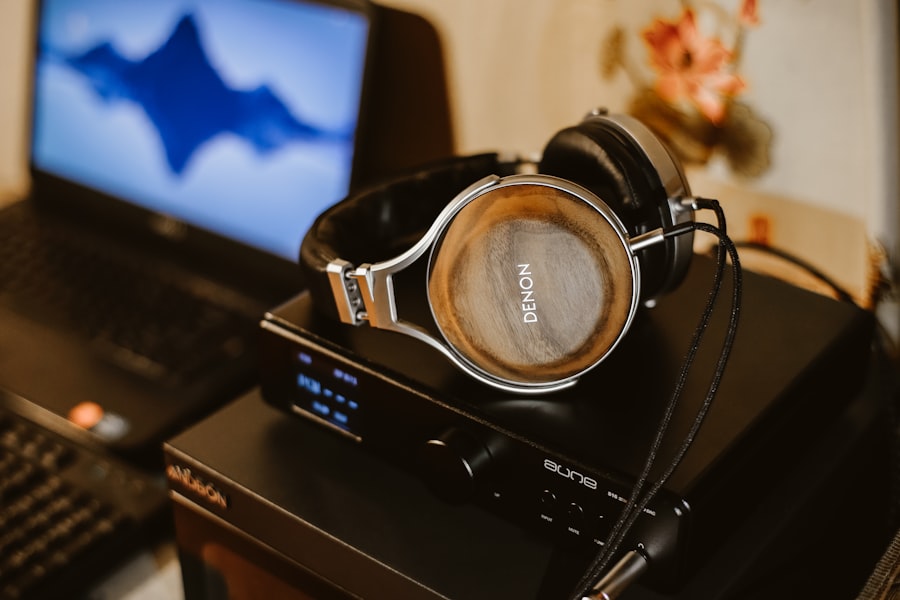
Once you have your equipment set up, the next step is selecting high-resolution audio files. There are numerous platforms available where you can purchase or stream high-res music, such as HDtracks, Qobuz, and Tidal. These services offer extensive libraries of high-quality recordings across various genres, allowing you to curate a collection that suits your tastes.
When browsing for music, pay attention to the file format and resolution; look for files labeled as 24-bit/96 kHz or higher to ensure you’re getting the best quality. It’s also worth exploring independent artists and labels that offer high-res downloads directly from their websites. Many musicians are now embracing high-resolution formats to provide fans with the best possible listening experience.
By supporting these artists, you not only gain access to unique recordings but also contribute to a growing movement that values sound quality over convenience. As you build your library, take the time to listen critically; this will help you appreciate the differences between high-res and standard audio formats.
Setting Up Your Digital Audio Player
Setting up your digital audio player is an essential step in optimizing your high-res audio experience. Begin by ensuring that your player is updated with the latest firmware; manufacturers often release updates that improve performance and compatibility with new file formats. Once updated, transfer your high-resolution audio files onto your device.
Depending on your player’s storage capacity, you may need to organize your library into folders or playlists for easy access. After transferring your files, familiarize yourself with the player’s interface and features. Many DAPs come equipped with equalizers and sound enhancement options that allow you to tailor the audio output to your preferences.
Experiment with these settings to find a balance that suits your listening style. Additionally, consider using a good quality USB cable for charging and data transfer; this can help maintain signal integrity and ensure optimal performance.
Connecting Your Digital Audio Player to Your Amplifier
| Step | Action | Details | Recommended Equipment/Software | Notes |
|---|---|---|---|---|
| 1 | Choose High-Resolution Audio Source | Select audio files with sample rates above 44.1kHz and bit depth above 16-bit | FLAC, ALAC, DSD, WAV files | Look for files labeled 24-bit/96kHz or higher |
| 2 | Use a High-Quality DAC (Digital-to-Analog Converter) | Convert digital audio to analog with minimal loss | External USB DACs supporting 24-bit/192kHz or higher | Built-in DACs in computers or phones may limit quality |
| 3 | Use High-Resolution Audio Player Software | Software that supports high-res formats and bit-perfect playback | Foobar2000, Audirvana, JRiver Media Center | Enable exclusive mode or WASAPI/ASIO drivers for best results |
| 4 | Use High-Quality Headphones or Speakers | Playback devices capable of reproducing high-res audio frequencies | Studio monitors, audiophile headphones | Ensure impedance and sensitivity match your DAC/amplifier |
| 5 | Optimize Playback Settings | Set sample rate and bit depth to match source files | Operating system sound settings, player preferences | Disable audio enhancements or effects that degrade quality |
| 6 | Use Quality Cables and Connections | Minimize signal loss and interference | Shielded USB cables, balanced XLR or TRS cables | Avoid cheap or damaged cables |
| 7 | Consider Room Acoustics (for speakers) | Improve sound clarity and reduce reflections | Acoustic panels, bass traps | Important for speaker setups, less so for headphones |
To elevate your listening experience further, connecting your digital audio player to an amplifier is a wise choice. An amplifier enhances the audio signal from your DAP, providing greater power and clarity to your speakers or headphones. Start by selecting an appropriate connection method; many modern DAPs support Bluetooth, USB, or analog connections.
If you opt for a wired connection, ensure that you have the necessary cables on hand. When connecting via Bluetooth, make sure both devices are paired correctly for seamless playback. If using a USB connection, check if your amplifier has a dedicated USB input; this can often provide superior sound quality compared to analog connections.
Once connected, adjust the volume on both devices to prevent distortion or damage to your equipment. With everything set up correctly, you’re ready to enjoy an enhanced audio experience.
Adjusting Your Amplifier Settings
Once your digital audio player is connected to your amplifier, it’s time to adjust the amplifier settings for optimal performance. Start by setting the volume at a moderate level; this will help prevent any sudden loud bursts that could damage your speakers or ears. Many amplifiers come with various settings such as bass boost or treble adjustment; experiment with these features to find a sound profile that resonates with you.
Additionally, consider using any built-in equalization options available on your amplifier. These settings allow you to fine-tune specific frequency ranges based on your listening environment and personal preferences. For instance, if you find that bass frequencies are overpowering, you can reduce them while enhancing mid-range frequencies for clearer vocals.
Take your time adjusting these settings; small changes can significantly impact your overall listening experience.
Calibrating Your Speakers
Calibrating your speakers is an essential step in achieving an immersive high-res audio experience. Proper speaker placement can dramatically affect sound quality; ideally, speakers should be positioned at ear level and equidistant from your listening position for optimal stereo imaging.
Once positioned correctly, take advantage of any calibration tools available with your amplifier or receiver. Many modern systems come equipped with automatic calibration features that analyze room acoustics and adjust speaker settings accordingly. If your system lacks this feature, consider using a sound level meter app on your smartphone to measure output levels from each speaker manually.
This process ensures that all speakers are balanced and working harmoniously together.
Testing Your High-Res Audio Setup
With everything set up and calibrated, it’s time to test your high-res audio setup. Start by playing familiar tracks that you know well; this will help you identify any discrepancies in sound quality or balance.
Do instruments have depth? Is there a sense of space in the recording? These factors will give you insight into how well your system is performing.
As you test various tracks across different genres, take note of any adjustments needed in amplifier settings or speaker placement. It’s common for certain recordings to highlight weaknesses in a setup; use this opportunity to refine your system further. Don’t hesitate to switch between different high-res files as well; this will help you appreciate the nuances of each recording and how they translate through your equipment.
Troubleshooting Common Issues
Even with careful setup and calibration, you may encounter common issues while enjoying high-res audio playback. One frequent problem is distortion or clipping at higher volumes; if this occurs, try lowering the volume on either your digital audio player or amplifier until clarity is restored. Additionally, check all connections to ensure they are secure; loose cables can lead to signal loss or interference.
Another issue might be related to file compatibility; if certain tracks won’t play or sound distorted, verify that they are indeed high-resolution files supported by your equipment. Sometimes converting files into different formats can resolve playback issues as well. If problems persist despite troubleshooting efforts, consult user manuals or online forums specific to your equipment for further guidance.
Maintaining Your High-Res Audio System
Maintaining your high-res audio system is vital for ensuring longevity and optimal performance over time. Regularly clean all components—dust can accumulate on speakers and connections, leading to degraded sound quality. Use a soft cloth for cleaning surfaces and avoid harsh chemicals that could damage finishes or components.
Additionally, keep an eye on software updates for both your digital audio player and amplifier; manufacturers often release updates that enhance performance or fix bugs. If you notice any changes in sound quality or functionality over time, don’t hesitate to reach out to customer support for assistance or advice on maintenance practices specific to your equipment.
Enjoying High-Res Audio Playback
Finally, once everything is set up and maintained properly, it’s time to sit back and enjoy high-res audio playback fully! Immerse yourself in the rich textures and details of your favorite music as it comes alive through your carefully curated system. Whether you’re hosting friends for a listening party or enjoying a quiet evening alone with headphones on, high-res audio offers an unparalleled experience that elevates music appreciation.
As you explore new tracks and artists within the realm of high-resolution formats, allow yourself to discover new sounds and genres that resonate with you deeply. The journey into high-res audio is not just about technical specifications; it’s about connecting with music on a profound level and experiencing it as it was intended by the artists who created it. Embrace this journey wholeheartedly—your ears will thank you!
If you’re looking to enhance your audio experience by setting up high-resolution audio, you might find it helpful to read this related article on the topic. It provides detailed insights and tips on achieving the best sound quality possible. You can check it out here: How to Set Up High-Res Audio.
WATCH THIS! Can You Really Hear High-Res Audio? 🎶
FAQs
What is high-resolution audio?
High-resolution audio refers to audio files that have a higher sampling rate and bit depth than standard CD-quality audio (16-bit/44.1 kHz). Common high-res formats include 24-bit/96 kHz or 24-bit/192 kHz, which provide greater detail and clarity in sound reproduction.
What equipment do I need to set up high-resolution audio?
To set up high-res audio, you need a compatible digital audio player or computer, a high-quality digital-to-analog converter (DAC), and headphones or speakers capable of reproducing high-resolution sound. Additionally, you need high-res audio files or streaming services that support high-res formats.
How do I play high-resolution audio files on my computer?
You need a media player that supports high-res audio formats such as FLAC, ALAC, or DSD. Examples include Foobar2000, Audirvana, or VLC Media Player. Ensure your sound card or DAC supports high-res playback, and configure the player settings to output at the file’s native sample rate and bit depth.
Can I stream high-resolution audio online?
Yes, several streaming services offer high-resolution audio streaming, including Tidal HiFi, Amazon Music HD, Qobuz, and Deezer HiFi. You need a subscription to these services and compatible playback devices or apps to enjoy high-res streaming.
What file formats are considered high-resolution audio?
Common high-res audio file formats include FLAC (Free Lossless Audio Codec), ALAC (Apple Lossless Audio Codec), WAV, AIFF, and DSD (Direct Stream Digital). These formats preserve audio quality without compression loss.
Is high-resolution audio noticeably better than standard audio?
The difference can be subtle and depends on the quality of your playback equipment and your listening environment. High-res audio can provide more detail, better dynamic range, and a more immersive listening experience, especially on high-quality headphones or speakers.
Do I need special cables for high-resolution audio?
Standard high-quality audio cables such as USB, optical, or balanced XLR cables are sufficient for transmitting high-res audio signals. The key is to use cables that maintain signal integrity and are compatible with your equipment.
How do I ensure my system is properly configured for high-res audio?
Make sure your playback device and DAC support the sample rate and bit depth of your high-res files. Configure your audio player software to output at the native resolution without downsampling. Also, disable any audio enhancements or processing that may alter the original signal.
Can I convert my existing music library to high-resolution audio?
You cannot convert standard-resolution audio files into true high-resolution audio because the original data is limited. However, you can purchase or download high-res versions of your favorite music from online stores that offer them.
Is high-resolution audio compatible with all devices?
No, not all devices support high-res audio playback. Many smartphones, basic MP3 players, and standard Bluetooth headphones may not handle high-res formats or may downsample the audio. Check your device specifications for high-res compatibility.