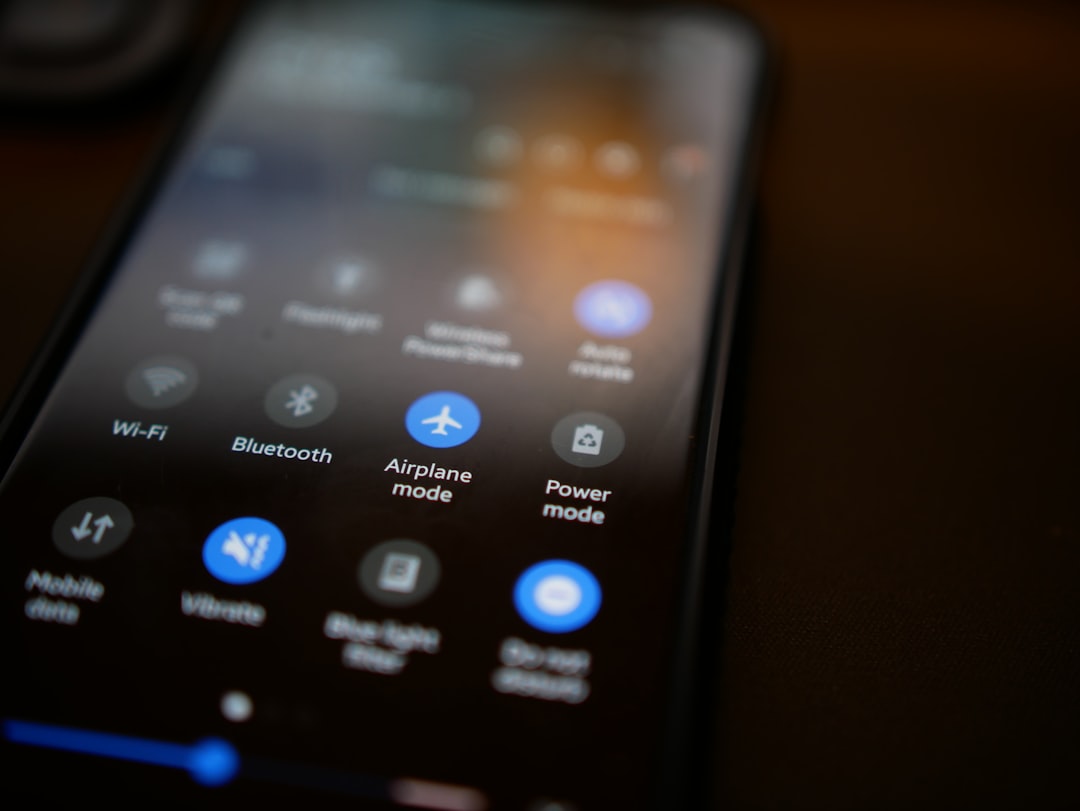
You might be staring at your phone right now, scrolling through endless feeds, or catching up on messages. It’s an extension of yourself, a portal to the world. But what happens when that portal closes? When you’re deep in the wilderness, on a flight with airplane mode stubbornly engaged, or simply in a dead zone where the bars refuse to show up? Your phone, this sleek rectangle of glass and metal, doesn’t just cease to exist. It transforms. It becomes something more primal, more personal, and surprisingly, still incredibly useful. Let’s explore what happens when your phone is disconnected from the digital ether, and how you can still harness its power.
The moment your phone loses its signal, a subtle shift occurs. The constant barrage of notifications silences. The little red badges on your app icons vanish. The anxiety of missing an urgent call or a trending meme recedes. Your phone, in this disconnected state, becomes a sanctuary, a personal artifact rather than a conduit to the outside. It’s no longer about broadcasting and receiving; it’s about accessing what’s already within. This is where you can truly rediscover the inherent capabilities of your device, freed from the demands of the network.
Reclaiming Your Attention Span
One of the most immediate effects of losing your signal is the involuntary reclaiming of your attention span. Without the constant pull of social media, news alerts, and emails, your focus naturally broadens. You’re more likely to observe your surroundings, engage in conversations, or simply enjoy a moment of quiet contemplation. Your phone, in its offline state, can facilitate this by offering curated content and tools that don’t rely on an internet connection.
A World Within Your Pocket
Think of your phone as a vast digital library, a personal entertainment center, and a resourceful utility belt – all without needing an internet connection. Most of the data and functionality you rely on is already stored locally on your device. From your cherished photo albums to your downloaded playlists, these digital treasures are always accessible, regardless of cellular reception.
When your phone is offline, it still performs a variety of functions that can enhance your productivity and entertainment. For instance, many apps allow you to access previously downloaded content, such as music, videos, and documents. Additionally, you can compose emails or messages that will be sent once you regain connectivity. To learn more about the capabilities of your phone while offline, you can read this informative article at Freaky Science.
The Digital Library: Accessing Your Stored Content
Your phone is a repository of memories, knowledge, and entertainment. When you’re offline, this internal world becomes your primary focus. The vast majority of what you’ve downloaded, saved, or captured is still readily available, offering a rich and fulfilling experience even without a signal.
Your Personal Photo Album: Reliving Memories
Your camera roll is a testament to your life’s journey. When you’re disconnected, your photos and videos become an even more precious commodity. You can spend hours scrolling through captured moments, revisiting vacations, family gatherings, and everyday joys. This personal archive offers a unique form of entertainment and connection, allowing you to share stories and relive experiences with those around you.
Curating Your Visual Story
Offline, you have the perfect opportunity to organize and curate your photo library. You can delete duplicates, tag your favorite shots, and even create personalized albums for specific events or themes. This process not only declutters your digital space but also enhances your ability to quickly access and share specific memories when you do reconnect.
Sharing the Visual Narrative
Even without internet, you can share photos and videos directly with other devices via Bluetooth or Wi-Fi Direct. This is a fantastic way to show off your latest adventures to friends and family who are physically present, fostering a more intimate and immediate sharing experience.
The Offline Music and Podcast Archive: Your Personal Soundtrack
Your music and podcast subscriptions often allow for offline downloads. This means your curated playlists and downloaded episodes are ready to go, providing the perfect soundtrack to your disconnected adventures. Whether you’re on a long road trip, hiking a remote trail, or simply want to escape into your audio world, your phone remains your personal concert hall and lecture theater.
Building Your Offline Playlists
Take advantage of periods of good connectivity to download your favorite albums, create new playlists, and subscribe to podcasts that you want to listen to later. This proactive approach ensures you’re never without your auditory companions.
Discovering New Offline Entertainment
Some podcast apps and music streaming services offer curated offline content or even allow you to download entire seasons of shows or albums from their catalog. Explore these options to expand your offline entertainment library.
E-books and Downloaded Articles: A World of Knowledge at Your Fingertips
For avid readers and information seekers, the offline capabilities of your phone are a godsend. E-books, downloaded articles, and saved web pages transform your device into a portable library, offering endless opportunities for learning and escapism.
The Digital Bookshelf
Most e-reader apps allow you to download books from your favorite platforms. This means you can carry an entire library in your pocket, perfect for long journeys or extended periods away from Wi-Fi. The tactile feel of turning a digital page is surprisingly satisfying, and the ability to bookmark, highlight, and search within the text enhances the reading experience.
Information Without Interruption
News apps, read-it-later services like Pocket or Instapaper, and even simple PDF documents can be saved for offline access. This allows you to catch up on industry news, read those long articles you’ve bookmarked, or review important documents without the distraction of pop-up notifications or the need for a stable connection.
The Silent Toolkit: Essential Offline Utilities

Beyond entertainment and memories, your phone is equipped with a suite of essential tools that remain fully functional even when disconnected from the internet. These utilities are often overlooked in our always-on culture but can prove invaluable in a variety of situations.
The Offline Camera and Video Recorder: Capturing the Unseen
Your phone’s camera is more than just a tool for sharing on social media. In offline mode, it becomes a powerful personal documentary tool, allowing you to capture the world around you as you experience it. Whether it’s the breathtaking scenery of a remote location or the candid moments of a gathering, your camera is ready.
Documenting Your Journey
When you’re in a place where you can’t immediately share your experiences, your camera becomes your personal journal. You can capture stunning landscapes, interesting wildlife, or unique cultural observations, creating a visual record to revisit and share later.
Practical Photography
Beyond artistic pursuits, the camera can serve practical purposes. Documenting repairs, taking photos of important signs or directions, or even creating a visual inventory of your belongings can all be done offline.
The Flashlight and Compass: Navigational Aids in Darkness and Uncertainty
These two seemingly simple functions are incredibly powerful when you’re disconnected. The flashlight can illuminate your path in dimly lit areas, and the compass can help you orient yourself when you’re unsure of your direction.
Illuminating Your Path
In situations where you find yourself in darkness – whether it’s a power outage at home or navigating a trail after sunset – your phone’s flashlight can be a literal lifesaver. It’s a convenient and always-available source of light, eliminating the need to search for a separate flashlight.
Finding Your Way
For those who venture into the great outdoors, a built-in compass is an invaluable tool. Combined with offline maps (which we’ll discuss next), it can help you navigate unfamiliar terrain and ensure you stay on track, even when cell towers are out of reach.
The Clock, Alarm, and Timer: Keeping Time Without the Cloud
Your phone’s fundamental timekeeping functions are entirely independent of a network connection. You can still set alarms to wake you up, use timers for cooking or workouts, and check the time with a simple swipe.
Reliable Wake-Up Calls
Whether you’re camping and relying on your phone as your alarm, or simply want to ensure you don’t oversleep during a flight, the alarm function is a steadfast companion. It operates purely on the device’s internal clock, unaffected by external signals.
Managing Your Activities
Timers are incredibly versatile. From timing your meditation sessions to ensuring your baked goods are perfectly done, these simple tools provide valuable structure to your day, even when you’re offline.
The Offline Navigator: Maps and Location Services
One of the most significant advancements in smartphone technology is the ability to access maps and navigation features offline. This capability transforms your phone from a potentially useless brick into an indispensable tool for exploration and getting around.
Downloaded Maps: Your Pocket Guide to Anywhere
Most mapping applications allow you to download map data for specific regions. This means you can have detailed maps of your entire city, a national park, or even a foreign country readily available on your device, completely independent of an internet connection.
Preparing for Your Journey
Before you embark on a trip, especially to an area with unreliable cell service, take the time to download the relevant map areas. This proactive step ensures you have access to turn-by-turn directions, points of interest, and street-level details when you need them most.
Exploring Off the Beaten Path
Downloaded maps are perfect for hikers, campers, and anyone who enjoys exploring areas away from main roads. You can plot routes, mark waypoints, and navigate with confidence, knowing that your location is being tracked by GPS even without a signal.
GPS Without the Glitch: Understanding Your Location
Your phone’s Global Positioning System (GPS) receiver works independently of cellular or Wi-Fi networks. It communicates directly with satellites orbiting the Earth to determine your precise location. This means that even with zero bars, your phone can still tell you exactly where you are.
Real-Time Location Tracking
When used in conjunction with downloaded maps, your GPS can provide real-time location tracking. This is incredibly useful for navigating complex environments, finding specific addresses, or simply for peace of mind when you’re exploring an unfamiliar area.
Geotagging Your Experiences
Many camera apps and photo gallery applications can use your GPS data to geotag your photos. This means that even if you took the photo offline, you’ll have a record of where it was captured, adding another layer of context to your memories.
When your phone is offline, it can still perform a variety of functions that enhance your user experience. For instance, many apps allow you to access previously downloaded content, such as music, videos, and documents. Additionally, you can still use your phone’s camera to capture moments and later share them once you’re back online. If you’re curious about how devices manage to function without an internet connection, you might find this article on offline capabilities interesting. You can read more about it here.
The Communication Powerhouse: Pre-Prepared and Direct Contact
| Function | Description |
|---|---|
| Alarm | Can still ring at set times |
| Offline Games | Can be played without internet connection |
| Camera | Can take photos and videos |
| Notes | Can still access and edit saved notes |
| Calculator | Can perform calculations |
While the internet is the primary conduit for modern communication, your phone still retains powerful offline communication capabilities, particularly for direct, device-to-device interactions.
Bluetooth and Wi-Fi Direct: Localized Connectivity
Bluetooth and Wi-Fi Direct allow your phone to connect with other devices in close proximity without the need for an external network. This opens up a range of possibilities for sharing files, playing games, or even communicating directly.
File Sharing Made Easy
Need to send a large photo or video to a friend who’s standing right next to you? Bluetooth or Wi-Fi Direct makes this a breeze, bypassing the need for internet uploads and downloads. This is particularly useful for quick and efficient sharing of media.
Local Multiplayer Gaming
Many mobile games offer local multiplayer modes that utilize Bluetooth or Wi-Fi Direct. This allows you to connect with friends and enjoy competitive or cooperative gaming sessions, even when you’re disconnected from the wider internet.
Text Messaging (SMS/MMS): The Enduring Standard
While often seen as a relic of the past, the Short Message Service (SMS) and Multimedia Messaging Service (MMS) are the most fundamental forms of mobile communication and function entirely independently of data networks. As long as you have cell signal, you can send and receive text messages.
The Last Resort for Communication
In situations where data is unavailable but you have a faint cell signal, SMS and MMS can be your lifeline. They are more robust and require less bandwidth than internet-based messaging apps, making them a reliable option when connectivity is spotty.
Direct Communication Without Intermediaries
SMS and MMS messages are sent directly from your phone to the recipient’s phone, bypassing servers and the internet. This makes them a direct and often more immediate form of communication when other options fail.
Emergency Calls and Services: Your Lifeline
One of the most critical offline functions of your phone is its ability to make emergency calls. Regardless of whether you have an active service plan or are in an area with no signal, you can typically still dial emergency numbers like 911, 112, or 999.
Reaching for Help in Critical Moments
Your phone’s emergency call functionality is designed to connect you to the nearest emergency services. This is a non-negotiable feature that can be a lifesaver in situations where immediate assistance is required.
Utilizing the Network for Critical Needs
Even without a paid subscription, your phone can often latch onto any available cellular network to make an emergency call. This redundancy ensures that your ability to reach out for help is maximized.
Beyond the Screen: Creative Offline Uses for Your Device
When you embrace the offline state, your phone can become a springboard for creativity and a tool for engaging with the physical world in new ways. It’s about shifting your perspective and utilizing the device’s capabilities beyond their typical online applications.
The Voice Recorder: Capturing Thoughts and Ideas
Your phone’s built-in voice recorder is a simple yet powerful tool for capturing fleeting thoughts, brainstorming ideas, or recording spontaneous moments of inspiration.
Journaling Through Audio
Instead of writing in a physical journal, you can use your voice recorder to capture your thoughts and reflections. This can be a more immediate and expressive way to document your experiences, especially when you’re on the go.
Recording Interviews and Notes
If you’re conducting interviews or need to take notes in a hands-free manner, the voice recorder is ideal. You can capture conversations with colleagues, record lectures, or jot down important information without needing to physically write it down.
The Note-Taking App: Digital Scratchpad
Most smartphones come with a pre-installed note-taking application. These apps are perfect for jotting down to-do lists, brainstorming ideas, or saving important information that you want to access later.
Organizing Your Thoughts
Offline note-taking apps allow you to create, edit, and organize text-based information. You can create different notebooks for different projects or subjects, making it easy to keep your thoughts organized and accessible.
Creating Quick Reminders
Need to remember a grocery list, a phone number, or an appointment? A quick note on your phone is a fast and efficient way to ensure you don’t forget.
Creating and Editing Content Offline: A Creative Sandbox
Many applications allow for offline content creation and editing, offering a way to be productive and creative even when disconnected.
Photo Editing Suite
Most photo gallery apps include basic to advanced photo editing tools. You can adjust brightness, contrast, saturation, crop images, and apply filters to your photos without needing an internet connection.
Document Editing on the Go
For those who work with documents, many word processing and document editing apps offer offline functionality. You can create, edit, and review documents on your phone, saving your progress for when you reconnect.
In conclusion, your phone, even when disconnected from the internet, remains a powerful and versatile device. By understanding and utilizing its offline functions, you can transform it from a potential source of frustration into a valuable tool for entertainment, information, navigation, and communication. Embrace the offline moments; they often reveal the true depth of your device’s capabilities and can lead to a more focused and enriching experience.

Your Phone Can Still Know Where You Are in Airplane Mode
FAQs
What does my phone do while offline?
When your phone is offline, it can still perform certain functions such as playing music, setting alarms, and using certain apps that do not require an internet connection.
Can my phone still receive calls and texts while offline?
Yes, your phone can still receive calls and texts while offline. However, you will not be able to send or receive any messages through messaging apps that require an internet connection.
Can my phone track my location while offline?
Yes, your phone can still track your location while offline using GPS. However, certain location-based apps may not work properly without an internet connection.
Can my phone update apps while offline?
No, your phone cannot update apps while offline. App updates require an internet connection to download and install.
Can my phone still take photos and videos while offline?
Yes, your phone can still take photos and videos while offline. However, you will not be able to share them on social media or through messaging apps until you have an internet connection.