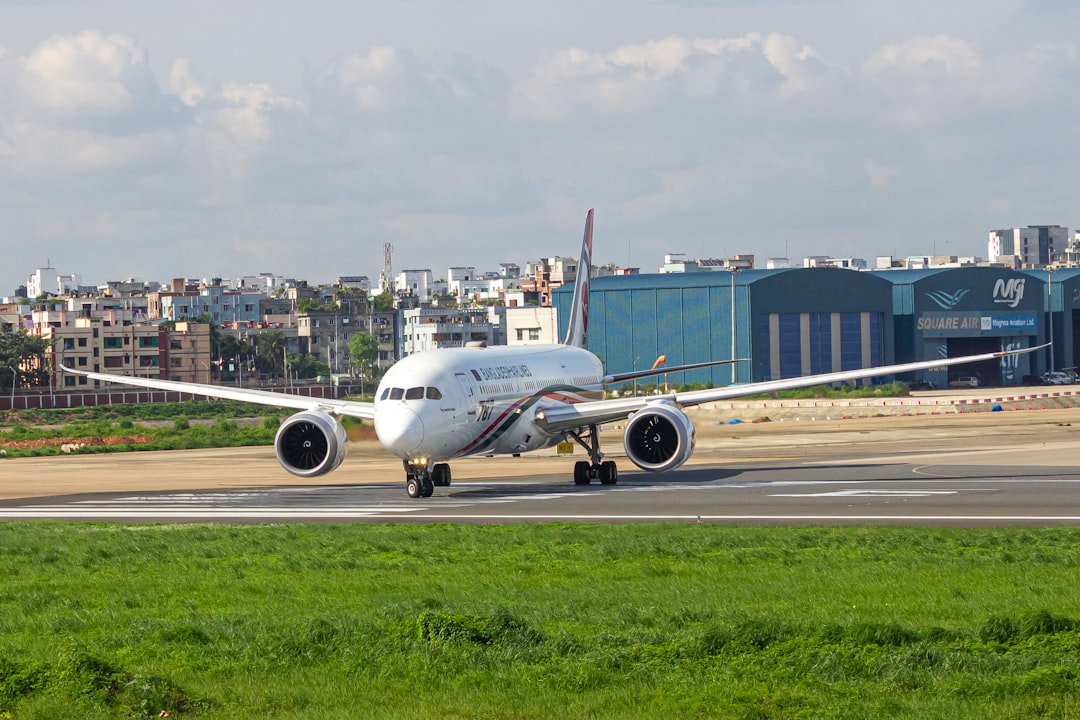
You’re on a flight, the cabin lights dimming as the plane ascends. The cabin crew announces the familiar phrase: “Please ensure all electronic devices are switched to airplane mode.” A sigh of resignation might escape you as you tuck away your phone, imagining it as a dormant rectangle of plastic and glass until touchdown. But what if you’re missing out on a surprising array of functionalities that remain perfectly accessible, even when the wireless signals are silenced? You might be surprised to discover that your phone, while grounded from communication, is still a capable companion for several essential and even entertaining tasks. Let’s explore the hidden potential of your device when it’s in airplane mode.
The urge to capture the breathtaking views from 30,000 feet is almost irresistible. Fortunately, airplane mode doesn’t silence the lens. Your phone’s camera, a sophisticated piece of technology in its own right, is entirely independent of its cellular and Wi-Fi capabilities. This means you can document those fluffy cloud formations, the patchwork quilt of the landscape below, and those candid travel moments without interruption.
Documenting the Aerial Panorama
The view from an airplane window is a unique perspective that few experiences can replicate. As the plane climbs, you’ll witness the world shrink below, transforming familiar landscapes into abstract patterns. Airplane mode allows you to immortalize these sights. Don’t hesitate to point your camera out the window and snap away. You’ll be able to capture the curvature of the Earth, the intricate details of cities from above, and the dramatic interplay of light and shadow on the terrain. These photographs can become cherished memories, far more impactful than a fleeting glance.
Capturing Sunrise and Sunset from Above
There’s a special magic to witnessing a sunrise or sunset from an airplane. The way the light paints the sky with vibrant hues of orange, pink, and purple is a spectacle that deserves to be preserved. With your phone in airplane mode, you can position yourself by the window and capture this celestial artistry. The lower light conditions might require you to adjust your settings or hold your phone steady, but the results can be spectacular. Imagine sharing these ethereal images with friends and family, a testament to the beauty of travel.
Photographing the Cabin and Fellow Passengers (Respectfully)
While the aerial views are a primary draw, don’t forget the immediate environment. You can capture interesting shots of the cabin interior, the flight attendants at work, or even the unique architecture of the aircraft. Of course, always be mindful of privacy. Ask for permission before photographing fellow passengers, and be discreet if you choose to capture candid moments of the cabin crew. A well-timed shot of a flight attendant handing out drinks or a passenger engrossed in a book can add a human element to your travelogue.
Utilizing Camera Features: Zoom, Focus, and Exposure
Even in airplane mode, you have access to your phone’s full camera suite. Experiment with the zoom function to get closer to distant details. Practice your manual focus to ensure the sharpest images, especially if you’re trying to capture something specific. You can also adjust the exposure to compensate for the bright sky or the darker cabin, ensuring your photos are well-lit and balanced. Don’t be afraid to explore your camera’s settings; you might discover a feature that enhances your aerial photography.
Beyond the View: Still Life and Portraits in the Cabin
Your camera isn’t just for the windows. The confined space of the airplane cabin can present unexpected photographic opportunities. You can create still-life compositions with your in-flight meal, a book, or even your own accessories. If you’re traveling with companions, airplane mode provides an excellent opportunity for group photos or individual portraits without the distraction of signal searching.
Creative Compositions with In-Flight Amenities
Your in-flight meal, while perhaps not Michelin-starred, can be a surprisingly interesting subject for photography. Arrange the cutlery, the bread roll, and the dessert in an aesthetically pleasing way. The lighting in the cabin, while artificial, can create a unique mood. Experiment with different angles and perspectives to make your culinary snapshots more engaging. The same applies to your travel essentials – your headphones, your passport, your travel journal – arrange them artfully and capture the essence of your journey.
Group and Solo Portraits for Memories
Traveling with friends or family? Airplane mode is your secret weapon for creating lasting memories. Gather everyone for a group photo in front of the airplane window, or capture individual portraits against the backdrop of the clouds. If you’re traveling solo, use your phone’s self-timer or ask a kind stranger (before they switch to airplane mode themselves!) to snap a few shots of you enjoying the experience. These photos will serve as a tangible reminder of your adventure.
When your phone is in airplane mode, it may seem like its functionalities are severely limited, but there are still several useful features you can take advantage of. For instance, you can access downloaded music, read eBooks, or play offline games without any interruptions. If you’re curious to learn more about the various capabilities of your phone while in airplane mode, check out this insightful article on Freaky Science.
The Ever-Reliable Pocket Assistant: Calculator Functions
When you’re on the go, especially in unfamiliar territories, quick calculations can be essential. Whether you’re splitting a bill, converting currency, or just trying to do some quick mental math, your phone’s calculator app is a lifesaver, and it operates perfectly fine in airplane mode. You don’t need a signal to add, subtract, multiply, or divide.
Practical Currency Conversion on the Fly
Traveling internationally often involves dealing with multiple currencies. Instead of fumbling with an outdated exchange rate chart or hoping for Wi-Fi, your calculator can be your trusted companion. Many smartphone calculator apps now offer built-in currency conversion tools. You can download the latest exchange rates before you leave home (while connected to Wi-Fi) or, if your phone’s calculator has a manual input option, you can simply enter the current exchange rate yourself. This allows you to quickly determine the true cost of goods and services, preventing any unwelcome surprises.
Understanding Local Pricing with Ease
Imagine you’re at a bustling market in a foreign country, and you see an item you love, but the price is listed in the local currency. You can pull out your phone, open the calculator, and with a few taps, you’ll know exactly how much you’re paying in your home currency. This empowers you to make informed purchasing decisions and avoid overspending. It also allows you to compare prices across different vendors more effectively.
Budgeting and Tracking Expenses
Even if you’re not explicitly converting currencies, your calculator is invaluable for managing your travel budget. You can track your spending throughout your trip, adding up expenses as you go. This proactive approach to budgeting can help you stay within your financial limits and enjoy your trip without the stress of unexpected costs. You can create categories for accommodation, food, transportation, and activities, ensuring you have a clear overview of where your money is going.
Everyday Calculations Beyond Travel
The utility of your calculator extends beyond mere travel. You might need to perform quick calculations for work-related tasks, personal projects, or even just to settle a friendly bet with a travel companion. The convenience of having a reliable calculator at your fingertips, independent of any network connection, is undeniable.
Quick Arithmetic for Everyday Needs
You’re trying to figure out how much tip to leave, or how to divide a restaurant bill amongst friends. Your calculator app makes these common scenarios effortless. No need to dig out a pen and paper or rely on potentially inaccurate mental calculations. The precision and speed of your phone’s calculator ensure you get the right answer every time.
Scientific Functions for More Complex Needs
Many smartphone calculators go beyond basic arithmetic and offer scientific functions. If you’re a student or someone who needs to perform more complex calculations, these features are still accessible in airplane mode. Logarithms, trigonometry, and other advanced functions are ready for your use, proving your phone is more than just a communication device.
Waking Up on Time: The Alarm Clock’s Unwavering Reliability

Perhaps the most overlooked yet profoundly useful function of your phone in airplane mode is its alarm clock. This fundamental feature, crucial for ensuring you don’t miss flights, appointments, or important events, is completely unaffected by the lack of cellular or Wi-Fi signals. It operates entirely on your device’s internal clock.
Ensuring Punctuality for Travel Connections
This is arguably the most critical use of your phone’s alarm while traveling. You’ve just landed, and you have a connecting flight in a few hours. Or perhaps you’ve arrived at your destination late at night and need to set an alarm to wake up early for a scheduled tour or business meeting. Your phone’s alarm clock is your most reliable tool for this. It doesn’t rely on any external signal, so you can be confident it will sound, no matter where you are or what mode your phone is in.
Avoiding Missed Flights and Important Meetings
The anxiety of missing a flight or an important meeting can be immense. By setting a reliable alarm on your phone, you significantly reduce this risk. You can set multiple alarms for different stages of your journey, such as a wake-up call, a reminder to leave for the airport, or an alarm to reconfirm your gate number. This multi-layered approach to punctuality ensures you’re always on track.
Waking Up After Long-Haul Flights
Long-haul flights can leave you disoriented and prone to oversleeping. Setting an alarm is essential to ensure you wake up at your intended time, whether it’s to catch a taxi, check into your hotel, or simply to start your day. Your phone, in airplane mode, is the perfect tool for this. You can trust it to jolt you awake, no matter how deep your slumber.
Beyond Travel: Everyday Timekeeping
Your alarm clock’s utility isn’t confined to the skies. It’s an indispensable tool for your daily life, and airplane mode doesn’t diminish its effectiveness.
Setting Reminders for Tasks and Appointments
Need to remember to take medication at a specific time? Have a telehealth appointment? Want a reminder to drink water every hour? Your phone’s alarm function can be set for any recurring or one-off task. This is incredibly useful for maintaining health routines, managing appointments, and staying organized in your personal and professional life.
Alarms for Personal Routines and Habits
Want to establish a new habit, like waking up earlier or meditating at a specific time? Your alarm can be your gentle nudge. You can set it to remind you to start your exercise routine, to take a break from work, or to simply unwind before bed. The consistent reminder helps in building discipline and consistency.
Exploring Your Phone’s Offline Capabilities: Other Useful Functions

Beyond the camera, calculator, and alarm, your smartphone offers a surprising number of features that function perfectly well in airplane mode. You might be surprised at how much you can do without an active internet connection.
Offline Maps and Navigation
Many mapping applications allow you to download maps for offline use. Before your flight, ensure you’ve downloaded the maps for your destination. This allows you to navigate around a new city, find your hotel, or locate points of interest without relying on a data connection. This is an absolute lifesaver when you’re exploring a new place and don’t want to incur hefty roaming charges.
Discovering Your Surroundings Without Data
With offline maps, you can explore your destination with confidence. You can see street names, landmarks, and even public transportation routes. This empowers you to be more independent and less reliant on asking for directions, which can be a challenge in a foreign language. You can plan your routes, identify potential shortcuts, and discover hidden gems you might otherwise miss.
Finding Restaurants and Attractions
Downloaded maps often include information about local businesses, including restaurants, cafes, and attractions. You can search for specific types of establishments or browse what’s nearby. This feature is invaluable for spontaneous decisions or when you’re looking for a specific type of cuisine or activity.
Media Consumption: Books, Music, and Videos
Airplane mode is the perfect excuse to disconnect from the outside world and immerse yourself in entertainment. You can download a plethora of media to enjoy during your flight.
Reading Your Favorite E-books and Articles
Load up your e-reader app with a selection of books and articles. The flight provides a dedicated block of time for uninterrupted reading. You can delve into that novel you’ve been meaning to finish, catch up on industry news, or explore a new genre. The battery life of most smartphones is sufficient for several hours of reading.
Listening to Downloaded Music and Podcasts
Create playlists of your favorite music or download a selection of podcasts for your journey. The immersive experience of listening to music or engaging with an informative podcast can make the flight fly by. Many music streaming services allow you to download content for offline listening, so plan ahead and curate your audio experience.
Watching Downloaded Movies and Shows
Most streaming services offer the option to download movies and TV shows for offline viewing. This is a fantastic way to entertain yourself on long flights. Prepare a selection of your favorite films or binge-watch a new series. Just remember to download them before you leave home.
When your phone is in airplane mode, it may seem like its functionality is severely limited, but there are still plenty of useful features you can take advantage of. For instance, you can continue to use apps that don’t require an internet connection, listen to downloaded music, or even play offline games. If you’re curious about more ways to maximize your phone’s capabilities while in this mode, you might find this article on airplane mode tips particularly helpful.
The Power of Productivity: Offline Apps and Tools
| Function | Description |
|---|---|
| Alarm | Your phone can still be used as an alarm clock in airplane mode. |
| Camera | You can still take photos and videos with your phone’s camera in airplane mode. |
| Calculator | The calculator app on your phone will still work in airplane mode. |
| Music Player | You can listen to music stored on your phone in airplane mode. |
| Notes | You can still access and edit notes on your phone in airplane mode. |
While communication is restricted, your phone can still be a hub for productivity when you’re in airplane mode. Many apps are designed to function offline, allowing you to continue working or organizing your thoughts.
Offline Document Editing and Creation
Many cloud-based productivity suites, like Google Workspace or Microsoft Office, offer offline modes. You can edit documents, spreadsheets, and presentations that you’ve previously synced to your device. This allows you to get ahead on work, review important files, or make last-minute changes without needing an internet connection.
Working on Presentations and Reports
If you have a work presentation or a report to finalize, airplane mode can be your dedicated work session. You can refine your slides, add content, or proofread your work. The focused environment of a flight, free from email notifications and social media distractions, can actually enhance your productivity.
Note-Taking and Brainstorming
Your phone’s native notes app or a third-party note-taking application can be invaluable for capturing ideas. Whether you’re brainstorming for a project, jotting down travel thoughts, or simply making a to-do list, these apps work seamlessly offline. You can create organized notes, add checklists, and even attach images, all without a signal.
Organization and Planning Tools
Beyond formal document editing, numerous apps can help you stay organized and plan your activities.
To-Do Lists and Task Management
Utilize your favorite to-do list app to plan your next steps, whether it’s for your trip or your life back home. You can create task lists, set deadlines, and prioritize your actions. Having this organized structure can provide a sense of control and accomplishment, even while you’re in transit.
Calendar and Schedule Management
Your phone’s calendar app, of course, works perfectly in airplane mode. You can review your upcoming schedule, add new appointments, and make adjustments to your itinerary. This is especially useful for managing your time effectively during busy travel periods.
In conclusion, the next time you switch your phone to airplane mode, don’t view it as a digital vacation. Instead, see it as an opportunity to unlock a suite of powerful and convenient functionalities. Your camera, calculator, and alarm are just the tip of the iceberg. By understanding and utilizing these offline capabilities, you can transform your phone from a silent rectangle into a resourceful companion, enhancing your travel experience and even boosting your productivity. So, the next time you hear that familiar announcement, embrace airplane mode – your phone still has a lot to offer.

Your Phone Can Still Know Where You Are in Airplane Mode
FAQs
1. What is airplane mode on a phone?
Airplane mode is a setting on mobile devices that disables the device’s ability to send or receive calls, texts, and data. It is typically used during flights to comply with airline regulations and to prevent interference with aircraft communication systems.
2. Can I still use my phone in airplane mode?
While in airplane mode, you can still use certain features on your phone that do not require a network connection, such as taking photos, playing games, using the alarm clock, and accessing previously downloaded content.
3. Can I use Bluetooth or Wi-Fi in airplane mode?
Most smartphones allow you to enable Bluetooth and Wi-Fi while in airplane mode. This allows you to connect to wireless headphones, speakers, or other Bluetooth-enabled devices, as well as access Wi-Fi networks if they are available on the aircraft.
4. Does airplane mode save battery life?
Enabling airplane mode can help conserve battery life, as the device is not constantly searching for a network signal or using data. This can be especially useful during long flights or when you need to extend your phone’s battery life.
5. Why do airlines require phones to be in airplane mode?
Airlines require phones to be in airplane mode to prevent potential interference with the aircraft’s communication and navigation systems. While there is limited evidence to suggest that mobile devices can interfere with aircraft systems, airlines enforce this rule as a precautionary measure.