You might think your phone is only a gateway to the digital world, a tool for calls, texts, and endless scrolling. But in reality, it’s a far more intimate companion, constantly aware of your physical presence, even when you’re deep in the digital detox zone – offline. The question isn’t just if your phone can know where you are when you’re offline, but how it manages to do so, and the implications of this silent surveillance.
You’ve switched off Wi-Fi. You’ve toggled off mobile data. You’ve even put your phone in airplane mode, a gesture that screams “I’m disconnecting from the grid!” Yet, the persistent hum of location awareness continues. This is where the understanding of “offline” often falters. While these actions sever your device’s connection to the internet and cellular networks, they don’t necessarily disable all its sensors or its ability to gather and store location-related data. You might feel like you’re in your own private bubble, but your phone’s internal compass, so to speak, is still spinning.
Demystifying “Offline” for Your Phone
When you proclaim your phone is “offline,” what are you actually disabling?
Wi-Fi and Cellular: The Obvious Culprits
You’re right to disable these. When active, Wi-Fi scanners and cellular triangulation are primary methods for pinpointing your location. Turning them off prevents your phone from actively seeking out and connecting to nearby Wi-Fi networks or cell towers for the purpose of precise geolocation. This is a significant step in reducing your digital footprint, but it’s not the whole story.
Bluetooth: A Stealthy Locator
Bluetooth, often overlooked in the “offline” context, remains active even when Wi-Fi and cellular data are off, unless you manually disable it. This short-range wireless technology is designed for device-to-device communication, but it also plays a crucial role in location services. Think of the ubiquitous Bluetooth beacons in retail stores, the smart tags on your keys, or even other phones within proximity. These devices broadcast signals that your phone can detect.
Airplane Mode: Not a Complete Cloak
Airplane mode, while effective at preventing radio transmissions for calls, texts, and internet access, often leaves Bluetooth and GPS (Global Positioning System) enabled. This is a deliberate design choice, allowing you to still use offline features like downloaded music or offline maps. However, it also means that location-aware technologies are still at play.
If you’re curious about how your phone can determine your location even when offline, you might find it interesting to explore the related article on this topic. It delves into the various technologies and methods that enable devices to track location without relying on an internet connection. For more insights, check out the article here: Understanding Offline Location Tracking.
The Silent Sensors: Technologies Powering Offline Location Awareness
Your smartphone is a sophisticated piece of hardware, equipped with a suite of sensors that can infer your location without a direct internet connection. These technologies, often working in concert, paint a picture of your whereabouts, even when you believe you’re off the grid.
GPS: The Satellite-Powered Navigator
Global Positioning System (GPS) is perhaps the most well-known location technology. It relies on a network of satellites orbiting the Earth. Your phone’s GPS receiver listens for signals from these satellites. By calculating the time it takes for signals from at least four different satellites to reach your device, it can triangulate your position with remarkable accuracy.
How GPS Works Beyond the Internet
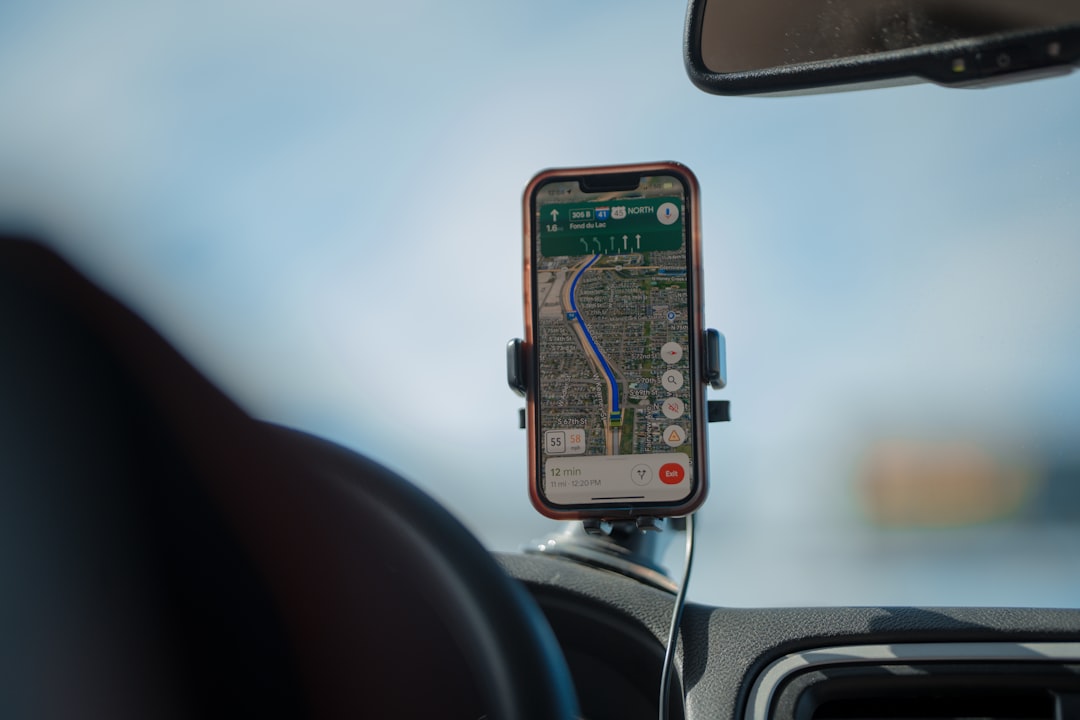
The beauty of GPS is that it’s a passive system. Your phone doesn’t need to transmit data to the satellites; it simply receives their signals. This means that even with your mobile data and Wi-Fi off, your phone can still communicate with GPS satellites and determine your latitude and longitude. This is why offline navigation apps, which download map data beforehand, can still guide you when you have no signal.
Assisted GPS (A-GPS): A Hybrid Approach
While pure GPS works offline, Assisted GPS (A-GPS) is a hybrid technology that uses cellular and Wi-Fi data to speed up the GPS acquisition process and improve accuracy, especially in areas with weak satellite signals. However, when those data connections are unavailable, A-GPS can fall back to relying solely on GPS satellites.
Wi-Fi Positioning Systems (WPS): A Network of Signals
Even when you’re not actively connected to a Wi-Fi network, your phone is constantly scanning for available networks. These Wi-Fi networks broadcast unique identifiers (SSIDs and MAC addresses). Companies have compiled vast databases that map these network identifiers to their known physical locations.
The Offline Scan for Wi-Fi Signatures
Your phone can detect the presence of these Wi-Fi networks around you. By observing the SSIDs and signal strengths of the networks it can “see,” it can cross-reference this information with location databases. Even if you haven’t logged into these networks, their presence alone can provide clues about your general location. Think of it as your phone recognizing the “scent” of Wi-Fi signals and using that to narrow down where you might be.
Wi-Fi Positioning: Accuracy and Limitations
WPS is generally less accurate than GPS, especially in open areas. However, in dense urban environments where Wi-Fi networks are abundant, it can provide a reasonably good estimate of your position, even without an internet connection for real-time lookups, as your phone may have cached location data for frequently encountered networks.
Cellular Triangulation: The Tower’s Reach
Cellular networks, even when you’re not actively using them for calls or data, still maintain a connection to your phone. Your phone periodically communicates with nearby cell towers to register its presence and ensure it can receive incoming calls or messages.
The “Where Are You Talking To?” Principle
By measuring the signal strength and direction of communication between your phone and multiple cell towers, your mobile carrier can triangulate your approximate location. This is a fundamental part of how they manage their network and route calls. While you might not be making a call, your phone is still “pinging” these towers, providing location data.
Offline Cellular Location: A Less Precise Guess
Cellular triangulation is typically less precise than GPS, especially in rural areas with fewer towers. However, in densely populated areas, it can provide a rough estimate of your position. This data is primarily used by your carrier for network management, but it’s a potential source of location information.
Bluetooth Beacons: The Close-Range Trackers
Bluetooth beacons are small, low-energy devices that continuously broadcast a unique identifier. When your phone, with Bluetooth enabled, comes within range of a beacon, it can detect this identifier.
Beacons in Action: Retail and Beyond
These beacons are increasingly deployed in various environments:
- Retail Stores: To offer personalized promotions, track customer movement within the store, or facilitate contactless payments.
- Museums and Exhibitions: To provide context-aware information about exhibits as you approach them.
- Public Spaces: For navigation within large venues like airports or train stations.
- Personal Tracking Devices: Think of those Bluetooth trackers you attach to your keys or wallet – they work on the same principle.
The “Proximity Alert” Mechanism
When your phone detects a beacon’s signal, it can trigger actions based on your pre-set preferences or app configurations. Even if you’re offline, the detection of the beacon happens locally on your device. The subsequent action (e.g., displaying a notification) might not require an internet connection if it’s pre-programmed.
Storing and Processing Location Data: Your Phone’s Internal Memory
The data gathered by these sensors doesn’t just vanish into thin air when you go offline. Your phone is designed to store and process this information, creating a localized history of your movements.
The Phone’s Location Cache: A Digital Diary
Your smartphone maintains a cache of location data. This cache can store information gathered from GPS, Wi-Fi scanning, and Bluetooth interactions.
Why Cache Location Data?
The primary reason for this caching is to improve performance and efficiency.
- Faster GPS Fixes: By storing recent GPS data, your phone can achieve a “warm start” or “hot start” for future GPS fixes, significantly reducing the time it takes to lock onto satellite signals.
- Offline Functionality: For apps that rely on location, like offline maps, having cached data allows them to function even without a live internet connection.
- App Functionality: Many apps, even when you’re not actively using them, may periodically record your location for various purposes, such as activity tracking or personalized content.
What Kind of Data is Stored?
This cached data can include:
- GPS Coordinates: Latitude and longitude readings.
- Timestamps: When each location reading was taken.
- Wi-Fi Network Information: SSIDs and MAC addresses of detected networks.
- Bluetooth Device Identifiers: Information about nearby Bluetooth devices.
- Cell Tower IDs: Information about the cell towers your phone has communicated with.
Local Processing: Decisions Made On-Device
Not all location-related processing requires an internet connection. Your phone’s operating system and various apps are capable of performing significant location analysis locally.
Inference and Geofencing
Your phone can use its stored location data to infer patterns and make decisions.
- Geofencing: This is a powerful feature where you define a virtual boundary around a geographical area. Your phone can then detect when you enter or exit this area. This can be used for automated tasks like turning on your smart home devices when you arrive home or receiving a reminder to buy groceries when you’re near a supermarket. This processing happens entirely on your device.
- Activity Recognition: Your phone’s sensors (accelerometer, gyroscope, etc.) can work in conjunction with location data to infer your activity – walking, running, driving, or cycling. This information is often stored and processed locally for features like fitness tracking.
Data Aggregation for Offline Apps
Many offline applications, such as navigation apps or augmented reality experiences, rely on locally stored data. They can aggregate the location data collected by your phone to provide a richer, context-aware experience without needing to constantly query external servers.
The Implications of Offline Location Tracking: Your Privacy in the Balance
While the technological capabilities of offline location tracking are impressive, they also raise significant privacy concerns. The idea that your phone can continue to know where you are, even when you’ve consciously tried to disconnect, can be unsettling.
The Unseen Digital Footprint
Even when you’re offline, your device is leaving a trail of breadcrumbs. This digital footprint can be incredibly detailed, documenting your daily routines, your frequented places, and even your journeys between locations.
Who Has Access to This Data?
This is the million-dollar question. The data stored on your phone can potentially be accessed by:
- You: Through your phone’s built-in location history features or specific apps.
- App Developers: If you’ve granted location permissions to apps, they can collect and store this data, subject to their privacy policies.
- Operating System Providers: Apple and Google collect and process significant amounts of location data from their devices.
- Law Enforcement: With appropriate legal warrants, they can request access to your device’s location data.
- Third-Party Data Brokers: In some cases, anonymized or aggregated location data can be sold to data brokers, who then use it for market research or advertising.
The Potential for Misuse
The implications of this data being accessed by unauthorized parties are far-reaching:
- Surveillance and Stalking: Detailed location history can be used to track your movements for malicious purposes.
- Profiling and Targeted Advertising: Even offline data can be used to build detailed profiles about your habits and preferences, which can then be leveraged for targeted advertising when you are back online.
- Identity Theft: In the wrong hands, location data can be a piece of the puzzle for identity thieves.
Consent and Control: Navigating the Privacy Landscape
Understanding how your phone tracks you offline is the first step towards regaining control over your privacy.
Reviewing and Managing Location Permissions
Your smartphone’s settings are your primary tool for managing location access.
- App-Specific Permissions: Regularly review which apps have access to your location. You can often set permissions to “Allow only while using the app,” “Ask every time,” or “Don’t allow.” Be judicious with these permissions, especially for apps that don’t logically require location access.
- System Services: Your phone’s operating system also utilizes location services for features like “Find My iPhone” or “Find My Device.” Understand what these services do and whether you need them enabled.
Disabling Specific Location Technologies
While you can’t “turn off” all location awareness without disabling key phone functions, you can selectively disable components:
- Turn off Bluetooth: If you’re particularly concerned about Bluetooth beacon tracking, make sure to manually disable Bluetooth.
- Disable Wi-Fi Scanning: Some operating systems allow you to disable Wi-Fi scanning for location services, even if Wi-Fi is technically on.
- Limit Location History: Both iOS and Android offer options to limit or clear your location history. This can be a good practice for periodically purging old data.
The Importance of Privacy Policies
When you install an app, take the time to read its privacy policy, especially the sections related to data collection and usage. While often dense and technical, they are crucial for understanding how your data is being handled.
Many people wonder about the capabilities of their smartphones, especially regarding location tracking when offline. A related article that delves into this topic is available on Freaky Science, which explores how devices can still determine your location without an internet connection. If you’re curious to learn more about the technology behind this, you can read the full article here. Understanding these features can help you make informed decisions about your privacy and security.
Taking Back Control: Practical Steps for Minimizing Offline Location Tracking
| Phone Model | Offline Location Tracking |
|---|---|
| iPhone | Yes, through GPS and offline maps |
| Android | Yes, through GPS and offline maps |
| Windows Phone | Yes, through GPS and offline maps |
Being aware of your phone’s offline location tracking capabilities is empowering. Now, let’s talk about actionable steps you can take to minimize this tracking and protect your privacy.
Regular Audits of Your Device Settings
Think of your phone’s privacy settings as a garden that needs regular tending.
Scheduled Privacy Check-ups
Set a recurring reminder in your calendar (e.g., monthly or quarterly) to go through your phone’s privacy settings. This habit will ensure that new apps or updates haven’t inadvertently granted more access than you intended.
Deep Dive into App Permissions
Don’t just glance at the permissions list. For each app, ask yourself:
- **Does this app truly need my location to function as intended?** For example, a simple calculator app has no legitimate need for your location.
- If it does need location, is “Always allow” the appropriate setting, or is “While using the app” sufficient? In most cases, “While using the app” is a safer bet.
- Are there any background location services enabled that I’m not aware of?
Understanding System Services Location Access
Explore the “Location Services” or “Privacy” section of your phone’s settings to understand what system-level services are using your location. Features like “Emergency Location Services,” “Location-Based Alerts,” or “Find My Device” are often necessary, but it’s good to be informed about them.
Strategic Use of “Offline” Features
Embrace the concept of “offline” as a tool for privacy, but use it mindfully.
Differentiate Between Airplane Mode and True Disconnection
Remember that airplane mode is primarily for cutting off radio transmissions. If your goal is to minimize all location tracking, you’ll need to go further.
Manually Toggling Off Bluetooth and Wi-Fi
When you genuinely want to disconnect, make it a habit to manually switch off Bluetooth and Wi-Fi from your device’s quick settings. Don’t rely solely on airplane mode for this purpose.
Considering a “Privacy Mode” Routine
Develop a routine for when you want to maximize your privacy. This could involve:
- Putting your phone in airplane mode.
- Manually disabling Bluetooth.
- Manually disabling Wi-Fi.
- Temporarily revoking location permissions for non-essential apps.
This routine, executed when you enter sensitive environments or simply want an extended period of privacy, can significantly reduce your digital footprint.
Embracing Location History Management
Your phone keeps a record of your movements. You have the power to manage that record.
Clearing Your Location History
Both Google Maps and Apple’s Location Services store your location history. Regularly clearing this data can prevent a long-term record of your movements from accumulating.
- Google Maps: You can find this under “Your timeline” in the Google Maps app. You can delete specific days or your entire history.
- Apple: In iOS, this is under “Significant Locations” in your privacy settings. You can clear this history.
Understanding the Purpose of Location History
While it might seem intrusive, location history is often used to improve services like personalized recommendations or traffic predictions. However, if your primary concern is privacy, periodic deletion is a wise strategy.
Educating Yourself About Evolving Technologies
The landscape of location tracking is constantly evolving. Staying informed is your best defense.
Staying Updated on Privacy News
Follow reputable tech news sources and privacy advocacy groups. They often report on new tracking methods, app vulnerabilities, and changes in data privacy regulations.
Understanding the Role of AI and Machine Learning
As artificial intelligence becomes more sophisticated, so too do the ways location data can be analyzed and interpreted. Be aware that even seemingly innocuous data points, when combined with AI, can reveal a great deal about you.
By understanding the mechanisms of offline location tracking and actively managing your device’s settings and data, you can navigate the digital world with greater awareness and control, even when you believe you’re entirely disconnected. Your phone may be a powerful tool for staying connected, but it can also be a constant observer. The choice of how much it observes, and who has access to that observation, increasingly rests with you.

Your Phone Can Still Know Where You Are in Airplane Mode
FAQs
1. How does a phone determine its location offline?
Phones can determine their location offline using GPS, which relies on signals from satellites to triangulate the device’s position. Additionally, some phones can also use offline maps and Wi-Fi signals to determine their location without an internet connection.
2. Can a phone track your location offline without your knowledge?
No, a phone cannot track your location offline without your knowledge. Offline location tracking requires the user to actively enable location services and grant permission to the app or device to access their location.
3. Are there any privacy concerns with offline location tracking on phones?
Offline location tracking on phones can raise privacy concerns if the data is stored or shared without the user’s consent. It’s important for users to review and understand the privacy settings and permissions for location services on their devices to ensure their location data is not being misused.
4. What are the benefits of offline location tracking on phones?
Offline location tracking on phones allows users to access maps and navigation services even when they don’t have an internet connection. This can be especially useful in remote areas or when traveling abroad where internet access may be limited.
5. Can a phone’s offline location tracking be disabled?
Yes, users have the ability to disable offline location tracking on their phones by turning off location services or adjusting the permissions for specific apps. This gives users control over when and how their location is being tracked offline.