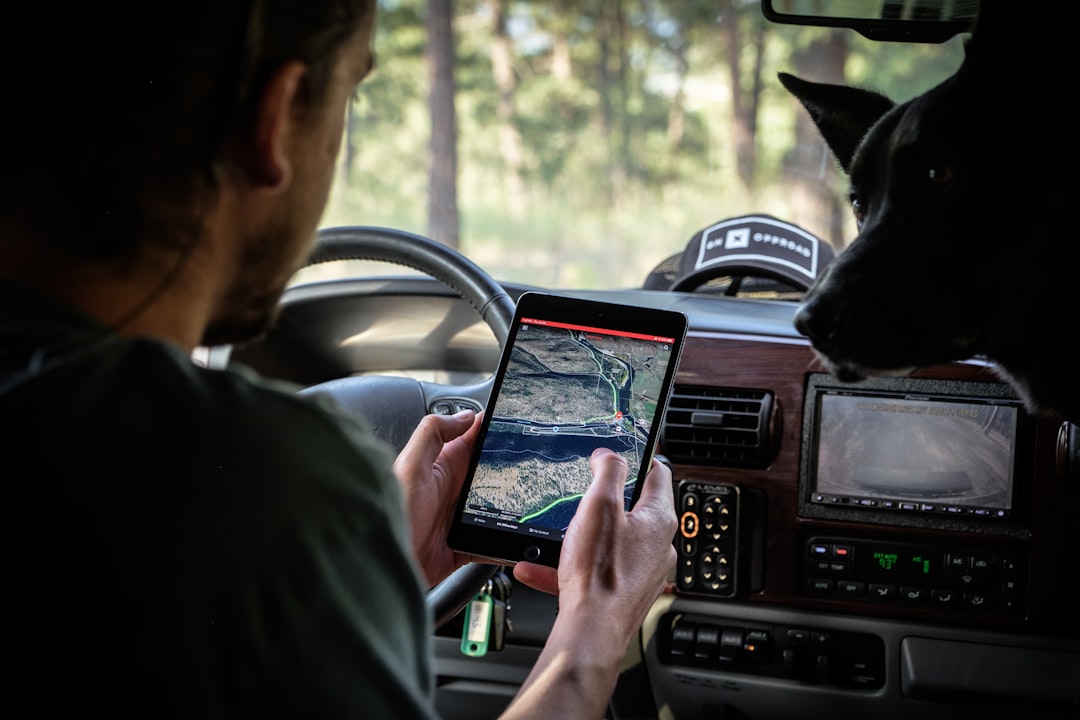
You’re standing at a crossroads, the sun beating down, your phone’s battery indicator a stark reminder of its dwindling power. The promised “free Wi-Fi” at the café you were aiming for? A myth. And now, the digital breadcrumbs you were following to your next destination have vanished, leaving you with a blank screen and a rising sense of unease. This is the reality many face when relying solely on data-driven navigation. But what if you could navigate with confidence, even when the signal bars are empty? This is where the magic of offline GPS comes in.
You might think of GPS as an inherently online technology, dependent on a constant stream of data to pinpoint your location and guide you. While online GPS services leverage real-time traffic updates, satellite imagery, and user-generated information, the core functionality of GPS – determining your position on Earth – is entirely offline. It’s the supplementary features that demand a data connection. Understanding this distinction is the first step to unlocking the power of navigating without data.
The Fundamental Power of GPS
At its heart, GPS (Global Positioning System) is a satellite-based radionavigation system owned by the United States government and operated by the United States Space Force. It consists of a constellation of at least 24 satellites orbiting Earth. Your phone, or any GPS-enabled device, contains a GPS receiver. This receiver listens for signals from these satellites.
How Satellites Work for You
Each GPS satellite broadcasts precisely timed radio signals. Your receiver picks up these signals from multiple satellites simultaneously. By measuring the time it takes for each signal to arrive, the receiver can calculate its distance from each satellite. The more satellites it can receive signals from, the more accurately it can determine your position. Three satellites are the minimum required to calculate a 2D position (latitude and longitude), while a fourth is needed for a 3D position (adding altitude). This process, the triangulation of signals, happens entirely within your device. It’s a constant, silent conversation between your device and the vast expanse of space, completely independent of any cellular network or Wi-Fi.
Understanding the Offline Advantage
The key to offline GPS lies in pre-downloading the necessary map data. Think of it like carrying a physical map in your pocket. Instead of relying on a live feed from a server, your device accesses stored information. This means that once you have the relevant maps downloaded, your device can calculate your position and plot a route using only its internal GPS receiver. This is a game-changer for travelers, adventurers, and anyone who has ever experienced the frustration of a lost connection in a remote area or a crowded city.
When navigating without an internet connection, many users rely on offline GPS functionality to find their way. A related article that explores the intricacies of using GPS on your phone while offline can be found at this link. This resource provides valuable insights into how to prepare your device for offline navigation, ensuring you can access maps and directions even when cellular service is unavailable.
Preparing for Your Offline Journey: The Download Process
The prospect of navigating without data might seem daunting, but the process of setting yourself up for offline success is surprisingly straightforward. It primarily involves choosing a reliable navigation app and diligently downloading the maps for the areas you intend to explore. This preparation is your insurance policy against the dreaded “no signal” scenario.
Choosing Your Offline Navigation Companion
The market offers a variety of excellent navigation apps that support offline functionality. While many popular online giants also offer offline features, some apps are specifically designed with this capability at their core.
Popular Apps with Robust Offline Capabilities
- Google Maps: Perhaps the most ubiquitous navigation app, Google Maps allows you to download entire regions or countries for offline use. You can select an area, and the app will download the relevant map data, including roads, points of interest, and even turn-by-turn directions.
- OsmAnd: This powerful app is built around OpenStreetMap data, which is a collaborative project to create a free, editable map of the world. OsmAnd offers highly detailed offline maps, with extensive customization options for navigation and points of interest. It’s a favorite among hikers and cyclists due to its granular detail.
- MAPS.ME: Known for its user-friendly interface and comprehensive offline maps, MAPS.ME provides detailed street maps, building outlines, and points of interest. It’s a great choice for general travel and exploration.
- Sygic GPS Navigation: Sygic is a premium offline navigation app that offers advanced features like offline speed limit warnings, lane assistance, and 3D maps. While some features might require a subscription, the core offline navigation is robust.
- Organic Maps: A privacy-focused, open-source navigation app that’s completely free and ad-free. It offers offline maps based on OpenStreetMap data and is optimized for low battery consumption.
The Art of Downloading Maps
Once you’ve chosen your app, the next crucial step is downloading the maps. This process is typically done over Wi-Fi to avoid consuming your mobile data allowance.
Step-by-Step Map Download Guide
- Open Your Chosen Navigation App: Launch the app you’ve selected on your smartphone.
- Access the Offline Maps Section: Navigate through the app’s settings or menu to find the “Offline Maps” or “Download Maps” section.
- Select Your Area of Interest: You’ll usually see a map interface. You can either search for a specific city, region, or country, or you can manually zoom and pan to select the area you want to download. Many apps allow you to download entire countries, while others focus on more granular regions.
- Initiate the Download: Once you’ve defined your area, tap the download button. The app will then begin downloading the necessary map data. This can take anywhere from a few minutes to over an hour, depending on the size of the area and your internet speed.
- Manage Your Downloads: Most apps allow you to manage your downloaded maps. You can typically see which maps you have downloaded, their size, and when they were last updated. It’s a good practice to periodically check for updates to your offline maps, especially if you’re planning a long trip.
- Ensure Sufficient Storage Space: Offline maps can take up a significant amount of storage space on your device. Before downloading, ensure you have enough free space available. You might need to delete some photos or apps if you’re running low.
Navigating the Real World: Putting Offline Maps to Work
With your maps downloaded and your device ready, you’re now equipped to navigate the world without the constant need for a data signal. This opens up a world of possibilities, from exploring remote national parks to navigating bustling foreign cities where Wi-Fi might be scarce or expensive.
Your Device is Your Guide, No Data Required
Once the maps are downloaded, your GPS receiver takes over. As long as your device’s location services are enabled, it will continue to pinpoint your position on the downloaded map.
The Offline Navigation Experience
- Pinpointing Your Location: You’ll see a blue dot on your map, indicating your current position. This dot will move as you move, accurately reflecting your progress on the map.
- Searching for Destinations: Even offline, you can search for addresses, points of interest, and businesses within the downloaded map area. The app will retrieve this information from its stored data.
- Route Planning: You can enter your destination, and the app will calculate a route based on the downloaded map data. This will include turn-by-turn directions, just like online navigation.
- Real-time Guidance: As you drive, walk, or cycle, the app will provide spoken or visual turn-by-turn directions to guide you to your destination. The accuracy of this guidance is solely dependent on your GPS receiver.
When the Signal Fades, You Don’t Have To
The true beauty of offline GPS becomes apparent when you venture into areas with spotty or nonexistent cellular service. This includes:
- Rural and Remote Areas: Hiking trails, national parks, desert landscapes, and any region far from cellular towers are prime candidates for offline navigation.
- International Travel: Navigating in a foreign country can be expensive if you’re relying on roaming data. Downloading offline maps of your destination country or region beforehand can save you a significant amount of money.
- Underground or In-Building Navigation: While GPS signals can struggle to penetrate deep underground or within large, dense buildings, for surface-level navigation in areas with no signal, offline GPS is your best bet.
- Emergency Situations: In a crisis where communication infrastructure might be compromised, having pre-downloaded maps can be invaluable for finding safe routes or evacuation points.
Optimizing Your Offline Experience: Tips and Tricks
Simply downloading maps is a great start, but a few extra steps can significantly enhance your offline navigation experience, making it even more reliable and user-friendly.
Battery Management is Key
Offline GPS, while not reliant on data, still uses your device’s GPS receiver, which can be a battery drain. Conserving battery is crucial for longer journeys.
Smart Battery-Saving Strategies
- Dim Your Screen: Brightness is a major power consumer. Keep your screen as dim as comfortably possible.
- Disable Unnecessary Features: Turn off Bluetooth, Wi-Fi, and any background apps that you don’t need while navigating.
- Use Airplane Mode: Once your maps are downloaded and you’re ready to navigate, putting your phone in airplane mode can significantly extend battery life by disabling cellular radio searches. You can often re-enable Wi-Fi and Bluetooth if needed for other purposes while still keeping cellular data off.
- Carry a Power Bank: This is the most straightforward solution. A portable power bank can be a lifesaver for keeping your device charged on extended trips.
- Optimize App Settings: Some navigation apps offer battery-saving modes or options to reduce the frequency of GPS updates, which can help.
Keeping Your Maps Up-to-Date
While your downloaded maps will function without data, they can become outdated over time. Roads change, new points of interest appear, and older ones disappear.
The Importance of Map Updates
- Regular Checks: Before embarking on a trip, especially a long one, take a moment to check for updates to your downloaded maps. Most apps will notify you when updates are available.
- Download Updates Over Wi-Fi: Just like initial downloads, updating maps is best done over a Wi-Fi connection to avoid unnecessary data usage.
- Impact of Outdated Maps: While your GPS receiver will still work, an outdated map might lead you to closed roads, incorrect directions due to new road layouts, or missing new points of interest that might be crucial for your journey.
Leveraging Offline Points of Interest
Offline maps aren’t just about roads; they also include valuable points of interest (POIs). You can use these to find essential services even when you’re off the grid.
Discovering Offline POIs
- Search Functionality: Within your offline navigation app, use the search function to look for categories like “restaurants,” “gas stations,” “hospitals,” “hotels,” or “tourist attractions.”
- Detailed Information: Depending on the app and the underlying map data, you might find addresses, phone numbers (though calling might require a signal), and opening hours for these POIs.
- Pre-Trip Research: Before you go, it can be helpful to research and “star” or “favorite” key POIs you know you’ll need or want to visit. This makes them easily accessible in your app.
Many users often wonder how GPS functionality works when their phone is offline. A related article that delves into this topic can be found at Freaky Science, where you can learn about the various methods that allow devices to access location data without an active internet connection. Understanding these techniques can enhance your navigation experience, especially in areas with limited connectivity.
Advanced Techniques and Future of Offline Navigation
The world of navigation is constantly evolving, and even offline GPS is seeing advancements that enhance its capabilities and integration into our lives.
Beyond Basic Navigation: Advanced Offline Features
Some apps go beyond simple turn-by-turn directions and offer more sophisticated offline functionalities.
Exploring Enhanced Offline Options
- Offline 3D Maps: Some premium apps provide detailed 3D topographical maps that can be incredibly useful for hiking, off-roading, or simply visualizing the terrain.
- Offline Traffic Information (Limited): While real-time traffic is inherently online, some apps might offer “historical” or “typical” traffic patterns based on past data, giving you a general idea of congestion at certain times of day, even offline. This is not a true real-time feature but can be helpful for planning.
- Offline Adventure-Specific Maps: For niche activities like skiing, cycling, or diving, there are specialized offline maps that highlight trails, routes, or underwater features relevant to those pursuits.
- Augmented Reality (AR) Navigation (Emerging): While still in its early stages and often requiring an online component for real-time object recognition, the concept of AR navigation, where digital overlays are projected onto your camera view, could eventually integrate with offline capabilities for a more immersive experience.
The Interplay Between Online and Offline
The line between online and offline navigation is becoming increasingly blurred. Many apps are designed to seamlessly switch between the two.
Hybrid Navigation Strategies
- Automatic Switching: Some apps can detect when you lose your data signal and automatically switch to your downloaded offline maps, resuming navigation without interruption.
- Pre-emptive Downloads: Many users adopt a strategy of downloading offline maps for their entire trip, regardless of expected signal availability, as a precautionary measure.
- Synchronized Data: For apps that allow it, you can sync your saved locations, routes, and preferences between online and offline modes, ensuring consistency.
The Future: Smarter, Smaller, and More Integrated
The future of offline GPS points towards even more intelligent and integrated solutions.
Innovations on the Horizon
- Enhanced Offline AI: Imagine offline navigation apps that use artificial intelligence to predict your needs or suggest alternative routes based on your historical travel patterns and offline map data, even without real-time information.
- Smaller Storage Footprints: As technology advances, the size of offline map data is expected to decrease, allowing you to store more detailed maps on your devices without consuming excessive storage.
- Wearable Integration: Offline GPS capabilities are likely to become more prevalent in smartwatches and other wearables, offering discreet navigation on your wrist without needing to pull out your phone.
- Vehicle-Specific Offline Navigation: Car navigation systems have long relied on offline maps. Future iterations will likely integrate more advanced AI and real-time updates when a connection is available, but maintain robust offline functionality as a default.
The next time you find yourself in a situation where data is a luxury you can’t afford, remember the power that lies within your smartphone, waiting to be unlocked. Offline GPS isn’t just a fallback; it’s a fundamental tool for confident, independent exploration. So, embrace the freedom of navigating without data, and let your adventures unfold, no matter where the road takes you.

Your Phone Can Still Know Where You Are in Airplane Mode
FAQs

What is GPS?
GPS stands for Global Positioning System, which is a network of satellites that orbit the Earth and provide location and time information to GPS receivers.
Can GPS work on a phone while offline?
Yes, GPS can work on a phone while offline. The GPS receiver in the phone can still pick up signals from satellites and determine the phone’s location, even without an internet connection.
How does GPS work on a phone while offline?
GPS on a phone while offline works by using the signals from satellites to triangulate the phone’s position. The phone’s GPS receiver calculates its position based on the time it takes for signals from multiple satellites to reach the receiver.
What are the limitations of using GPS on a phone while offline?
While GPS can work on a phone while offline, there are limitations. Without an internet connection, the phone may not be able to access maps or navigation services, and it may take longer to acquire a GPS signal.
What are some practical uses of GPS on a phone while offline?
Some practical uses of GPS on a phone while offline include tracking your location, recording your route for outdoor activities, and using GPS-based apps that do not require an internet connection, such as geocaching or offline maps.