
The humble Kindle, a device that has revolutionized the way millions interact with literature, owes much of its magic to the sophisticated display technology nestled within its sleek frame. Beneath the familiar e-paper surface lies a complex assembly of components, each meticulously engineered to deliver that book-like reading experience. A teardown of a Kindle screen reveals not just circuitry, but a testament to the relentless pursuit of clarity, efficiency, and user comfort. This exploration delves into the intricate layers and underlying principles that make the Kindle’s display a marvel of modern electronics.
The Core of Clarity: E-Ink Technology Explained
At the heart of every Kindle lies the E-Ink display, a technology that fundamentally distinguishes it from conventional LCD or OLED screens. E-Ink, a brand of electronic paper display (EPD) technology, mimics the appearance of ink on paper, offering several significant advantages for long-form reading. Unlike emissive displays that generate their own light, E-Ink screens are reflective, meaning they rely on ambient light to be visible. This passive nature is the key to their unique characteristics, most notably their incredibly low power consumption and exceptional readability under direct sunlight.
Microcapsules and Electrophoretic Ink
The foundational element of E-Ink technology is the microcapsule. Millions of these tiny spheres, each no larger than a human hair, are suspended in a liquid medium within the display. Each microcapsule contains positively charged white particles and negatively charged black particles. These particles are dispersed within a clear fluid, and their movement is controlled by electrical charges applied from a layer beneath.
When a specific voltage is applied, the charged particles are driven to the surface of the microcapsule. If the white particles are brought to the top, the microcapsule appears white. Conversely, if the black particles are brought to the top, the microcapsule appears black. By selectively positioning these black and white particles, E-Ink displays can form pixels, ultimately creating text and images. This electrophoretic process is what allows the Kindle to display sharp, clear text that closely resembles printed words. The contrast ratio is high, and there is no backlight glare to strain the eyes.
Bistable Nature and Power Efficiency
A crucial aspect of E-Ink technology is its bistable nature. Once an image or text is set on the screen, it requires no continuous power to remain displayed. This “bistability” means that power is only consumed when the screen is actively changing, such as when turning a page or refreshing the display. This is a stark contrast to traditional LCD or OLED displays, which require constant power to maintain an image. This inherent power efficiency is a major reason why Kindle devices can last for weeks on a single charge, a feature that is paramount for avid readers who are often on the go. When a page is turned, the E-Ink display undergoes a brief “refresh” cycle where the previous image is erased and the new one is drawn. This refresh process can sometimes be accompanied by a momentary flash or ghosting, a characteristic artifact of the technology.
The Role of the Display Driver and Controller
Beneath the E-Ink layer lies a sophisticated array of electronic components responsible for controlling the precise movement of the charged particles within each microcapsule. This includes the display driver and controller ICs (Integrated Circuits). These chips act as the brain of the display, receiving signals from the Kindle’s main processor and translating them into the specific voltage patterns required to manipulate the E-Ink particles.
The display driver is responsible for sending the signals to the individual electrodes that lie beneath the microcapsules. It needs to be able to apply precise voltage pulses to create the desired black or white state for each pixel. The display controller manages the overall refresh rate, the timing of these pulses, and ensures that the correct image or text is rendered accurately. The complexity of these driver and controller circuits is a testament to the fine-grained control required to achieve the crisp text and image fidelity that Kindle users have come to expect. Without these precise electrical manipulations, the E-Ink display would simply be a chaotic collection of unorganized particles.
In addition to the recent teardown of the Kindle screen, which reveals the intricate technology behind its display, readers may find the article on the evolution of e-reader technology particularly insightful. This related piece discusses how advancements in screen technology have transformed the reading experience over the years. For more information, you can check out the article here: e-reader technology evolution.
Unpacking the Layers: Construction of a Kindle Screen Module
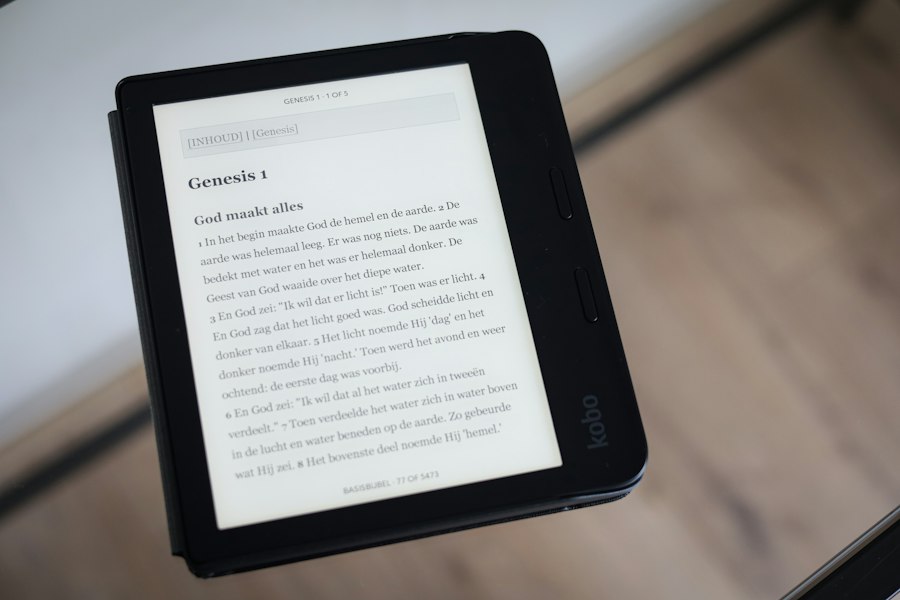
A Kindle screen is not a single monolithic component but rather a carefully assembled stack of layers, each contributing to its functionality and durability. Understanding this layered architecture is key to appreciating the engineering involved in creating a thin, robust, and highly functional display.
The Protective Front Glass or Plastic
The outermost layer of a Kindle screen is designed to protect the delicate E-Ink display beneath from scratches, impacts, and environmental factors. In earlier Kindle models, and some current lower-cost variants, this protective layer might be made of a durable plastic, offering a good balance of protection and cost-effectiveness. However, on many higher-end Kindle models, a layer of chemically strengthened glass, often Gorilla Glass or a similar proprietary formulation, is employed. This glass offers superior scratch resistance and a more premium feel. It also contributes to the overall rigidity of the display module. The surface of this protective layer is typically treated with an anti-glare coating to further enhance readability by diffusing any incoming light, reducing reflections and improving contrast. This coating is crucial for the E-Ink technology’s reliance on ambient light.
The Touch-Sensitive Layer
Modern Kindles are almost universally touch-enabled, allowing users to navigate menus, turn pages with a tap, and interact with the device directly. This touch functionality is integrated into the screen assembly via a specialized touch-sensitive layer. There are two primary types of capacitive touch technology commonly used: projected capacitive (PCAP) and surface capacitive.
Projected capacitive touch is more prevalent in modern devices. It involves a grid of fine, transparent conductive wires (often made of Indium Tin Oxide, or ITO) embedded within or applied to a thin film or glass substrate. When a finger (which is conductive) approaches these wires, it disrupts the electrostatic field, and the controller can pinpoint the location of the touch. Surface capacitive touch relies on a conductive layer spread evenly across the surface of the display, with electrodes at the corners. Touching the screen draws a small amount of current, and the controller measures the capacitance at each corner to determine the touch location. The integration of this touch layer without compromising the readability of the E-Ink display is a significant engineering feat.
The E-Ink Display Panel Itself
This is the core of the Kindle’s visual experience. As discussed previously, it consists of millions of microcapsules containing electrophoretic ink. This E-Ink layer is typically a thin film, often manufactured using a process known as “roll-to-roll” manufacturing, which allows for high-volume production. The E-Ink panel itself is a sandwich of several sub-layers, including the electrophoretic ink formulation, the transparent electrodes for actuating the ink particles, and various insulating and encapsulating layers to protect the ink and ensure its longevity. The clarity and responsiveness of this layer are paramount to the overall reading experience. Manufacturers are constantly working to improve the refresh rates and reduce ghosting artifacts.
Backlight or Frontlight (for specific models)
While E-Ink is reflective, some Kindle models incorporate a “frontlight” system rather than a traditional “backlight.” A backlight illuminates the display from behind, which can cause eye strain and is not ideal for E-Ink’s reflective nature. A frontlight, on the other hand, shines light from the edges of the display and reflects it down onto the E-Ink surface. This provides a uniform, gentle illumination that allows for comfortable reading in low-light conditions without the harshness of a backlight. The LEDs for the frontlight are typically positioned along one or more edges of the screen and are diffused by a light guide plate. This addition significantly expands the usability of the Kindle into darker environments, bridging the gap between reading in bright sunlight and reading at night.
The Hidden Infrastructure: Circuitry and Control
Beyond the visible layers of the display, a complex network of circuitry lies beneath, orchestrating the entire operation of the Kindle screen. This hidden infrastructure is crucial for everything from rendering text to managing power and responding to user input.
The Display Controller and Memory
The display controller IC, as mentioned earlier, is the mastermind behind drawing images and text on the E-Ink panel. It receives raw pixel data from the Kindle’s main processor and translates it into the precise electrical signals needed to move the charged particles within the microcapsules. This controller is often coupled with dedicated memory, such as a framebuffer, which stores the image data that is currently being displayed. Having dedicated memory for the display allows the main processor to offload display tasks, freeing it up for other operations and contributing to the overall responsiveness of the device. The efficiency of the display controller directly impacts the speed at which pages can be turned and the fluidity of animations or graphical elements.
Interconnects and Flexible Printed Circuits (FPCs)
Connecting the various layers of the display module to each other and to the main circuit board of the Kindle requires a sophisticated system of interconnects. Flexible Printed Circuits (FPCs) are commonly used for this purpose. These are thin, flexible strips of plastic with conductive copper traces etched onto them. FPCs are ideal for connecting components in tight spaces and for accommodating the natural flex and movement that can occur within electronic devices. In a Kindle screen assembly, FPCs might connect the E-Ink panel, the touch-sensitive layer, and any frontlight components to the display controller and the main motherboard. The reliability and durability of these FPCs are critical, as they are subject to repeated flexing during page turns and general handling of the device.
Power Management and Voltage Regulation
The E-Ink technology, while power-efficient, still requires precise voltage levels to operate. The display driver and controller need specific voltages to manipulate the charged particles accurately. Power management ICs (PMICs) and voltage regulators are integrated into the display circuitry to provide these stable and accurate voltage rails. They ensure that the E-Ink panel receives the correct power for each operation, whether it’s a full page refresh or a simple pixel update. Furthermore, these power management systems are designed to be extremely efficient, minimizing power draw even when the display is active. This meticulous power control is a significant contributor to the Kindle’s long battery life.
Enhancing the Experience: Additional Display Technologies
While E-Ink is the star of the show, other technologies are often integrated into Kindle displays to improve user experience and functionality. These additions contribute to the overall polish and usability of the device.
High-Resolution Displays and Pixel Density
The quality of the text and image rendering on a Kindle is directly related to the resolution and pixel density of its E-Ink display. Modern Kindle devices boast high-resolution screens, measured in Pixels Per Inch (PPI). A higher PPI means more pixels packed into a smaller area, resulting in sharper text and finer detail. This increased pixel density significantly reduces the “pixelated” appearance that was more common in early e-readers, making the reading experience much closer to that of a physical book. For example, a 300 PPI display can render text with such clarity that individual pixels are virtually imperceptible to the naked eye. This focus on high resolution is a key differentiator for premium e-reading devices.
Color E-Ink Technologies (Emerging Trends)
While the vast majority of Kindles use monochrome E-Ink, Amazon has explored and, in some limited iterations and for specific markets, introduced color E-Ink technology. These color E-Ink displays, such as E Ink Kaleido or E Ink Gallery, utilize a combination of traditional black and white pixels alongside color filters or colored pigments within the microcapsules. While not yet as vibrant or fast-refreshing as LCD or OLED displays, these color E-Ink screens offer a significant advantage in displaying colored book covers, illustrations, and charts without the power consumption drawbacks of traditional screens. The development of color E-Ink is an ongoing area of research, with manufacturers striving to improve color saturation, refresh rates, and cost-effectiveness. Future Kindle models may see a wider adoption of this technology as it matures.
Water Resistance and Durability Enhancements
To cater to a wider range of reading environments, some Kindle models now feature water resistance, typically rated to IPX8 standards. This means the device can withstand submersion in fresh water up to a certain depth for a specified period. Achieving water resistance in an electronic device, especially one with a display, involves careful sealing of all ports, buttons, and the display module itself. Specialized gaskets and coatings are employed to prevent water ingress. This durability enhancement makes the Kindle suitable for reading by the pool, in the bath, or even during a light rain shower, expanding its utility and peace of mind for users.
If you’re interested in the intricacies of electronic devices, you might find the recent article on the Kindle screen teardown quite enlightening. This detailed examination reveals the components and construction of the Kindle screen, shedding light on how these devices are designed for optimal reading experiences. For more insights into technology and gadgets, check out this related article on Freaky Science, where you can explore various topics that delve into the fascinating world of electronics.
The Future of E-Reader Displays: Innovation and Evolution
| Component | Description | Material | Approximate Size | Function | Estimated Cost |
|---|---|---|---|---|---|
| E-Ink Display | Primary screen using electronic ink technology | Glass, Microcapsules with pigment | 6 inches diagonal | Displays text and images with low power consumption | 15 |
| Touchscreen Digitizer | Capacitive touch layer on top of the display | ITO-coated glass | 6 inches diagonal | Detects user touch input | 5 |
| Front Light Panel | LED-based front lighting system | Plastic diffuser, LEDs | 6 inches diagonal | Illuminates screen for reading in low light | 3 |
| Battery | Lithium-ion rechargeable battery | Lithium-ion cells, plastic casing | Approx. 3.7V, 1500mAh | Power supply for device operation | 7 |
| Motherboard | Main circuit board with processor and memory | FR4 PCB, silicon chips | Approx. 5 x 3 cm | Controls device functions and processing | 20 |
| Plastic Housing | Outer casing of the Kindle | ABS plastic | Varies by model | Protects internal components | 4 |
The Kindle screen, while already a mature technology, is far from static. Amazon and its E-Ink suppliers are continuously pushing the boundaries of what’s possible, driven by the desire for even better reading experiences and broader device capabilities.
Faster Refresh Rates and Reduced Ghosting
One of the persistent challenges in E-Ink technology has been the refresh rate and the phenomenon of “ghosting,” where faint remnants of previous images can linger on the screen. Significant research and development efforts are focused on overcoming these limitations. Newer generations of E-Ink displays are demonstrating faster refresh rates, making page turns feel more instantaneous and animations smoother. Advances in the electrophoretic ink formulations and the driving electronics are crucial to minimizing ghosting and achieving a cleaner visual output. This will undoubtedly lead to a more fluid and less distracting reading experience in the future.
Improved Sunlight Readability and Reduced Glare
While E-Ink excels in bright light, further enhancements to sunlight readability are always being sought. This involves optimizing the reflective properties of the E-Ink layer and further refining anti-glare coatings on the protective screen. The goal is to achieve even higher contrast ratios and a more paper-like appearance under all lighting conditions. As outdoor reading remains a significant use case for e-readers, this area of innovation will continue to be a priority.
Integration with Advanced Display Features
The trend towards more integrated and versatile displays suggests that future Kindles might incorporate additional advanced features. This could include higher fidelity color reproduction, enhanced contrast options, or even more sophisticated touch interaction capabilities. The potential for E-Ink displays to become more responsive and visually dynamic, while retaining their core benefits of low power consumption and eye comfort, is immense. As processing power in e-readers increases and display technologies mature, we can anticipate Kindles that offer a richer, more interactive, and adaptable reading experience, blurring the lines between dedicated e-readers and more general-purpose tablets, all while maintaining that signature book-like feel.

Why Your Kindle Screen Doesn’t Work the Way You Think
FAQs
1. What tools are needed to perform a Kindle screen teardown?
To perform a Kindle screen teardown, you will need tools such as a small Phillips screwdriver, a plastic opening tool, a spudger, and a heat gun or hairdryer to soften the adhesive.
2. Can the Kindle screen be easily replaced after a teardown?
While it is possible to replace the Kindle screen after a teardown, it requires precision and patience due to the delicate nature of the components. It is recommended to follow a detailed guide or seek professional help.
3. What are some common reasons for performing a Kindle screen teardown?
Common reasons for performing a Kindle screen teardown include replacing a cracked or damaged screen, fixing display issues such as dead pixels or lines, or upgrading to a higher resolution screen.
4. Is it necessary to disconnect the battery before starting a Kindle screen teardown?
Yes, it is highly recommended to disconnect the battery before starting a Kindle screen teardown to avoid any potential damage to the device or risk of electric shock. Always prioritize safety when working with electronic devices.
5. Are there any risks involved in performing a Kindle screen teardown?
Performing a Kindle screen teardown carries risks such as damaging the device’s internal components, voiding the warranty, or causing injury if not done carefully. It is important to proceed with caution and follow a detailed guide to minimize these risks.