
The Kindle Paperwhite screen represents a significant evolution in portable reading technology, offering an immersive experience that closely mimics the look and feel of a physical book. Amazon has consistently refined this display technology over generations, focusing on user comfort, readability, and a blend of traditional aesthetics with modern functionality. At its core, the Paperwhite’s screen is a testament to the power of electronic ink, or E Ink, a digital paper technology that eschews the backlighting common in tablets and smartphones for a more eye-friendly, paper-like display. This deliberate design choice underpins the entire user experience, making extended reading sessions significantly more comfortable.
The primary advantage of E Ink is its bistable nature. Unlike traditional LCD or OLED screens that require constant power to maintain an image, E Ink displays hold their image even when power is removed. This is achieved through tiny microcapsules containing black and white charged particles. Applying an electric field causes these particles to move to the surface, forming text and images. When the field is removed, the particles remain in place, preserving the display. This fundamental characteristic directly translates into several key benefits for the reader.
The Paperwhite’s screen is not backlit in the same way as a conventional tablet. Instead, it features a front light. This light shines down onto the screen’s surface and is diffused by a layer, illuminating the text without shining directly into the reader’s eyes. This is a critical distinction. Backlighting, especially at higher brightness levels, can lead to eye strain and fatigue, similar to reading on a computer screen for prolonged periods. The front light of the Paperwhite mimics the effect of a reading lamp positioned beside a physical book, providing a gentle and even illumination that is much more comfortable for the eyes, particularly in low-light conditions or at night.
The resolution of the Kindle Paperwhite screen is another crucial factor contributing to its exceptional readability. Higher resolution means more pixels packed into a given area, resulting in sharper text and finer detail. This translates to a smoother, more natural reading experience, with characters appearing crisp and well-defined, free from the jagged edges that can plague lower-resolution displays. The effect is akin to reading from a high-quality printed page.
Furthermore, the E Ink technology inherently offers excellent contrast. The stark difference between the dark text and the white background ensures that the content is easily legible, even in bright sunlight. This is a stark contrast to many reflective screens that can become washed out and difficult to read when exposed to direct sunlight. The Kindle Paperwhite’s screen, therefore, excels in environments where traditional screens struggle, making it an ideal companion for outdoor reading.
The Foundation of Readability: E Ink Display Technology
The cornerstone of the Kindle Paperwhite experience is its E Ink display. This technology is fundamentally different from the LCD or OLED screens found in smartphones, tablets, and computers, and its unique properties are what make the Paperwhite such a specialized and effective reading device. Understanding E Ink is key to appreciating the Paperwhite’s design philosophy and its advantages.
Microcapsules and Electrophoretic Displays
At the heart of E Ink’s functionality are millions of tiny microcapsules, each about the diameter of a human hair. Within these microcapsules are suspended dark (usually black) and light (usually white) charged particles in a clear fluid. The display works by selectively moving these particles to the surface to form text and images. This process is known as electrophoretic display technology.
When an electric field is applied to a specific area of the screen, it attracts or repels the charged particles. For instance, to display black text on a white background, an electric field would be used to move the black particles to the top of the microcapsule and the white particles to the bottom, making the black particles visible. Conversely, to display a white background, the opposite electrical charge would be applied, bringing the white particles to the surface. This precise control over the position of these particles allows for the creation of sharp, high-contrast images and text.
Bistability and Power Efficiency
One of the most significant advantages of E Ink technology is its bistability. This means that once the particles are moved into their desired positions, they will remain there even after the power is removed. This “stickiness” of the display is what makes E Ink so remarkably power-efficient. Unlike LCD or OLED screens that require constant power to refresh and maintain an image, an E Ink screen only consumes power when the image is changing – for example, when turning a page or updating text.
This characteristic has profound implications for battery life. Kindle Paperwhite devices are renowned for their long battery life, often lasting weeks on a single charge. This is largely attributable to the power-sipping nature of E Ink, allowing readers to immerse themselves in books without the constant worry of needing to find a power outlet. The device can be put to sleep for extended periods, and the content on the screen will remain unchanged without consuming any significant power.
Refresh Rates and Ghosting
While E Ink offers numerous benefits, it’s important to acknowledge its limitations. The process of moving the microcapsules takes a fraction of a second, meaning E Ink displays have significantly slower refresh rates compared to LCD or OLED screens. This is why E Ink devices are not ideal for fast-paced video or gaming. For reading, however, the slower refresh rate is generally imperceptible and poses no issue.
A phenomenon sometimes associated with E Ink displays is “ghosting.” This occurs when remnants of a previous image or text briefly remain visible after the screen has been updated. Modern E Ink displays, including those on the Kindle Paperwhite, employ advanced algorithms and technologies to minimize ghosting. This often involves a partial screen refresh or a full screen flash (a brief black-and-white flash) to completely clear the display before rendering the new content. While occasional ghosting might be noticeable to a keen observer, it is rarely distracting enough to impede the reading experience. The latest generations of Paperwhite have made significant strides in mitigating this issue.
If you’re interested in understanding the intricacies of the Kindle Paperwhite screen, you may also find the article on screen technology in e-readers insightful. It delves into various display types and their impact on reading experience. You can read more about it in this related article.
Illumination Without Intrusiveness: The Front Light System

The Kindle Paperwhite distinguishes itself from earlier e-readers and competing devices by its innovative front lighting system. Instead of a harsh backlight that shines directly into the user’s eyes, the Paperwhite utilizes a carefully engineered front light that illuminates the screen’s surface from the edges. This approach is central to the “Paperwhite” name and its promise of a comfortable, paper-like reading experience.
Direct vs. Front Lighting Explained
The fundamental difference lies in the direction of light. A backlight, common in tablets and smartphones, emits light directly from behind the display pixels. This means the light passes through the screen and into the user’s eyes. While effective for displaying vibrant colors and high brightness, this can contribute to eye strain, especially during long reading sessions. It’s akin to looking directly at a light bulb.
The Kindle Paperwhite, on the other hand, employs a front light. LEDs are positioned along the edges of the screen. This light is then diffused across the screen’s surface by a specialized layer. The result is an even, gentle illumination that shines down onto the text, much like a desk lamp positioned beside a physical book. This indirect illumination prevents direct eye exposure to the light source, significantly reducing the likelihood of eye fatigue and discomfort.
Adjustable Brightness and Warmth Control
A key feature of the Paperwhite’s illumination system is its adjustability. Users can control the brightness of the front light, tailoring it to their specific reading environment and personal preference. Whether reading in a dimly lit room or a moderately lit space, the brightness can be set to an optimal level for clarity and comfort. This granular control ensures that the illumination is never too dim to read or too bright to cause glare.
Furthermore, newer generations of the Kindle Paperwhite have introduced adjustable warm light. This feature allows users to shift the color temperature of the front light from a cool blue-white to a warmer, more amber tone. Warmer light is often perceived as more relaxing and conducive to sleep, making it particularly beneficial for reading before bedtime. By offering both brightness and warmth adjustments, Amazon provides users with a highly customizable reading experience that can be adapted to suit their individual needs and circadian rhythms.
Uniformity and Glare Reduction
The diffusion layer within the Paperwhite’s screen plays a crucial role in ensuring uniform illumination across the entire display. This prevents “hot spots” or uneven brightness, which can be distracting. The goal is to achieve a consistent and even spread of light that makes the text appear clear and uniform, regardless of where it is on the page.
The front lighting system also inherently reduces glare. Because the light is directed onto the screen’s surface rather than shining through it, there are fewer opportunities for light to bounce off the screen and into the user’s eyes. This is particularly beneficial when reading in environments with ambient light sources, such as windows or overhead lights, where reflective screens can create distracting glare. The matte finish of the E Ink display also contributes to minimizing reflections, further enhancing the comfortable reading experience.
Clarity and Detail: Resolution and Pixel Density
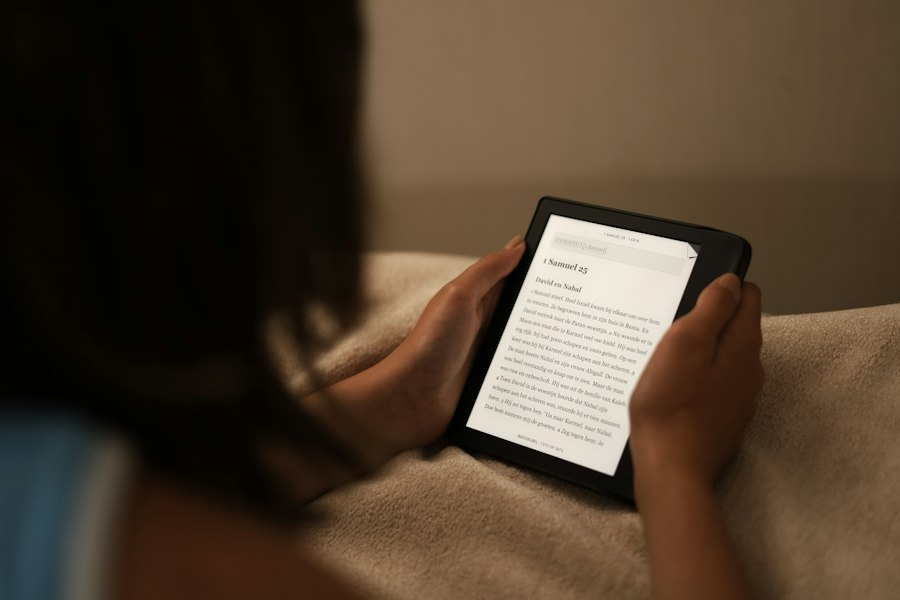
The Kindle Paperwhite’s screen resolution and pixel density are critical components that contribute to its exceptional readability and the sharp, detailed appearance of text and images. Amazon has consistently improved these specifications with each generation of the device, pushing the boundaries of what can be achieved with E Ink technology.
Pixels Per Inch (PPI) and Sharpness
Resolution refers to the number of pixels that make up the display. Pixel density, measured in Pixels Per Inch (PPI), indicates how tightly these pixels are packed together. A higher PPI means more pixels are present within each square inch of the screen, resulting in a crisper and more detailed image. For text, this translates to smoother curves on letters and a reduction in the “jaggies” or pixelated edges that can be noticeable on lower-resolution displays.
The Kindle Paperwhite has steadily increased its PPI over the years. Early Kindle models had significantly lower resolutions, but the Paperwhite series has consistently aimed for high PPI figures. This focus on resolution ensures that even very small fonts appear sharp and well-defined, closely resembling the clarity of high-quality printed books. The experience of reading on a high-PPI E Ink screen is significantly more comfortable and visually pleasing than on lower-resolution displays, reducing the visual effort required to parse text.
Text Rendering and Font Smoothing
The combination of high resolution and sophisticated software for rendering text allows the Kindle Paperwhite to present fonts in a way that is optimized for readability. The E Ink display technology itself is inherently good at displaying sharp lines, and when coupled with a high PPI, the result is text that looks remarkably clear and smooth. The device’s software intelligently renders characters, ensuring that serifs and fine details of different fonts are accurately represented.
Font smoothing, also known as anti-aliasing, is a technique used to reduce the appearance of jagged edges on text and graphics. While E Ink’s inherent sharpness means that extensive anti-aliasing isn’t always necessary, the Kindle’s software works in conjunction with the hardware to ensure that the text is as clean and readable as possible. This allows users to choose from a variety of fonts and sizes without compromising on the visual quality of the displayed text.
Image and Graphic Fidelity
While the Kindle Paperwhite is primarily a text-based device, it can also display images and graphics. The resolution and pixel density are also important for the fidelity of these visuals. Higher PPI allows for more detailed images, with finer gradations of tone and color (though E Ink is grayscale). This means that charts, diagrams, and even photographs (in grayscale) can be displayed with a level of detail that is sufficient for understanding their content.
For books that include illustrations or diagrams, the Paperwhite’s screen ensures that these elements are presented clearly. The contrast inherent in E Ink displays also helps these visuals stand out. While it won’t compete with the vibrant colors of an LCD screen, for the purpose of illustrating content within a book, the Paperwhite’s display provides a clear and easily interpretable visual experience.
Environmental Adaptability: Sunlight Readability and Contrast
One of the most lauded characteristics of the Kindle Paperwhite’s screen is its exceptional performance in bright ambient light, particularly direct sunlight. This is a stark contrast to many backlit screens that can become washed out and virtually unreadable under such conditions. The Paperwhite’s design and E Ink technology work in tandem to provide a superior reading experience outdoors.
The Advantage of Reflective Displays
Unlike emissive displays (like LCD and OLED) that generate their own light, E Ink screens are reflective. This means they rely on ambient light to illuminate the display. This is precisely why they perform so well in bright sunlight. Instead of fighting against the sun’s glare, the E Ink screen essentially uses the sunlight to its advantage. The brighter the sunlight, the more light is reflected off the white background of the page, making the dark text stand out even more clearly.
This is a fundamental difference in how the display technology works and why the Paperwhite is often referred to as a “paper-like” display. Physical paper also relies on ambient light to be seen. Therefore, the Paperwhite mimics this natural viewing experience, making it feel familiar and comfortable, especially in outdoor environments where traditional screens falter.
High Contrast Ratio in All Lighting Conditions
The E Ink technology is inherently capable of producing a very high contrast ratio between the text and the background. This means there is a significant difference in brightness between the dark elements (text) and the light elements (background). This high contrast is maintained across a wide range of lighting conditions, from dim indoor settings to bright outdoor sunlight.
This consistent high contrast ensures that the text remains sharp and legible at all times. There’s no need to drastically increase the screen’s brightness to combat glare, which can be both power-draining and uncomfortable for the eyes. The Paperwhite’s ability to maintain this clarity without requiring excessive brightness is a key factor in its user comfort and battery efficiency. The stark black of the text against the off-white background provides a very clear visual separation, minimizing eye strain.
Reduced Glare and Eye Strain Outdoors
The matte finish of the Kindle Paperwhite’s screen also plays a significant role in reducing glare. Glossy screens, common on many tablets and smartphones, act like mirrors, reflecting ambient light sources directly into the user’s eyes. This reflection can be highly distracting and contribute to eye fatigue. The Paperwhite’s matte surface diffuses light, minimizing these harsh reflections.
When reading outdoors, the combination of the reflective E Ink display and the matte surface means that the screen is less susceptible to being washed out by sunlight or producing distracting glare. This allows for prolonged and comfortable reading sessions under the sun, a feat that is often challenging or impossible with other types of digital displays. The Kindle Paperwhite essentially replicates the experience of reading a paperback book on a sunny day, but with the added convenience of carrying an entire library in one device.
If you’re curious about the technology behind the Kindle Paperwhite screen, you might find it interesting to explore a related article that delves into the intricacies of e-ink displays and their advantages over traditional screens. This article provides a comprehensive overview of how e-ink technology works and why it is particularly suited for reading. For more insights, check out this informative piece on Freaky Science, where you can learn about the science that enhances your reading experience.
Beyond the Basics: Advanced Features and User Experience Enhancements
| Feature | Description | Metric / Specification |
|---|---|---|
| Screen Type | E Ink Carta display technology | 6-inch E Ink Carta |
| Resolution | Number of pixels on the screen | 300 pixels per inch (ppi) |
| Screen Size | Diagonal measurement of the display | 6 inches |
| Screen Contrast | Ratio of black to white for readability | Improved contrast with each generation |
| Front Light | Built-in adjustable LED light for reading in the dark | 4 to 17 LEDs depending on model |
| Touchscreen | Capacitive touch for page turning and navigation | Yes |
| Refresh Rate | Speed at which the screen updates | Typically under 1 second per page turn |
| Screen Coating | Anti-glare and fingerprint resistant coating | Matte finish |
| Battery Life Impact | Screen technology’s effect on battery usage | Weeks of battery life on a single charge |
The Kindle Paperwhite’s screen technology is not just about displaying text; it’s about creating an optimized reading environment that enhances the overall user experience. Amazon has continually integrated advanced features and software enhancements that leverage the capabilities of the E Ink display to offer a more intuitive and engaging reading journey.
Waterproofing and Durability
While not directly a screen technology feature, the durability and often waterproofing of modern Kindle Paperwhite models are crucial for the longevity and usability of the screen. Many Paperwhite devices are built to withstand accidental splashes, immersion in water, and general wear and tear. This robust build quality ensures that the screen, the primary interface with the reader, is protected and can withstand the rigors of travel and everyday use. This adds a layer of confidence for users who might take their e-readers to the beach, poolside, or on outdoor adventures.
Touchscreen Interaction and Navigation
The Kindle Paperwhite features a responsive touchscreen that allows for intuitive navigation and interaction with the device. Tapping, swiping, and pinching gestures are all supported, enabling users to turn pages, access menus, highlight text, and add notes with ease. The E Ink display’s touch sensitivity has been refined over generations to ensure accurate and swift responses, making the act of interacting with digital books feel as natural as interacting with a physical book. The touch layer is integrated seamlessly, ensuring it doesn’t significantly detract from the display’s clarity.
Font Customization and Layout Options
The ability to customize fonts, font sizes, line spacing, and margins is a significant advantage of e-readers like the Kindle Paperwhite. Users are not bound by the fixed layout of a printed book. They can adjust these parameters to suit their visual preferences and reading comfort. This level of personalization ensures that every reader can create an optimal reading experience. The high resolution of the Paperwhite screen ensures that these customizations are rendered beautifully, with smooth typography at any size.
Dictionary Integration and Word Wise
The Paperwhite’s screen plays a vital role in its intelligent reading features. When a reader encounters an unfamiliar word, they can simply tap on it to bring up a definition from the integrated dictionary. This definition appears in a pop-up window on the screen, allowing the reader to quickly understand the word without leaving the page. Similarly, features like Word Wise provide contextual definitions for more challenging vocabulary, displayed subtly above the word itself. These features are designed to be unobtrusive, appearing only when needed, and are rendered crisply on the E Ink display.
Collections and Organization Features
While not directly tied to the screen’s visual technology, the way content is presented on the screen for organization purposes is important. The Kindle Paperwhite allows users to create collections to categorize their books, making it easier to manage and find specific titles within a large library. The user interface for these organizational features is designed for clarity and ease of use on the E Ink display, ensuring that navigating through different collections and books is a smooth and efficient process. The overall experience is designed to keep the focus on reading, with these organizational tools acting as helpful, unobtrusive aids.

Why Your Kindle Screen Doesn’t Work the Way You Think
FAQs
What is a Kindle Paperwhite screen made of?
The Kindle Paperwhite screen is made of electronic ink, also known as E Ink. This technology mimics the appearance of traditional ink on paper, providing a glare-free reading experience.
Is the Kindle Paperwhite screen backlit?
Yes, the Kindle Paperwhite screen is front-lit, meaning the light is directed towards the screen instead of shining directly into your eyes. This allows for comfortable reading in various lighting conditions.
Can the brightness of the Kindle Paperwhite screen be adjusted?
Yes, the brightness of the Kindle Paperwhite screen can be adjusted to suit your preferences. You can easily increase or decrease the brightness level to make reading more comfortable for your eyes.
Does the Kindle Paperwhite screen have a high resolution?
Yes, the Kindle Paperwhite screen has a high-resolution display with 300 pixels per inch (PPI). This results in crisp text and images, making reading on the device similar to reading a physical book.
Is the Kindle Paperwhite screen durable and resistant to scratches?
Yes, the Kindle Paperwhite screen is designed to be durable and resistant to scratches. However, it is still recommended to use a screen protector or a protective cover to further safeguard the screen from potential damage.