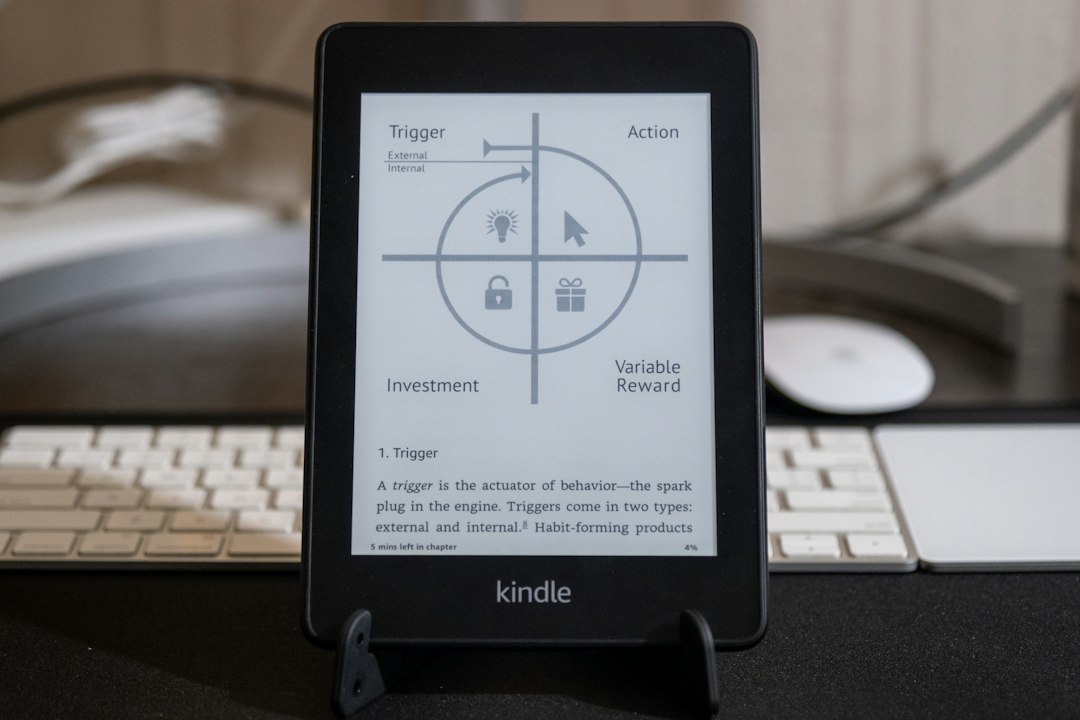
The unassuming device in one’s hand, the Kindle e-reader, appears deceptively simple. Its monochromatic screen, often a shade of gentle grey, offers a stark contrast to the vibrant displays of tablets and smartphones. Yet, within this minimalist exterior lies a sophisticated engine that performs a remarkable feat: transforming lines of digital text into immersive, portable reading experiences. This transformation is not a singular event but a carefully orchestrated process, a dance between hardware, software, and the very nature of digital information. Understanding this journey from raw data to the tangible feel of a turning page illuminates the magic behind modern e-reading.
The Canvas of E-Ink: A Revolutionary Display Technology
The Kindle’s iconic reading experience is inextricably linked to its use of E-Ink technology, a display method that mimics the appearance of printed paper far more closely than traditional LCD or OLED screens. This fundamental choice has profound implications for battery life, eye strain, and the overall feel of interacting with a digital book. It’s the foundation upon which the entire Kindle experience is built, offering a unique advantage in a world dominated by luminous screens.
How E-Ink Captures the Essence of Paper
At its core, E-Ink, also known as electrophoretic ink, is a microencapsulated display. Imagine millions of tiny, transparent capsules, each thinner than a human hair, scattered across the screen. Within each capsule are microscopic black and white particles suspended in a clear fluid. These particles are electrically charged. By applying an electric field, these charged particles can be moved to the surface of the capsule, either making the capsule appear black, white, or a shade of grey.
This process is binary. Unlike an LCD screen that emits light through pixels, E-Ink reflects ambient light, just like a printed page. This is the key to its paper-like quality. There’s no backlight to contend with, meaning that in bright sunlight, the screen becomes even clearer, a phenomenon that would render most other digital displays illegible. Conversely, in low light conditions, an integrated frontlight gently illuminates the surface of the screen, allowing for comfortable reading without the harsh glare of a backlight shining directly into the eyes. This frontlight is a crucial addition, addressing the primary drawback of older E-Ink technology: its dependence on external light.
The Advantages of Paper-Like Readability
The reflective nature of E-Ink offers significant advantages for readers. Firstly, it dramatically reduces eye strain. Without the constant emission of light, eyes are less likely to become fatigued during extended reading sessions. This makes the Kindle an ideal companion for long commutes, lengthy study periods, or simply curling up with a good book for hours on end. The reduced glare also means that reading outdoors, a challenge for many electronic devices, becomes an enjoyable and effortless experience. The screen’s clarity and contrast are optimized for legibility, allowing for sharp text that is easy to focus on.
Furthermore, E-Ink technology is incredibly power-efficient. The display only consumes power when the image is being updated – when a page is turned or text is manipulated. Once an image is set, it remains on the screen with no power draw. This fundamental principle is what allows Kindle devices to boast weeks of battery life on a single charge, a stark contrast to the daily charging routines of most smartphones and tablets. This exceptional battery performance further enhances the portability and convenience of the Kindle, making it a device that can be taken anywhere without the constant worry of finding a power outlet.
If you’re curious about the inner workings of a Kindle and how it manages to deliver a seamless reading experience, you might find the article on Freaky Science enlightening. It delves into the technology behind e-readers, including the unique e-ink display that mimics the appearance of paper, making reading more comfortable for the eyes. To explore this fascinating topic further, you can read the article here: Freaky Science Article.
The Kindle’s Digital Library: From Files to Familiar Formats
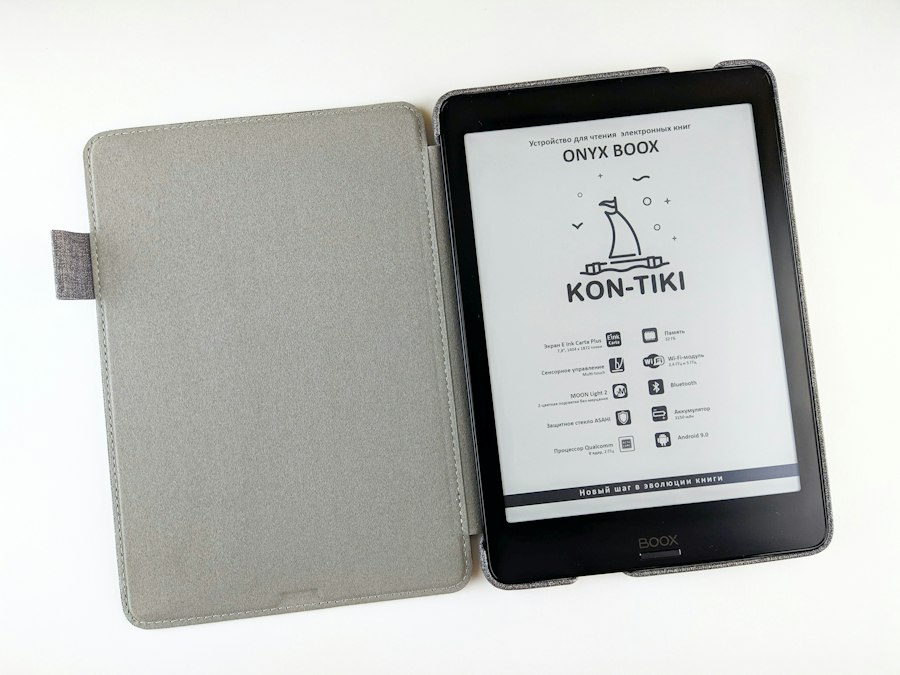
The journey of words into digital pages begins long before a Kindle is even powered on. It starts with the creation and acquisition of digital books, which then need to be processed and stored in a format that the Kindle can understand and display. This involves a complex ecosystem of file formats, digital rights management, and seamless synchronization across devices.
Understanding the Language of Kindle Books
Amazon’s Kindle ecosystem primarily utilizes its proprietary file format, AZW, and its older iteration, MOBI. These formats are not simply plain text files; they are sophisticated containers designed to hold not only the text of a book but also its formatting, metadata, and digital rights management (DRM) information. When a user purchases a Kindle book from Amazon, it’s typically downloaded in one of these formats.
Beyond these proprietary formats, Amazon also offers the Kindle for PC and Kindle for Mac applications, which can display EPUB files. EPUB (Electronic Publication) is an open standard format that has become widely adopted in the e-reading industry. While Kindle devices themselves are optimized for AZW and MOBI, Amazon’s broader ecosystem acknowledges the popularity of EPUB. Moreover, Amazon provides a service called “Send to Kindle,” which allows users to convert various document types, including EPUB, PDF, and even Word documents, into Kindle-compatible formats. This versatility ensures that users can access a wide range of literary content on their devices.
The Role of DRM: Protecting Intellectual Property
A significant aspect of Kindle books, particularly those purchased from Amazon, is Digital Rights Management (DRM). DRM is a technology used to control the use and distribution of copyrighted digital content. For Kindle books, DRM is implemented to prevent unauthorized copying and sharing of the purchased material. This means that a Kindle book bought for one Kindle account is generally tied to that account and cannot be freely transferred to another user or device without authorization.
The DRM protection typically involves encryption that is linked to the specific Kindle device or the user’s Amazon account. When the Kindle device accesses a DRM-protected book, it communicates with Amazon’s servers to verify the user’s purchase and decrypt the content for display. This system aims to protect the rights of authors and publishers while also ensuring that users can access their purchased content across multiple Amazon-compatible devices within their own account. While DRM can be a point of contention for some users who prefer more open access to digital content, it remains a standard practice in the publishing industry to safeguard intellectual property.
The Kindle’s Internal Engine: Processing and Displaying Content
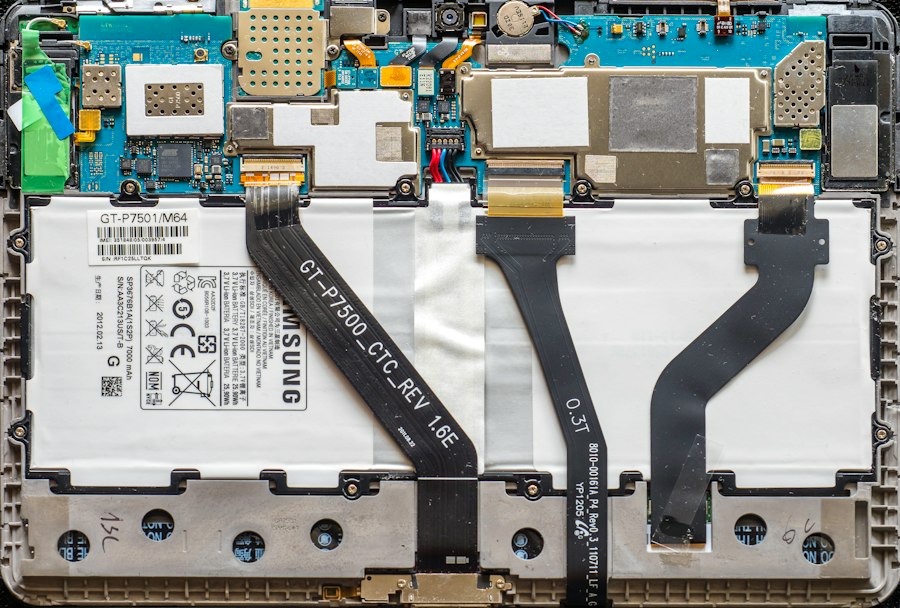
Once a Kindle-compatible book file is on the device, the true transformation begins. The Kindle’s internal hardware and software work in concert to decode the file, interpret its structure, and render the text and images onto the E-Ink display, creating the illusion of a physical book. This intricate process involves specialized processors, efficient memory management, and sophisticated rendering engines.
Decoding the Digital Manuscript
The first step in displaying a book is for the Kindle’s processor to read and decode the book’s file. Whether it’s an AZW, MOBI, or a converted format, the device’s software parses the file structure, identifying the text, images, chapter breaks, and any embedded metadata. This involves understanding the specific encoding used for the text (usually UTF-8) and recognizing the markup that defines how the content should be presented.
This decoding process is highly optimized to be as quick and efficient as possible, especially given the limited processing power of most e-readers compared to full-fledged computers. The goal is to get the content ready for rendering with minimal delay, ensuring a responsive user experience.
Rendering Words into Visual Pages
The actual creation of the digital page is the core of the Kindle’s transformation process. The rendering engine takes the decoded text and applies the stylistic rules defined in the book file and the user’s preferences. This includes:
- Font Selection and Sizing: Users can typically choose from a variety of fonts and adjust the text size to their preference. The rendering engine must accurately scale and display these fonts, ensuring legibility.
- Line Spacing and Margins: The engine determines how lines of text are spaced apart and the size of the margins on the page. These settings influence the overall density of text on the screen and contribute to readability.
- Word Wrapping: As the Kindle’s screen width is fixed, the rendering engine must intelligently wrap words at the end of each line, ensuring that no words are awkwardly split or cut off.
- Paragraph Breaks and Justification: The engine interprets paragraph breaks and applies justification settings (left-aligned, fully justified, etc.) to create visually appealing blocks of text.
- Image Placement: If the book contains images, the rendering engine must place them appropriately within the text, scaling them to fit the screen without distorting the layout.
- Hyperlinks and Annotations: Interactive elements like hyperlinks, footnotes, and user-added annotations are also processed and made accessible by the rendering engine.
This entire rendering process happens in a fraction of a second when a page turn is initiated. The speed and accuracy of this engine are critical to the perceived fluidity of the reading experience, making the transition from one digital page to the next feel almost instantaneous.
Interactivity and Navigation: Navigating Your Digital Library
Beyond simply displaying text, Kindle e-readers offer a range of interactive features that allow users to engage with their digital books in ways that go beyond the static nature of print. These features transform the Kindle from a passive reader into a dynamic tool for learning, exploration, and personalization.
Turning Pages and Finding Your Place
The most fundamental form of interaction is turning pages. On a Kindle, this is achieved through tapping on the screen or pressing physical buttons. The E-Ink display’s refresh rate, while not as instantaneous as an LCD, is optimized for this action. When a page turn is requested, the E-Ink display undergoes a brief “flash” or “ghosting” effect as the old image is cleared and the new one is rendered. This refresh is a necessary part of the E-Ink technology, ensuring a clean display of the next page.
Beyond simple page-turning, the Kindle offers robust navigation tools. Users can:
- Jump to Specific Pages: A digital table of contents allows users to quickly navigate to different chapters or sections.
- Search Within Books: The powerful search function enables users to find specific words or phrases within the entire book, a feature that is impossible with a physical book.
- Bookmarks: Users can place virtual bookmarks to mark important passages and easily return to them later.
- Go To Location: Many Kindle books display a “location” number, which is a unique identifier for a specific point within the book, allowing for precise referencing.
These navigational tools significantly enhance the usability of digital books, making it easier to find and revisit information.
Engaging with the Text: Highlighting and Notes
The Kindle’s interactive capabilities extend to a deeper engagement with the text itself. Users are empowered to:
- Highlight Passages: Similar to using a highlighter in a physical book, Kindle users can select text and highlight it in various colors. These highlights are stored and can be easily reviewed later, often consolidated in a dedicated section of the book or accessible through the device’s notes feature.
- Take Notes: Users can jot down their thoughts, reflections, or important reminders directly within the digital book. These notes are typed using the on-screen keyboard and are also stored and accessible.
The value of these features lies in their accessibility. All highlights and notes taken on a Kindle device are synchronized across all devices and applications linked to the user’s Amazon account. This means that if a user starts reading on their Kindle e-reader, highlights a passage, and then opens the same book on their Kindle app on a tablet, the highlight will be visible there, and vice-versa. Furthermore, Amazon often compiles user highlights into a shared “community” feature, allowing users to see the most popular passages highlighted by other readers, offering a unique social dimension to reading.
Inside a Kindle, a fascinating interplay of technology and design takes place, allowing readers to enjoy their favorite books in a compact format. The device utilizes E Ink technology, which mimics the appearance of paper and reduces eye strain, making reading more comfortable. For those interested in exploring the science behind such innovations, a related article can be found at Freaky Science, where you can delve deeper into the mechanics and advancements that make e-readers like the Kindle so popular among avid readers.
Beyond the Book: The Kindle Ecosystem and Connectivity
| Component | Function | Typical Metrics | Details |
|---|---|---|---|
| E-Ink Display | Displays text and images using electronic ink technology | Resolution: 167-300 PPI Refresh Rate: ~0.5-1 sec |
Uses microcapsules with charged particles to create a paper-like reading experience with low power consumption |
| Processor | Handles user interface, page rendering, and system operations | Speed: 1-1.8 GHz (ARM-based) | Optimized for low power usage and efficient page rendering |
| Memory | Stores books, system files, and cache | RAM: 512 MB – 1 GB Storage: 4-32 GB |
Allows thousands of books to be stored locally |
| Battery | Provides power for weeks of usage | Capacity: ~1000-1500 mAh Battery Life: Up to 6 weeks |
Low power consumption due to E-Ink and efficient hardware |
| Wireless Connectivity | Enables downloading books and syncing | Wi-Fi: 802.11 b/g/n Some models: 3G/4G |
Allows access to Kindle Store and cloud services |
| Operating System | Runs the Kindle user interface and applications | Custom Linux-based OS | Optimized for reading and low power consumption |
| Touchscreen | Enables page turning and menu navigation | Capacitive or Infrared touch | Supports gestures and text selection |
The Kindle experience doesn’t end with the individual book. It’s part of a larger ecosystem that leverages connectivity to enhance the reading experience, manage libraries, and integrate with other services. This connectivity transforms the Kindle from an isolated reading device into a gateway to a vast digital world of literature and information.
Wireless Synchronization and Cloud Storage
A cornerstone of the Kindle ecosystem is its seamless wireless synchronization. When a user buys a book, downloads a document, or makes any changes – such as adding a note or highlight – to a book on one Kindle device or app, these changes are automatically synced to the cloud and then pushed to all other devices and applications associated with that Amazon account. This ensures that a reader can pick up where they left off, regardless of the device they are using.
The cloud storage aspect is also crucial. Amazon stores a user’s purchased Kindle library in their personal cloud. This means that if a Kindle device is lost, damaged, or replaced, all previously purchased books are still accessible and can be downloaded again from the cloud onto a new device. This provides peace of mind and ensures that a user’s investment in their digital library is never truly lost.
Connecting to the World: Wi-Fi, 3G/4G, and the Kindle Store
Modern Kindle e-readers come equipped with Wi-Fi connectivity, and some models also offer optional 3G or 4G cellular connectivity. This connectivity serves several vital purposes:
- Accessing the Kindle Store: The most direct use of connectivity is browsing and purchasing books directly from the vast Amazon Kindle Store without needing to connect to a computer. Users can download samples, read reviews, and make purchases instantly.
- Downloading Books and Documents: New purchases, borrowed books from services like Kindle Unlimited, or documents sent via “Send to Kindle” are all downloaded wirelessly.
- Software Updates: Kindle devices receive software updates wirelessly, bringing new features, performance improvements, and bug fixes to the device over time.
- Whispersync: This is the technology behind the seamless synchronization of reading progress, bookmarks, and annotations across devices.
- Experimental Browser (on some models): Older models sometimes included a rudimentary web browser, allowing for basic internet access. While not a primary function, it demonstrated the device’s potential for broader connectivity.
The integration of connectivity elevates the Kindle beyond a simple book reader. It becomes a portable portal to an immense library, a constantly updated device, and a synchronized reading experience that adapts to the user’s habits and preferences, truly transforming words into an ever-present and accessible digital landscape.

Why Your Kindle Screen Doesn’t Work the Way You Think
FAQs
1. What type of display does a Kindle have?
A Kindle typically has an electronic ink display, also known as E Ink, which mimics the appearance of traditional ink on paper. This type of display is designed to reduce eye strain and glare, making it easier to read for long periods of time.
2. How does a Kindle store books?
A Kindle stores books electronically in its internal memory or on a connected cloud storage service. Users can download e-books directly to their Kindle device or transfer them from a computer via USB. The amount of storage available varies depending on the model of Kindle.
3. Can a Kindle connect to the internet?
Yes, most Kindle devices have built-in Wi-Fi connectivity that allows users to connect to the internet. This feature enables users to download e-books, browse the web, and access online services such as the Kindle Store and Goodreads.
4. What file formats does a Kindle support?
A Kindle typically supports e-book formats such as Kindle Format 8 (AZW3), Kindle (AZW), TXT, PDF, MOBI, and PRC. Additionally, some Kindle models also support formats like HTML, DOC, DOCX, JPEG, GIF, PNG, and BMP.
5. How long does the battery of a Kindle last?
The battery life of a Kindle can vary depending on usage and model. On average, a fully charged Kindle can last anywhere from a few weeks to a month with regular use. E Ink displays are known for their energy efficiency, which helps prolong the battery life of Kindle devices.