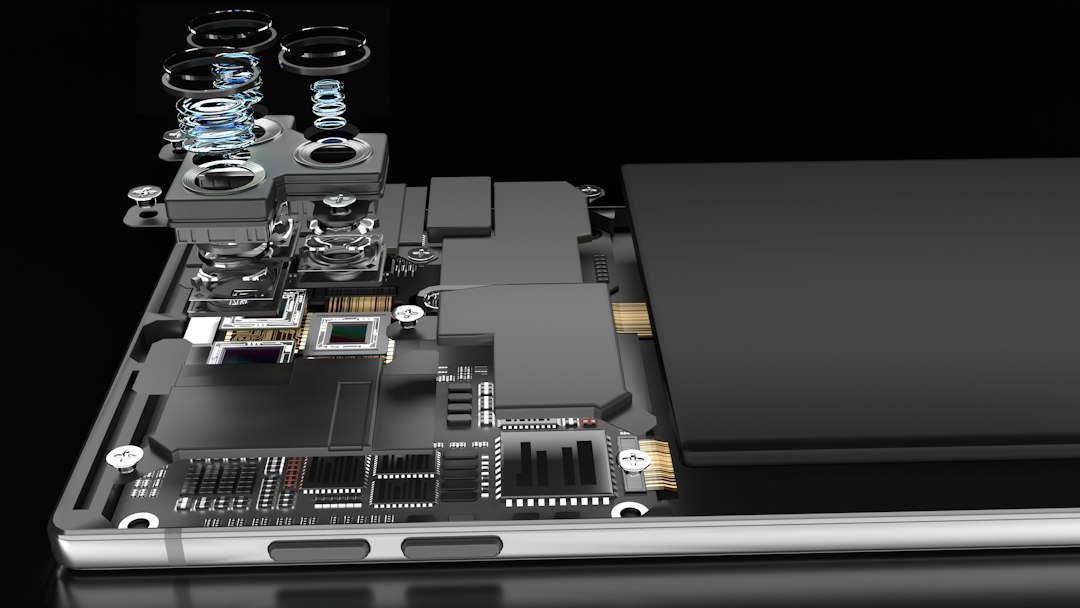
The gentle glow emanating from a Kindle screen, a familiar comfort to millions of readers, belies a sophisticated interplay of hardware and software designed to mimic the tactile experience of paper. For the uninitiated, the magic behind this digital bookshelf can seem enigmatic. This guide aims to demystify the workings of an e-reader, explaining the core technologies that allow for effortless access to a vast library of literature. From the revolutionary screen technology to the underlying software that manages your books, understanding how a Kindle functions transforms the device from a mere gadget into a portal of knowledge and entertainment. It is a testament to human ingenuity, blending the timeless allure of reading with the cutting edge of digital innovation.
The Heart of the Matter: The E-Ink Display
At the very core of the Kindle’s appeal lies its unique display technology, known as E-Ink. Unlike the backlit LCD screens found in tablets and smartphones, E-Ink is designed to be read under ambient light, much like a traditional book. This fundamental difference is what makes extended reading sessions on a Kindle so comfortable and less straining on the eyes. The technology itself is a marvel of microencapsulation and electrostatics, creating a static image that requires no power to maintain.
How E-Ink Creates Its Images
The magic of E-Ink, specifically the electrophoretic display (EPD) technology most commonly used in Kindles, begins with microscopic capsules. These capsules, typically no larger than the diameter of a human hair, are suspended within a clear fluid and sandwiched between two layers of plastic. Each capsule contains a multitude of even smaller particles, specifically black and white ones. These particles are electrically charged. The white particles carry a positive charge, while the black particles carry a negative charge.
When an electrical current is applied to the display, it manipulates the movement of these charged particles. Imagine a grid of tiny electrodes beneath the capsules. By applying a positive or negative voltage to specific electrodes, the Kindle can control which colored particles are pushed to the surface of the capsule. To display a white pixel, a negative voltage is applied, repelling the positively charged white particles to the top and drawing the negatively charged black particles to the bottom. Conversely, to display a black pixel, a positive voltage is applied, repelling the black particles to the top and drawing the white particles to the bottom. By strategically arranging these black and white pixels, the Kindle constructs the text and images that form your digital pages.
The Power of Reflectivity and Low Power Consumption
This E-Ink mechanism is fundamentally different from the emissive nature of LCD or OLED screens. Emissive displays generate their own light, which is why they are backlit and can consume significant power, especially at higher brightness levels. E-Ink, on the other hand, is reflective. It utilizes ambient light to illuminate the screen, just as paper does. This means that in bright sunlight, an E-Ink screen is often even easier to read than an LCD screen.
The power consumption of an E-Ink display is remarkably low. Power is only consumed when the screen is actively changing, i.e., when a page is turned or an image is updated. Once an image is rendered, it remains on the screen without requiring any further power input. This is often referred to as a “bistable” state. This characteristic is a primary reason why Kindles can last for weeks on a single charge, a feat unheard of for most other electronic devices with screens. The minimal power needed for page turns, combined with the absence of a constant backlight, contributes to the extraordinary battery life that e-readers are famous for.
Variations and Enhancements: Paperwhite and Beyond
Over the years, Amazon has introduced significant enhancements to its E-Ink technology, most notably with the Kindle Paperwhite. The “Paperwhite” designation refers to the integrated front-light system. Unlike the backlighting of traditional screens, this front-light illuminates the surface of the screen, allowing for comfortable reading in complete darkness without shining light directly into the reader’s eyes. This light is carefully diffused, creating an even glow across the display.
Further advancements include higher resolution displays, offering sharper text and more detailed images. Some models also incorporate color E-Ink technology, although this is less common in current Kindle models. The evolution of E-Ink continues to focus on improving refresh rates, reducing ghosting (faint remnants of previous images), and enhancing color reproduction, all while maintaining the core benefits of low power consumption and eye comfort.
If you’re curious about the inner workings of your Kindle and how it delivers a seamless reading experience, you might find the article on Freaky Science particularly enlightening. It delves into the technology behind e-readers, including the unique e-ink display and battery efficiency that make devices like the Kindle so popular among avid readers. For more insights, check out the article here: Freaky Science.
The Digital Library: Managing Your Content

A Kindle is more than just a screen; it’s a sophisticated device designed to hold and organize a vast collection of books. The process of acquiring, storing, and accessing these digital titles is a seamless experience, powered by Amazon’s robust ecosystem and the Kindle’s internal operating system. Understanding how your Kindle manages its digital library provides insight into the convenience and flexibility of e-reading.
Acquiring New Books: The Kindle Store and Beyond
The primary method for obtaining new reading material for a Kindle is through the Amazon Kindle Store. This virtual marketplace offers millions of e-books, ranging from the latest bestsellers to classic literature, academic texts, and independent publications. Purchases made from the Kindle Store are directly linked to the user’s Amazon account and are automatically sent to the registered Kindle device via Wi-Fi or cellular connection.
Beyond the Kindle Store, Kindles can also accept other digital formats through various methods. Users can email compatible documents (such as PDFs, Word documents, and ePub files) to a unique Kindle email address. Amazon’s “Send to Kindle” service then converts these documents into a format optimized for the Kindle and delivers them to the device. Additionally, some Kindles offer experimental web browsers, allowing users to access content directly from websites, though this functionality is generally limited and not a primary reading method. USB transfer is also an option for transferring files directly from a computer.
Storing and Organizing Your E-books
Once acquired, books are stored on the Kindle’s internal memory. The amount of storage varies by model, but even older Kindles typically offer enough space for thousands of books. Amazon also provides cloud storage for all purchased Kindle books through the user’s Amazon account. This means that even if a Kindle is lost or damaged, all previously purchased books can be re-downloaded onto a new device.
The Kindle’s operating system provides intuitive ways to organize your library. Books are typically displayed in a list or grid view, with cover art and titles. Users can create collections to categorize their books by genre, author, project, or any other desired scheme. This feature is invaluable for readers who have large libraries, allowing them to quickly find specific titles or browse them by theme. Search functionality is also robust, enabling users to find books by title, author, or even keywords within the book’s content (for books that support this feature).
Syncing Progress Across Devices
A significant advantage of the Kindle ecosystem is its seamless syncing capability. When a user reads on their Kindle, their progress – including the last page read, bookmarks, and annotations – is automatically saved and synced to Amazon’s cloud. This means that if the user later decides to read the same book on another Kindle device, a Kindle app on a tablet or smartphone, or even through the Kindle for PC/Mac application, they can pick up exactly where they left off. This cross-device synchronization ensures a consistent and uninterrupted reading experience, regardless of the platform used.
The Power Behind the Pages: Software and Processing
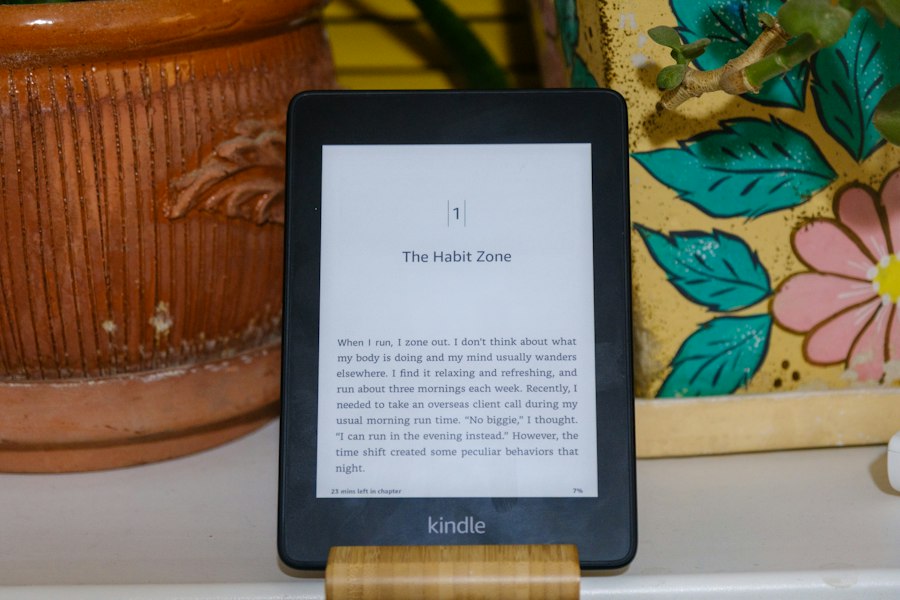
While the E-Ink display is the visual star, it’s the Kindle’s underlying software and processing power that bring the e-reading experience to life. This includes the operating system, the e-book rendering engine, and the features that enhance reading, such as dictionaries and note-taking capabilities. The hardware components work in concert with the software to provide a fluid and responsive interface.
The Kindle Operating System
Kindles run on a proprietary, Linux-based operating system developed by Amazon. This operating system is specifically designed for the unique demands of an e-reader: maximizing battery life, optimizing E-Ink display performance, and providing a focused reading environment. It is a streamlined OS, avoiding the complexities and power consumption of more feature-rich operating systems found on tablets.
The OS handles all the core functions: managing the E-Ink display to render pages, processing input from the touchscreen or physical buttons, connecting to Wi-Fi or cellular networks for store access and syncing, and running the various reading features. While not as feature-rich as a general-purpose operating system, it is highly efficient and tailored for its intended purpose. Updates to the operating system are periodically released by Amazon, introducing new features, improving performance, and addressing security vulnerabilities.
Rendering E-books: Formats and the Reading Engine
The Kindle’s reading engine is responsible for interpreting various e-book file formats and displaying them on the E-Ink screen. The primary proprietary format used by Amazon is AZW, which is based on the MOBI format. However, Kindles also support other formats like plain text (.txt), unprotected MOBI, PRC, HTML, DOC, DOCX, PDF, and EPUB (though direct EPUB support often requires conversion via Send to Kindle).
The reading engine takes the structured data within an e-book file and translates it into the visual representation of text and images. It manages font rendering, line spacing, paragraph justification, and page breaks to create a legible and aesthetically pleasing reading experience. The efficiency of this engine directly impacts how quickly pages turn and how smoothly the device navigates through a book. Sophisticated algorithms are employed to ensure that text is rendered cleanly and consistently, even with varying font sizes and styles.
Interactive Features and User Interface
Beyond simply displaying text, the Kindle’s software offers a suite of interactive features designed to enhance the reading experience. These include:
- Built-in Dictionary and Wikipedia: Tapping on a word brings up its definition and a brief Wikipedia summary, providing instant access to context and information without interrupting the reading flow.
- Highlighting and Notes: Users can highlight passages of text and add their own notes, which are then saved and can be synced across devices or exported.
- X-Ray Feature: For many popular books, X-Ray provides access to information about characters, places, and terms mentioned in the text, often displayed in a sidebar.
- Bookmarks: Users can place digital bookmarks to mark important pages.
- Adjustable Font Settings: A wide range of font types, sizes, and line spacing options allow readers to customize the display to their preference.
- Reading Progress Indicators: The Kindle displays the percentage of the book read, estimated time remaining in the chapter, or estimated time remaining in the book, catering to different reader preferences.
The user interface is designed to be minimalist and intuitive, ensuring that the focus remains on the content. Navigation is generally straightforward, with menus and options easily accessible without being obtrusive.
The Connectivity Factor: Wi-Fi and Cellular
For a Kindle to function as the gateway to Amazon’s vast digital library and to keep its content synchronized, it needs to connect to the internet. This connectivity is primarily achieved through Wi-Fi, with some models also offering cellular data options for greater flexibility. These connection capabilities are crucial for purchasing books, downloading new content, and syncing reading progress.
Wi-Fi: The Standard Connection Method
Most Kindle models come equipped with Wi-Fi capabilities. This allows the device to connect to any standard wireless internet network, such as those found in homes, cafes, libraries, and public hotspots. Once connected to a Wi-Fi network, the Kindle can access the Amazon Kindle Store, download purchased e-books, receive software updates, and sync its reading data with the cloud.
The process of connecting to a Wi-Fi network is typically straightforward. The Kindle scans for available networks, and the user selects their preferred network and enters the password if required. The device then establishes a secure connection, enabling all its online functionalities. The Wi-Fi connection is the most common and cost-effective way to keep a Kindle up-to-date and stocked with reading material.
Cellular Connectivity: Freedom from Wi-Fi
Select Kindle models, often designated as “Wi-Fi + 3G” or “Wi-Fi + Cellular,” offer an additional layer of connectivity: a built-in cellular modem. This allows the Kindle to connect to cellular networks, such as those used by mobile phones, for internet access. The primary advantage of cellular connectivity is the ability to download books and sync content even when a Wi-Fi network is not available. This can be particularly useful for travelers who are often away from Wi-Fi access points.
Historically, Amazon has offered free 3G (and later 4G) data for e-book downloads on these devices. This means users did not incur data charges for downloading books through the Kindle Store. However, it’s important to note that cellular connectivity on Kindles is typically limited to accessing Amazon’s services and does not function as a general-purpose internet browser or for other data-intensive tasks. The availability and specific terms of cellular service can vary by region and model.
The Role of Connectivity in the E-Reading Experience
Connectivity is more than just a convenience; it’s integral to the modern e-reading experience provided by a Kindle. Without it, the device would be a static e-reader, unable to expand its library or stay synchronized.
- Instant Access to New Content: Connectivity allows for the immediate purchase and download of new books from the Kindle Store, meaning a reader can start a new adventure within minutes of deciding to buy a book.
- Seamless Cloud Syncing: The ability to sync reading progress, notes, and highlights across multiple devices is entirely dependent on internet connectivity. This ensures a fluid transition between reading on a Kindle, a tablet, or a smartphone.
- Software Updates: Amazon pushes out firmware and software updates for Kindles over the internet, which can introduce new features, improve performance, and enhance security.
- Whispersync Technology: This Amazon technology leverages connectivity to automatically synchronize the last page read, bookmarks, and annotations across all devices associated with a user’s Amazon account. This ensures that the reading experience is consistent, regardless of which device is being used.
Understanding how your Kindle works can greatly enhance your reading experience. For those curious about the technology behind e-readers, a related article offers valuable insights into the mechanics and features of these devices. You can explore this further in the article found here, which delves into the various components that make your Kindle a powerful tool for reading. From its e-ink display to battery life, knowing how these elements function can help you make the most of your device.
The Hardware Backbone: Processors, Memory, and Battery
| Component | Function | Key Metrics |
|---|---|---|
| E-Ink Display | Displays text and images using electronic ink technology | Resolution: 300 ppi, Refresh Rate: ~0.5-1 sec, Power Usage: Very low (only during page turns) |
| Processor | Handles user input, page rendering, and system operations | Speed: ~1 GHz, Power Consumption: Low |
| Battery | Provides power for device operation | Capacity: ~1500-2500 mAh, Battery Life: Weeks on a single charge |
| Storage | Stores ebooks, documents, and system files | Capacity: 8GB to 32GB, Number of Books: Thousands |
| Wi-Fi Module | Enables wireless download of books and updates | Speed: Up to 150 Mbps, Range: ~30 meters indoors |
| Touchscreen | Allows user interaction for navigation and selection | Type: Capacitive, Multi-touch support |
| Software | Manages ebook formats, user interface, and syncing | Supported Formats: AZW, MOBI, PDF, TXT, EPUB (some models) |
While the software and display are crucial, the Kindle is a physical device, and its performance and longevity are dictated by its internal hardware components. These include the processor, memory, and, most importantly, the battery, all working together to provide the e-reading experience.
The Processor: The Brains of the Operation
Every Kindle is powered by a processor, the central processing unit (CPU), which acts as the brain of the device. The processor is responsible for executing instructions from the operating system, managing input from the user, rendering the E-Ink display, and running all the applications and features.
While Kindles don’t require the same processing power as high-end smartphones or gaming consoles, their processors are optimized for the specific tasks of e-reading. This means they are efficient, capable of handling the demands of page turns, dictionary lookups, and web browsing (on supported models) without significant lag. The speed and efficiency of the processor directly impact how quickly the Kindle responds to user commands and how smoothly it renders content, particularly during complex operations like turning pages with animations or loading larger e-books. Newer Kindle models generally feature faster and more power-efficient processors, contributing to an improved user experience.
Memory: RAM and Storage
Kindles utilize two main types of memory: Random Access Memory (RAM) and internal storage.
- RAM (Random Access Memory): RAM is the device’s short-term memory. It stores the data that the processor is actively using. For a Kindle, this includes the current page of the book being displayed, the operating system’s active processes, and any temporary data required for features like the dictionary or note-taking. The amount of RAM influences the device’s ability to multitask (though Kindles are not designed for heavy multitasking) and the responsiveness of the interface, particularly when switching between applications or features. More RAM generally leads to a smoother and more fluid user experience.
- Internal Storage: This is where the Kindle’s library of e-books, personal documents, and the operating system itself are stored. Storage capacity is measured in gigabytes (GB). Even the most basic Kindle models offer ample storage for thousands of books, making it rare for users to run out of space. As mentioned earlier, purchased books are also backed up in the Amazon cloud, providing an additional layer of access and redundancy. The speed of the internal storage also plays a role in how quickly books can be loaded and opened.
The Battery: The Lifeblood of the E-Reader
Perhaps the most defining hardware characteristic of a Kindle is its exceptional battery life, a direct result of its power-efficient E-Ink display and optimized hardware and software. The battery is typically a rechargeable lithium-ion or lithium-polymer cell.
The longevity of the battery is a major selling point for e-readers. Unlike tablets or smartphones that often require daily charging, a Kindle can last for weeks on a single charge. This impressive duration is achieved through a combination of factors:
- Low Power Display: As discussed, the E-Ink display only consumes power when the screen changes.
- Efficient Processor and OS: The specialized processor and streamlined operating system are designed to minimize power consumption.
- Sleep Mode: When not actively in use, the Kindle enters a deep sleep mode, consuming almost no power.
- Minimal Backlighting: Even with the front-light feature, the illumination is carefully managed to be energy-efficient.
Users can monitor the battery level through an icon on the Kindle’s screen. Charging is typically done via a USB cable connected to a computer or a wall adapter. The long battery life makes the Kindle an ideal companion for travel, extended reading sessions, and situations where frequent charging is not possible.
The interplay of these hardware components – the processor, memory, and battery – alongside the sophisticated E-Ink display and software ecosystem, is what transforms a Kindle into the remarkable e-reading device it is today. It is a testament to the power of targeted engineering, designed to provide a focused, comfortable, and enduring reading experience.

Why Your Kindle Screen Doesn’t Work the Way You Think
FAQs
1. How does a Kindle display text on its screen?
A Kindle uses electronic ink technology to display text on its screen. This technology mimics the appearance of ink on paper, providing a reading experience that is easy on the eyes and can be read in various lighting conditions.
2. Can I read books on a Kindle without an internet connection?
Yes, you can read books on a Kindle without an internet connection. Once you have downloaded the books onto your Kindle device, you can access and read them offline without the need for an internet connection.
3. How does a Kindle battery last so long?
A Kindle’s battery can last for weeks on a single charge because electronic ink technology only uses power when the display changes. This means that the battery is primarily consumed when turning pages rather than when reading continuously.
4. Can I adjust the font size on a Kindle?
Yes, you can adjust the font size on a Kindle to suit your reading preferences. Kindle devices offer the option to change the font size, font style, and line spacing to make reading more comfortable for users.
5. Can I listen to audiobooks on a Kindle?
Some Kindle models, like the Kindle Oasis and Kindle Paperwhite, support audiobooks through Audible. You can listen to audiobooks on these devices by connecting Bluetooth headphones or speakers to enjoy a hands-free reading experience.