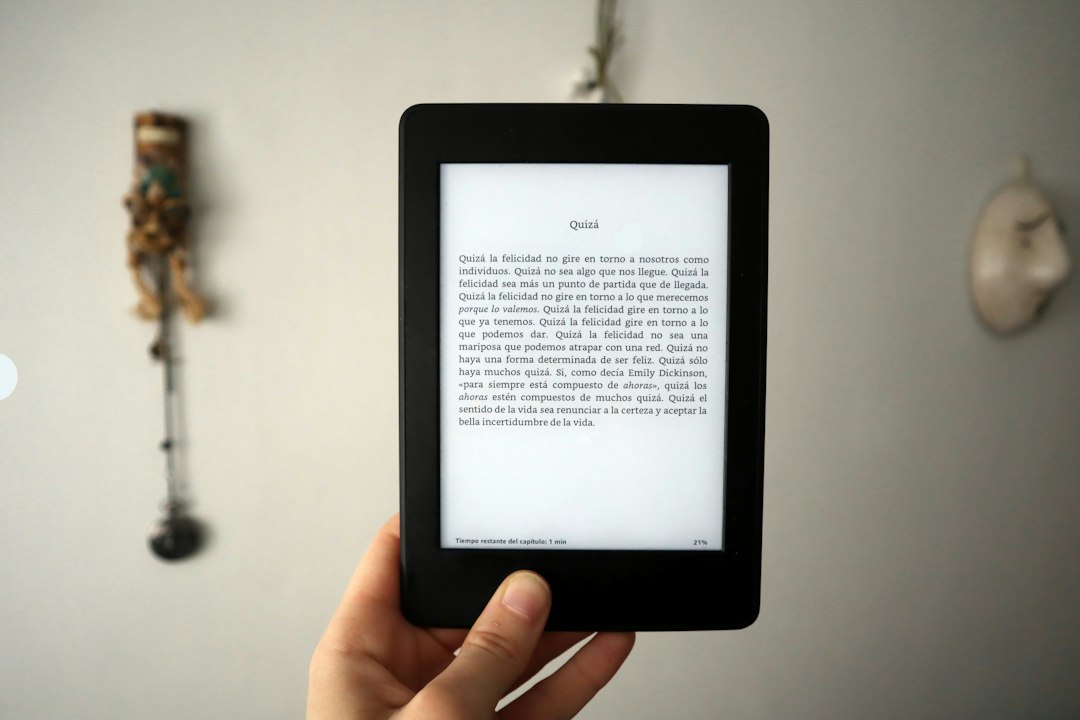
The humble act of turning a page in a physical book is so ingrained in the reading experience that it’s often taken for granted. Yet, when translating this experience to the digital realm, especially on devices like Amazon’s Kindle, the seemingly simple page turn involves a sophisticated interplay of hardware, software, and design principles. The goal, above all, is to mimic the effortless flow of physical reading, minimizing disruption and maximizing immersion. Understanding how Kindle page turns work reveals a dedication to crafting a seamless reading experience, a testament to the evolution of e-reading technology.
The Illusion of Physicality: Mimicking the Traditional Page
At its core, the Kindle’s page turn aims to replicate the tactile sensation and visual cue of turning a physical page. This is not a purely aesthetic choice; it’s deeply rooted in human psychology and how we process information. Our brains are accustomed to the progression of a narrative through the physical manipulation of a book. The weight of the pages, the rustle of paper, and the visual shift from one side of a spread to another are all subconscious cues that guide our reading. The Kindle’s designers have meticulously engineered its page-turning mechanisms to evoke these familiar feelings, ensuring that the transition between digital pages feels natural and unobtrusive.
The Role of E-Ink Technology in Page Turns
The foundational technology that enables this illusion is E-Ink, also known as electronic ink. Unlike traditional LCD or OLED screens that emit light, E-Ink displays use microscopic black and white capsules suspended in a clear fluid. When an electric charge is applied, these capsules move to the surface, creating pixels that reflect ambient light, much like ink on paper. This characteristic is crucial for page turns.
Eliminating the Flash: Static Displays and Refresh Rates
Traditional digital displays require a complete refresh of the screen to change content. This often results in a brief, jarring flash as the old image is cleared and the new one is drawn. For an E-Ink display, this flashing is significantly minimized or eliminated entirely. When a page is turned, the E-Ink capsules simply rearrange themselves to form the new content. While there is still a brief moment of change, it’s far less intrusive than the full screen redraw of emissive displays. This minimal visual disturbance is paramount to maintaining the illusion of a static, paper-like page.
The “Partial Refresh” Technique
In some instances, a full screen refresh might still be necessary to clear residual ghosting from the previous page. Kindle devices employ a technique called “partial refresh” where only the necessary portions of the screen are updated. For example, if only a few lines of text change on the new page, only those lines might be redrawn, with the rest of the static content remaining untouched. This optimization further reduces the visual interruption of a page turn, making the transition even smoother. The result is a near-instantaneous change that feels more akin to flicking a physical page than a digital update.
Gestural Control: Intuitive Interaction Design
Beyond the underlying display technology, the way users initiate a page turn is as important as the visual presentation. Kindle devices offer multiple intuitive gestural controls, designed to feel natural and require minimal cognitive effort.
Tapping and Swiping: The Primary Methods
The most common methods for turning a page on a Kindle are tapping the right side of the screen to go forward and tapping the left side to go back. This simple tap-and-go action is direct and responsive. Alternatively, users can swipe from right to left to advance pages or from left to right to go back. These swiping gestures further enhance the feeling of manipulating a physical object, as a swift flick of the finger mimics the motion of turning a page with a thumb. The responsiveness of these gestures is finely tuned, ensuring that a deliberate tap or swipe triggers a page turn, while accidental touches are generally ignored, preventing unintended page advances.
Adaptive Touch Sensitivity
Kindle devices often feature adaptive touch sensitivity, which can adjust based on user preferences or environmental factors. This ensures that the touch interface remains responsive and accurate, even if the user’s fingers are slightly damp or if they are wearing thin gloves. The underlying algorithms learn and adapt to subtle differences in touch input, ensuring that a page turn is registered when intended and not when an accidental brush occurs. This attention to detail in the gestural interface is critical for a frustration-free reading experience.
The Kindle page turn feature is an innovative technology that enhances the reading experience by allowing users to navigate through their eBooks seamlessly. For a deeper understanding of how this functionality works and the underlying mechanics, you can refer to a related article that explores various aspects of e-reader technology. Check out this informative piece at Freaky Science for more insights.
The Symphony of Software and Hardware: Behind the Scenes
The seamless page turn isn’t just about the E-Ink display and touch controls; it’s a carefully orchestrated collaboration between the Kindle’s software and its underlying hardware. The processing power, memory management, and specialized firmware all play vital roles in ensuring that each page turn is quick, accurate, and visually pleasing.
Processing Power and Page Rendering
The Kindle’s processor is responsible for taking the digital book file, rendering the text and images for the new page, and instructing the E-Ink display on how to present it. The speed at which this happens directly impacts the perceived smoothness of the page turn. Modern Kindles are equipped with processors capable of quickly decoding book formats and rendering complex layouts, including hyphenation, justification, and embedded images, all within milliseconds.
Efficient Text Rendering Engines
The software includes sophisticated text rendering engines that are optimized for E-Ink displays. These engines handle the intricacies of typography, ensuring that fonts are displayed crisply and legibly. When a page turn is initiated, the engine rapidly retrieves the data for the next page, applies the appropriate formatting, and prepares it for display. This efficient rendering process is crucial for minimizing the time between the user’s input and the appearance of the new page.
Optimized Book Formats
Kindle devices primarily use the AZW, AZW3, and KFX formats, which are proprietary Amazon formats optimized for their devices. These formats are designed for efficient parsing and rendering, reducing the computational load on the device. Unlike more general-purpose formats like EPUB, which may require more complex processing, Amazon’s formats allow for faster page loading and smoother transitions, contributing directly to the seamless reading experience. The KFX format, in particular, introduces advanced typesetting features and more efficient rendering for even faster page turns and a more refined visual experience.
Memory Management and Data Access
The Kindle’s internal memory plays a critical role in how quickly it can access and display the next page. When a book is opened, the device loads a certain number of pages into memory, anticipating the user’s progression. This pre-loading strategy ensures that when a page turn is requested, the data for the next page is readily available.
Caching and Pre-fetching Strategies
Kindle devices employ caching mechanisms to store recently viewed pages and pre-fetch future pages. This means that even before the user explicitly turns the page, the device might already be loading the content of the subsequent page in the background. This pre-fetching reduces latency; by the time the user taps to turn the page, the next page is often already rendered and waiting in memory, ready to be displayed. This proactive approach is a key factor in making the page turn feel instantaneous.
Efficient Data Structures
The internal organization of book data on the Kindle is also optimized for rapid access. Rather than having to search through a large, monolithic file for each page, the data is structured in a way that allows for quick retrieval of page-specific information. This efficient data structure, combined with fast memory access, allows the Kindle to present the next page with minimal delay.
Beyond the Mechanics: The Psychology of Seamless Reading

The Kindle’s approach to page turns goes beyond just technical execution; it is deeply informed by an understanding of how humans read and what constitutes a comfortable and immersive experience. The goal is to minimize “friction” – any element that pulls the reader out of the narrative or breaks their concentration.
Minimizing Cognitive Load
A jarring flash or a slow transition between pages increases cognitive load. The brain has to work harder to re-orient itself and regain focus. The Kindle’s smooth, rapid page turns reduce this cognitive burden, allowing the reader to stay immersed in the story. The design choices, from the visual presentation to the speed of the turn, are all aimed at keeping the reader’s attention focused on the content.
The “Flow State” in Reading
The concept of “flow state,” popularized by Mihaly Csikszentmihalyi, describes a state of complete immersion in an activity. For readers, achieving flow means being so engrossed in the book that the outside world fades away. Anything that interrupts this state – whether it’s a distracting notification, a difficult-to-navigate interface, or a slow page turn – can break flow. The Kindle’s page-turn design is a critical component in facilitating this state of focused engagement.
Familiarity and Predictability
The act of turning a page in a physical book is highly predictable. The reader knows that the next page is behind the current one, and the motion is consistent. The Kindle’s gestural controls and visual feedback are designed to create a similar sense of familiarity and predictability. The tap or swipe always results in the expected outcome – a new page appearing cleanly and quickly. This consistency builds trust in the device and further enhances the reading experience.
The Importance of Visual Cues
Even subtle visual cues can significantly impact how we perceive a page turn. The way the E-Ink display transitions, the slight animation (if any), and the clarity of the new text all contribute to the overall feeling. Kindle designers carefully calibrate these elements to ensure that the visual shift feels natural and not like a digital glitch. The aim is to create an experience that feels as close as possible to reading from a physical book, leveraging our innate understanding of how books work.
Advanced Features Enhancing the Page Turn
Beyond the core functionality, Kindle devices offer a range of advanced features that further refine and personalize the page-turning experience, catering to a diverse range of reader preferences.
Customizable Page Turn Animations
While the default page turn animation is designed for speed and minimal distraction, some Kindle models allow for customization. Users might be able to choose between different animation styles, such as a simple fade, a subtle page-peel effect, or a no-animation option for the absolute fastest turns. This level of personalization allows readers to tailor the experience to their own comfort levels and preferences.
The Trade-off Between Animation and Speed
It’s important to note the inherent trade-off between the complexity of an animation and the speed of the page turn. More elaborate animations, while potentially more aesthetically pleasing to some, can require more processing power and might slightly increase the time it takes for the new page to appear. Kindle’s design prioritizes speed and a lack of distraction for the majority of users, but offering customization allows for individual optimization.
“Tap Zones” and Layout Adjustments
Kindle devices offer configurable “tap zones” for page turns. This allows users to define the exact areas of the screen that will trigger a page advance or reversal. This is particularly useful for readers who might hold their device in unconventional ways or who have specific ergonomic preferences. Furthermore, the ability to adjust font size, line spacing, and margins can indirectly affect the perceived speed of page turns. Larger fonts, for instance, mean fewer words per page, leading to more frequent page turns, but the overall reading experience remains fluid if the page-turning mechanism is efficient.
Accessibility Considerations
Customizable tap zones also play a role in accessibility. Users with limited mobility or specific motor control challenges can adjust the tap zone sensitivity and location to make turning pages easier and more comfortable. This inclusivity ensures that the Kindle experience is accessible to a wider range of individuals.
Reading Progress Indicators
While not directly part of the page turn mechanism itself, how reading progress is indicated can influence the perception of page turns. Kindles typically display the current page number, percentage complete, or estimated time remaining in a chapter or book. This information, often subtly displayed at the bottom of the screen, provides context for the page turn. Knowing that you’re, for example, 60% through the book can make the act of turning another page feel like progress, rather than just a mechanical action.
The “Location” System vs. Page Numbers
It’s worth noting that Kindles often use an internal “location” system rather than traditional page numbers, especially for books that don’t have fixed pagination. This system is more dynamic and adapts to font size and layout changes. While this doesn’t directly change the page turn mechanism, it ensures that the progress indicator remains accurate and relevant, contributing to a more consistent overall reading experience.
The Kindle page turn feature is an innovative aspect of e-readers that enhances the reading experience by mimicking the tactile sensation of flipping through a physical book. This technology utilizes a combination of touch sensors and software algorithms to create a seamless transition between pages. For those interested in delving deeper into the mechanics behind such advancements in reading technology, you can explore a related article on this topic at Freaky Science, which offers insights into how digital interfaces are evolving to meet the needs of modern readers.
The Future of Kindle Page Turns: Innovations on the Horizon
| Metric | Description | Typical Value | Unit |
|---|---|---|---|
| Page Turn Latency | Time taken for the Kindle to refresh and display the next page after a page turn command | 0.5 – 1.5 | seconds |
| Screen Refresh Rate | Frequency at which the e-ink display updates during page turn | 1 | Hz |
| Touch Sensitivity | Responsiveness of the touchscreen to user input for page turns | High | Qualitative |
| Battery Consumption per Page Turn | Amount of battery used when turning a page | Negligible | mAh |
| Page Turn Mechanism | Method used to detect user input for turning pages | Touchscreen and physical buttons | Type |
| Partial Refresh | Whether the Kindle uses partial screen refresh to speed up page turns | Yes (on some models) | Boolean |
The evolution of the Kindle page turn is far from over. As technology advances and our understanding of human-computer interaction deepens, we can anticipate further innovations that will continue to refine this core reading experience.
Enhanced Haptic Feedback
While current Kindles rely primarily on visual and tactile cues from touch, future iterations could incorporate more sophisticated haptic feedback. Imagine feeling a subtle rumble or vibration that mimics the sensation of paper turning, providing a more immersive and nuanced tactile experience. This could add another layer of realism to the digital page turn.
The Next Frontier of Immersion
Haptic feedback is increasingly being explored across various digital interfaces. Applying it to Kindle page turns could bridge the gap between digital and physical reading even further, making the experience feel more tangible and engaging. The challenge lies in creating haptic feedback that is subtle enough not to be distracting but distinct enough to be noticeable and add value.
AI-Driven Content Anticipation
Artificial intelligence could play a more significant role in predicting what content a reader will want to see next. Beyond simple pre-fetching of pages, AI could analyze reading patterns, interests, and even emotional responses to content to intelligently adjust the pace and presentation of information. This could lead to a more personalized and fluid reading journey.
Dynamic Content Delivery
Imagine an AI that could subtly adjust the pacing of a story based on your engagement, or even dynamically alter the text slightly to maintain a reader’s interest. While this is a more speculative future, the underlying principle is to make the reading experience as effortless and engaging as possible, with page turns being an integral part of that seamless flow.
Seamless Cross-Device Synchronization
While already a strong feature, the synchronization of reading progress and page turns across different Kindle devices and the Kindle app on other platforms will continue to be refined. The goal is to ensure that a page turn on a Kindle e-reader is instantly reflected on a smartphone or tablet, allowing readers to pick up exactly where they left off without any disruption, making the transition between devices as smooth as turning a page within a single device.
The Kindle page turn, often overlooked in its simplicity, is a masterful blend of sophisticated technology and thoughtful design. By meticulously recreating the tactile and visual cues of physical book reading, minimizing distractions, and leveraging powerful hardware and software, Amazon has created an experience that allows readers to become truly immersed in their stories. The continuous evolution of this seemingly small feature underscores a larger commitment to making digital reading as natural, enjoyable, and seamless as possible.

Why Your Kindle Screen Doesn’t Work the Way You Think
FAQs
How does the Kindle page turn feature work?
The Kindle page turn feature allows users to swipe or tap on the screen to turn the page of an e-book. This action is detected by the device’s touch screen technology, which then registers the input and advances to the next page.
Can I customize the page turn settings on my Kindle?
Yes, Kindle users can customize the page turn settings to suit their preferences. This includes adjusting the sensitivity of the touch screen, choosing between a swipe or tap to turn the page, and selecting the page turn animation style.
Does the Kindle page turn feature work the same way on all Kindle devices?
While the basic functionality of the Kindle page turn feature remains consistent across different Kindle devices, there may be slight variations in how it is implemented based on the model and generation of the device. However, the core concept of swiping or tapping to turn the page remains the same.
Is there a way to navigate through pages without using the Kindle page turn feature?
Yes, in addition to using the page turn feature, Kindle users can also navigate through pages by using the device’s physical buttons, if available. These buttons are typically located on the sides of the device and can be used to turn pages forward or backward.
Can I disable the Kindle page turn feature if I prefer a different method of page navigation?
Kindle users have the option to disable the page turn feature if they prefer a different method of page navigation, such as using the physical buttons or a different gesture. This can usually be done through the device’s settings menu.