## The Genesis of Digital Reading: Why E-readers and Tablets Diverged
The advent of digital reading has transformed how we consume literature, news, and information. This transformation, however, hasn’t led to a monolithic experience. Instead, two distinct categories of devices emerged, each catering to different priorities and use cases: the e-reader and the tablet. Understanding the fundamental differences between their display technologies is crucial for any consumer navigating this landscape. At its core, the divergence stems from the intended purpose of each device. E-readers were meticulously designed with a singular focus: replicating the experience of reading a physical book as closely as possible. This meant prioritizing eye comfort, portability, and long battery life. Tablets, on the other hand, were conceived as general-purpose computing devices, aiming to offer a versatile platform for a multitude of tasks, from browsing the web and watching videos to playing games and, yes, reading. This fundamental difference in design philosophy directly influences the display technology employed.
### E-reader’s Core: Electronic Ink and its Advantages
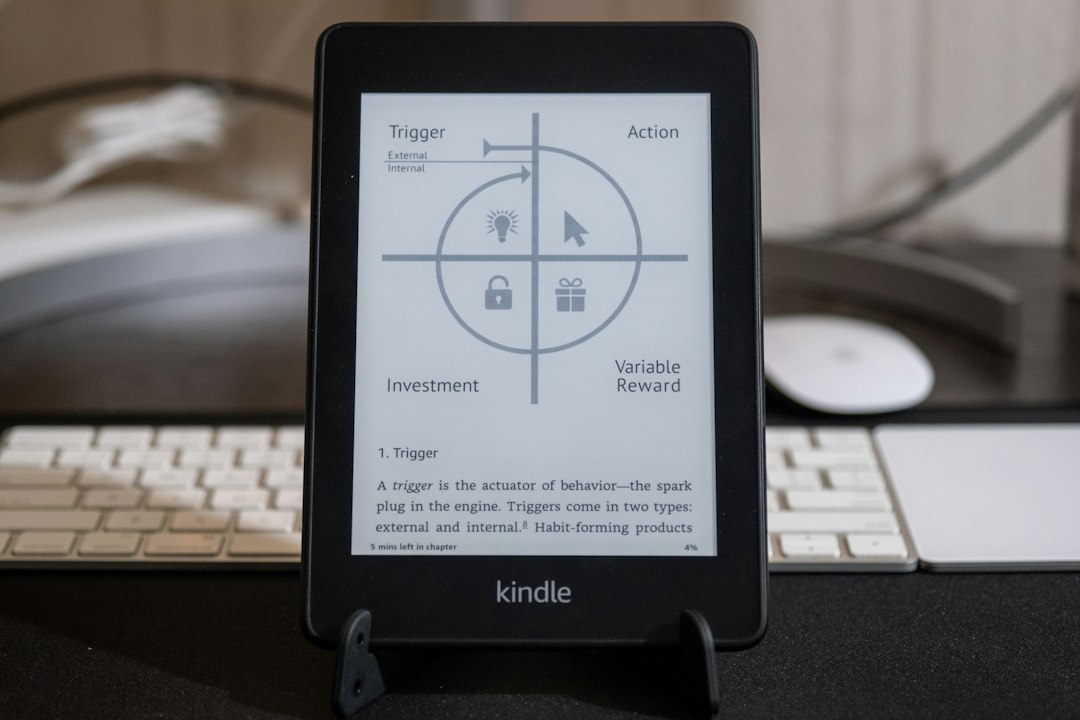
The defining characteristic of an e-reader’s display is its reliance on electronic ink, or e-ink, technology. E-ink screens are not backlit like traditional LCD or OLED displays found in tablets and smartphones. Instead, they utilize microscopic black and white particles suspended in tiny capsules. When an electrical charge is applied, these particles move to the surface, forming the text and images we see. This process mimics the appearance of ink on paper, a critical design goal for e-reader manufacturers.
#### The “Paper-Like” Illusion: How E-ink Works
The magic of e-ink lies in its bistable nature. Once the particles are moved into position, they remain there without requiring continuous power. This means that an e-reader only consumes power when the page is actively being turned or when the display is refreshed. This lack of constant illumination is what makes e-ink so incredibly energy-efficient and, consequently, enables the weeks-long battery life that e-readers are known for. Furthermore, the reflective nature of e-ink means it relies on ambient light, just like a printed page. This eliminates the harsh glare often associated with backlit screens, making it significantly more comfortable for extended reading sessions, especially in bright sunlight. The contrast ratio, while generally lower than that of tablets, is optimized for text readability, creating a crisp and clear appearance that minimizes eye strain.
#### The Advantage of Reflectivity and Reduced Eye Strain
The reflective quality of e-ink is arguably its most significant advantage for readers. Unlike backlit screens that emit light directly into the eyes, e-ink displays reflect ambient light. This means that the longer you read on an e-reader, the less likely you are to experience the fatigue, dryness, or headaches that can accompany prolonged use of LCD or OLED screens. This is particularly important for individuals who read for extended periods, such as students, avid readers, or professionals who rely on digital texts for their work. The “paper-like” appearance also contributes to this reduced eye strain, as the brain is accustomed to interpreting reflected light from printed materials. This familiarity breeds comfort and allows for a more immersive reading experience, where the technology fades into the background, allowing the content to take center stage.
### Tablet’s Powerhouse: LCD and OLED Displays Explained
In stark contrast to the understated elegance of e-ink, tablet displays are powered by sophisticated LCD (Liquid Crystal Display) or OLED (Organic Light-Emitting Diode) technologies. These are the same types of displays found in most modern smartphones and televisions, designed to deliver vibrant colors, high refresh rates, and excellent contrast for a wide array of multimedia content.
#### LCD Technology: The Foundation of Modern Displays
LCD screens work by passing light through a layer of liquid crystals and a series of color filters. A backlight, typically an LED array, provides the illumination. The liquid crystals, when subjected to an electrical current, change their orientation, allowing or blocking the passage of light. By precisely controlling these crystals, different colors and brightness levels can be created. While LCDs have evolved significantly, offering impressive clarity and color accuracy, they still inherently emit light, which can be a source of eye strain for some users during extended reading.
#### OLED Technology: The Rise of Dynamic Visuals
OLED technology represents a leap forward in display performance. Unlike LCDs, each pixel in an OLED display generates its own light. This means that black pixels are truly black, as they are simply turned off, leading to incredibly high contrast ratios and vibrant colors. OLED displays also offer wider viewing angles and faster response times, making them ideal for dynamic content like videos and games. However, the constant emission of light, even at lower brightness levels, can still contribute to eye fatigue for some when used for extended reading sessions. The richness of color and contrast, while a boon for entertainment, can sometimes make text appear too stark or fatiguing to read for prolonged periods.
When considering the differences between eReader displays and tablets, it’s essential to understand how each device is designed for specific reading experiences. eReaders typically utilize E Ink technology, which mimics the appearance of printed paper and reduces eye strain, making them ideal for long reading sessions. In contrast, tablets use LCD or OLED screens that are vibrant and versatile but can cause fatigue over extended use. For a deeper exploration of these differences, you can read more in this related article: here.
## The Visual Experience: How Display Technologies Differ
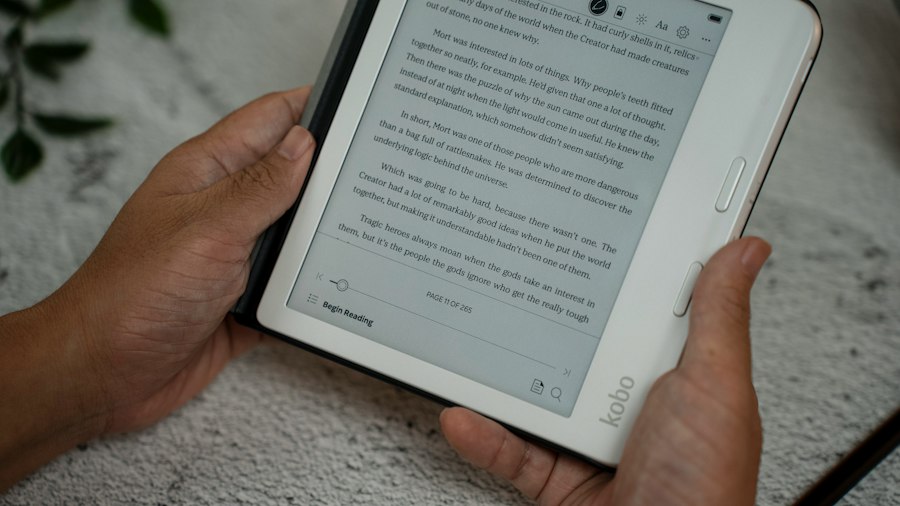
The fundamental difference in display technology between e-readers and tablets directly translates into distinct visual experiences. This distinction is not merely aesthetic; it impacts how users interact with content, the environment in which they can comfortably read, and the overall fatigue experienced.
### Color and Contrast: A Tale of Two Worlds
E-readers, historically, have been monochrome devices. While color e-ink technology exists, it is less common and often sacrifices some of the clarity and contrast that make black-and-white e-ink so effective for text. The primary goal of e-ink is to mimic the look of a printed page, where color is secondary to legibility. This means that the contrast on an e-reader is generally lower than that of a tablet, but it is optimized for text, creating a clear and distinct separation between letters and the background.
Tablets, on the other hand, excel in color reproduction. LCD and OLED displays can produce millions of colors with remarkable accuracy and vibrancy. This makes them ideal for viewing photos, watching videos, and interacting with graphically rich applications. The contrast ratios on tablets are typically much higher, leading to deeper blacks and brighter whites. While this makes for stunning visuals, the intense contrast can sometimes make text appear overly harsh, particularly on prolonged reading sessions, as the brain has to work harder to process the stark difference between foreground and background.
#### E-reader’s Monochrome Focus: Prioritizing Text Clarity
The intentional monochrome nature of most e-readers is a deliberate design choice aimed at maximizing text readability and minimizing distraction. By eschewing vibrant colors, the focus shifts entirely to the crispness and clarity of the characters. This monochromatic approach eliminates the visual “noise” that color can sometimes introduce, allowing the reader’s eyes to concentrate solely on the words on the page. The limited color palette also contributes to the energy efficiency, as there are fewer individual components and less processing power required to render the image. For anyone who prioritizes the pure act of reading, the lack of color on an e-reader is not a limitation but a feature, enhancing the immersive experience of being engrossed in a story.
#### Tablet’s Vibrant Palette: For Multimedia and Beyond
The vibrant color capabilities of tablet displays are a significant draw for users seeking a versatile device. This richness in color makes tablets ideal for a wide range of activities beyond reading, including browsing the web with its colorful imagery, watching high-definition movies with lifelike hues, and playing visually engaging games. The ability to display a vast spectrum of colors enhances the realism and immersion in multimedia content. When it comes to reading, this vibrant palette can make book covers pop and illustrations come alive, offering a more dynamic experience for illustrated books or magazines. However, as mentioned, this very vibrancy can sometimes lead to eye fatigue when the primary goal is extended text consumption.
### Brightness and Glare: Navigating Different Lighting Conditions
The way e-readers and tablets handle brightness and glare is a fundamental differentiator, directly impacting where and how they can be used comfortably.
#### E-reader’s Ambient Light Reliance: Sunlight Advantage
E-readers, due to their reflective e-ink technology, perform exceptionally well in bright, direct sunlight. In fact, their readability often improves in such conditions, much like a printed book. This is because they don’t suffer from the glare that plagues backlit screens. Trying to read a tablet in direct sunlight can be a frustrating experience, with the screen’s own light being overpowered by the ambient brightness, making the display appear washed out and difficult to see. The e-reader, in contrast, thrives in these conditions, becoming a perfect companion for outdoor reading, beach trips, or reading by a sunlit window.
#### Tablet’s Backlighting: Indoor Comfort and Night Reading
Tablets, with their built-in backlights, offer excellent readability in low-light indoor environments and at night. Users can adjust the brightness to their preference, ensuring a comfortable viewing experience even in complete darkness. This versatility makes tablets ideal for reading before bed or in dimly lit rooms. However, this backlighting also means that tablets can produce a significant amount of glare when used in bright light, forcing users to squint or tilt the device to find an angle where the screen is visible. The constant emission of light, even at its lowest setting, can also contribute to eye strain for some individuals during prolonged reading sessions, especially in environments where the ambient light is already sufficient.
## Functionality and Versatility: Beyond the Written Word
While the display technology is a primary differentiator, the overall functionality and intended use of e-readers and tablets also play a crucial role in their display-related capabilities.
### Reading-Centric Design: The E-reader’s Specialization
E-readers are purpose-built for reading. This focus dictates many of their display-related features. They are designed to present text in a clear, comfortable, and energy-efficient manner. This often means sacrificing features like vibrant color, high refresh rates, and touch responsiveness that are less critical for the act of reading. The software on an e-reader is typically streamlined, prioritizing the management and display of digital books. The absence of complex operating systems and demanding applications further contributes to the simplicity and ease of use, allowing the reader to get lost in their book without technological distractions.
#### Focused Experience: Minimizing Distractions for Immersion
The minimalist approach of e-readers extends to their display. By limiting features like vibrant colors and complex animations, e-readers create an environment conducive to deep immersion in reading. The lack of social media notifications, app alerts, and the temptation of internet browsing means that the reader’s attention remains squarely on the text. This singular focus, facilitated by the e-ink display’s passive nature, allows for a more profound and uninterrupted reading experience. It’s akin to turning the pages of a physical book; the technology recedes, and the story takes over.
#### Battery Life: Weeks of Reading on a Single Charge
One of the most celebrated advantages of e-readers is their extraordinary battery life. Because e-ink displays only consume power when changing pages, a single charge can last for weeks, even months, of regular use. This is a stark contrast to tablets, which typically require daily or every-other-day charging, especially with heavy use. This longevity is invaluable for avid readers, travelers, or anyone who wants to avoid being tethered to a power outlet. The display technology is the linchpin of this efficiency, enabling extended periods of digital reading without constant interruption for recharging.
### Multimedia Powerhouse: The Tablet’s Multifaceted Display
Tablets, by design, are multimedia hubs. Their displays are engineered to handle a wide range of content, from static text to dynamic video and interactive games. This necessitates displays that are brighter, more colorful, and capable of higher refresh rates.
#### Interactive and Dynamic Content: A Superior Platform for Multimedia
The vibrant colors, high contrast, and fast refresh rates of tablet displays make them ideal for consuming dynamic content. Watching movies, playing video games, and browsing visually rich websites are all significantly enhanced by the capabilities of LCD and OLED screens. The ability to display smooth animations and detailed graphics creates a far more engaging and immersive experience for these activities compared to the static nature of an e-ink display. While reading can certainly be done on a tablet, these additional capabilities mean the display is designed for a broader spectrum of visual engagement.
#### App Ecosystem and Versatility: More Than Just Books
The versatility of a tablet extends beyond its display capabilities to its comprehensive app ecosystem. Users can download and use a vast array of applications for productivity, entertainment, communication, and, of course, reading. This means a tablet can serve as an e-reader, a web browser, a gaming console, a video player, and much more, all on a single device with a dynamic and responsive display. This all-encompassing nature means the display must be capable of handling a multitude of different visual demands, leading to a compromise between pure reading comfort and overall visual fidelity for diverse tasks.
## Reading Comfort and Eye Strain: A Deeper Dive
The discussion about e-readers versus tablets invariably leads to the crucial aspect of reading comfort and its impact on eye strain. The display technology is the primary determinant in this regard, influencing how the eyes are affected by prolonged engagement with the screen.
### The Science of E-ink’s Comfort
E-ink technology’s resemblance to printed paper is its greatest asset in promoting reading comfort. The lack of a backlight means that the display doesn’t emit light directly into the eyes. Instead, it reflects ambient light, mimicking the natural way we perceive printed text. This significantly reduces the likelihood of experiencing the symptoms associated with digital eye strain, such as dry eyes, blurred vision, headaches, and fatigue.
#### Minimal Blue Light Emission: A Boon for Sleep Cycles
Traditional backlit displays, including LCD and OLED, emit blue light. Exposure to blue light, especially in the evening, can interfere with the body’s natural production of melatonin, the hormone that regulates sleep. This can make it harder to fall asleep and can disrupt sleep patterns. E-ink displays, on the other hand, emit very little blue light, making them ideal for reading before bed. This allows users to enjoy late-night reading without the detrimental effects on their sleep cycles, contributing to a healthier and more restful experience.
#### Reduced Glare and Flicker: A Smoother Visual Experience
The reflective nature of e-ink also means it does not suffer from the flicker that can be present in some backlit displays. Flicker, though often imperceptible to the conscious eye, can contribute to eye strain and fatigue over time. Furthermore, the absence of direct illumination greatly reduces glare. When reading on a backlit screen in bright environments, users often have to contend with reflections that obscure the text. E-ink displays, by reflecting ambient light, present a more consistent and glare-free reading surface, enhancing legibility and comfort.
### The Impact of Backlit Displays
While tablets offer a compelling visual experience for a wide range of content, their backlit displays can present challenges for prolonged reading.
#### Potential for Eye Fatigue and Dryness
The constant emission of light from LCD and OLED screens, even at lower brightness settings, can lead to increased eye strain and dryness. The eyes have to work harder to adjust to the self-illuminating display compared to a reflective surface. This can manifest as discomfort, a gritty sensation in the eyes, and even headaches for some individuals. The intensity of the light and the contrast can also contribute to this fatigue, as the visual system is constantly processing a bright, artificial light source.
#### Blue Light Considerations and Sleep Disruption
As mentioned previously, the blue light emitted from tablet displays can be problematic, particularly for evening reading. While many tablets now offer “night mode” or “blue light filter” settings that reduce the amount of blue light emitted, they do not eliminate it entirely. This can still have a subtle impact on melatonin production and sleep quality for sensitive individuals. For those who prioritize uninterrupted sleep, reading on a dedicated e-reader can be a more beneficial choice.
When considering the differences between eReader displays and tablets, it’s essential to understand how each device is designed for specific reading experiences. eReaders typically use E Ink technology, which mimics the appearance of paper and reduces eye strain, making them ideal for long reading sessions. In contrast, tablets feature vibrant LCD or OLED screens that are better suited for multimedia consumption but can be harsher on the eyes during extended use. For a deeper dive into the nuances of these devices, you can explore this informative article on Freaky Science, which highlights the advantages and disadvantages of each display type.
## Choosing the Right Display: Matching Device to Need
| Feature | E-Reader Display | Tablet Display |
|---|---|---|
| Display Technology | E Ink (electronic paper) | LCD or OLED |
| Screen Refresh Rate | Slow (around 1 second per page refresh) | Fast (60Hz or higher) |
| Color Capability | Mostly grayscale, some models support limited color | Full color (millions of colors) |
| Readability in Sunlight | Excellent, no glare | Poor to moderate, glare issues |
| Battery Life | Weeks to months on a single charge | Hours to a day on a single charge |
| Eye Strain | Minimal, designed to mimic paper | Higher, due to backlight and flicker |
| Touchscreen | Usually capacitive touch, limited gestures | Capacitive touch with multi-touch and gestures |
| Resolution | Typically 300 PPI (pixels per inch) | Varies widely, often 264 PPI to 458 PPI |
| Weight | Lighter, optimized for long reading sessions | Heavier, due to additional hardware |
| Backlighting | Front-lit with adjustable brightness, no blue light | Backlit with adjustable brightness and color temperature |
Ultimately, the decision between an e-reader and a tablet, and by extension, their respective display technologies, hinges on individual needs and priorities. There isn’t a universally “better” option; rather, there’s an option that is better suited for a particular user.
### The Avid Reader’s Choice: Prioritizing Text and Comfort
For individuals who primarily intend to read books, articles, and other text-heavy content, an e-reader is often the superior choice. Its e-ink display is specifically engineered for this purpose, offering unparalleled comfort, excellent readability in various lighting conditions (especially sunlight), and exceptional battery life. The focused experience minimizes distractions, allowing for deep immersion in the written word. The long reading sessions facilitated by the comfortable display are a key advantage for dedicated readers.
#### Long-Form Reading and Dedicated Content Consumption
When the primary activity is consuming long-form content, the e-reader’s display shines. The absence of visual distractions and the comfortable “paper-like” experience allow for hours of uninterrupted reading without the eye strain often associated with backlit screens. Whether it’s a novel, a lengthy academic paper, or a collection of essays, the e-reader is built to make this experience as pleasant and fatigue-free as possible.
#### Portability for Extended Reading Sessions
The lightweight nature and extended battery life of e-readers make them ideal for portability, especially for long reading sessions. They are easy to carry in a bag, require infrequent charging, and are perfectly suited for travel, commutes, or simply relaxing in a comfortable spot without worrying about power outlets. The display’s readability in sunlight also makes them perfect companions for outdoor adventures.
### The Multitasker’s Preference: Versatility and Visual Richness
For users who want a device that can do more than just read, a tablet offers a more compelling proposition. Its vibrant, high-resolution display is ideal for a wide range of activities, from web browsing and email to watching videos, playing games, and viewing photos. While reading can be a secondary function, the tablet’s display excels at delivering a rich and engaging visual experience for all forms of digital content.
#### Bridging the Gap: Reading as One of Many Functions
Tablets are adept at fulfilling the role of an e-reader while also offering a multitude of other functionalities. Users can access a vast library of e-books through various reading apps, enjoying the convenience of having all their digital content on a single device. The ability to switch seamlessly between reading, browsing, and other applications makes the tablet a highly versatile tool.
#### Visual Appeal for Comics, Magazines, and Rich Media
For content that relies heavily on visuals, such as graphic novels, comic books, magazines, and illustrated children’s books, a tablet’s color display offers a far superior experience. The vibrant colors, sharp details, and ability to display full-page layouts bring these types of media to life in a way that a monochrome e-reader simply cannot. The immersive visual quality of these formats is best enjoyed on a high-quality LCD or OLED screen.

Why Your Kindle Screen Doesn’t Work the Way You Think
FAQs
1. How do eReader displays differ from tablet displays?
Ereader displays use E Ink technology, which mimics the appearance of ink on paper, providing a glare-free reading experience. Tablet displays, on the other hand, are backlit LCD or OLED screens that emit light, making them suitable for multimedia content but causing eye strain during prolonged reading.
2. Are eReader displays better for reading than tablet displays?
For extended reading sessions, eReader displays are generally considered better than tablet displays due to their paper-like appearance, lack of glare, and reduced eye strain. Tablets are more versatile for multimedia and interactive content.
3. Can eReader displays be used in direct sunlight?
Yes, eReader displays are designed to be easily readable in direct sunlight, similar to how traditional paper books are. The E Ink technology used in eReaders reflects light rather than emitting it, making it ideal for outdoor reading.
4. Do eReader displays consume less power than tablet displays?
Yes, eReader displays consume significantly less power than tablet displays. E Ink technology only requires power when the display changes, allowing eReaders to last weeks or even months on a single charge, while tablets with backlit screens need to be recharged more frequently.
5. Are eReader displays more suitable for reading at night than tablet displays?
For night reading, eReader displays are preferable to tablet displays. The lack of backlight in eReaders reduces eye strain and minimizes disruption to sleep patterns, making them a better choice for bedtime reading compared to tablets with bright screens.