The humble e-reader has revolutionized the way many people consume literature. Gone are the days of lugging around heavy tomes or squinting at a phone screen. E-readers offer a comfortable, portable, and often more affordable way to access vast libraries. Yet, one of the most cherished features of these dedicated reading devices is their exceptional battery life, a stark contrast to the daily charging rituals demanded by smartphones and tablets. Understanding the factors that contribute to this longevity, and learning how to further optimize it, can mean the difference between uninterrupted reading adventures and frustrating power anxieties. This article delves into the world of e-reader battery life, demystifying the technology and providing practical tips to ensure countless hours of immersive reading.
The Science Behind E-Reader Stamina
E-readers owe their remarkable battery endurance primarily to the innovative display technology they employ. Unlike the backlit LCD or OLED screens found in most smartphones and tablets, which continuously emit light, e-readers utilize an electrophoretic display, commonly known as E Ink. This technology mimics the appearance of ink on paper, requiring no internal backlight to be visible.
Understanding E Ink Technology
E Ink displays consist of millions of tiny microcapsules, each containing positively charged white particles and negatively charged black particles suspended in a clear fluid. When an electric current is applied to the display, these particles are moved to the surface of the microcapsule, creating the text and images that readers see. The key advantage here is that once the particles are in place, they remain there without further power consumption. This means that displaying a static page of text or an image requires virtually no battery power. The battery is only drained when the display is refreshed, such as when turning a page or navigating menus. This fundamental difference in how images are rendered is the single biggest contributor to the extended battery life of e-readers compared to their multimedia counterparts. Different E Ink generations, such as E Ink Carta and E Ink Kaleido, have further refined this technology, offering improved contrast, faster refresh rates, and even color capabilities, all while maintaining energy efficiency.
The Minimalist Approach to Power
Beyond the E Ink display, e-readers are designed with a singular purpose: reading. This focus leads to a stripped-down operating system and minimal background processes. Unlike smartphones that are constantly managing notifications, syncing apps, and running a multitude of background services, e-readers operate with a much leaner profile. They are not equipped with powerful processors designed for gaming or complex multitasking. Their internal hardware is optimized for the specific task of rendering text and managing digital book files. This deliberate eschewing of non-essential features significantly reduces power draw. The absence of features like constant Wi-Fi or Bluetooth radios being active, powerful speakers, or high-resolution cameras further contributes to the e-reader’s energy efficiency. Every component and software process is carefully chosen and implemented to minimize its impact on the battery.
If you’re curious about how to maximize the battery life of your e-reader, you might find the article on battery optimization techniques particularly helpful. It offers practical tips and insights that can enhance your reading experience by extending the time between charges. You can read more about it in this informative piece: Battery Life Optimization for E-Readers.
Factors Influencing E-Reader Battery Drain
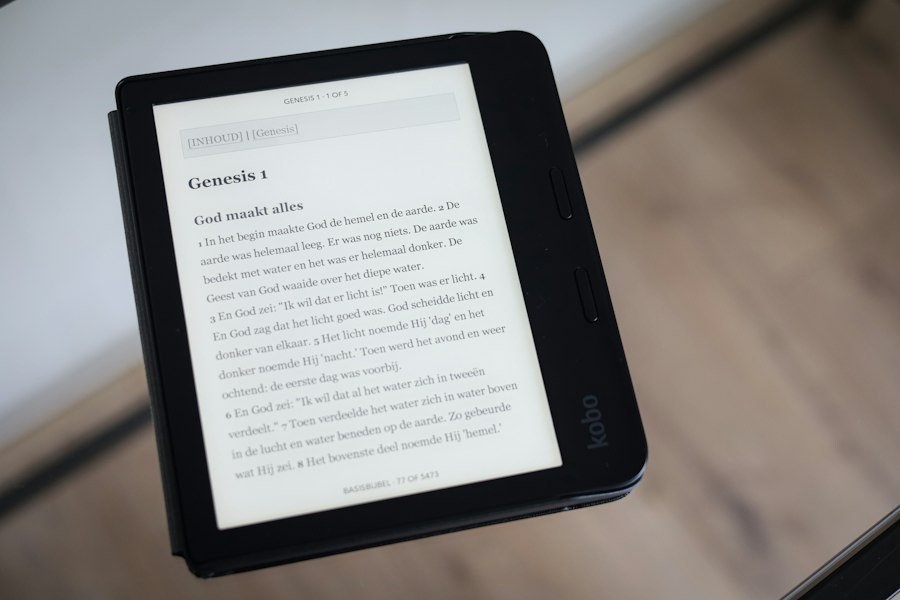
While e-readers are inherently efficient, their battery life is not infinite. Several factors can influence how quickly the charge depletes, some within the user’s control and others inherent to the device and its usage patterns. Understanding these variables is the first step towards maximizing reading sessions.
The Silent Killer: Screen Brightness and Warmth Settings
Although E Ink displays don’t require a backlight to be visible in ambient light, most modern e-readers incorporate a front light. This feature is invaluable for reading in low-light conditions, allowing users to adjust the brightness to their preference. However, this front light is a significant draw on battery power. The higher the brightness setting, the more energy is consumed. Similarly, many e-readers now offer adjustable “warmth” settings for the front light, allowing users to shift from a cool blueish hue to a warmer, amber tone. While this can enhance reading comfort, especially at night, it also involves additional LEDs or adjustments to the front light’s power consumption, contributing to battery drain. The key here is to use the front light only when necessary and to set it to the lowest comfortable level. Many users find that even a low setting is sufficient in moderately dim environments.
The Page-Turning Predicament: Refresh Rate and Ghosting
Every time an E Ink display updates, whether to turn a page, open a new book, or navigate a menu, it requires a power surge to move the particles within the microcapsules. This process is known as screen refresh. Older E Ink technologies had slower refresh rates and were more prone to “ghosting,” where faint remnants of previous text would appear on the screen. To combat ghosting, many devices implement a full page refresh periodically, which draws more power than a partial refresh. While newer E Ink displays have significantly improved refresh rates and reduced ghosting, the act of turning pages will always consume more battery than a static display. Therefore, frequent page turns, especially in books with many short chapters or when actively browsing through different sections, will naturally lead to a faster battery depletion. Users can mitigate this by reading longer stretches without interruption, or by consciously minimizing unnecessary page turns.
The Connectivity Conundrum: Wi-Fi and Bluetooth’s Toll
While the E Ink display is the primary power saver, other onboard features can also contribute to battery consumption. Wi-Fi, essential for downloading new books, syncing reading progress across devices, and accessing online dictionaries or Wikipedia, is a notable power drain when active. Similarly, Bluetooth, used for connecting to external keyboards or audio devices for text-to-speech functionality, also consumes power. Although e-readers are designed to minimize the power draw of these radios when not actively in use, leaving them constantly enabled can still impact battery longevity. The most effective way to conserve battery is to disable Wi-Fi and Bluetooth when they are not actively needed for downloading content or using connected features. Many e-readers offer quick toggles in their settings menus to turn these features on and off.
The Storage Scourge: Large Files and Unoptimized Formats
The size and format of the digital books being read can also have a subtle impact on battery life. While E Ink displays are efficient at rendering text, processing very large files or files in less optimized formats might require slightly more processing power from the e-reader’s internal chip. For instance, a PDF file, which is essentially a digital replica of a printed page and often contains images, can be significantly larger and more complex to render than a reflowable e-book format like EPUB or MOBI. While e-readers can display PDFs, they are often not the ideal format for these devices, and the constant zooming, panning, and rendering can put a greater strain on the battery. Similarly, books with a high number of embedded images or complex formatting might also contribute to slightly increased power usage during page turns and navigation. Sticking to standard e-book formats and ensuring that any large image-heavy files are converted to more e-reader-friendly formats can offer marginal, but still beneficial, battery savings.
Maximizing Your Reading Endurance: Practical Tips and Tricks
With an understanding of the factors that influence battery life, it’s time to explore actionable strategies that can extend your reading time significantly. These tips range from simple settings adjustments to mindful usage habits.
The Power of Darkness: Optimizing Front Light Usage
As identified earlier, the front light is a primary contributor to battery drain. Therefore, the most impactful tip for maximizing battery life is to be judicious with its use. In well-lit environments, turn the front light off entirely. Even in moderately dim rooms, try to keep the brightness setting as low as comfortably possible. Many e-readers allow for granular control over brightness, so experiment to find the lowest setting that provides clear visibility without eye strain. Furthermore, when reading in the dark, consider utilizing the “warmth” setting strategically. While it consumes a small amount of additional power, a warmer light is generally considered less disruptive to sleep cycles and can be more comfortable for extended reading sessions. However, if raw battery longevity is the absolute priority, a purely cool, low-brightness light will consume marginally less power than a warmer, equally bright light. The ultimate goal is to use only the light necessary for comfortable reading, and no more.
The Art of Hibernation: Smart Sleep and Power Management
E-readers are designed to enter a low-power sleep mode automatically when the cover is closed or when left idle for a short period. This sleep mode significantly reduces power consumption compared to having the screen on. Ensure that your e-reader’s sleep settings are configured appropriately. While most devices have sensible defaults, you might be able to adjust the idle timeout before the device enters sleep. A shorter timeout will mean the device enters sleep more frequently, thereby saving more battery. Beyond automatic sleep, consciously put your device to sleep by closing the cover or pressing the power button when you are finished reading, rather than just leaving it on with the screen active. This simple habit can prevent unnecessary battery drain from accidental screen touches or background processes.
The Connectivity Conundrum: Disabling Unused Radios
As discussed, Wi-Fi and Bluetooth are power-hungry features. The most effective way to conserve battery power is to disable these radios when they are not actively needed. Before settling down for a long reading session, take a moment to check your e-reader’s settings and turn off Wi-Fi if you have already downloaded your books and don’t intend to browse the store or sync. Similarly, disable Bluetooth if you are not using any connected accessories. Many e-readers have quick access menus or status bar icons that allow for easy toggling of these features. Making this a routine practice before extended reading periods will yield noticeable improvements in battery life. Consider using airplane mode, which is often available on e-readers, as a quick way to disable all wireless communications at once.
The Format Finesse: Choosing the Right Book Files
While the impact is often subtle, choosing the right digital book format can contribute to battery optimization. Whenever possible, opt for standard reflowable e-book formats like EPUB or MOBI. These formats are designed for e-readers and allow the text to dynamically adjust to the screen size and user preferences. As mentioned earlier, PDFs, while convenient for replicating printed documents, are often image-based and can be less efficient for e-readers to process. If you frequently read PDFs, consider converting them to an e-book format using free online tools or dedicated software. This conversion process can make the files smaller, more manageable, and ultimately, less taxing on your e-reader’s battery during reading and navigation. Furthermore, ensure your e-reader is running the latest firmware, as updates often include optimizations for battery performance and file handling.
Battery Life Myths and Realities
The impressive battery life of e-readers has led to some common misconceptions and impressive claims. It’s important to distinguish between what’s achievable and what’s simply marketing hype.
The “Months on a Single Charge” Phenomenon Explained
Many e-reader manufacturers advertise battery life in terms of weeks or even months on a single charge. This claim is not entirely unfounded, but it comes with significant caveats. This remarkable longevity is typically achieved under very specific conditions: minimal use of the front light, infrequent page turns, Wi-Fi and Bluetooth disabled, and reading relatively small, optimized e-book files. For the average user who might read for an hour or two daily, occasionally uses the front light, and perhaps downloads a new book every few days, the battery life will undoubtedly be shorter than the advertised maximum. However, even with moderate usage, e-readers will still typically last for several weeks, a feat unmatched by most other electronic devices. The key is to understand that the advertised “months” are a theoretical maximum, not a guarantee for everyday use.
The Impact of Ambient Light and Reading Habits
It’s a common misconception that ambient light has no effect on an e-reader’s battery life. While E Ink displays don’t require a backlight, the presence of ambient light does influence the need for the front light. If you are reading in bright sunlight, you likely won’t need the front light at all, thus saving significant battery. Conversely, in a dark room, the front light will be indispensable. Therefore, your reading environment directly impacts how much you rely on the battery-draining front light. Furthermore, your reading habits play a crucial role. A user who reads for extended periods in short bursts, constantly turning pages, will consume battery faster than someone who reads for the same total duration but turns pages less frequently. Understanding these nuances helps set realistic expectations for your e-reader’s battery performance.
The Wear and Tear of Recharge Cycles
Like all rechargeable batteries, the lithium-ion batteries in e-readers degrade over time and with repeated charging cycles. While e-readers are designed for longevity, it is not uncommon for battery performance to diminish after several years of heavy use. This is a natural process and not indicative of a faulty device. If you notice a significant decrease in battery life even after implementing all optimization tips, it might be a sign that the battery itself is nearing the end of its lifespan. In most cases, e-reader batteries are not user-replaceable, meaning that a diminished battery might necessitate a device upgrade. However, this typically takes years of consistent use, so for most users, battery degradation will not be an immediate concern.
If you’re curious about how to maximize the battery life of your e-reader, you might find it helpful to read a related article that delves deeper into this topic. Understanding the factors that affect battery performance can significantly enhance your reading experience. For more insights, check out this informative piece on e-reader battery life explained here.
Troubleshooting and Maintenance for Peak Performance
| Metric | Description | Typical Value | Notes |
|---|---|---|---|
| Battery Capacity | Amount of charge the battery can hold | 1500 – 3000 mAh | Varies by model and size |
| Battery Life (Reading Time) | Duration the e-reader can be used on a full charge | Weeks to Months | Depends on usage, screen type, and settings |
| Screen Type | Type of display technology used | E Ink (e.g., Pearl, Carta) | Consumes power mainly when refreshing the page |
| Power Consumption (Active Use) | Energy used during page turns and interaction | Low (mW range) | Minimal compared to LCD devices |
| Power Consumption (Standby) | Energy used when device is idle but on | Very Low (µW range) | Allows long battery life over weeks |
| Backlight Usage | Illumination for reading in low light | Increases power consumption | Turning off backlight extends battery life |
| Charging Time | Time to fully recharge the battery | 2 – 4 hours | Depends on charger and battery size |
| Battery Degradation | Loss of battery capacity over time | 5-20% per year | Depends on usage and charging habits |
Even with the best practices, occasional issues might arise, or you might want to ensure your e-reader is always in optimal condition. A little proactive maintenance can go a long way.
Identifying and Addressing Software Glitches
Occasionally, an e-reader might exhibit unexpected battery drain that isn’t attributable to usage patterns or settings. This could be due to a software glitch or a background process that has become unresponsive. The first and simplest troubleshooting step is always to perform a soft reset or restart your e-reader. This is usually done by holding down the power button for a specific duration. Often, this simple action can resolve minor software issues that are silently consuming power. If the problem persists, check for any available firmware updates for your device. Manufacturers frequently release updates that address bugs and optimize performance, including battery management. Ensure your e-reader is connected to Wi-Fi and check for updates in the device’s settings menu.
The Importance of Proper Charging Habits
While modern lithium-ion batteries are quite forgiving, adopting good charging habits can still contribute to the overall health and longevity of your e-reader’s battery. Avoid letting the battery consistently drain completely to 0% if possible. Similarly, while not strictly necessary for modern batteries, avoiding prolonged periods at 100% charge when plugged in continuously can also be beneficial for long-term battery health. Many e-readers have intelligent charging systems that mitigate these issues, but it’s still good practice to unplug your device once it’s fully charged. Use the charger that came with your e-reader or a reputable third-party charger that meets the device’s specifications. Using an incompatible or low-quality charger could potentially damage the battery or charging circuitry.
When to Consider a Factory Reset
If you’ve tried all other troubleshooting steps and are still experiencing significant battery drain, a factory reset might be a last resort. This will restore your e-reader to its original out-of-the-box settings, erasing all your downloaded books, personal settings, and accounts. It is crucial to back up any important data or books before performing a factory reset. Once the device is reset, you will need to re-download your books and reconfigure your settings. However, if the battery drain was caused by a deeply ingrained software issue, a factory reset can often resolve the problem. After the reset, carefully reintroduce your settings and book downloads, monitoring battery life to ensure the issue is resolved.
The e-reader remains a remarkable device for its ability to offer extended reading periods without constant charging. By understanding the underlying technology, identifying the factors that influence battery consumption, and implementing the practical tips outlined in this article, readers can truly maximize their reading time and enjoy their digital libraries to the fullest. The freedom from frequent charging anxiety allows for a more immersive and uninterrupted literary experience, making the e-reader a cherished companion for book lovers everywhere.

Why Your Kindle Screen Doesn’t Work the Way You Think
FAQs
1. How long does the battery of an e-reader typically last?
An e-reader battery can last anywhere from a few weeks to a few months, depending on usage and the specific model of the device.
2. What factors can affect the battery life of an e-reader?
The brightness of the screen, the frequency of page turns, the use of Wi-Fi or other connectivity features, and the type of content being displayed can all impact the battery life of an e-reader.
3. Can the battery life of an e-reader be extended?
Yes, the battery life of an e-reader can be extended by adjusting settings such as screen brightness, turning off Wi-Fi when not in use, and using power-saving modes if available.
4. How long does it take to fully charge the battery of an e-reader?
It typically takes a few hours to fully charge the battery of an e-reader, but this can vary depending on the model and the charging method used.
5. Is it possible to replace the battery of an e-reader?
While some e-readers have built-in batteries that are not user-replaceable, there are models that allow for battery replacement. It is recommended to check with the manufacturer for specific instructions on replacing the battery of a particular e-reader.