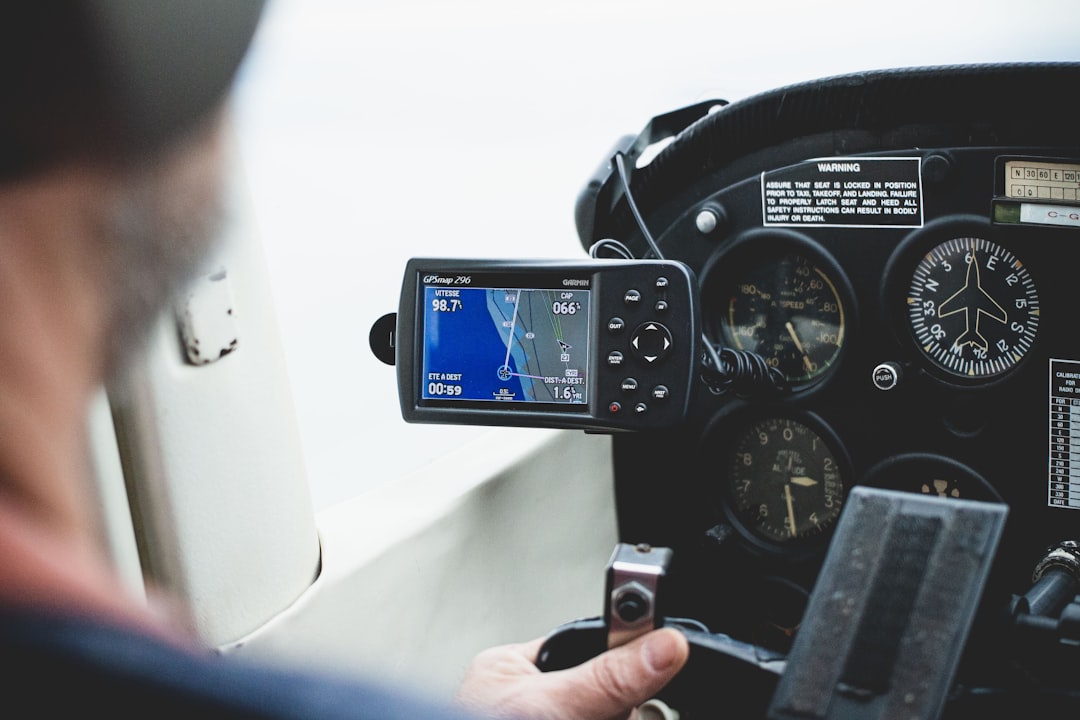
You’ve probably toggled Airplane Mode on countless times before takeoff, a quick flick of a switch to silence your phone and comply with airline regulations. But have you ever stopped to wonder what else that little icon actually does? Beyond the obvious deactivation of cellular and Wi-Fi signals, a common question emerges: Does Airplane Mode Disable GPS Tracking? It’s a question that touches on your privacy, your security, and even how you might navigate the world. Let’s dive deep into the intricate workings of your device and the technology that determines your location.
Before we can definitively answer whether Airplane Mode kills GPS tracking, you need to understand what Airplane Mode is designed to do. Its primary purpose is to prevent your device from emitting or receiving radio frequency (RF) signals that could interfere with the sensitive navigation and communication systems of an aircraft. This is a safety measure, a universally adopted rule designed to protect everyone on board.
The Core Functionality of Airplane Mode
When you activate Airplane Mode, you are essentially telling your device to shut down its radios. This includes:
- Cellular Radio: This is the radio responsible for connecting to your mobile carrier’s network for calls, texts, and mobile data. Without this connection, you can’t make a phone call, send an SMS, or browse the internet using your cellular plan.
- Wi-Fi Radio: This radio connects you to wireless internet networks. When Airplane Mode is on, your phone will disconnect from any active Wi-Fi connections and will not search for new ones.
- Bluetooth Radio: This short-range wireless technology, used for connecting to devices like headphones, speakers, and smartwatches, is also typically disabled in Airplane Mode.
The intention is to create a signal-free environment within the aircraft cabin. Think of it as creating a temporary digital quiet zone.
Why These Radios Are Disabled
The concern is that the signals emitted by these radios, particularly the cellular radio, could potentially interfere with the aircraft’s avionics. While modern aircraft are designed with sophisticated shielding and are generally resistant to such interference, the risk, however small, is deemed significant enough to warrant this preemptive measure. It’s a precautionary principle at play.
If you’re curious about whether airplane mode stops GPS tracking, you might find it helpful to read a related article that delves into the intricacies of mobile device settings and their impact on location services. This article discusses how airplane mode affects various functionalities of your smartphone, including GPS, and provides insights into privacy concerns associated with location tracking. For more information, you can check out the article here: Freaky Science.
Deconstructing GPS: The Technology Behind Location Services
Now, let’s shift our focus to GPS. To understand if Airplane Mode impacts it, we need to grasp how GPS itself works. You might assume it’s tied to your cellular signal, but that’s a common misconception.
How GPS Receivers Work
Global Positioning System (GPS) is a satellite-based navigation system owned by the United States government and operated by the United States Space Force. It comprises a constellation of satellites orbiting Earth, each broadcasting precise timing and orbital information.
- Satellite Signals: GPS receivers, like the one in your smartphone, don’t transmit anything to the satellites. Instead, they listen for signals. Multiple satellites transmit signals that contain information about their precise location and the time the signal was sent.
- Trilateration: Your GPS receiver picks up these signals from several satellites (at least four are needed for a precise 3D fix). By measuring the time it takes for each signal to arrive, and knowing the speed of light, the receiver can calculate the distance to each satellite. Using a process called trilateration, the receiver can then pinpoint its own location on Earth.
- Independent System: The crucial point here is that GPS is an independent system. It does not rely on cellular towers or Wi-Fi networks to function. Your phone’s GPS receiver is a dedicated piece of hardware that’s designed to pick up signals from space.
The Role of Assisted GPS (A-GPS)
While core GPS functionality is independent, many modern smartphones use a technology called Assisted GPS (A-GPS). This is where the lines can get a little blurry, and it’s often the source of confusion regarding Airplane Mode and GPS.
- Speeding Up the Fix: A-GPS uses cellular and Wi-Fi networks to help your device acquire a GPS fix faster. When you turn on your device or open a location-aware app, A-GPS can download satellite almanac and ephemeris data (information about satellite orbits and status) from the internet. This data tells your phone which satellites it should be looking for and where they are in the sky, significantly reducing the time it takes to get a lock.
- Location Enhancement: In areas with poor satellite reception, A-GPS can also use Wi-Fi and cellular triangulation data to provide a more accurate location estimate. This is particularly useful in urban canyons or indoors.
So, while A-GPS uses other communication methods to enhance GPS, the fundamental GPS signal acquisition from satellites remains distinct.
The Verdict: Does Airplane Mode Disable GPS Tracking?
Now, let’s address the main question head-on. **No, in most cases, activating Airplane Mode on your smartphone does not disable its GPS receiver.**
The GPS Receiver Remains Active
When you enable Airplane Mode, your phone turns off its cellular, Wi-Fi, and Bluetooth radios. However, the GPS receiver, which is a separate piece of hardware, is generally left running. This means your phone can still:
- Receive satellite signals: It can still listen for the signals broadcast by GPS satellites.
- Calculate its position: It can still perform the trilateration calculations to determine its location.
Think of it like this: Airplane Mode silences your phone’s ability to communicate with the ground (cell towers, Wi-Fi routers), but it doesn’t silence its ability to listen to the sky (GPS satellites).
The Nuance of A-GPS and Airplane Mode
Here’s where the distinction becomes important. While the GPS receiver itself remains active, A-GPS functionality might be impacted.
- Without Network Connectivity: If Airplane Mode is on, your phone cannot access the internet. This means it cannot download the A-GPS data that would normally speed up your initial location fix or help refine accuracy in challenging environments.
- Slower Initial Fix: You might find that when you first try to get a GPS lock after enabling Airplane Mode, it takes longer than usual. This is because your phone has to do all the work of searching for and acquiring satellite signals without the assistance of pre-downloaded data.
- Potentially Less Accurate (in some scenarios): If you are in an area with weak satellite signals and are relying on A-GPS for enhanced accuracy, disabling network connectivity in Airplane Mode might lead to a slightly less precise location reading. However, this is often a marginal difference, and the core GPS functionality will still be working.
Essentially, Airplane Mode disables the assistance for GPS, but not the core GPS functionality itself. Your phone’s GPS chip is still actively listening for those faint signals from space.
Exploring the Implications: Privacy and Security Concerns
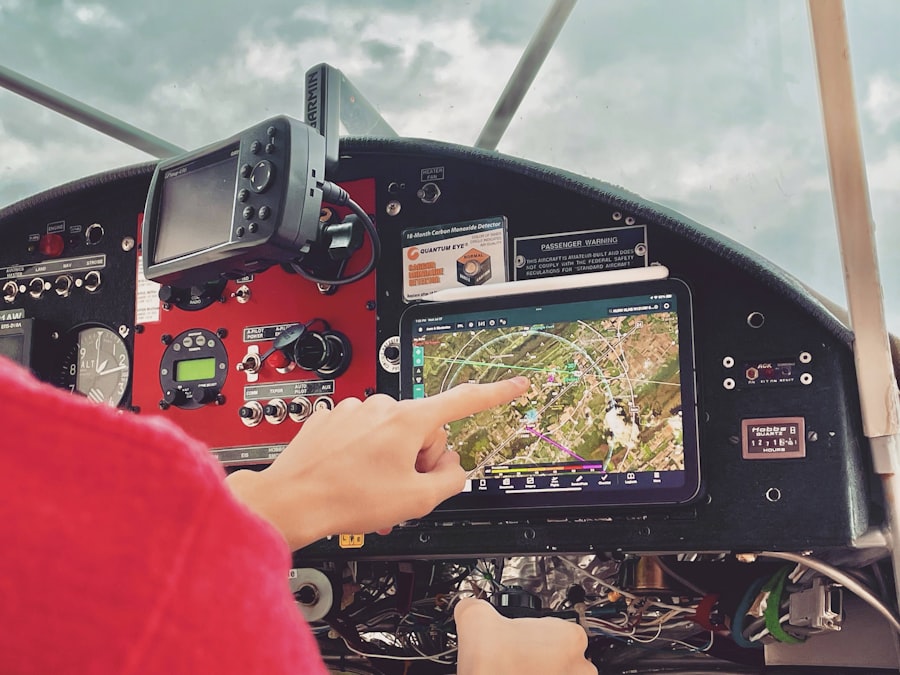
The fact that GPS often remains active in Airplane Mode has significant implications for your privacy and security, especially when traveling.
Tracking Your Movements on a Plane
You might have seen apps or services that claim to track your flight path. These often rely on a combination of data. However, the idea that your phone is actively broadcasting its location to a tracking service while in Airplane Mode is generally not true.
- No Active Transmission: As we’ve established, your phone isn’t transmitting its location via cellular or Wi-Fi in Airplane Mode. So, it’s not directly sending that data to a tracking server.
- Residual Data: However, there are nuances. If you had location services enabled and the app was running or had background permissions before Airplane Mode was activated, the GPS receiver might still be calculating your position. This data could potentially be stored locally on your device.
- Post-Flight Upload: The critical point is that this locally stored data would only be uploaded to a tracking service after you disable Airplane Mode and reconnect to Wi-Fi or cellular data. This means your flight path isn’t being continuously reported in real-time during the flight itself.
The “Always-On” Nature of Location Services
It’s important to understand that “Location Services” on your phone often encompasses more than just GPS. It can include Wi-Fi scanning and cellular tower triangulation. When you enable Airplane Mode, you are disabling the transmission aspects of these, but the underlying hardware might still be gathering some positional data.
- Background App Activity: Many apps are designed to collect location data in the background, even when you’re not actively using them. While Airplane Mode will prevent them from sending this data, they might still be collecting it if the GPS receiver is active.
- Device Telemetry: Operating systems themselves collect telemetry data for various purposes, including improving services. Some of this might include location data.
The key takeaway is that while Airplane Mode prevents real-time, active transmission of your location during flight, it doesn’t necessarily mean your device is completely oblivious to its whereabouts, nor that this information won’t be transmitted later.
When considering whether airplane mode stops GPS tracking, it’s important to understand how these features interact with each other. While airplane mode disables cellular and Wi-Fi connections, it does not necessarily turn off GPS functionality. For a deeper exploration of this topic, you can read more in a related article that discusses the nuances of GPS technology and its implications for privacy. Check it out here: Freaky Science.
User Control and Settings: How to Ensure Complete Disablement
| Device Mode | GPS Tracking |
|---|---|
| Airplane Mode | GPS tracking is disabled |
| Normal Mode | GPS tracking is enabled |
While the default behavior of Airplane Mode is that GPS receivers remain active, you do have control over your device’s location-tracking capabilities. If your primary concern is ensuring your GPS location is not being tracked at all, even in Airplane Mode, there are steps you can take.
Turning Off Location Services Entirely
The most straightforward way to prevent your device from using GPS (or any location-based services) is to disable Location Services altogether.
- On iOS: Navigate to Settings > Privacy & Security > Location Services. You can toggle the master switch to “Off.” You can also control location access on an app-by-app basis, selecting “Never” for specific applications.
- On Android: Go to Settings > Location. You can toggle “Use location” to “Off.” Similar to iOS, you can manage app permissions individually.
When Location Services are turned off, your phone’s GPS hardware will not be activated, regardless of whether Airplane Mode is on or off. This provides the most comprehensive way to ensure your location is not being tracked by the device itself.
The Difference Between Airplane Mode and Location Services Off
It’s crucial to distinguish between these two settings:
- Airplane Mode: Primarily concerns radio frequency transmissions (cellular, Wi-Fi, Bluetooth) to prevent interference with aircraft systems. It does not typically disable the GPS receiver itself.
- Location Services Off: Directly disables the hardware and software responsible for determining your device’s location, including the GPS receiver.
Therefore, if you want to ensure no GPS tracking whatsoever, you need to turn off Location Services, even when Airplane Mode is active.
App-Specific Permissions and Background Refresh
Even with Location Services enabled, you can exert granular control over which apps can access your location and when.
- Precise Location: Both iOS and Android offer options for “Precise Location” vs. “Approximate Location.” If you disable precise location for an app, it will only receive a general area rather than an exact pinpoint.
- Background App Refresh: On both platforms, you can disable background app refresh entirely or for specific apps. This prevents apps from collecting data, including location data, when they are not actively open. While Airplane Mode stops them from transmitting this data, disabling background refresh stops the collection itself.
By understanding and utilizing these settings, you can achieve a high level of control over your device’s location-tracking behavior.
Beyond the Flight: Everyday Implications of GPS and Airplane Mode
While the context of flying often brings up the question of GPS in Airplane Mode, the underlying technology and its implications extend to your everyday life.
Location Tracking and Your Digital Footprint
Your smartphone is a powerful tracking device, whether you realize it or not. Beyond airplane travel, understanding how your location is collected and used is paramount.
- Advertising and Personalization: Many apps and services use your location data to provide personalized advertising and content. This can range from showing you ads for nearby businesses to tailoring news feeds based on your geographical area.
- App Functionality: Many essential apps, like maps, ride-sharing services, weather apps, and social media platforms, rely heavily on your location to function properly.
- Security and Device Recovery: Location services are also crucial for security features like “Find My iPhone” or “Find My Device” on Android, allowing you to locate a lost or stolen phone.
The Importance of Informed Consent
The use of location data raises ethical questions about informed consent. Are you truly aware of how your location is being used when you agree to the terms of service for an app?
- Privacy Policies: It’s essential to read and understand the privacy policies of the apps you use. These documents outline how your data, including location data, will be collected, stored, and shared.
- Data Brokerage: Many companies collect location data and sell it to third-party data brokers, who then aggregate and sell it to other entities for marketing, research, and other purposes.
Balancing Convenience and Privacy
The challenge lies in balancing the convenience and functionality that location services provide with the need to protect your privacy.
- Reviewing App Permissions: Regularly review the permissions granted to your apps. If an app no longer needs access to your location, revoke its permission.
- Using Location Services Strategically: Consider when you truly need location services enabled. For everyday tasks that don’t require it, you can turn it off to conserve battery life and enhance privacy.
The question of whether Airplane Mode disables GPS tracking serves as a valuable entry point into a broader conversation about digital privacy and the technologies that shape our connected lives.
In conclusion, while Airplane Mode is primarily designed to silence your phone’s RF transmissions and prevent interference with aircraft systems, its effect on GPS is nuanced. The GPS receiver itself generally remains active, capable of receiving satellite signals. However, the assistance provided by A-GPS, which relies on network connectivity, will be disabled, potentially leading to slower location fixes. If your absolute priority is to prevent any form of GPS tracking, even during flight, you must disable Location Services entirely, independent of Airplane Mode. Understanding these distinctions empowers you to make informed decisions about your device’s settings and safeguard your digital privacy.

Your Phone Can Still Know Where You Are in Airplane Mode
FAQs
1. What is airplane mode on a smartphone or tablet?
Airplane mode is a setting on mobile devices that disables the device’s wireless communication functions, such as cellular, Wi-Fi, and Bluetooth. It is commonly used during flights to comply with airline regulations.
2. Does airplane mode stop GPS tracking?
No, airplane mode does not stop GPS tracking. GPS tracking relies on satellite signals, which are not affected by airplane mode. Therefore, even when a device is in airplane mode, it can still receive GPS signals and track its location.
3. Can GPS be used in airplane mode?
Yes, GPS can still be used in airplane mode. While airplane mode disables wireless communication functions, it does not affect the device’s ability to receive GPS signals. Therefore, users can still access GPS-based apps and services while in airplane mode.
4. What are the benefits of using airplane mode during a flight?
Using airplane mode during a flight can help prevent interference with the aircraft’s communication and navigation systems. It also helps conserve battery life by disabling unnecessary wireless functions.
5. Are there any limitations to using GPS in airplane mode?
While GPS can still be used in airplane mode, users should be aware that they may not have access to map updates, real-time traffic information, or other location-based services that rely on internet connectivity.