Electronic paper, often referred to as e-paper or e-ink, and Liquid Crystal Displays (LCDs) represent two distinct paths in the evolution of visual output technology. While both serve the fundamental purpose of presenting information visually, their underlying principles, strengths, and weaknesses are vastly different, leading to distinct applications and user experiences. The ongoing debate about which display technology “wins” is not a simple matter of superiority but rather a nuanced discussion of suitability for specific tasks and contexts. To understand this better, one must delve into the core mechanics of each, explore their performance characteristics, examine their impact on user interaction and health, and consider their environmental and economic implications.
The Fundamental Mechanics of Display Creation
At the heart of the comparison between electronic paper and LCDs lies their contrasting methods of image formation. This fundamental difference dictates everything from their power consumption to their visual fidelity.
Electronic Paper’s Electrophoretic Elegance
Electronic paper technology draws inspiration from the simplicity of ink on paper. The most common implementations utilize a microencapsulated electrophoretic display (EPD) system. Imagine millions of tiny, transparent capsules, each no larger than a human hair. Within these capsules are suspended charged particles, typically black and white pigment particles. When an electric field is applied, these particles are moved to the surface of the capsule. A positive charge will draw the white particles to the top, making that area appear white, while repelling the black particles to the bottom. Conversely, a negative charge will bring the black particles to the top, rendering the area black. By controlling the arrangement of these black and white particles across the display’s surface, an image or text is formed.
The key characteristic of this technology is its bistable nature. Once the particles are moved into position, they remain there without requiring continuous power. This means that an e-paper display consumes power only when the image is being changed, such as when turning a page or scrolling. This inherent energy efficiency is a major differentiator and contributes significantly to the extended battery life seen in e-readers and other e-paper devices. The visual output closely resembles that of conventional paper, with a matte finish that minimizes glare and offers excellent readability in bright sunlight. However, this mirroring of paper also means that e-paper displays typically have slower refresh rates, making them less suitable for fast-moving content like videos or high-action games. Color e-paper exists, but it often sacrifices some vibrancy and speed compared to its monochrome counterparts.
LCD’s Transmissive Illumination
Liquid Crystal Displays, on the other hand, operate on a fundamentally different principle: manipulating light. An LCD panel consists of layers, with the most crucial being the liquid crystal layer sandwiched between two polarizing filters. These liquid crystals are organic molecules that have the unique property of aligning themselves in response to an electric voltage.
Behind the liquid crystal layer is a backlight, usually a series of LEDs, which provides the illumination for the display. This light is polarized, meaning it vibrates in a specific direction. As this polarized light passes through the liquid crystal layer, the alignment of the crystals can twist or untwist the light’s polarization. The polarizing filters on either side of the liquid crystal layer are oriented perpendicularly to each other. If the light’s polarization is twisted by 90 degrees by the liquid crystals, it can pass through the second filter, creating a bright pixel. If the light’s polarization is not twisted, it is blocked by the second filter, resulting in a dark pixel.
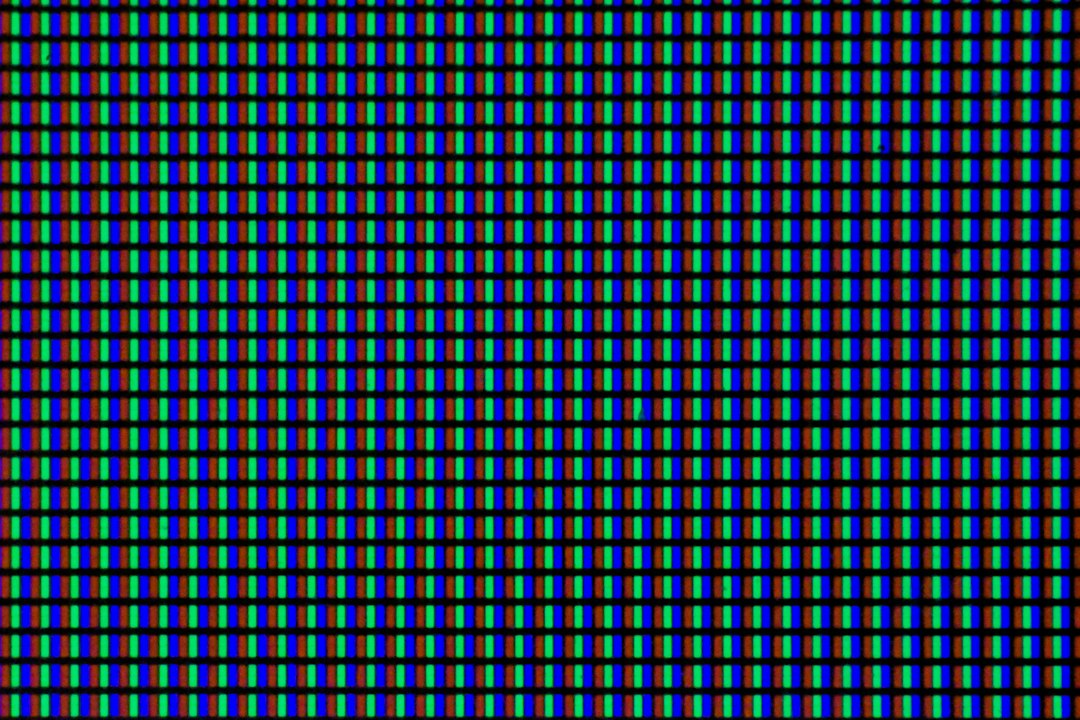
By varying the voltage applied to the liquid crystals in tiny sub-pixels (red, green, and blue), the amount of light that passes through can be controlled, allowing for the creation of a full spectrum of colors and shades. This transmissive nature means that LCDs require a constant power supply to maintain the backlight and to manipulate the liquid crystals for image display, leading to higher energy consumption compared to e-paper. However, this also allows for rapid refresh rates, vibrant colors, and excellent contrast, making them ideal for a wide range of multimedia applications. The glossy nature of most LCD screens can also lead to glare in bright environments.
In the ongoing debate between electronic paper and LCD technology, a comprehensive analysis can be found in the article titled “The Future of Display Technology: Electronic Paper vs. LCD.” This article delves into the advantages and disadvantages of each technology, exploring factors such as power consumption, readability in various lighting conditions, and potential applications in the digital age. For more insights, you can read the full article here: The Future of Display Technology: Electronic Paper vs. LCD.
Performance Characteristics and User Experience
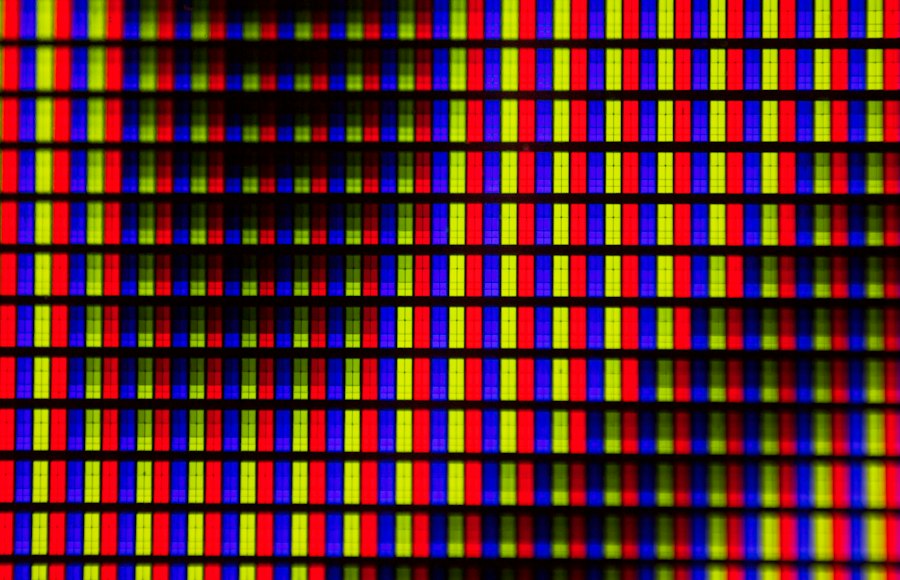
The distinct mechanisms of e-paper and LCD directly translate into observable differences in their performance characteristics, which in turn shape the user experience for various applications.
Readability and Glare: A Tale of Two Surfaces
The primary advantage of electronic paper lies in its exceptional readability, particularly in bright ambient light. Its matte, reflective surface mimics the appearance of traditional paper, scattering light rather than reflecting it directly back at the viewer. This significantly reduces glare, a common annoyance with many electronic displays. As a result, e-readers equipped with e-paper can be used comfortably for extended reading sessions outdoors, under direct sunlight, or in well-lit indoor environments, with minimal eye strain. The perceived “paper-like” quality also contributes to a less fatiguing reading experience, making it the preferred choice for avid readers and academic users.
LCDs, in contrast, are emissive displays, meaning they generate their own light. While this allows for brightness and vibrancy, it also makes them susceptible to glare, especially in strong lighting conditions. The glossy surface of many LCD screens can act like a mirror, reflecting ambient light and obscuring the displayed content. While newer LCD technologies and anti-glare coatings have improved this, they still generally fall short of e-paper’s inherent glare resistance. For users who prioritize comfortable, extended reading in diverse lighting conditions, e-paper holds a distinct advantage.
Refresh Rates and Responsiveness: Speed vs. Stability
The difference in refresh rates between e-paper and LCD is a critical factor determining their suitability for different types of content. E-paper, with its mechanical particle movement, has a relatively slow refresh rate, often measured in hundreds of milliseconds. This means that when the image changes, there is a noticeable “flash” or flicker as the particles rearrange. This makes e-paper ideal for static or slow-changing content such as text, static images, and basic graphics. Applications like e-readers, digital signage that updates infrequently, and electronic shelf labels benefit immensely from this.
LCDs, on the other hand, boast significantly faster refresh rates, typically ranging from 60Hz to 240Hz or even higher. This rapid refreshing allows for smooth transitions, fluid motion, and the display of dynamic content without perceptible flicker. This makes LCDs the undisputed champion for activities requiring high responsiveness, such as gaming, watching videos, editing photos and videos, and general computer use where rapid cursor movement and screen updates are essential. The ability of LCDs to display animated content seamlessly is a direct consequence of their fast refresh capabilities.
Color Reproduction and Contrast: Vibrancy vs. Nuance
Color reproduction and contrast are other areas where the two technologies diverge. LCDs, with their ability to precisely control the light passing through sub-pixels of red, green, and blue, can produce a wide spectrum of vibrant and saturated colors. High-end LCD panels offer excellent color accuracy and contrast ratios, making them ideal for professional graphic design, photography, and any application where visual fidelity is paramount. The emitted light also contributes to deeper blacks and brighter whites, leading to a more dynamic image.
Traditional monochrome e-paper offers high contrast between black and white, mimicking the starkness of printed text. Color e-paper technology has advanced considerably, with some newer generations offering a decent range of colors. However, these colors are often more muted and less saturated than those produced by LCDs. The contrast in color e-paper can also be lower, and the refresh rate for color transitions is typically even slower than for monochrome. For applications where rich, vibrant colors are essential, LCDs remain the superior choice. However, for tasks where clear, legible text and subtle graphical elements are sufficient, e-paper’s color capabilities are often adequate.
Power Consumption and Battery Life: The Energy Efficiency Divide
The most significant practical difference between electronic paper and LCDs, and arguably the primary reason for the continued existence and popularity of e-paper, is their vastly different power consumption profiles. This directly impacts the battery life of portable devices.
E-Paper’s Standby Prowess
As previously mentioned, the bistable nature of e-paper technology is its superpower when it comes to energy efficiency. Once an image or text is displayed, it requires no power to maintain. Power is only consumed during the brief period when the display is being updated – when a page is turned, a link is clicked, or content is scrolled. This means that a device like an e-reader, which primarily displays static text, can operate for weeks on a single charge. This extended battery life is a major convenience for users who travel frequently or simply prefer not to be tethered to a power outlet. The low power draw also means that e-paper devices generate very little heat, contributing to a more comfortable user experience.
LCD’s Constant Thirst
LCDs, by their very nature, are power-hungry. They require a constant supply of electricity to power the backlight, which illuminates the pixels, and to energize the liquid crystals that control light transmission. Even when displaying a static image, the backlight remains on, and the liquid crystals are actively managed. This continuous power draw means that devices with LCD screens, such as smartphones, tablets, and laptops, typically have battery lives measured in hours or, at best, a couple of days of moderate use. While advancements in LED backlighting and power management have improved LCD efficiency, they still cannot compete with the ultra-low power consumption of e-paper for static content.
Health and Ergonomics: Eye Strain and Screen Fatigue
The way a display presents information has a direct impact on the user’s eyes and overall comfort, especially during prolonged use.
Eye Comfort: The E-Paper Advantage for Reading
The reflective, glare-free nature of e-paper is a significant boon for eye comfort, particularly for extended reading sessions. The visual experience is akin to reading a physical book or newspaper, which has been designed for comfortable, prolonged visual engagement. This lack of backlighting and reduced glare minimizes the need for the eyes to constantly adjust to bright, direct light sources, thereby reducing eye strain, dryness, and fatigue. This makes e-paper an excellent choice for students, researchers, and anyone who spends significant time reading digital documents. The slower refresh rate, while a drawback for dynamic content, contributes to a more stable and less visually jarring experience for static text.
LCD and Eye Strain: Managing the Glow
LCDs, with their emitted light, can contribute to eye strain, often referred to as “computer vision syndrome” or “digital eye strain.” The continuous backlight, especially at higher brightness settings, can be tiring for the eyes. Glare from the screen can further exacerbate this by forcing the eyes to work harder to discern the image. While technologies like blue light filters and adjustable brightness settings can help mitigate these effects, LCDs inherently require more active visual processing compared to e-paper. For individuals sensitive to screen glare or who experience frequent eye fatigue, prolonged use of LCDs may necessitate more frequent breaks and careful attention to screen settings and ambient lighting.
When considering the advantages and disadvantages of electronic paper compared to LCD screens, it’s essential to explore various perspectives on the topic. A related article that delves into the nuances of these technologies can be found at Freaky Science, where you can gain insights into how each display type impacts user experience and energy consumption. This exploration can help you make informed decisions about which technology best suits your needs.
Applications and Future Potential: Where Each Technology Shines
| Feature | Electronic Paper (E-Paper) | LCD (Liquid Crystal Display) |
|---|---|---|
| Display Technology | Microcapsules with charged particles that reflect ambient light | Liquid crystals modulate backlight to produce images |
| Power Consumption | Very low; only uses power when changing the display | Higher; requires continuous power to maintain image and backlight |
| Readability in Sunlight | Excellent; reflective display works well in bright light | Poor to moderate; glare and backlight washout can occur |
| Color Capability | Limited; mostly grayscale, some color versions available | Full color with millions of colors |
| Refresh Rate | Slow; typically less than 1 second per page refresh | Fast; suitable for video and animations |
| Viewing Angle | Wide; consistent image from almost any angle | Wide, but can vary depending on panel type |
| Thickness and Flexibility | Thin and flexible options available | Generally thicker and rigid |
| Common Applications | E-readers, signage, smart labels | Smartphones, TVs, monitors, tablets |
The distinct characteristics of electronic paper and LCDs dictate their current applications and hint at their future trajectories.
E-Paper’s Niche Dominance and Expansion
Electronic paper has carved out a dominant niche in the market for dedicated e-readers, where its paper-like readability and exceptional battery life are paramount. Beyond e-readers, e-paper is finding increasing use in:
- Digital Signage: For public transportation schedules, retail price tags, and informational displays that are updated periodically, e-paper offers a low-power, highly visible solution.
- Smartwatches and Wearables: In some smartwatches, e-paper is used for always-on displays that show basic information like time and notifications with minimal power drain, preserving battery life.
- Electronic Labels: In retail and logistics, e-paper shelf labels are replacing traditional paper tags, allowing for dynamic pricing and inventory management with significant energy savings.
- Notebooks and Writing Devices: Devices like the reMarkable tablet leverage e-paper for a distraction-free writing and note-taking experience that closely mimics paper.
The future of e-paper likely involves improvements in color saturation, refresh rates for limited animation, and potentially even touch sensitivity without compromising its core strengths. Development in flexible and even transparent e-paper could open up entirely new design possibilities for displays.
LCD’s Ubiquity and Versatility
LCD technology is the workhorse of the modern display industry, powering a vast array of devices due to its versatility and performance. Its applications are broad and continue to expand:
- Smartphones and Tablets: The dominant display technology for mobile devices, offering vibrant visuals and interactive capabilities.
- Computers and Laptops: Essential for personal computing, productivity, and entertainment.
- Televisions: The primary display technology for home entertainment, offering large screen sizes and high-definition picture quality.
- Monitors: For professional and personal use, providing high resolution and accurate color reproduction.
- Automotive Displays: Increasingly integrated into car dashboards for navigation, infotainment, and vehicle diagnostics.
- Medical Equipment: Used in imaging devices and patient monitoring systems where clarity and detail are crucial.
The future of LCD technology is likely to involve continued advancements in refresh rates (e.g., for high-end gaming), improved color accuracy (e.g., with Quantum Dot technology), and enhanced energy efficiency. Mini-LED and Micro-LED backlighting are pushing the boundaries of contrast and brightness for LCDs, blurring the lines with emissive displays.
In conclusion, the question of which display technology “wins” is not about one definitively triumphing over the other. Instead, it is about understanding their inherent strengths and weaknesses and recognizing that each technology is optimized for different purposes. Electronic paper excels in applications where power efficiency, readability in bright light, and a paper-like experience are paramount, making it the ideal choice for e-readers and specific types of signage. LCDs, with their superior speed, vibrant colors, and versatility, dominate the landscape of interactive multimedia devices, from smartphones to televisions. As technology continues to evolve, both e-paper and LCD will likely see further refinements and innovations, solidifying their respective positions in the diverse ecosystem of visual displays. The choice between them ultimately depends on the specific demands of the application and the priorities of the user.

Why Your Kindle Screen Doesn’t Work the Way You Think
FAQs
What is electronic paper?
Electronic paper, also known as e-paper, is a display technology that mimics the appearance of ink on paper. It is designed to be easily readable in various lighting conditions, similar to traditional paper.
What is LCD?
LCD stands for Liquid Crystal Display. It is a flat-panel display technology commonly used in televisions, computer monitors, and smartphones. LCDs use a backlight to illuminate the screen and display images.
How does electronic paper differ from LCD?
Electronic paper differs from LCD in that it does not emit light on its own. Instead, electronic paper reflects light like ordinary paper, making it easier on the eyes and more energy-efficient compared to LCD screens.
Which technology is better for reading purposes: electronic paper or LCD?
For reading purposes, electronic paper is often preferred over LCD due to its paper-like appearance and low glare. Electronic paper displays are also known for their high contrast and wide viewing angles, making them more comfortable for extended reading sessions.
Are there any drawbacks to using electronic paper over LCD?
One drawback of electronic paper compared to LCD is that it typically has slower refresh rates, making it less suitable for applications requiring fast-moving images or videos. Additionally, electronic paper displays may have limited color capabilities compared to LCD screens.