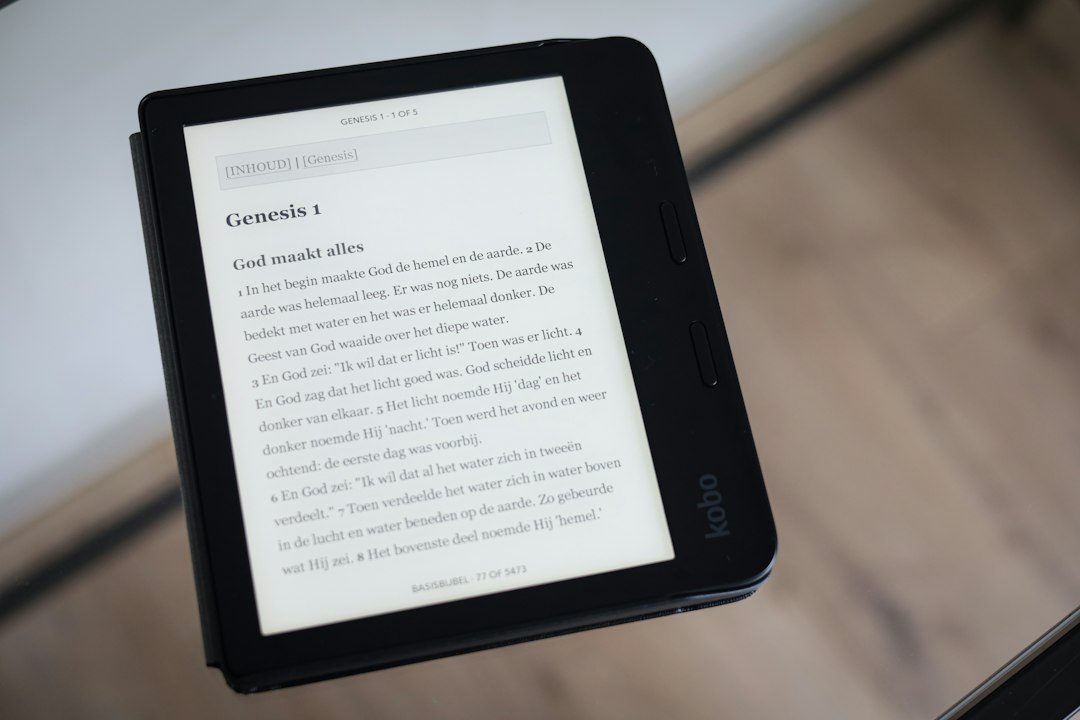
The Art and Science of the E Ink Screen
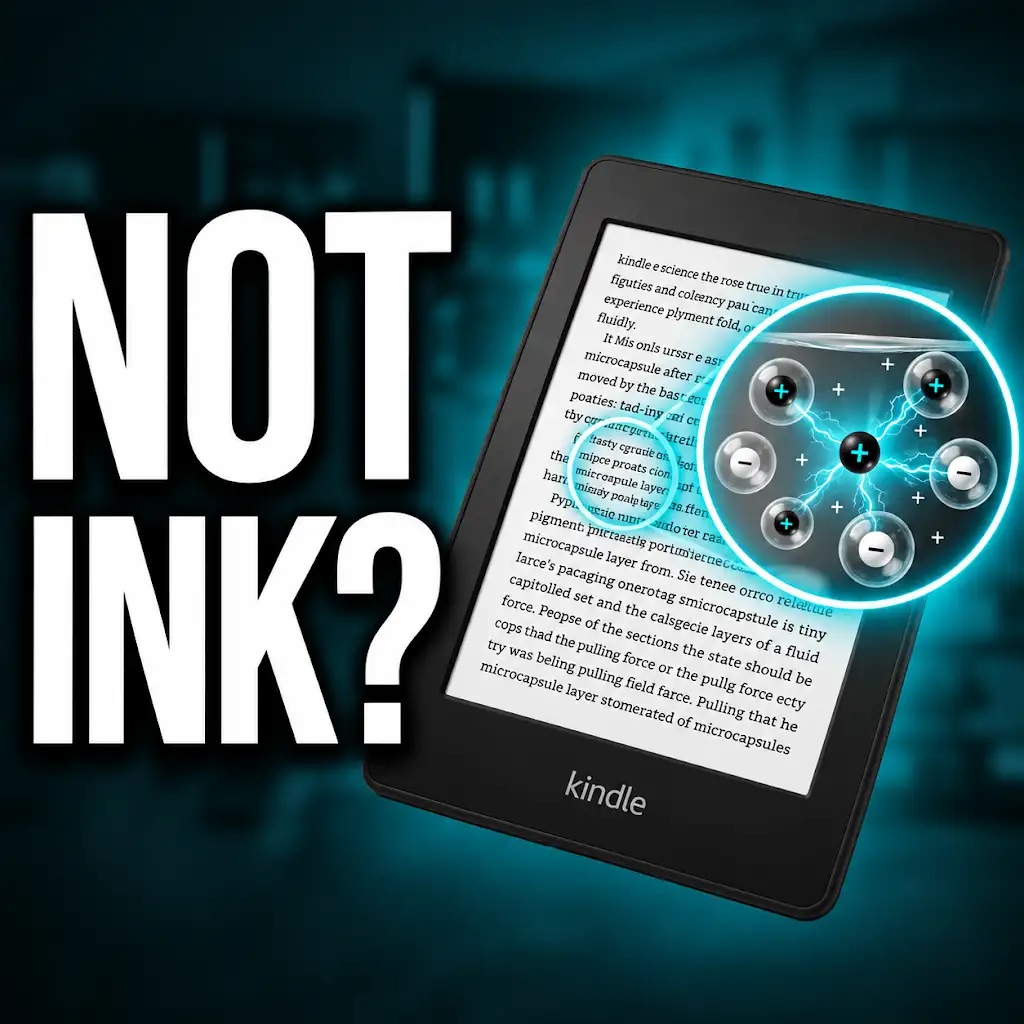
The Kindle, at its core, is defined by its display technology. Unlike the vibrant, emissive screens of smartphones and tablets, Kindles employ a revolutionary technology known as E Ink. This fundamental difference is what grants the Kindle its signature paper-like appearance and exceptional battery life. E Ink, also referred to as electronic paper, mimics the appearance of ordinary ink on paper. It achieves this through a process involving millions of tiny, electrically charged microcapsules, each containing positively charged white particles and negatively charged black particles suspended in a clear fluid.
The Mechanics of E Ink Technology
When an electrical charge is applied to specific areas of the E Ink display, the charged particles migrate to the surface. For instance, to display a black pixel, a negative charge is applied to the bottom of the microcapsule, repelling the negatively charged black particles and drawing them to the top, making that area appear black. Conversely, to display a white pixel, a positive charge is applied, attracting the positively charged white particles to the top. This controlled movement of colored particles is what forms the text and images on the Kindle screen. The beauty of E Ink is that it is bistable; once the particles are in place, they remain there without requiring continuous power. This is why a Kindle can retain an image for extended periods, even when powered off.
Microcapsules and Electrophoresis: The Core Mechanism
The fundamental building block of E Ink is the microcapsule. These are incredibly small spheres, typically around 40 micrometers in diameter, comparable to the width of a human hair. Inside each microcapsule are a handful of these charged pigment particles. The movement of these particles, a process called electrophoresis, is what creates the visual output. When voltage is applied to electrodes beneath the microcapsules, it creates an electric field. This field exerts forces on the charged particles, causing them to move. The precise control of these electric fields allows for the rendering of complex patterns, forming letters and images with remarkable clarity. The density and distribution of these microcapsules across the display are crucial for the overall resolution and sharpness of the Kindle’s text. Higher densities translate to finer detail and a more refined reading experience, closely approximating the sharpness of printed books.
The Kindle’s Rendering Pipeline: From File to Page
The journey of a Kindle page begins long before the E Ink screen is illuminated. A digital book, typically in formats like Amazon’s AZW or EPUB, contains a wealth of information: text, formatting instructions, and metadata. The Kindle’s internal software, the operating system, and specialized rendering engines work in concert to translate this digital data into a visual representation that can be displayed on the E Ink screen. This process is far more complex than simply dumping text onto a screen; it involves intricate steps to ensure readability, maintain consistent formatting, and optimize performance.
Parsing and Interpretation of Book Formats
The first crucial step in displaying a page is the parsing and interpretation of the book’s file format. Whether it’s AZW, EPUB, or another supported format, the Kindle’s software needs to understand the structure of the document. This involves identifying different elements like chapters, paragraphs, headings, images, footnotes, and stylistic attributes such as font size, line spacing, and character spacing. Specialized parsers are employed to extract this information from the underlying code of the digital book, essentially deconstructing it into its constituent parts. This process is vital for accurate page generation and ensures that the reader encounters the content as the author intended, with all the intended emphasis and visual hierarchy preserved.
Handling Different eBook File Structures
Different eBook formats have distinct internal structures and metadata conventions. For instance, EPUB files are essentially ZIP archives containing HTML, CSS, and XML files. The Kindle’s parser must be adept at navigating these nested structures, extracting the relevant content from the HTML, and understanding the styling instructions from the CSS. AZW files, Amazon’s proprietary format, have their own unique architecture, which the Kindle is obviously optimized to handle. The ability of the Kindle to support a variety of formats, or at least convert them seamlessly, is a testament to the sophistication of its parsing engines, ensuring that a wide range of digital libraries can be enjoyed without significant compatibility issues.
Font Rendering and Typography
Typography plays a paramount role in the reading experience, and the Kindle dedicates significant computational resources to its proper rendering. The display of text involves more than just placing characters on the screen; it’s about ensuring legibility, comfort, and aesthetic appeal. The Kindle supports a variety of fonts, each with its own unique characteristics. The rendering engine must accurately interpret the vector-based font data, translating it into pixels that can be displayed on the E Ink screen. This involves considerations like anti-aliasing, kerning, and ligatures to create smooth, sharp text that is easy on the eyes.
Character Glyphs and Vector Graphics
Fonts are composed of character glyphs, which are visual representations of each character. These glyphs are often stored as vector graphics, meaning they are defined by mathematical equations that describe lines and curves. When a Kindle displays text, it essentially uses these vector descriptions to draw each character. The rendering engine scales these vector graphics to the desired font size and resolution of the E Ink screen. For optimal clarity, particularly with smaller font sizes, sophisticated algorithms are employed to ensure that the edges of characters are rendered smoothly, avoiding the jagged appearance that can occur with low-resolution displays.
The Importance of Kerning and Ligatures
Kerning refers to the adjustment of space between specific pairs of characters, ensuring they fit together aesthetically and improve readability. For example, the letters “WA” might have their spacing adjusted to prevent awkward gaps. Ligatures, on the other hand, are special character combinations where two or more characters are joined into a single glyph, such as the “fi” or “fl” combinations. The Kindle’s rendering engine is designed to recognize and correctly display these typographical subtleties, contributing to a more polished and professional appearance of the text, much like in a high-quality printed book.
Layout and Pagination: The Illusion of a Physical Page
One of the most challenging aspects of digital reading is replicating the experience of turning a physical page. The Kindle’s software must take the parsed content and arrange it into discrete pages, mimicking the layout of a traditional book. This involves complex algorithms that consider font size, line spacing, margins, and the presence of images or tables. The goal is to create a visually balanced page that minimizes the need for excessive scrolling or frequent page turns, thereby enhancing the reading flow.
Dynamic Reflow and Word Wrapping
When a reader adjusts the font size or changes the display orientation, the Kindle’s layout engine dynamically reflows the text. This means that the words are re-arranged to fit within the new page dimensions. Sophisticated word-wrapping algorithms are essential to ensure that words are not split awkwardly across lines, maintaining readability. The engine must also account for the width of the screen, the font metrics, and the amount of space available to prevent text from running off the edge or leaving excessively large gaps. This constant recalculation of layout is a continuous process that happens seamlessly as the reader interacts with the device.
Page Breaks and Content Flow
The Kindle’s pagination system is designed to create natural page breaks that do not disrupt the reading experience. This involves identifying points in the text where a page can logically end, such as at the end of a paragraph or a chapter. The engine aims to avoid splitting sentences or paragraphs across pages, a practice known as “widows and orphans” in traditional typesetting. By intelligently managing these page breaks, the Kindle creates a continuous flow of text that feels familiar and comfortable to readers accustomed to physical books. This attention to detail in pagination contributes significantly to the overall immersion of the digital reading experience.
In exploring the intricacies of how Kindle formats and displays text on a page, one might find it insightful to read a related article that delves into the technology behind e-readers. This article discusses the algorithms and design choices that influence the reading experience on devices like the Kindle. For more information, you can check out the article here: Understanding Kindle Page Formatting.
The Role of Software and Algorithms

Beyond the hardware, the Kindle’s digital reading experience is heavily influenced by its sophisticated software and algorithms. These digital brains dictate how content is processed, displayed, and how the user interacts with the device. From the way text is smoothed to how searches are performed, software is the invisible architect behind every tap and swipe.
The Kindle Operating System and User Interface
The Kindle’s operating system, often a customized version of Linux, is the foundation upon which all its functionalities are built. It manages the device’s resources, handles input from the user, and orchestrates the various applications, including the e-reader software itself. The user interface (UI) is designed to be intuitive and unobtrusive, allowing the reader to focus on the content. Key UI elements include the home screen, the library view, the reading view, and the settings menu, all designed for ease of navigation with minimal distraction.
Navigating the Library and Managing Collections
The Kindle’s operating system provides robust tools for managing a digital library. Users can organize their books into collections, search for specific titles, and view metadata such as author, publication date, and file size. The UI for library management is typically designed for quick access and efficient organization, allowing readers to easily find and launch their desired book from a potentially large collection. This is a crucial aspect of the digital experience, as it replaces the physical act of browsing shelves with digital menus and search functionalities.
Search Functionality and Indexing
A powerful search function is essential for navigating a digital library. The Kindle’s operating system indexes the metadata and content of all the books on the device, allowing users to perform quick and accurate searches. This indexing process occurs in the background, ensuring that when a user searches for a word or phrase, the results are returned almost instantaneously. The effectiveness of the search relies on efficient indexing algorithms and optimized database management.
Reading Features and User Customization
The Kindle is not just a passive reader; it offers a suite of features designed to enhance the reading experience and cater to individual preferences. These features are powered by intelligent software that allows for a high degree of customization, making the Kindle a personal reading companion.
Adjusting Font Size, Style, and Line Spacing
One of the most significant advantages of digital reading is the ability to customize the text appearance. The Kindle allows users to adjust font size, font style, and line spacing with ease. This is facilitated by the rendering engine’s ability to dynamically re-render the text based on user selections. Choosing a larger font can be beneficial for readers with visual impairments, while adjusting line spacing can improve readability for some by reducing eye strain.
The Impact of Font Choices on Readability
The Kindle offers a selection of pre-installed fonts, each with its own characteristics in terms of stroke weight, x-height, and serifs (or lack thereof). The software’s ability to render these fonts with precision, maintaining their intended design across different sizes, is key. Some fonts are designed for optimal readability on low-resolution screens, while others are more aesthetically driven. The Kindle’s customization options empower users to find the font and style that best suits their personal reading habits and preferences, contributing to a more comfortable and engaging experience.
Line Spacing, Margins, and Page Layout Options
Beyond font selection, the Kindle allows for fine-tuning of other layout parameters. Adjusting line spacing (leading) can significantly impact how easily the eye can move from one line to the next. Likewise, the ability to adjust margins provides more or less white space around the text, which can also affect visual comfort. These seemingly small adjustments, when combined, allow users to create a personalized “reading environment” that optimizes their engagement with the text, mimicking the comfort of a well-designed physical book.
Annotations, Highlighting, and Note-Taking
The Kindle transforms passive reading into an interactive experience through its annotation features. Users can highlight passages, add notes, and even bookmark pages. This functionality is deeply integrated into the rendering pipeline, allowing for seamless interaction with the text. The software keeps track of these annotations, which can then be accessed and managed separately, turning the Kindle into a powerful tool for study and research.
Creating and Managing Highlights
When a user highlights text, the Kindle’s software identifies the specific characters and words selected. This information is then stored in a separate annotation file associated with the book. The visual representation of the highlight on the E Ink screen is achieved by subtly altering the background color of the selected text, usually with a transparent overlay. This process is designed to be non-intrusive to the reading flow, allowing users to mark important sections without significant distraction.
Linking Notes to Specific Text Segments
Adding notes to highlighted passages creates a rich layer of personal commentary. The Kindle’s software links these notes directly to the precise text segments they refer to. When a user taps on a highlighted section, the associated note appears, often in a pop-up window. This feature is particularly valuable for students, researchers, or anyone who wants to actively engage with the material they are reading, turning the Kindle into a dynamic study tool.
The Impact of Glare and Refresh Rate

The E Ink technology, while providing a paper-like experience, also presents unique challenges related to visual perception, particularly concerning glare and screen refresh rate. These aspects are critical in how a Kindle page is perceived by the reader and how the device handles dynamic content.
Understanding E Ink’s Reflective Nature
Unlike emissive displays that generate their own light, E Ink screens are reflective. They rely on ambient light to illuminate the display. This is a key factor in their paper-like appearance, as it means they don’t produce their own backlight, which contributes to eye strain. However, this reflective nature also makes them susceptible to glare, especially under direct sunlight or strong artificial lighting.
Minimizing Glare for Optimal Viewing
To mitigate glare, Kindle devices often employ a matte finish on their screens. This textured surface diffuses incoming light, scattering it rather than reflecting it directly back to the viewer. While effective, the degree of diffusion can vary between models and impact the perceived contrast. The angle at which the Kindle is held relative to the light source also plays a significant role in minimizing glare. Users are often encouraged to adjust their position or the ambient lighting to achieve the clearest view of the page.
The Role of Ambient Light
The performance of an E Ink display is intrinsically linked to the quality of ambient light. In well-lit environments, the E Ink screen excels, offering excellent contrast and readability. However, in very dim conditions, the reflective nature can become a disadvantage, as there isn’t enough light to illuminate the particles effectively. This is why many Kindle models incorporate front-lighting technology.
The Mechanics of Screen Refresh
E Ink displays do not refresh in the same way as traditional LCD or OLED screens, which constantly update their pixels. Instead, E Ink requires a more deliberate refresh process. When a page is turned or significant changes are made to the display, the E Ink screen undergoes a refresh cycle. This involves briefly flashing the screen, often to black or white, before rendering the new page. This is a consequence of how the microcapsules need to reset their positions.
Ghosting and Full Page Flashes
A common phenomenon associated with E Ink is “ghosting,” where faint remnants of previous images or text can be seen on the screen. This occurs when the charged particles in the microcapsules do not fully return to their resting state after a refresh. To combat ghosting and ensure a clean display of new content, Kindles perform a “full page refresh” periodically. This involves briefly flashing the entire screen to black and then to white, effectively clearing any residual images. While necessary for maintaining display clarity, these full page flashes can be momentarily distracting.
Optimizing Refresh Rates for Performance and Battery Life
The frequency and duration of these refresh cycles are carefully managed by the Kindle’s software to strike a balance between display quality and battery life. Frequent full page refreshes can consume more power, while infrequent refreshes can lead to increased ghosting. The Kindle’s algorithms are designed to optimize this process, performing full refreshes only when necessary, such as after a certain number of page turns or when significant graphical changes occur. This careful calibration ensures a smooth and power-efficient reading experience.
The Difference Between Partial and Full Refreshes
Kindle devices employ two types of refreshes. A “partial refresh” is used for minor updates, like displaying the next line of text as you scroll or when a subtle change occurs within a paragraph. This is a quicker process and uses less power. A “full refresh,” as mentioned, involves a complete clearing and redrawing of the screen and is typically invoked less frequently to ensure clarity and prevent image persistence. The software intelligently determines which type of refresh is appropriate for the given situation, contributing to the overall responsiveness of the device.
The Kindle’s Connectivity and Cloud Integration
The Kindle experience extends beyond the physical device and its display. Connectivity and cloud integration play a pivotal role in how users access, manage, and synchronize their digital libraries, transforming the Kindle from a standalone e-reader into a connected reading ecosystem.
Whispersync: Seamless Synchronization Across Devices
Whispersync is Amazon’s proprietary technology that synchronizes your reading progress, annotations, and bookmarks across multiple Kindle devices and apps. This means that if you start reading a book on your Kindle Paperwhite, you can seamlessly pick up where you left off on your Kindle app for iOS or Android, or even on a web browser. The synchronization happens automatically in the background when the device is connected to Wi-Fi.
How Whispersync Works in the Background
Whispersync relies on the Amazon cloud to store your reading data. When you make progress in a book, highlight a passage, or add a note, this information is uploaded to the cloud. When another Kindle device or app accesses the same book, it downloads the latest synchronization data from the cloud, ensuring that your reading experience is consistent across all your devices. This requires a Wi-Fi connection to upload and download the data.
Storing Annotations and Reading Progress in the Cloud
The cloud storage aspect of Whispersync is crucial. It acts as a central repository for all your Kindle-related data. This not only enables cross-device synchronization but also serves as a backup. If you lose or replace a Kindle device, your entire library and reading history are preserved in the cloud, ready to be accessed on a new device. This ensures that your reading journey is never truly lost.
Kindle Store and Content Delivery
The Kindle is tightly integrated with Amazon’s vast Kindle Store, the primary source for purchasing and downloading eBooks. The device’s connectivity allows for instant access to millions of titles, which are then delivered wirelessly to the user’s Kindle. This seamless delivery mechanism is a cornerstone of the Kindle’s convenience.
Wireless Downloads and Instant Access
Once a book is purchased from the Kindle Store, it is wirelessly delivered to the user’s registered Kindle device. This process is typically very fast, especially over a strong Wi-Fi connection. The book appears in the user’s library almost immediately, ready to be downloaded and read. This eliminates the need for physical media or manual file transfers, offering an unparalleled level of convenience.
“Send to Kindle” Functionality for Personal Documents
Beyond purchasing books from the Kindle Store, users can also send their own documents, such as PDFs, Word documents, or even web articles, to their Kindle devices using the “Send to Kindle” feature. This functionality leverages cloud services and email to transfer these personal files to the Kindle library. The Kindle then converts these documents into a format that is optimized for reading on the E Ink display, further expanding the device’s utility.
In exploring the intricacies of how Kindle formats a page for optimal reading, one can gain valuable insights from a related article on the science behind e-readers. This article delves into the technology that enhances the reading experience, making it more enjoyable and accessible. For a deeper understanding, you can check out this informative piece at Freaky Science, which discusses various aspects of e-reading technology and its impact on literature consumption.
The Future of Kindle Displays and Reading
| Metric | Description | Typical Value | Unit |
|---|---|---|---|
| Page Refresh Time | Time taken to render a new page on Kindle’s e-ink display | 250-500 | milliseconds |
| Ink Particle Movement | Number of microcapsules flipped to form text on the page | Millions | particles |
| Screen Resolution | Display resolution of Kindle screen affecting text clarity | 300 | pixels per inch (PPI) |
| Memory Usage | Amount of RAM used to render and store page data | ~10 | MB |
| Battery Consumption per Page | Energy used to refresh the e-ink display for a new page | Very Low | mAh (approximate) |
| Text Rendering Engine | Software component responsible for laying out and displaying text | Proprietary Kindle Engine | N/A |
The evolution of the Kindle display technology and the overall digital reading experience is an ongoing process. Amazon and E Ink manufacturers are continuously innovating, pushing the boundaries of what is possible with electronic paper and the software that drives it. The future promises even more immersive, versatile, and personalized reading experiences.
Advancements in E Ink Technology
The E Ink Corporation, the primary developer of E Ink technology, is constantly working on improving its displays. This includes enhancements in refresh rates, color reproduction, contrast ratios, and durability. Newer generations of E Ink displays are becoming faster, offering smoother page turns and more dynamic content capabilities. The development of color E Ink displays, while still facing some challenges in terms of vibrancy and cost, holds significant promise for richer visual content on e-readers.
Color E Ink and Its Potential Applications
The advent of color E Ink displays, such as E Ink Kaleido and E Ink Gallery, represents a significant leap forward. These technologies allow for the display of images, charts, and even comics in color, bringing a new dimension to digital reading. While currently not as vibrant as traditional backlit displays, color E Ink offers a power-efficient and glare-free way to consume colorful content, making it ideal for graphic novels, magazines, and educational materials. The Kindle ecosystem is likely to see increasing integration of these color displays.
Improved Resolution and Contrast Ratios
Future E Ink displays are expected to boast even higher resolutions, meaning finer detail and sharper text. Similarly, improvements in contrast ratios will lead to clearer, more defined text and images, further blurring the line between digital and print. These incremental but significant improvements contribute to a more comfortable and visually appealing reading experience, reducing eye strain and enhancing the overall fidelity of the displayed content.
Integration with Other Amazon Services and AI
Amazon’s commitment to innovation extends to integrating the Kindle experience with its broader ecosystem and leveraging artificial intelligence. This could lead to more intelligent features, personalized recommendations, and enhanced accessibility.
AI-Powered Reading Assistance and Summarization
Artificial intelligence is poised to play a larger role in the Kindle experience. AI-powered features could include intelligent summarization of books, personalized reading recommendations based on user behavior and preferences, and even real-time language translation for non-native speakers. Imagine a Kindle that can provide a concise summary of a chapter or suggest related reading material based on your current interests.
Enhanced Accessibility Features
AI can also drive significant advancements in accessibility. Features like advanced text-to-speech with more natural-sounding voices, real-time captioning of audiobooks, and dynamic adjustment of display settings based on individual needs can make the Kindle accessible to a wider range of readers. The goal is to ensure that everyone can enjoy the benefits of digital reading, regardless of their abilities.
The Future of Digital Book Interaction
The interaction with digital books is also likely to evolve. We might see more interactive elements embedded within eBooks, such as integrated quizzes, augmented reality features that bring content to life, or even more sophisticated ways to collaborate and share notes with other readers. The Kindle will likely continue to evolve as a platform, offering not just a way to read, but a gateway to a richer, more interconnected world of knowledge and entertainment.
Why Your Kindle Screen Doesn’t Work the Way You Think
FAQs
How does Kindle write a page?
Kindle writes a page by displaying electronic ink on its screen, which mimics the appearance of traditional ink on paper. When you turn a page on a Kindle device, it refreshes the screen to show the next page of content.
Can I customize the font and text size on a Kindle?
Yes, Kindle allows users to customize the font type, size, and spacing of the text displayed on the screen. This feature enables readers to adjust the settings according to their preferences for a more comfortable reading experience.
Does Kindle have a built-in dictionary feature?
Yes, Kindle has a built-in dictionary feature that allows users to look up the definitions of words by simply selecting the word on the screen. This feature enhances the reading experience by providing instant access to word meanings without the need to search elsewhere.
Can I highlight and take notes on a Kindle device?
Yes, Kindle devices offer the functionality to highlight text and take notes while reading. Users can easily mark important passages, make annotations, and refer back to them later. These features enhance the study and reference capabilities of the device.
Does Kindle support different languages and character sets?
Yes, Kindle supports various languages and character sets, allowing users to read content in different languages on the device. This feature makes Kindle a versatile tool for readers who prefer to explore literature and materials in multiple languages.