
The Kindle Paperwhite has long been lauded for its e-ink display, which mimics the look of real paper, offering a comfortable and glare-free reading experience. However, the device’s true revolutionary feature, the one that truly unlocks its potential for uninterrupted reading, is its integrated frontlight. This illumination technology, a significant departure from the backlights found in tablets and smartphones, ensures that readers can immerse themselves in their stories regardless of the ambient light conditions. The Kindle Paperwhite frontlight is not merely an accessory; it’s a fundamental component that has redefined portable reading, making it possible to enjoy books from dawn till dusk, and even through the dead of night, without straining one’s eyes.
The Genesis of a Reading Revolution: Understanding the Frontlight
The development of the Kindle Paperwhite’s frontlight was a direct response to the limitations of earlier e-readers and the inherent drawbacks of reading on traditional backlit screens. Before the widespread adoption of frontlight technology, reading in low-light environments often meant resorting to external reading lamps or tolerating the eye strain associated with backlit devices. The goal was to create a reading experience that was as close as possible to reading a physical book, in any lighting scenario.
The E-Ink Advantage: A Foundation for Frontlighting
At the heart of the Kindle Paperwhite’s success lies its e-ink display. Unlike the LCD or OLED screens found in most electronic devices, e-ink technology uses charged particles to create an image. These particles are either black or white and are suspended in a clear liquid. When an electrical charge is applied, the particles move to the surface, forming text and images. This process consumes very little power, only requiring energy when the page is turned or the display is updated. Crucially, e-ink displays reflect ambient light, just like paper. This inherent property means they are naturally comfortable to read in bright light, free from glare.
The Problem with Backlights: Why a New Approach Was Needed
Traditional tablet and smartphone screens emit light from behind the display. While this allows for vibrant colors and high contrast, it can lead to significant eye strain during extended reading sessions. The constant emission of light directly into the eyes can cause dryness, fatigue, and discomfort, especially in dim environments where the screen’s brightness might be turned up to compensate for the lack of external light. Furthermore, the blue light emitted by these screens can interfere with sleep patterns. The Kindle Paperwhite’s frontlight was conceived to overcome these very issues.
The Innovation: Light That Illuminates, Not Irritates
The Kindle Paperwhite’s frontlight works by directing light downwards, across the surface of the e-ink screen, rather than through it. A ring of LEDs is positioned around the edge of the display, and a diffuser layer spreads the light evenly across the screen. This creates a subtle, uniform illumination that makes the text appear brighter without shining directly into the reader’s eyes. The light source is essentially sitting on top of the reading material, much like a book light. This subtle yet effective illumination is the key to comfortable reading in any condition.
If you’re interested in learning more about the Kindle Paperwhite’s frontlight technology and how it enhances your reading experience, you might find this article insightful. It delves into the advantages of the adjustable frontlight feature, which allows users to read comfortably in various lighting conditions. For more information, you can check out the article here: Read more about Kindle Paperwhite frontlight technology.
Mastering the Illumination: Adjusting Your Paperwhite’s Frontlight
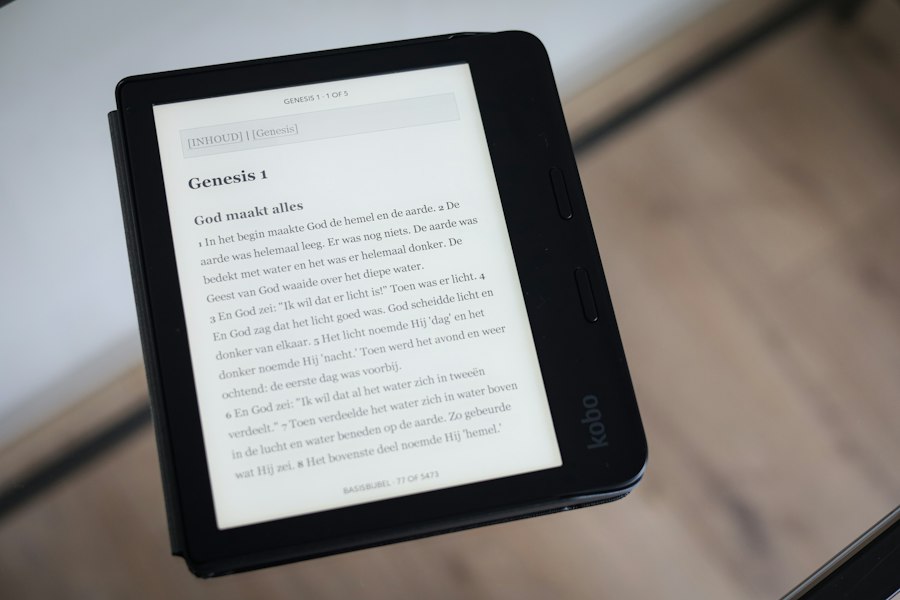
One of the most celebrated aspects of the Kindle Paperwhite frontlight is its adjustability. This allows users to fine-tune the brightness to their personal preferences and the specific lighting conditions they are in. This level of control is paramount for maximizing reading comfort and minimizing eye fatigue.
Finding Your Sweet Spot: Manual Brightness Control
The Kindle Paperwhite offers a straightforward manual control for its frontlight. A simple slider, accessible through the device’s menu, allows users to increase or decrease the intensity of the light. This intuitive interface makes it easy to find the perfect brightness level for a variety of situations. For instance, in bright sunlight, the frontlight might be turned down significantly or even off, as the e-ink display itself is perfectly legible. Conversely, in a dimly lit room, the frontlight can be increased to provide ample illumination without being overpowering. Experimentation is key here; what one reader finds comfortable, another might find too dim or too bright.
Intelligent Illumination: Adaptive Brightness Features
More advanced Kindle Paperwhite models have introduced adaptive brightness features. This technology automatically adjusts the frontlight’s intensity based on the ambient light detected by the device’s sensors. When you move from a brightly lit room to a darker one, the adaptive brightness will subtly increase the frontlight, and vice-versa. This feature removes the need for constant manual adjustment, offering a seamless reading experience that adapts to your environment. While some users prefer the absolute control of manual settings, many find adaptive brightness to be a convenient and effective solution for effortless reading.
The Warmth of the Glow: Adjustable Color Temperature
A significant evolution in Kindle Paperwhite frontlight technology has been the introduction of adjustable color temperature, often referred to as “warm light.” This feature allows users to shift the color of the light from a cooler, bluish-white to a warmer, more amber hue. This is particularly beneficial for evening reading, as the warmer light is believed to be less disruptive to melatonin production, potentially aiding in a more restful night’s sleep. The ability to customize both the intensity and the color temperature offers an unprecedented level of personalization for the reading experience.
Beyond the Brightness: The Multifaceted Benefits of the Paperwhite Frontlight
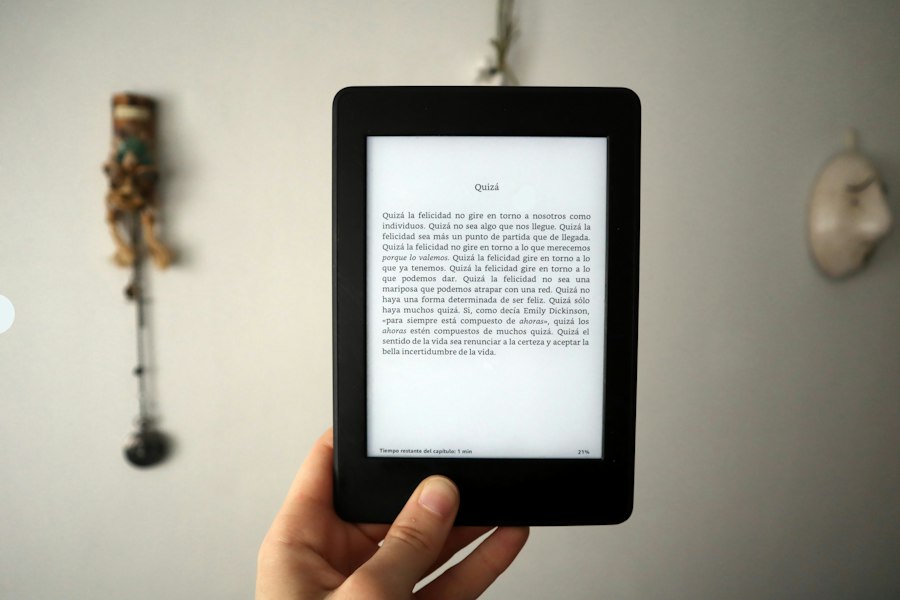
The advantages of the Kindle Paperwhite’s frontlight extend far beyond simply making text visible in the dark. Its design and functionality contribute to a more enjoyable, accessible, and versatile reading experience.
Enhanced Comfort for Extended Reading Sessions
The primary benefit of the frontlight, as already touched upon, is the significantly reduced eye strain it provides. By illuminating the page from the front rather than behind, the light source is less intrusive. This gentle, diffused light allows the e-ink display to be read comfortably for hours on end, mimicking the experience of reading a physical book without the need for external lamps or the fatigue associated with backlit screens. This is particularly valuable for avid readers who can spend extended periods engrossed in their chosen titles.
Reading Anywhere, Anytime: Unlocking True Portability
The frontlight liberates readers from the constraints of ambient light. No longer are readers tethered to well-lit environments. The Kindle Paperwhite can be comfortably used on a red-eye flight, during a camping trip after sunset, in bed without disturbing a partner, or even during a power outage. This unparalleled portability transforms the device from a simple e-reader into a constant companion, ready to deliver literary adventures whenever and wherever the mood strikes.
Accessibility for All Readers
The adjustable frontlight also plays a crucial role in making reading more accessible for individuals with visual impairments or reading difficulties. The ability to control brightness and contrast levels can be tailored to individual needs, making text clearer and easier to discern. For those who find it challenging to read under standard lighting conditions, the Paperwhite’s frontlight offers a personalized solution that can significantly improve their reading experience and foster greater independence.
A Distinct Advantage Over Traditional Backlit Devices
When comparing the Kindle Paperwhite to tablets and smartphones for reading, the frontlight is a decisive factor. While tablets offer a wealth of features and functionalities, their backlit screens are inherently less suited for prolonged reading compared to the Paperwhite’s frontlit e-ink display. The reduction in eye strain, the glare-free experience, and the more natural “paper-like” feel provided by the frontlight make the Paperwhite the superior choice for dedicated readers.
Troubleshooting Common Frontlight Issues on Your Paperwhite
While the Kindle Paperwhite’s frontlight is generally robust and reliable, like any electronic component, it can occasionally encounter issues. Understanding common problems and their solutions can help users maintain an optimal reading experience.
The Light Won’t Turn On or Off
One of the most frustrating issues is when the frontlight fails to respond. Often, a simple restart of the device can resolve this. Press and hold the power button until the device restarts. If the issue persists, check the device’s software. Ensure you have the latest firmware updates installed, as these often contain bug fixes. If the frontlight remains unresponsive after a restart and software update, it might indicate a hardware issue, and contacting Amazon customer support would be the next step.
Uneven Lighting or “Hot Spots”
Some users might notice uneven illumination, with certain areas of the screen appearing brighter than others, creating “hot spots.” This can be a manufacturing defect in some instances. However, it’s also worth checking if the issue is related to the case or screen protector being used. Some accessories can interfere with the light distribution. Try removing any case or screen protector to see if the uniformity improves. If the unevenness is pronounced and present without any accessories, it’s best to consult Amazon’s support.
Frontlight Too Dim or Too Bright to Adjust
If the frontlight seems stuck at a certain brightness level or is unresponsive to manual adjustments, again, a device restart is the first course of action. If the issue persists, the adaptive brightness feature might be malfunctioning or stuck in a particular mode. Try toggling the adaptive brightness setting on and off. If manual adjustment sliders are unresponsive or the light is permanently too dim or too bright regardless of settings, it could be a software glitch or a hardware problem with the lighting mechanism. Seeking customer support is advisable in such scenarios.
Light Bleed or Faint Glow When Off
Occasionally, users might notice a very faint glow or light bleed around the edges of the screen even when the frontlight is supposedly turned off. This is often a characteristic of e-ink technology and can be more noticeable in very dark environments. It’s usually not a sign of a fault and is typically within acceptable limits for the display technology. However, if the light bleed is significant and intrusive, it’s worth checking if the device has been powered down completely or simply put into sleep mode. A full shutdown might resolve it. If the problem is persistent and bothersome, contacting support is an option.
The Kindle Paperwhite’s frontlight feature has revolutionized the way readers enjoy their books, allowing for comfortable reading in various lighting conditions. For those interested in exploring more about this innovative technology and its impact on reading habits, you can check out a related article that delves into the benefits of e-readers. This insightful piece can be found at Freaky Science, where you will discover how advancements in e-reader technology continue to enhance the reading experience.
Maximizing Your Reading Experience with Paperwhite’s Frontlight Settings
| Feature | Specification |
|---|---|
| Display Size | 6 inches |
| Display Type | E Ink Carta |
| Resolution | 300 ppi (pixels per inch) |
| Frontlight LEDs | 5 LEDs (varies by model) |
| Adjustable Frontlight | Yes, adjustable brightness levels |
| Color Temperature Adjustment | Available on some models (warm light) |
| Battery Life | Weeks on a single charge (varies with usage) |
| Weight | Approx. 182 grams |
| Waterproof | IPX8 rating (on some models) |
| Storage Capacity | 8 GB or 32 GB options |
The true power of the Kindle Paperwhite frontlight lies in its customization. By taking the time to understand and utilize its various settings, readers can unlock a truly personalized and comfortable reading journey.
Experimenting with Brightness Levels for Different Environments
The key to optimal comfort is experimentation. Don’t be afraid to play with the brightness slider in various lighting conditions. Start by setting it to a level that feels comfortable in your current environment. Then, try reading for a while and see if you experience any strain. Adjust as needed. For example, reading outdoors on a sunny day might require very little or no frontlight, allowing the e-ink to shine on its own. Indoors, a moderate setting might be ideal. In complete darkness, you can push the brightness higher, but always aim for the lowest comfortable level to conserve battery and minimize potential eye fatigue.
Utilizing Warm Light for Evening Reading and Sleep Hygiene
The adjustable color temperature, or “warm light” feature, is a game-changer for night owls. If your Kindle Paperwhite has this capability, make it a habit to switch to a warmer hue as the evening progresses. This gentle, amber light is less likely to interfere with your body’s natural sleep cycle. Many users find that reading with warm light before bed promotes relaxation and makes it easier to drift off to sleep. Some devices even allow you to schedule this transition, automatically adjusting the color temperature at specific times.
Leveraging Adaptive Brightness for Uninterrupted Flow
If your Kindle Paperwhite model features adaptive brightness, try giving it a chance. It can be incredibly convenient to have the light adjust automatically as you move between rooms or as the natural light outside changes. While some users prefer the granular control of manual settings, adaptive brightness can offer a seamless and effortless reading experience, allowing you to stay immersed in your book without constantly fiddling with settings. You can always override it manually if the automatic adjustment isn’t to your liking at a particular moment.
The Importance of Screen Cleanliness for Optimal Illumination
It might seem trivial, but a clean screen contributes to a better frontlight experience. Smudges and fingerprints can refract and diffuse the light unevenly, potentially creating minor distractions or affecting the perceived brightness. Regularly cleaning your Kindle Paperwhite’s screen with a soft, dry microfiber cloth can ensure that the frontlight is distributed as evenly and effectively as possible, contributing to a crisp and clear reading surface.
The Kindle Paperwhite frontlight is more than just a feature; it’s a meticulously engineered solution that has profoundly impacted the way people read digitally. By providing a comfortable, adjustable, and versatile illumination, it has made reading on an e-reader a pleasure in virtually any circumstance. From its innovative application of light to its user-centric customization options, the Paperwhite frontlight stands as a testament to how thoughtful design can elevate a simple device into an indispensable tool for bibliophiles worldwide.

Why Your Kindle Screen Doesn’t Work the Way You Think
FAQs
What is the frontlight feature on the Kindle Paperwhite?
The frontlight feature on the Kindle Paperwhite is a built-in adjustable light that illuminates the screen from the front, allowing you to read in various lighting conditions without straining your eyes.
Can the frontlight on the Kindle Paperwhite be adjusted?
Yes, the frontlight on the Kindle Paperwhite can be adjusted to suit your preference. You can easily increase or decrease the brightness level to make reading more comfortable for you.
Does the frontlight on the Kindle Paperwhite cause eye strain?
No, the frontlight on the Kindle Paperwhite is designed to reduce eye strain by providing a soft, even light that mimics natural light. This makes it easier to read for extended periods without causing discomfort.
Is the frontlight on the Kindle Paperwhite available on all models?
Yes, the frontlight feature is available on all current models of the Kindle Paperwhite. It has become a standard feature on this popular e-reader, enhancing the reading experience for users.
Can the frontlight on the Kindle Paperwhite be turned off?
Yes, the frontlight on the Kindle Paperwhite can be turned off if you prefer to read without any additional lighting. You have the flexibility to adjust the frontlight to your liking or turn it off completely based on your reading environment.