The advent of e-readers has revolutionized the way many people consume literature, offering a portable and convenient alternative to traditional paperbacks. A significant factor contributing to their widespread adoption is the remarkable clarity with which they display text, a feat achieved through sophisticated technological advancements designed to combat the bane of most electronic screens: glare. Unlike smartphones, tablets, and computer monitors, which often require viewing in dim lighting or at specific angles to avoid distracting reflections, e-readers present words on a page that can be comfortably read even in bright sunlight. This seemingly simple functionality is the result of a multifaceted approach, integrating specific screen technologies, innovative lighting solutions, and thoughtful design principles.
The Science Behind E-Ink: A Paper-Like Canvas
At the core of an e-reader’s ability to display text clearly lies its unique display technology, most commonly known as E-Ink. This groundbreaking innovation stands in stark contrast to the backlit LCD or OLED screens found in most other electronic devices. Instead of emitting light, E-Ink displays mimic the appearance of ink on paper by utilizing microscopic capsules containing charged particles. This fundamental difference is the primary reason for their superior readability and the absence of bothersome glare.
Electrophoretic Displays: The Microcapsule Magic
E-Ink displays are a type of electrophoretic display (EPD). The magic happens within millions of tiny microcapsules, each smaller than a human hair. Inside these microcapsules are positively charged white particles and negatively charged black particles suspended in a clear fluid. When an electric field is applied to the display, these particles are moved to the surface of the microcapsule. By controlling the arrangement of these charged particles, the display can create text and images.
How Text is Formed
To display black text on a white background, for instance, a negative charge is applied to the areas where black ink should appear. This repels the negatively charged black particles and attracts the positively charged white particles to the back of the microcapsule, making the black particles visible on the surface. Conversely, for white space, a positive charge is applied, pushing the negatively charged black particles away and bringing the positively charged white particles to the front. This process allows for the creation of high-contrast images and sharp, legible text that closely resembles printed characters. The lack of a light source behind the display means that it relies on ambient light to illuminate the “page,” much like a physical book.
The Reflective Nature: Sunlight as an Ally
A key characteristic of E-Ink technology is its reflective nature. Unlike backlit screens that generate their own light, E-Ink displays reflect ambient light. This is precisely why they excel in bright conditions. When you hold a traditional book or an e-reader in direct sunlight, the light bounces off the surface of the page, making the text clearly visible. E-Ink screens function in a similar manner. The white particles on the surface of the microcapsules scatter ambient light, effectively creating a white background that enhances the contrast of the black text. This reflective property not only eliminates glare but also makes the text appear sharper and more defined, as there is no diffusion of light from a backlight to contend with.
Refresh Rate and Ghosting: A Necessary Trade-off
While E-Ink technology offers significant advantages in readability, it does have certain limitations, most notably its refresh rate. Because the charged particles need to physically move within the microcapsules, E-Ink displays are slower to update than the liquid crystal displays (LCDs) or organic light-emitting diode (OLED) screens found in other devices. This slower refresh rate can lead to a phenomenon called “ghosting,” where faint remnants of previous images or text can linger on the screen after a refresh. Manufacturers have developed various techniques to mitigate ghosting, such as partial screen refreshes and algorithmic adjustments, but it remains an inherent characteristic of the technology. However, for static text consumption, such as reading an ebook, the slower refresh rate is rarely an issue and the benefits of glare-free readability far outweigh this minor drawback.
E-readers have revolutionized the way we consume literature, particularly with their advanced display technologies that minimize glare and enhance readability. For those interested in understanding the science behind these glare-free screens, a related article can be found at Freaky Science, which delves into the mechanisms that allow e-readers to provide a comfortable reading experience in various lighting conditions. This innovation not only makes reading more enjoyable but also helps reduce eye strain, making it an ideal choice for avid readers.
Integrated Lighting: Illuminating the Page Without Harshness
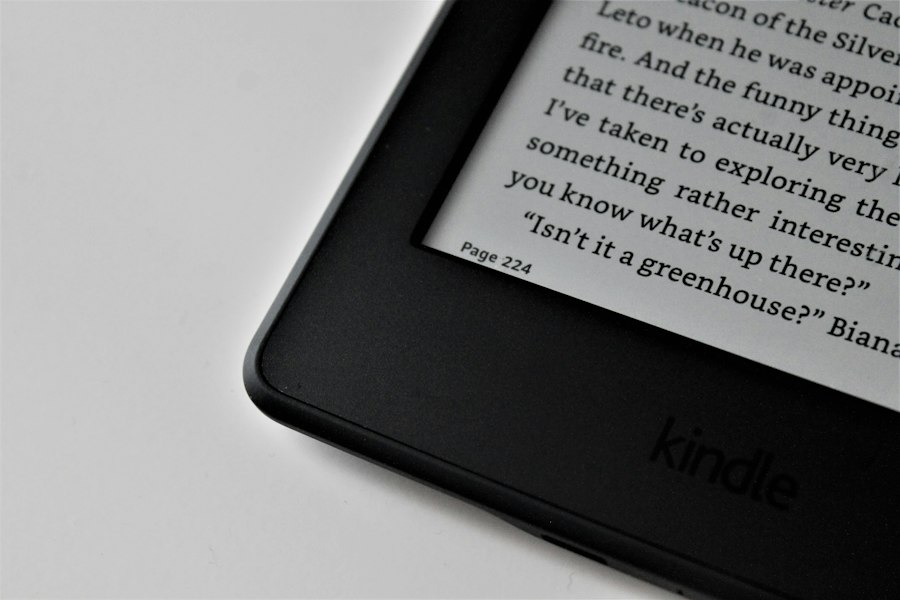
While E-Ink’s reflective nature is the primary weapon against glare, most modern e-readers also incorporate a form of integrated lighting. This lighting, however, is fundamentally different from the backlights found in other electronic devices. Instead of shining light directly through the display and into the reader’s eyes, e-reader lights are designed to illuminate the screen from the edges or the top, directing light downwards onto the E-Ink surface. This subtle but crucial distinction ensures that the reading experience remains glare-free and comfortable, even in complete darkness.
Front Lighting vs. Backlighting: A Crucial Distinction
The difference between front lighting and backlighting is paramount to understanding why e-readers avoid glare. Backlit screens, like those on tablets and smartphones, have light sources behind the display panel itself. This light shines through the pixels, and when this light hits a reflective surface (like your eyes or another light source), it creates glare. Front lighting, on the other hand, employs small LEDs positioned around the perimeter of the screen or along the top edge. These LEDs cast light onto the surface of the E-Ink display, illuminating the “ink” without shining directly into the reader’s eyes.
How Front Lighting Works
The light from the LEDs is diffused and directed across the screen’s surface, creating an even and gentle illumination. This is often achieved through a light-guiding layer or a textured screen surface that helps to spread the light uniformly. The intensity of this front light can typically be adjusted by the user, allowing for personalization based on ambient conditions and individual preference. This controlled illumination ensures that the text remains clear and readable in low-light environments without introducing the uncomfortable reflections that plague backlit displays.
Warm and Cool Light Adjustments: Enhancing Comfort
Beyond simple illumination, many advanced e-readers now offer adjustable color temperature for their front lights. This feature allows users to switch between cooler, bluer light tones and warmer, more reddish-yellow tones. The rationale behind this is rooted in the understanding of how different light spectrums affect the human eye and sleep patterns.
The Impact of Light Temperature
Cooler light, with a higher proportion of blue wavelengths, is known to suppress melatonin production, a hormone that regulates sleep. This can make it more difficult to fall asleep if reading before bed with a predominantly blue light. Warmer light, on the other hand, has fewer blue wavelengths and can be more conducive to relaxation and sleep. By offering adjustable warm and cool light settings, e-readers empower users to tailor their reading experience for optimal comfort and to minimize potential disruptions to their natural sleep cycles. This thoughtful inclusion further enhances the glare-free and eye-friendly nature of the e-reader experience.
Screen Coatings and Textures: The Unsung Heroes of Clarity

While E-Ink technology and intelligent lighting are the primary drivers of glare-free text display, the physical characteristics of the e-reader screen also play a vital supporting role. Manufacturers meticulously design screen coatings and employ specific textures to further enhance readability and minimize any residual glare that might otherwise occur. These often overlooked elements contribute significantly to the overall paper-like feel and the visual comfort of e-readers.
Anti-Glare Treatments: Diffusing Reflections
The most common and effective method for combating glare on any screen is the application of anti-glare coatings. On e-readers, these coatings are applied to the surface of the E-Ink display. Instead of allowing light to reflect directly and create sharp, mirror-like images, anti-glare coatings diffuse the light. This scattering effect breaks up direct reflections, making them much less noticeable and preventing them from interfering with the visibility of the text.
The Mechanism of Diffusion
An anti-glare coating typically works by creating a micro-roughened surface at the microscopic level. When light strikes this surface, it is scattered in multiple directions rather than reflecting back uniformly. This diffusion prevents the formation of bright spots and halos that are characteristic of glare, leading to a softer and more diffused light that doesn’t strain the eyes. The goal is to make the screen appear matte rather than glossy, thereby reducing the amount of direct light that bounces back to the user’s eyes.
Matte Finishes and Screen Textures: Mimicking Paper
Beyond specialized coatings, many e-readers feature a matte finish or a subtle texture on their screens. This is not merely an aesthetic choice; it’s a deliberate design element aimed at further mimicking the tactile and visual experience of reading a physical book. The slightly rougher texture of a matte finish can help to diffuse light more effectively than a perfectly smooth, glossy surface.
The Tactile Advantage
This texture can also contribute to a more paper-like feel under the fingertips, which can enhance the overall immersion and enjoyment of reading. By reducing the smooth, reflective quality of traditional glass screens, the matte finish and texture of an e-reader screen help to create a more subdued and natural viewing experience. This, in turn, reduces eye strain and makes extended reading sessions more comfortable, all while ensuring that the text remains sharp and easy to read, free from distracting reflections.
Design Choices: Ergonomics and User Experience
The way an e-reader is designed extends beyond the screen technology itself to encompass a holistic approach to user experience. Manufacturers consider factors like device weight, button placement, and software interfaces to create a comfortable and intuitive reading device that further supports its glare-free text display. These ergonomic considerations contribute to a positive and prolonged reading session.
Device Weight and Balance: Comfort in Hand
The physical design of an e-reader plays a significant role in how comfortable it is to hold for extended periods. Lighter devices with good weight distribution are less likely to cause hand fatigue. This allows readers to focus on the content rather than on the physical strain of holding the device. While not directly related to glare, comfort is intrinsically linked to the overall positive experience of reading on an e-reader. A comfortable grip means a reader is more likely to hold the device at an optimal angle for viewing, further minimizing the chances of encountering any residual reflections.
Intuitive Navigation and Page Turns: A Seamless Flow
The interface and navigation of an e-reader are crucial for a smooth and uninterrupted reading experience. Intuitive page-turning mechanisms, whether physical buttons or touchscreen gestures, ensure that the flow of reading is not broken by fumbling with controls. Similarly, a well-designed software interface that allows for easy adjustment of font size, font style, and margins further enhances readability. This focus on user-friendliness ensures that the reader’s attention remains on the text, unhindered by a complex or cumbersome user experience, thereby indirectly contributing to the perception of clear and effortless text display.
Ereaders have revolutionized the way we consume literature, particularly with their ability to display text without glare, making reading more comfortable in various lighting conditions. This technology is particularly beneficial for avid readers who enjoy spending long hours immersed in their favorite books. For a deeper understanding of how these devices work and the science behind their glare-free displays, you can explore a related article that delves into the intricacies of e-ink technology and its advantages. Check it out here: Freaky Science.
The Cumulative Effect: A Superior Reading Experience
| Metric | Description | Typical Value/Range | Impact on Glare Reduction |
|---|---|---|---|
| Screen Type | Type of display technology used | E Ink (electrophoretic) | Reflective display reduces glare by mimicking paper |
| Reflectivity | Amount of ambient light reflected by the screen | ~30-40% | Higher reflectivity reduces glare and eye strain |
| Front Light Diffusion | Even distribution of front light across the screen | Uniform illumination with no hotspots | Prevents glare by avoiding bright spots |
| Anti-Reflective Coating | Coating applied to reduce reflections | Yes (on many models) | Minimizes glare from external light sources |
| Screen Brightness | Adjustable light intensity of front light | 0 to ~30-50 cd/m² | Lower brightness reduces glare in dark environments |
| Pixel Contrast Ratio | Difference between black and white pixel reflectance | Typically 10:1 or higher | Improves readability without backlight glare |
| Viewing Angle | Angle at which text remains clear without glare | Up to 180° (wide viewing angle) | Maintains text clarity and reduces glare from side angles |
The confluence of E-Ink technology, thoughtful lighting solutions, and meticulous screen design creates an e-reader experience that is fundamentally different from that of other electronic devices. The absence of screen glare is not a happy accident but the result of a deliberate engineering process aimed at replicating the visual comfort and clarity of printed paper.
Beyond Glare: Other Benefits of E-Reader Displays
The benefits of E-Ink displays extend beyond just the absence of glare. Their low power consumption, for instance, allows e-readers to last for weeks on a single charge, a stark contrast to the daily charging cycles of many other portable electronics. The crispness of the text, achieved through the precise arrangement of particles, also contributes to reduced eye strain compared to reading on a backlit screen for extended periods. The ability to adjust font sizes and styles further caters to individual reading preferences and needs, making e-readers accessible to a wider audience.
The Future of E-Reader Displays: Continued Innovation
The evolution of e-reader technology is far from over. Manufacturers are continuously exploring new advancements to further enhance the reading experience. This includes developing faster refresh rates to improve the responsiveness of E-Ink displays, exploring new color E-Ink technologies that offer a wider color gamut while maintaining their glare-free properties, and refining lighting systems for even greater precision and comfort. The ongoing quest for innovation ensures that e-readers will continue to offer a superior and glare-free way to enjoy literature for years to come, solidifying their place as a distinct and cherished reading medium.

Why Your Kindle Screen Doesn’t Work the Way You Think
FAQs
How do eReaders reduce glare on the screen?
Ereaders use e-ink technology that reflects light like paper, reducing glare and making it easier to read in bright light.
Can eReaders be used in direct sunlight without causing eye strain?
Yes, eReaders are designed to be used in direct sunlight without causing eye strain due to the lack of glare on the screen.
Do eReaders have adjustable brightness settings to further reduce glare?
Most eReaders have adjustable brightness settings that allow users to customize the screen brightness to their preference, further reducing glare.
Are eReaders with anti-glare screens more expensive than regular eReaders?
Ereaders with anti-glare screens may be slightly more expensive than regular eReaders, but the reduced glare can significantly improve the reading experience, especially in bright environments.
Do eReaders with anti-glare screens consume more battery power?
Ereaders with anti-glare screens typically consume less battery power compared to devices with traditional LCD screens, as e-ink technology requires less energy to display text without glare.