You’ve encountered it. You’ve probably even used it, though you might not have known its name. It’s the silent hero behind many of your seamless digital experiences, the reason your notes sync from your phone to your laptop, or why your favorite music app remembers your last played song even when you’re underground. You’re interacting with offline data synchronization, and while it sounds complex, its core principles are surprisingly accessible. This article aims to demystify this crucial technology, breaking down its “what,” “why,” and “how” so you can understand its presence and importance in your digital life.
Imagine a world where your digital interactions are solely dependent on a constant, uninterrupted internet connection. This might seem like a quaint relic of the past, but even today, such a scenario isn’t as rare as you might think. Whether you’re on a transatlantic flight, navigating a remote hiking trail, or simply experiencing a temporary Wi-Fi outage, your ability to access and modify your data can be severely hindered without offline capabilities. This is precisely where offline data synchronization steps in, ensuring your digital life continues to function, adapt, and thrive even when you’re disconnected.
The Inconvenience of Constant Connectivity
Think about the frustration of trying to access a crucial document on your tablet, only to be met with a “No Internet Connection” message. Or consider the annoyance of making a significant change to a shared document, only to find out later that your changes were never applied because you were offline at the time. These aren’t just minor hiccups; they represent significant disruptions to productivity, collaboration, and overall user experience.
- Productivity Loss: Tasks that require real-time data access become impossible. This can range from simple note-taking to complex project management.
- User Frustration: Repeatedly encountering connectivity barriers leads to dissatisfaction and a negative perception of the application or service.
- Limited Accessibility: For users in areas with unreliable internet, applications relying solely on online connectivity are effectively unusable.
The Power of Seamless User Experience
At its heart, offline data synchronization is about providing a superior user experience. It’s about creating applications that are resilient, responsive, and dependable, regardless of your current network status. This leads to increased user engagement, loyalty, and a general feeling of empowerment.
- Uninterrupted Workflow: You can continue working on your data, making edits and additions, with the confidence that these changes will be accounted for when you reconnect.
- Enhanced Responsiveness: Applications feel snappier and more fluid because they can immediately respond to your input, even if they can’t immediately broadcast those changes to others.
- Data Availability Anywhere, Anytime: Your critical information is always at your fingertips, whether you’re in a bustling city or a quiet countryside.
Empowering Collaboration in a Disconnected World
Collaboration is a cornerstone of modern work and social interaction. However, the traditional model of shared documents often assumes a shared, constant connection. Offline synchronization shatters this assumption, enabling teams to collaborate effectively even when members are geographically dispersed and operating under different connectivity conditions.
- Team Productivity Beyond the Office: Remote teams can work on shared projects without being tethered to a central office network.
- Flexibility for On-the-Go Professionals: Sales representatives, field technicians, and others who spend time away from reliable Wi-Fi can still contribute and access critical information.
- Resilience in the Face of Network Issues: Even if a primary connection fails, collaborative work can continue, minimizing downtime and lost progress.
Offline data synchronization is a crucial aspect of modern applications, especially for those that require seamless user experiences regardless of internet connectivity. For a deeper understanding of this topic, you can explore a related article that delves into various strategies and techniques for effective offline data synchronization. This article provides insights into the challenges developers face and offers practical solutions to ensure data consistency. To read more, visit this article.
The ‘What’: Defining Offline Data Synchronization
At its core, offline data synchronization is the process of managing data on a local device (like your phone, tablet, or laptop) when you’re not connected to a central server or cloud. The “synchronization” part refers to the subsequent process of reconciling these local changes with the central data source once a connection is re-established. It’s a two-part dance: local autonomy followed by global reconciliation.
Local Data Storage: Your Personal Data Haven
When an application supports offline functionality, it means it’s storing a copy, or at least a relevant portion, of your data locally on your device. This local copy acts as your primary point of interaction when you’re offline.
- Caching: Frequently accessed data is stored locally for quick retrieval, even when online. This improves performance and can also facilitate offline access.
- Local Databases: Many applications utilize lightweight databases (like SQLite) on your device to store larger datasets, enabling rich offline functionality.
- File Storage: For document-centric applications, the data is simply stored as files on your device’s local storage.
The Synchronization Engine: The Bridge Between Worlds
The real magic happens with the synchronization engine. This is the component of the application responsible for handling the complexities of data transfer and conflict resolution between your local device and the central server. It’s the unsung hero that ensures your data remains consistent across all your devices and for all collaborators.
- Change Tracking: The engine meticulously records every modification you make to your local data. This can be through timestamps, version numbers, or detailed logs of operations.
- Data Transfer Protocols: When a connection is established, the engine efficiently transmits these tracked changes to the central server.
- Conflict Resolution Logic: This is perhaps the most critical and complex part. The engine must be able to detect when the same piece of data has been modified on both the local device and the server independently and then decide how to merge these conflicting changes.
Types of Synchronization
Not all synchronization is created equal. Different applications and use cases require different approaches to how data is synchronized. Understanding these types can shed light on how your favorite apps behave.
- One-Way Synchronization: This is the simplest form, where data flows in only one direction. For example, a news app might download articles for offline reading, but your reading progress doesn’t influence the central feed.
- Push Synchronization: Changes made on the server are pushed to the client device.
- Pull Synchronization: The client device actively requests updates from the server.
- Two-Way Synchronization: This is the most common and powerful form, where data can be modified on both the local device and the server, and changes are reconciled in both directions. This is essential for applications where users actively contribute and edit data.
- Real-time Synchronization: Changes are propagated to other devices and the server almost instantaneously upon detection.
- Batch Synchronization: Changes are collected and sent in batches at specific intervals or when a connection is established.
- Conflict-Free Replicated Data Types (CRDTs): These are advanced data structures designed to automatically resolve conflicts without requiring explicit conflict resolution logic. They are particularly useful in distributed systems where latency and network partitions are common.
- Observed-Remove Sets (OR-Sets): Used for tracking unique items that can be added and removed.
- Grow-Only Counter (G-Counter): A simple counter that can only increase.
The ‘How’: The Technical Underpinnings
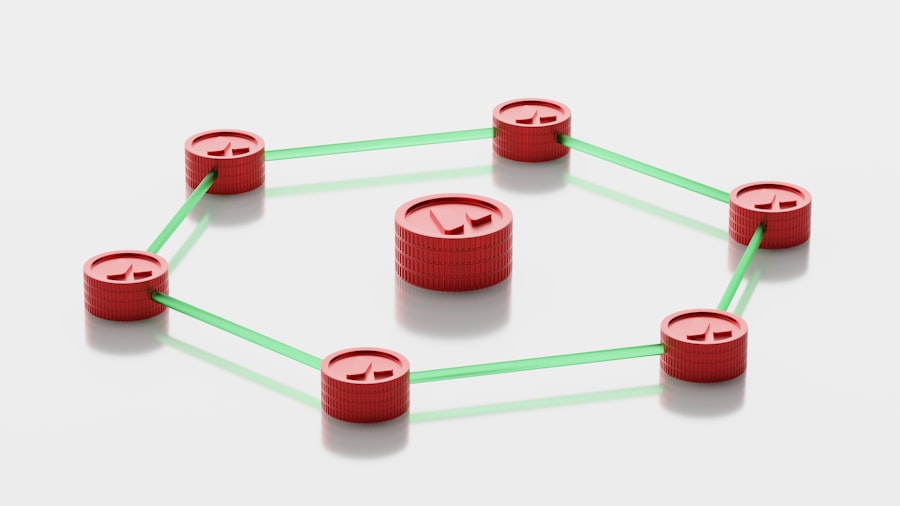
While the user experience of offline synchronization is designed to be seamless, the underlying technology can be quite intricate. It involves careful data management, robust network communication, and sophisticated conflict resolution algorithms.
Data Modeling and Storage Strategies
The way your data is structured and stored locally significantly impacts how it can be synchronized. Applications need to be designed with synchronization in mind from the ground up.
- Schema Design for Sync: The database schema needs to accommodate versioning, timestamps, and potentially flags to indicate whether a record has been modified locally.
- Timestamp-Based Versioning: Each record has a timestamp indicating when it was last modified.
- Version Numbering: A sequential version number is assigned to each record, incrementing with every change.
- Delta-Based Storage: Instead of storing the entire updated record, only the changes (deltas) are stored. This can be more efficient for large datasets.
- Local Database Technologies: The choice of local database plays a crucial role in performance and the ease of implementing synchronization.
- SQLite: A lightweight, embedded SQL database engine that is widely used for mobile applications.
- Realm: A mobile database that offers real-time synchronization capabilities out-of-the-box.
- Core Data (iOS) / Room Persistence Library (Android): Platform-specific object-relational mapping (ORM) frameworks that simplify data persistence and can be integrated with custom synchronization logic.
The Synchronization Protocol: The Language of Data Exchange
How do your devices talk to the server to exchange data? This communication is governed by a synchronization protocol, a set of rules and procedures that dictate the format and exchange of synchronization information.
- RESTful APIs: Many applications use RESTful APIs to communicate with their backend servers. Synchronization endpoints are designed to handle requests for changes and to send back updates.
- GET requests: To fetch changes or specific data.
- POST requests: To send new data or modifications.
- PUT/PATCH requests: To update existing data.
- WebSockets: For real-time synchronization, WebSockets provide a persistent, full-duplex communication channel between the client and server, enabling immediate data exchange.
- Event-Driven Architecture: The server can push updates to clients as soon as changes occur.
- Lower Latency: Compared to traditional HTTP requests, WebSockets offer significantly reduced latency.
- Custom Protocols: For highly specialized or performance-critical applications, custom synchronization protocols might be developed to optimize for specific scenarios.
Conflict Resolution: The Art of Merging Divergent Data
This is where things get really interesting. When multiple users or devices modify the same data independently while offline, conflicts arise. The synchronization engine must have a strategy to resolve these conflicts in a way that makes sense for the application and its users.
- Last Write Wins: The simplest conflict resolution strategy, where the most recent change overwrites any previous conflicting changes. This can lead to data loss if not carefully considered.
- Pros: Easy to implement.
- Cons: Can result in accidental overwriting of important data.
- First Write Wins: The first change made to a piece of data is kept, and subsequent conflicting changes are discarded or flagged.
- Pros: Preserves the initial intent.
- Cons: Can lead to stale data if later changes are more relevant.
- Merge Strategies: For data that can be logically merged (like lists or text documents), more sophisticated merge strategies are employed.
- Text Merging (Diff-Match-Patch): Algorithms that identify the differences between two versions of text and create a patch to apply one to the other.
- List Merging: Strategies for combining lists, such as preserving order or handling duplicate entries.
- User Intervention (Manual Resolution): In some cases, the system might not be able to automatically resolve a conflict and will present the conflicting versions to the user for manual decision-making.
- Side-by-Side Comparison: Users are shown the different versions and asked to choose which one to keep or how to combine them.
- Conflict Notification: Users are alerted that a conflict has occurred and provided with options to resolve it.
Common Scenarios and Use Cases

You encounter offline data synchronization in more applications than you might realize. Its presence often goes unnoticed because it works so well. Here are a few common scenarios where this technology is a vital component.
Productivity and Collaboration Tools
Applications designed for teams and individual productivity are prime candidates for offline synchronization. The ability to work on documents, tasks, and projects regardless of internet access is a significant advantage.
- Note-Taking Applications: Ever jot down a quick thought on your phone and then find it on your laptop later? That’s offline sync at play.
- Document Editors: Think of collaborative document editing tools like Google Docs or Microsoft Word online. When you’re offline, they often save your changes locally and sync them when you’re back online.
- Project Management Software: Keeping your project tasks and progress updated even when you’re out of the office is made possible by offline sync.
- Email Clients: Many modern email clients allow you to compose emails offline, which are then sent automatically when you regain connectivity.
Mobile Applications
The mobile environment is inherently characterized by intermittent connectivity. Therefore, offline data synchronization is a critical feature for a smooth mobile experience.
- Music and Video Streaming Apps: Services like Spotify and Netflix allow you to download content for offline playback, a form of one-way synchronization.
- Navigation Apps: Apps like Google Maps and Waze download map data for offline use, allowing you to navigate without a live data connection.
- E-commerce Apps: Some e-commerce apps allow you to browse products and even add items to your cart offline, with the cart syncing when you reconnect.
- Social Media Apps: While most social media is real-time, some features, like drafting posts or viewing cached content, might leverage offline capabilities.
Enterprise Applications
In the business world, where reliability and uptime are paramount, offline synchronization plays a crucial role in maintaining productivity and data integrity.
- Field Service Applications: Technicians in the field often have limited or no internet access. Offline sync ensures they can access work orders, record service details, and update job statuses, syncing when they return to an area with coverage.
- Sales Force Automation (SFA) Tools: Sales representatives on the road need to access customer information, update CRM records, and manage their pipelines without being dependent on a constant connection.
- Inventory Management Systems: In warehouses or retail environments where Wi-Fi might be spotty, offline synchronization allows for accurate tracking of stock levels.
- Healthcare Applications: For medical professionals who may be in areas with poor connectivity, offline access to patient records and other critical data is essential.
Offline data synchronization is a crucial aspect of modern applications, allowing users to access and update information without a constant internet connection. For those interested in exploring this topic further, a related article can be found at Freaky Science, which delves into the various techniques and technologies used to ensure seamless data consistency across devices. Understanding these methods can greatly enhance the user experience, particularly in environments with unreliable connectivity.
Challenges and Considerations
| Data | Explanation |
|---|---|
| Offline Data Synchronization | Process of updating data between a local device and a remote server when the device is offline, and then syncing the changes when the device is back online. |
| Benefits | Allows users to access and modify data even without an internet connection, improving user experience and productivity. |
| Challenges | Ensuring data consistency, conflict resolution, and handling large volumes of data are some of the challenges in offline data synchronization. |
| Technologies | Various technologies such as caching, conflict detection, and resolution algorithms are used to implement offline data synchronization. |
While offline data synchronization offers immense benefits, it’s not without its complexities and challenges. Developers and users alike need to be aware of these potential pitfalls.
Data Consistency and Integrity
Maintaining a single, consistent source of truth across multiple devices and the central server is the ultimate goal, but it’s also one of the most significant challenges.
- Conflicting Updates: As discussed, resolving conflicting data modifications is a complex problem that requires careful planning and robust algorithms.
- Data Corruption: Network interruptions during synchronization can potentially lead to corrupted data if not handled gracefully.
- “Stale” Data: If synchronization is not frequent or efficient, users might be working with outdated information, leading to incorrect decisions or actions.
Performance and Resource Management
Synchronization can be a resource-intensive process, impacting device performance and battery life.
- Bandwidth Consumption: Frequent or large data synchronizations can consume significant bandwidth, which can be an issue for users with limited data plans.
- Battery Drain: The continuous monitoring and data transfer involved in synchronization can lead to increased battery consumption on mobile devices.
- Processing Overhead: The synchronization engine itself requires processing power, which can impact the overall responsiveness of the application.
Security and Privacy
When data is stored and transmitted, security and privacy become paramount concerns.
- Data Encryption: Data stored locally on a device and data transmitted over the network must be encrypted to protect it from unauthorized access.
- Authentication and Authorization: Robust mechanisms are needed to ensure that only authorized users can access and modify data.
- Secure Synchronization Channels: The communication channels used for synchronization must be secured to prevent man-in-the-middle attacks or data interception.
User Experience Design
While the technology aims for seamlessness, poor design choices can undermine the user experience.
- Clarity of Status: Users should be informed about the synchronization status – whether data is syncing, has completed, or if there are any issues.
- Handling of Offline Mode: The application should gracefully inform the user when they are offline and what features are available or unavailable.
- Conflict Resolution Interface: If user intervention is required, the interface for resolving conflicts should be intuitive and easy to understand.
The Future of Offline Data Synchronization
As technology continues to evolve, so too will the capabilities and sophistication of offline data synchronization. We can expect to see even more seamless and intelligent solutions emerge.
Advancements in Conflict Resolution
The ongoing research into algorithms like CRDTs promises to further reduce the complexity of conflict resolution, making it more automatic and less prone to errors.
- Serverless Synchronization: Exploring decentralized or peer-to-peer synchronization models that reduce reliance on a central server.
- AI-Powered Resolution: Investigating how artificial intelligence can be used to intelligently predict and resolve conflicts based on user behavior and context.
Edge Computing and Decentralized Data
The rise of edge computing, where data processing happens closer to the source, will likely influence how synchronization is approached, potentially leading to more localized and efficient data management.
- Local-First Architectures: Embracing architectures where the local device is the primary source of truth, with the cloud serving as a backup and collaboration hub.
- Federated Learning: In AI contexts, federated learning allows models to be trained on decentralized data without the data ever leaving the user’s device, a form of localized processing that aligns with offline principles.
Improved User Controls and Transparency
Users are increasingly demanding more control over their data and how it’s managed. Future synchronization solutions will likely offer greater transparency and customization.
- Granular Sync Settings: Allowing users to choose what data syncs, when it syncs, and how it syncs.
- Clearer Conflict Resolution Feedback: Providing users with more detailed explanations of why conflicts occurred and how they were resolved.
In conclusion, you’ve now peeked behind the curtain of offline data synchronization. You’ve learned that it’s not some arcane magic but a thoughtful engineering solution designed to liberate your digital experiences from the constraints of constant connectivity. From ensuring your notes are always where you need them to enabling global collaboration, this technology is an indispensable part of your modern digital life. So, the next time you seamlessly switch between devices or find your data waiting for you after a period offline, remember the intricate dance of local autonomy and global reconciliation that made it all possible.

Your Phone Can Still Know Where You Are in Airplane Mode
FAQs
What is offline data synchronization?
Offline data synchronization is the process of updating and reconciling data between a local device and a central server when the device is not connected to the internet. This allows users to work with data even when they are offline and ensures that the data is consistent across all devices when they reconnect to the internet.
How does offline data synchronization work?
Offline data synchronization typically involves the use of a synchronization framework or technology that allows data to be stored locally on a device and then synchronized with a central server when a connection is available. This can involve conflict resolution, data merging, and other techniques to ensure that the data remains accurate and up to date.
What are the benefits of offline data synchronization?
Offline data synchronization allows users to work with data even when they are offline, increasing productivity and enabling work in remote or disconnected environments. It also helps to ensure data consistency across devices and reduces the risk of data loss or corruption.
What are the challenges of offline data synchronization?
Challenges of offline data synchronization include managing conflicts that arise when the same data is modified on multiple devices, dealing with limited device storage and processing power, and ensuring that the synchronization process is efficient and reliable.
What are some common technologies used for offline data synchronization?
Common technologies used for offline data synchronization include mobile database systems, synchronization protocols such as SyncML and OData, and synchronization frameworks provided by mobile app development platforms. These technologies help developers implement offline data synchronization in their applications.