
You’re about to embark on your next journey, whether it’s a cross-country flight, a train ride through scenic landscapes, or even just a quiet afternoon at a café. As you prepare your devices, you encounter those familiar icons: airplane mode, the cellular signal bars, the Wi-Fi symbol, and the little Bluetooth wave. You toggle them on and off, perhaps with a vague understanding of what they do, but do you truly grasp the nuances? This article is designed to demystify these essential functions of your modern devices, helping you understand their distinct roles and how they interact, so you can navigate your digital life with confidence, both on the ground and in the sky.
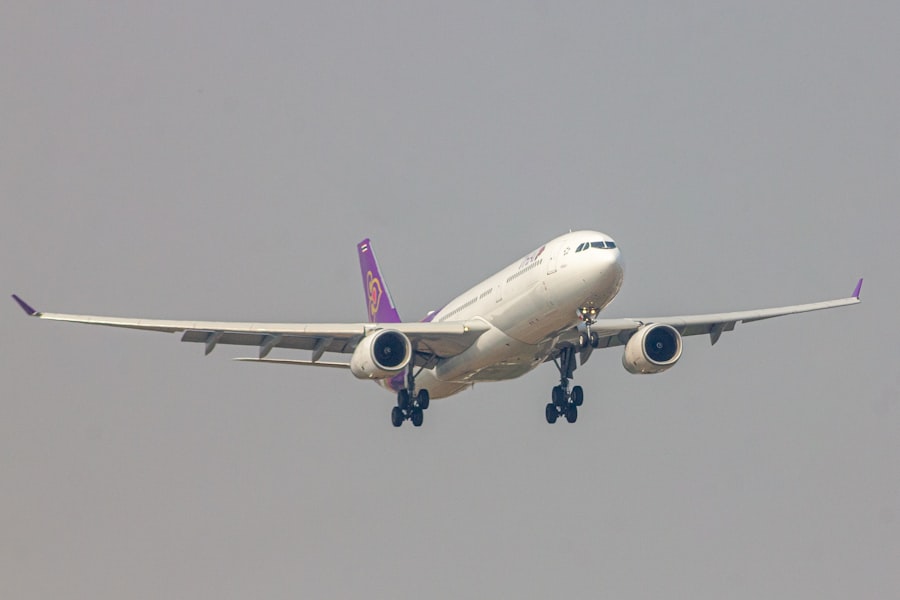
You’ve seen the little airplane icon, a symbol that’s become synonymous with air travel. But what exactly is airplane mode, and why is it so crucial when you’re airborne? Think of airplane mode as a master switch, a way to silence the broadcasting capabilities of your device. It’s not about disabling your device entirely; rather, it’s about preventing it from emitting radio frequency signals that could interfere with sensitive aircraft equipment.
What Airplane Mode Actually Does
When you activate airplane mode, you’re essentially instructing your device to cease all wireless transmissions. This includes cellular data, Wi-Fi, and Bluetooth. It’s a blanket shutdown of the radio antennas that allow your phone or tablet to communicate with the outside world through various wireless technologies. The primary concern with these transmissions in an aircraft environment is potential electromagnetic interference. While modern aircraft are designed with robust shielding, the prudent approach is to minimize any potential disruptions.
Why It’s Required in Aviation
The rationale behind requiring airplane mode during flights is rooted in safety. Aircraft rely on a complex network of electronic systems for navigation, communication, and flight control. These systems operate on specific radio frequencies. Unregulated transmissions from personal electronic devices, even if seemingly low-power, could theoretically interfere with these critical systems. While the risk is considered low in modern aircraft, the potential consequences of interference are severe, making it a non-negotiable safety protocol. It’s a measure designed to err on the side of caution, ensuring the integrity of the flight environment.
The True Purpose: Signal Interruption, Not Device Shutdown
It’s a common misconception that airplane mode completely shuts down your device. This couldn’t be further from the truth. Your device remains fully functional for offline activities. You can still play games, watch downloaded movies, read e-books, listen to music stored on your device, and utilize any application that doesn’t require an internet connection or live communication. The only thing being restricted is the transmission of radio waves. Think of it like turning off the radio in your car but still being able to use your navigation system or listen to a CD.
The “Flight Entertainment” Exception
You’ve likely noticed that on many flights, once the aircraft reaches cruising altitude, you’re permitted to re-enable Wi-Fi. This is where the nuances of airplane mode become apparent. The initial activation is to halt all potentially disruptive signals. However, airlines often provide their own localized Wi-Fi networks, which are designed and approved for use in flight. When you re-enable Wi-Fi in airplane mode, you’re not connecting to your usual home or public network. Instead, you’re connecting to the aircraft’s designated system, which operates on frequencies that are deemed safe for in-flight use. This allows you to access the airline’s entertainment system, send emails, or browse the web, all while still technically in airplane mode.
Understanding the differences between airplane mode, cellular data, WiFi, and Bluetooth can greatly enhance your device usage experience. For a deeper dive into these topics and how they interact with each other, you can refer to this informative article on Freaky Science. It provides insights into how each function operates and the best practices for managing them effectively. To read more, visit Freaky Science.
The Elusive Cellular Signal: Your Direct Line to the World
You’re on the ground, and those familiar bars are your lifeline to communication and the internet. The cellular signal is what empowers your smartphone to be a smartphone. It’s the invisible infrastructure that connects you to voice calls, text messages, and mobile data, allowing you to stay in touch and access information wherever you go, provided you have coverage.
How Cellular Networks Work
At its core, your cellular device connects to a network of cell towers. These towers are strategically placed to cover a geographical area. When you make a call or send a text, your device transmits a radio signal to the nearest tower. This tower then routes your communication through the cellular network to its destination. For internet access, your device sends data packets to the tower, which then directs them to the internet. As you move, your device seamlessly switches from one tower to another, maintaining your connection without interruption. This constant communication is what gives you that feeling of being connected everywhere.
The Role of Radio Frequencies
Cellular networks operate on specific radio frequencies allocated by regulatory bodies. These frequencies are carefully managed to prevent interference between different networks and services. Your phone has antennas designed to transmit and receive signals on these particular frequencies. The strength of the signal, often represented by those bars on your screen, indicates how close you are to a tower and how strong the connection is. More bars mean a stronger signal, leading to better call quality and faster data speeds.
Cellular Data: The Internet on the Go
When you’re not connected to Wi-Fi, your device likely uses cellular data to access the internet. This is the engine behind your ability to browse websites, stream videos, and use social media when you’re out and about. Cellular data plans are typically offered by mobile carriers, and the amount of data you can use is often capped, with charges applying for exceeding your allowance. Understanding your data usage is crucial to avoid unexpected bills.
Voice Calls vs. Data Transmission
It’s important to distinguish between voice calls and data transmission within the cellular network. Historically, voice calls were handled differently, often using dedicated channels. However, with the advent of 4G and 5G technologies, voice calls are increasingly being transmitted as data packets (VoLTE – Voice over LTE). This allows for higher call quality and enables simultaneous voice and data usage, a feature that wasn’t always possible with older cellular technologies.
The Versatile Wi-Fi: Your Gateway to Wireless Networks

You’ve likely encountered Wi-Fi in your home, at work, in coffee shops, and countless other public spaces. Wi-Fi is the technology that allows your devices to connect to local area networks wirelessly, typically providing access to the internet. It’s the backbone of our connected lives in many environments, offering convenience and often faster speeds than cellular data.
Understanding Wi-Fi Frequencies
Wi-Fi operates on specific radio frequency bands, primarily 2.4 GHz and 5 GHz. Each band has its advantages and disadvantages. The 2.4 GHz band offers a longer range and better penetration through walls and obstacles, making it suitable for larger areas. However, it’s also more susceptible to interference from other devices that operate on the same frequency, such as microwaves and cordless phones. The 5 GHz band, on the other hand, offers faster speeds and less interference, but has a shorter range and is less effective at penetrating solid objects.
The 802.11 Standards: Evolution of Wi-Fi
Wi-Fi technology has evolved significantly over the years, governed by the IEEE 802.11 standards. These standards define the protocols and specifications for wireless local area networks. You might have seen designations like 802.11n, 802.11ac, or the latest 802.11ax (Wi-Fi 6). Each new standard typically brings improvements in speed, efficiency, and capacity, allowing for more devices to connect simultaneously and at higher speeds. Your device’s compatibility with these standards will determine the maximum performance you can achieve on a given Wi-Fi network.
Connecting to a Wi-Fi Network
Connecting to a Wi-Fi network is a straightforward process. You typically select the network name (SSID) from a list of available networks on your device and then enter the password. Once authenticated, your device is assigned an IP address and can communicate with other devices on the network and access the internet, if the network is connected to the internet. This creates a local network for your devices.
Public Wi-Fi: Convenience and Caution
Public Wi-Fi networks, found in places like cafes and airports, offer a convenient way to stay connected without using your cellular data. However, they also present security risks. These networks are often unencrypted, meaning that any data you send or receive can be intercepted by others on the same network. It’s crucial to exercise caution when using public Wi-Fi and to avoid accessing sensitive information like banking details or making online purchases. Using a Virtual Private Network (VPN) is highly recommended for added security on public networks.
The Stealthy Bluetooth: Short-Range Connectivity
Bluetooth is your go-to for connecting devices wirelessly over short distances. Think of your wireless headphones, speakers, smartwatches, or even car infotainment systems. Bluetooth excels at creating personal area networks, enabling seamless communication between your accessories and your primary device without the need for cables.
The Power of Proximity
Bluetooth operates on a different frequency band than Wi-Fi, typically in the 2.4 GHz range, but it uses a different modulation technique called frequency-hopping spread spectrum. This allows for robust communication over distances of up to about 10 meters (33 feet) for standard Bluetooth, though newer versions can extend this. The key here is “short-range.” It’s designed for device-to-device pairing, not for wide-area networking like cellular or Wi-Fi.
Pairing and Profiles: The Language of Bluetooth
Connecting Bluetooth devices involves a process called “pairing.” You typically put both devices into pairing mode, and then your primary device discovers and connects to the other. Once paired, they can communicate using specific “profiles.” These profiles define the type of data being exchanged. For example, the A2DP (Advanced Audio Distribution Profile) is used for streaming stereo audio to headphones or speakers, while the HID (Human Interface Device) profile is used for keyboards and mice.
Bluetooth vs. Wi-Fi: A Tale of Two Technologies
While both Bluetooth and Wi-Fi are wireless technologies, they serve distinct purposes. Wi-Fi is designed for high-speed data transfer over longer ranges, connecting devices to a local network and the internet. Bluetooth is optimized for low-power, short-range communication, primarily for connecting peripherals and accessories. You wouldn’t stream a high-definition movie over Bluetooth, just as you wouldn’t pair your wireless mouse with a Wi-Fi connection. They are complementary, not competing, technologies in most scenarios.
When to Use Which
In general, you’ll use Wi-Fi when you need internet access or to connect to a local network with multiple devices. You’ll use Bluetooth to connect individual devices wirelessly for audio streaming, data transfer between close devices, or for input peripherals. For example, you might use Wi-Fi to download a podcast and then Bluetooth to play it through your wireless headphones.
Understanding the differences between airplane mode, cellular data, WiFi, and Bluetooth can greatly enhance your device management skills. For a deeper dive into these topics, you might find this article on the subject particularly enlightening. It explores how each function operates and the scenarios in which you might prefer one over the others. You can read more about it here. This knowledge can help you make informed decisions about your connectivity options.
Interplay and Practical Scenarios: Putting It All Together
| Feature | Definition |
|---|---|
| Airplane Mode | A mode available on most smartphones that disables all wireless communication, including cellular, WiFi, and Bluetooth. |
| Cellular | Refers to the mobile network connection provided by a cellular network provider, allowing for voice calls, text messaging, and data transfer. |
| WiFi | Wireless networking technology that allows devices to connect to the internet and communicate with other devices within a local area network. |
| Bluetooth | Short-range wireless technology that allows devices to connect and communicate with each other, typically used for connecting peripherals such as headphones, speakers, and keyboards. |
Now that you understand the individual roles of airplane mode, cellular, Wi-Fi, and Bluetooth, let’s explore how they interact and how you might use them in real-world situations. Understanding these interdependencies will help you optimize your device usage and ensure you’re always connected in the most efficient and appropriate way.
Your Morning Commute
Imagine you’re heading to work. You leave your home, and your phone automatically disconnects from your home Wi-Fi. It then searches for and connects to the nearest cellular tower, providing you with internet access for your music streaming app or podcast. If you’re using wireless headphones, you’ll have them paired via Bluetooth for seamless audio. As you enter your office building, your phone will likely detect your office Wi-Fi network and connect to it, freeing up your cellular data for other uses or if the Wi-Fi signal is weak.
The Seamless Transition
The beauty of modern devices is their ability to manage these connections intelligently. Your phone is constantly scanning for available networks and prioritizing them based on your settings. It’s designed to transition between Wi-Fi and cellular data automatically, ensuring you remain connected without manual intervention, unless you choose to override it.
International Travel: A Different Digital Landscape
Traveling abroad presents unique considerations. You’ll likely disable cellular data roaming to avoid exorbitant charges, relying instead on Wi-Fi for internet access whenever available. This is where airplane mode becomes your best friend during flights, and then you can selectively re-enable Wi-Fi once in the air or upon arrival at your destination. You might also consider purchasing a local SIM card or an eSIM to access local cellular data at more affordable rates.
Data Roaming: The Costly Pitfall
Data roaming allows your device to connect to foreign cellular networks, but it comes at a significant price. Without careful management, a few days of unchecked data usage can result in a shockingly large phone bill. This is why disabling data roaming is a crucial step for any international traveler, making Wi-Fi the primary mode of internet connectivity until you have a local plan in place.
Smart Devices and Home Networks
Your home is a hub of connectivity, and Wi-Fi is the central nervous system. Your smart TV, smart speakers, and other connected devices all rely on Wi-Fi to communicate with each other and with the internet. Bluetooth plays a role in pairing individual devices, like connecting your phone to a smart speaker for the first time. Understanding how these technologies work together is essential for setting up and managing your smart home ecosystem effectively.
Network Segmentation: Isolating Your Devices
For enhanced security and performance, you might consider segmenting your home network. This could involve creating separate Wi-Fi networks for your main devices and your smart home devices. This way, if a less secure smart device is compromised, it won’t necessarily grant access to your more sensitive personal data on your primary network.
By understanding the distinct roles and capabilities of airplane mode, cellular, Wi-Fi, and Bluetooth, you’re not just navigating your device settings; you’re mastering your digital experience. You’re empowered to make informed choices, optimize your connectivity, and travel with peace of mind, knowing exactly how your devices are communicating with the world around you. So, the next time you see those icons, you’ll know more than just their visual representation; you’ll understand their purpose, their power, and their place in your connected life.

Your Phone Can Still Know Where You Are in Airplane Mode
FAQs
1. What is airplane mode on a mobile device?
Airplane mode is a setting on mobile devices that disables the device’s ability to send or receive wireless signals, including cellular, Wi-Fi, and Bluetooth. This setting is typically used during flights to comply with airline regulations and to prevent interference with aircraft communication systems.
2. How does airplane mode differ from turning off cellular, Wi-Fi, and Bluetooth individually?
When airplane mode is activated, all wireless signals on the device are disabled simultaneously. Turning off cellular, Wi-Fi, and Bluetooth individually only disables those specific signals, allowing other wireless functions to remain active.
3. Can I use Wi-Fi and Bluetooth while in airplane mode?
No, when airplane mode is activated, both Wi-Fi and Bluetooth are disabled along with cellular signals. However, some devices allow users to manually re-enable Wi-Fi and Bluetooth while in airplane mode, allowing for wireless connectivity without cellular service.
4. What are the benefits of using airplane mode?
Using airplane mode can help conserve battery life by disabling power-consuming wireless signals. It also ensures compliance with airline regulations during flights and prevents potential interference with aircraft communication systems.
5. Are there any limitations to using airplane mode?
While airplane mode is useful for disabling wireless signals, it also restricts the ability to make or receive phone calls, send or receive text messages, and access the internet using cellular or Wi-Fi networks. Users should be aware of these limitations when using airplane mode.