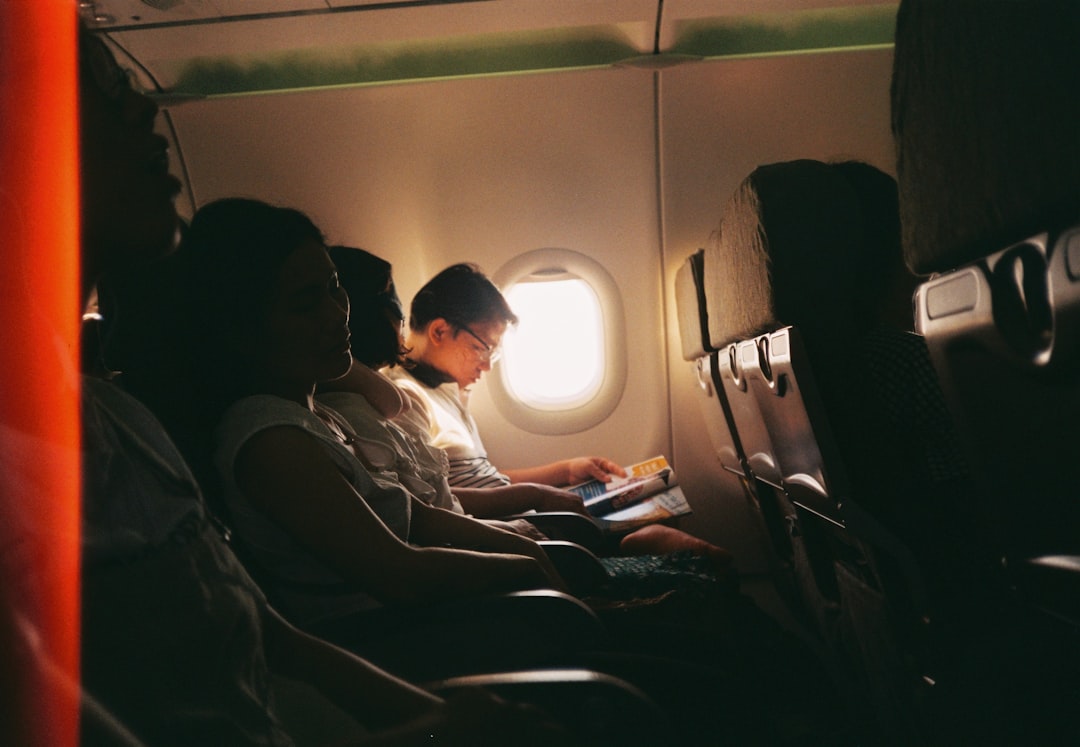
So, you’re settling into your seat, the cabin lights dimming, and the flight attendant is reminding you to put your electronic devices away. But then the familiar question pops into your head: “Does Wi-Fi work in airplane mode?” It’s a question that has puzzled many a traveler, a little nugget of digital confusion that emerges as soon as you’re airborne. You might be tempted to flick that switch, hoping for a precious connection to the outside world, a chance to catch up on emails or stream that last episode. But before you dive into the settings menu, let’s demystify this common travel conundrum.
Understanding the Purpose of Airplane Mode
Before we can even begin to address whether Wi-Fi functions in airplane mode, you need to understand why airplane mode exists in the first place. It’s not some arbitrary digital muzzle designed to annoy you; it serves a critical safety purpose. The core idea behind airplane mode is to prevent your device from emitting radio signals that could interfere with the aircraft’s navigation and communication systems. Think of it as a digital shield, temporarily disabling all wireless communication capabilities.
The Historical Context of Airplane Mode
The concept of restricting electronic devices on aircraft isn’t new. In the early days of aviation, concerns were more about physical objects being loose in the cabin or passengers creating distractions. However, as technology advanced and portable electronic devices became ubiquitous, so too did the potential for radio frequency interference. Early concerns focused on older avionics systems, which were more susceptible to external signals. While modern aircraft are far more robust, the precautionary principle remains, and airplane mode is the standard protocol to ensure maximum safety.
Why Your Phone Is Particularly Sensitive
Your smartphone is a veritable symphony of radio transmitters. It’s constantly trying to connect to cellular networks, Wi-Fi hotspots, Bluetooth devices, and GPS satellites. Each of these functions relies on emitting and receiving radio waves. When you’re on the ground, these signals are generally harmless, but in the confined and sensitive environment of an aircraft, even small amounts of interference could, in theory, disrupt critical systems. Airplane mode is your way of telling all those transmitters, “Hold on, we’re in the sky now.”
If you’re curious about the functionality of WiFi in airplane mode, you might find it interesting to explore related topics on the subject. For instance, an insightful article discussing various aspects of airplane mode and its implications on connectivity can be found at Freaky Science. This resource delves into how different devices manage their wireless connections when airplane mode is activated, providing a comprehensive understanding of the technology involved.
Deconstructing Airplane Mode: What It Actually Does
When you activate airplane mode, you’re not just flipping a single switch. It’s a comprehensive shutdown of several communication modules within your device. The primary goal is to eliminate the radio frequency emissions that could pose a risk to the aircraft. It’s a blanket ban on transmitting and receiving radio waves, ensuring that your device becomes a silent, non-interfering passenger.
The Big Three: Cellular, Wi-Fi, and Bluetooth
The most significant components that airplane mode disables are your device’s cellular radio (for calls and mobile data), its Wi-Fi radio, and its Bluetooth radio. These are the primary culprits responsible for emitting radio signals. By shutting these down, you effectively silence your device’s wireless communication abilities. This is why you’ll find yourself unable to make calls, send texts through your cellular network, or connect to a Wi-Fi network unless you manually re-enable it.
GPS: A Special Case
Interestingly, GPS (Global Positioning System) is often handled a bit differently. While airplane mode typically disables the radio transmitters on your device, the GPS receiver itself is passive. It listens for signals from satellites but doesn’t transmit anything that could interfere with the aircraft. Therefore, in some devices, GPS might continue to function even when airplane mode is activated, allowing you to track your location on a map application, albeit without live updates from cellular data. However, this functionality can vary between devices and operating system versions.
The Direct Answer: Does Wi-Fi Work in Airplane Mode?
Now, let’s get to the heart of the matter. The most straightforward answer to “Does Wi-Fi work in airplane mode?” is: No, not by default. When you first switch on airplane mode, all wireless radios, including Wi-Fi, are deactivated. This is the intended behavior. The system is designed to prevent any potential for interference, and that includes Wi-Fi signals.
The “But”: Re-enabling Wi-Fi
However, this is where the nuance comes in. While airplane mode disables Wi-Fi, it doesn’t permanently shut it down. Most modern smartphones and tablets, after you’ve enabled airplane mode, allow you to individually re-enable specific wireless features. This means you can turn airplane mode on, and then separately go into your Wi-Fi settings and turn Wi-Fi back on.
The Crucial Caveat: Airline Policies
This is the most critical part to understand. Even if your device allows you to turn Wi-Fi back on in airplane mode, whether you can actually use it is entirely dependent on the airline’s policies and the aircraft’s capabilities. Airlines have the final say. They are responsible for ensuring the safety of their passengers, and they will dictate when and if you can use Wi-Fi, even when your device is technically in airplane mode.
Why Airlines Might Allow Wi-Fi in Airplane Mode
So, if Wi-Fi could interfere, why do airlines sometimes offer it? The primary reason is the evolution of aircraft technology. Modern aircraft are equipped with highly sophisticated avionics that are designed to be far more resistant to radio frequency interference. The systems are shielded, and the frequencies used by passenger devices are generally less likely to cause problems than they might have in the past.
Advancements in Avionics Technology
Aircraft manufacturers and airlines have invested heavily in ensuring that their planes can withstand a wide range of electronic signals. Modern avionics are built with robust shielding and employ advanced filtering techniques to differentiate between legitimate signals from onboard systems and potential interference from passenger devices. This has allowed for a reassessment of the risks associated with certain wireless technologies.
The Rise of In-Flight Wi-Fi Systems
The development of dedicated in-flight Wi-Fi systems has also played a significant role. These systems are specifically designed and certified for use on aircraft. They operate on different frequencies or utilize specialized antennas that minimize the potential for interference with critical flight systems. When you connect to the airline’s Wi-Fi network, you are connecting to a system that has been vetted and approved for use at altitude.
Passenger Demand and Competitive Advantage
Let’s not underestimate the power of passenger demand. In today’s hyper-connected world, people want to stay online, even when they’re traveling. Airlines recognize this and see in-flight Wi-Fi as a valuable amenity. Offering Wi-Fi can be a significant competitive advantage, attracting passengers who prioritize connectivity. The ability to work, communicate, or be entertained online during a flight is a major selling point for many travelers.
If you’re curious about the functionality of WiFi while in airplane mode, you might find it interesting to explore a related article that delves deeper into this topic. Many users wonder whether they can still access the internet when their device is set to airplane mode, and the answer can vary depending on the device and settings. For a comprehensive overview, check out this informative piece on the subject at Freaky Science, which provides insights into how airplane mode interacts with WiFi connectivity.
When You Can and Cannot Use Wi-Fi on a Plane
The rules surrounding Wi-Fi usage on airplanes are a blend of your device’s capabilities and the airline’s regulations. It’s a two-pronged approach to safety and service. You need to be aware of both to navigate the skies with your devices.
The Pre-Flight Briefing and Announcements
The flight attendants will always provide clear instructions regarding electronic device usage. Pay close attention during the pre-flight safety briefing and any announcements made throughout the flight. These announcements will specify when it is permissible to use Wi-Fi. Typically, this is after the aircraft has reached cruising altitude and is no longer going through critical phases of flight like takeoff and landing.
Cruising Altitude: The Golden Hour for Wi-Fi
Once the seatbelt sign is turned off and the aircraft has stabilized at its cruising altitude, this is generally when Wi-Fi becomes available. This is because the risk of interference with critical flight systems is at its lowest during this phase of flight. However, remember that even at cruising altitude, there might be specific times when Wi-Fi is temporarily unavailable, such as during turbulence or when the crew needs to make announcements.
Takeoff and Landing: Absolute No-Fly Zones for Wi-Fi
During takeoff and landing, all wireless communication devices, including those using Wi-Fi, must be turned off or in airplane mode with Wi-Fi disabled. These are the most critical phases of flight, where the aircraft’s navigation and communication systems are heavily reliant on precise operation. Any potential for interference, however small, is deemed unacceptable during these periods.
What About Wi-Fi Hotspots on the Ground?
This is a common point of confusion. If you’ve just landed, or are taxiing, and the aircraft is still connected to ground services, you might be tempted to try and connect to a Wi-Fi signal from the airport. However, the general rule still applies: you must wait for the official announcement that electronic devices may be used. Even on the ground, the aircraft might still be undergoing certain procedures or communications where extraneous signals could be an issue. Always err on the side of caution and wait for the crew’s signal.
The Bottom Line: How to Actually Get Online In-Flight
So, after all this discussion, how do you actually get online when you’re soaring through the clouds? It’s a simple, three-step process, provided the airline offers Wi-Fi and it’s permitted.
Step 1: Activate Airplane Mode
As soon as you’re instructed to do so by the flight crew, usually before the aircraft doors close, swipe down from the top of your screen (or access your settings) and tap the airplane icon to activate airplane mode. This ensures all your device’s radios are initially shut down, adhering to safety protocols.
Step 2: Re-enable Wi-Fi
Once the aircraft has reached cruising altitude and the flight attendants have announced that electronic devices may be used, you can then re-enable your Wi-Fi. Go back into your device’s settings, find the Wi-Fi option, and toggle it back on. You’ll see the Wi-Fi icon reappear in your status bar.
Step 3: Connect to the In-Flight Network
With Wi-Fi now active on your device, you’ll see a list of available networks. Look for the network name designated by the airline (it will usually be something like “AirlineName_Wi-Fi”). Select this network and follow the on-screen prompts to connect. This will likely involve a portal page where you can choose a paid plan, use a free offering if available, or log in with your frequent flyer account.
In conclusion, while airplane mode by default disables Wi-Fi, it’s not a permanent blackout. With a few simple taps, you can re-enable your Wi-Fi connection, but always, always adhere to the instructions of the flight crew and the airline’s policies. Your device’s ability to connect is secondary to the safety of the flight. So next time you’re on a plane, you’ll know exactly what to do to stay connected, responsibly.

Your Phone Can Still Know Where You Are in Airplane Mode
FAQs
1. What is airplane mode?
Airplane mode is a setting on mobile devices that disables the device’s wireless communication functions, such as cellular, Wi-Fi, and Bluetooth. It is typically used during flights to comply with airline regulations.
2. Can WiFi work in airplane mode?
No, WiFi cannot work in airplane mode. When airplane mode is activated, all wireless communication functions, including WiFi, are turned off to prevent interference with the aircraft’s navigation and communication systems.
3. Why is WiFi disabled in airplane mode?
WiFi is disabled in airplane mode to ensure that the device does not emit any wireless signals that could potentially interfere with the aircraft’s systems. This is a safety measure mandated by aviation authorities.
4. Can I use Bluetooth in airplane mode?
No, Bluetooth is also disabled in airplane mode for the same reasons as WiFi. All wireless communication functions are turned off to prevent interference with the aircraft’s systems.
5. Are there any exceptions where WiFi can be used in airplane mode?
In some cases, airlines may offer in-flight WiFi services that passengers can access by connecting to the aircraft’s WiFi network. However, this does not require the device to be taken out of airplane mode, as the in-flight WiFi operates separately from the device’s own wireless functions.