
You might think your smartphone is just a pocket-sized supercomputer, a tool for communication, entertainment, and information. But it’s also a highly sophisticated tracking device, constantly gathering and transmitting your whereabouts. Understanding how your phone tracks your location is crucial for taking control of your digital privacy and making informed decisions about your data. This article will delve into the intricate mechanisms your phone employs to pinpoint your position, and what you can do about it.
Your phone doesn’t rely on a single method to know where you are. Instead, it orchestrates a symphony of technologies, each contributing a piece to the puzzle of your geographical presence. These are the bedrock upon which all other location-based services are built.
Global Positioning System (GPS): The Satellite Sentinel
The most well-known and arguably the most accurate method of location tracking is the Global Positioning System (GPS). Developed by the United States Department of Defense, GPS is a constellation of satellites orbiting the Earth.
How GPS Works: Triangulation in the Sky
When your phone’s GPS receiver is active, it listens for signals from multiple GPS satellites. Each satellite broadcasts precise information about its location and the exact time its signal was sent. Your phone then calculates the distance to each satellite by measuring the time it takes for the signal to arrive.
Imagine you’re trying to find your location on a map. If you know you’re exactly 10 miles from Point A, you could be anywhere on a circle with a 10-mile radius around Point A. If you then learn you’re also 15 miles from Point B, your possible locations are narrowed down to the intersection of two circles. With signals from at least four satellites, your phone can perform a similar triangulation, determining your precise latitude, longitude, and even altitude.
The Accuracy of GPS: A Matter of Satellites and Signals
GPS accuracy can vary significantly. In open, unobstructed areas with a clear view of the sky, you can often achieve accuracy within a few meters. However, in urban canyons (areas with tall buildings that block satellite signals), indoors, or under dense tree cover, GPS accuracy can degrade to tens or even hundreds of meters. This is because the signals are weaker and can be reflected or refracted by obstacles, leading to errors in the time calculations.
GPS and Your Phone: Always Listening?
Your phone’s GPS chip is a power-hungry component. To conserve battery life, it’s not constantly on and actively searching for satellite signals. Instead, it’s usually activated when an app or service requests your location. However, even when you think you’ve disabled GPS, certain background processes or system services might still periodically check your location.
Wi-Fi Positioning: The Indoor Navigator
While GPS excels outdoors, it struggles indoors and in dense urban environments. This is where Wi-Fi positioning steps in, leveraging the ubiquitous presence of Wi-Fi networks.
The Wi-Fi Fingerprinting Technique
This method works by mapping the unique identifiers (SSIDs) and signal strengths of Wi-Fi access points in a given area. Databases are created and maintained, often by companies like Google and Apple, that correlate specific Wi-Fi access points with their geographical locations.
When your phone detects Wi-Fi networks around it, it sends this information (the SSIDs and signal strengths) to a location server. The server then compares this “fingerprint” against its database to estimate your location. The more Wi-Fi networks your phone can detect, and the more data that is available in the database for those networks, the more accurate the Wi-Fi positioning will be.
Advantages and Limitations of Wi-Fi Positioning
Wi-Fi positioning is particularly useful for indoor navigation, where GPS signals are weak or non-existent. It can provide a reasonable level of accuracy, often within a few meters, especially in well-mapped buildings like shopping malls or airports.
However, its accuracy is heavily dependent on the completeness and up-to-dateness of the Wi-Fi database. If a Wi-Fi access point has moved or been replaced, and the database hasn’t been updated, the positioning can become inaccurate. Furthermore, it relies on the assumption that the Wi-Fi networks you are detecting are publicly available or at least within a known vicinity. Private networks in individual homes might not contribute to broad location mapping.
How Your Phone Uses Wi-Fi for Location
Your phone continuously scans for Wi-Fi networks in its vicinity, even if you’re not actively connected to one. This scanning is a background process that contributes to location services. When an app requests your location, your phone will often use a combination of GPS and Wi-Fi data to provide the most accurate and timely result.
Cellular Tower Triangulation: The Broad Strokes
Even without GPS or Wi-Fi, your phone can still provide a general idea of your location using cellular tower triangulation. This is the oldest and least accurate method of location tracking but is still a fundamental component of your phone’s location capabilities.
The Mechanics of Cellular Triangulation
Your phone constantly communicates with nearby cellular towers to maintain a connection for calls and data. By measuring the signal strength and the time it takes for signals to travel between your phone and multiple cell towers, your phone can estimate your position.
If your phone is connected to three towers, similar to GPS triangulation, it can create a general area where you are located. The accuracy is significantly lower than GPS or Wi-Fi, often ranging from hundreds of meters to several kilometers, depending on the density of cell towers in the area. In rural areas with fewer towers, the estimated location can be very broad.
When Cellular Triangulation Becomes Crucial
Cellular triangulation is the fallback mechanism. If GPS is unavailable (e.g., indoors, deep underground) and Wi-Fi signals are scarce, your phone will rely on cell tower data. This is why even when you disable GPS and Wi-Fi, your phone can still report a general location. It’s also the method used by emergency services to locate you when you call 911 (or your local equivalent), even if your phone’s other location services are turned off.
The Role of Your Carrier
Your mobile carrier has access to the data from these cellular towers. They can track your general location based on which towers your phone is communicating with. This information is primarily used for network management but can also be accessed by law enforcement with a warrant.
Have you ever wondered how your phone knows your exact location? The technology behind location tracking is fascinating and involves a combination of GPS, Wi-Fi signals, and cellular data. For a deeper understanding of this topic, you can check out a related article that explores the science behind how our devices pinpoint our whereabouts. To learn more, visit Freaky Science.
The Invisible Hand: Assisted Technologies and Sensors
Beyond the primary location-determining technologies, your phone is equipped with a suite of sensors and utilizes assisted technologies that refine and augment its location awareness. These often work in conjunction with GPS, Wi-Fi, and cellular data to provide a more robust and contextually relevant location.
Assisted GPS (A-GPS): The Speed Booster
Assisted GPS (A-GPS) is a system that enhances the speed and accuracy of GPS acquisition by using network-based assistance. It’s a critical component for modern smartphone GPS performance.
How A-GPS Accelerates Location Fixes
Traditional GPS receivers have to download almanac and ephemeris data (information about the satellites’ orbits and status) directly from the satellites. This can take several minutes, especially on a cold start (when the receiver has no prior information). A-GPS systems download this assistance data wirelessly over cellular or Wi-Fi networks.
This downloaded data provides your phone’s GPS receiver with information about which satellites are likely to be overhead and their current orbital positions. This dramatically speeds up the process of acquiring satellite signals and calculating a fix, often reducing the time to a location lock from minutes to seconds.
The Data Exchange in A-GPS
When your phone uses A-GPS, it communicates with a server that provides the assistance data. This server has access to real-time information about the GPS satellite constellation. Your phone sends its approximate location (obtained from cell tower data or Wi-Fi) to the server, which then provides the most relevant satellite data for your area.
A-GPS and Your Privacy: A Hidden Connection
While A-GPS significantly improves your GPS experience, it also involves data exchange with external servers. This means that your approximate location is being shared with a third party to facilitate the A-GPS function. While this data is typically anonymized or aggregated, it’s an aspect of location tracking that operates in the background.
Sensor Fusion: The Integrated Intelligence
Your smartphone is packed with an array of sensors that go beyond just location. These sensors, when used together, create a more comprehensive understanding of your movement and surroundings, often feeding into location services.
Accelerometers and Gyroscopes: Understanding Your Motion
Accelerometers measure acceleration, meaning changes in velocity. They can detect when you’re moving, how fast you’re moving, and in what direction. Gyroscopes measure rotational velocity, helping to determine your orientation and how you’re turning.
When combined, accelerometers and gyroscopes can track your movement even when GPS signals are lost, such as when you walk through a tunnel. This is known as dead reckoning. Your phone can estimate your position based on your last known location and your movement data. This is particularly useful for improving the accuracy of step counting and indoor navigation.
Barometers: Gauging Altitude Changes
A barometer measures atmospheric pressure, which can be used to estimate your altitude. This is crucial for differentiating between floors in a building or for accurately mapping elevation changes during a hike.
Magnetometers: Compass and Orientation
A magnetometer acts as a digital compass, detecting the Earth’s magnetic field. This allows your phone to determine its orientation relative to magnetic north, which is essential for providing accurate directional information in maps and navigation apps.
How Sensors Contribute to Location Accuracy
By integrating data from these sensors with GPS, Wi-Fi, and cellular data, your phone can create a more fluid and accurate location track. For example, if you’re in a car and the GPS signal briefly drops, the accelerometer and gyroscope can maintain an estimate of your movement, and once the GPS signal returns, the system can seamlessly rejoin the satellite data.
The Application Layer: Where Location Becomes Useful (and Observable)

The raw location data gathered by your phone is useless without applications and services that interpret and utilize it. This is where you directly experience location tracking, often through features designed to enhance your experience, but also through data collection that fuels various business models.
Location Services: The Central Hub
Location Services is a system-level feature on your smartphone that manages and grants access to location data for various apps and services. It acts as a gatekeeper, allowing you to control which apps can access your location and with what level of precision.
Understanding Permissions: Your First Line of Defense
When an app requests access to your location, your phone presents you with a permission prompt. This is your primary opportunity to decide how your location data will be used. You’ll typically see options like:
- Never: The app will never be able to access your location.
- Ask Next Time Or When I Share: The app will ask for permission each time it needs your location, or when you specifically share it.
- While Using the App: The app can access your location only when it is actively open and in use on your screen.
- Always: The app can access your location at any time, even when it’s running in the background.
This “Always” permission is often the most concerning for privacy advocates, as it allows for continuous tracking of your movements.
Fine-Grained vs. Coarse-Grained Location
Location Services also allows you to specify the precision of the location data shared. You can often choose between:
- Precise Location: Provides the most accurate location data, essential for navigation and ride-sharing apps.
- Approximate Location: Shares a less precise location, which is sufficient for weather apps or games that don’t require exact pinpointing.
Choosing approximate location whenever possible is a good privacy practice.
The System’s Own Location Needs
Beyond third-party apps, your phone’s operating system itself uses location data for various functions, such as:
- Find My Device: Locating your lost or stolen phone.
- Location History: For services like Google Maps, which can track your past movements to offer personalized recommendations and traffic information.
- Emergency Services: Ensuring your location is known in case of an emergency.
Geofencing: Virtual Boundaries and Automated Actions
Geofencing is a technology that creates virtual geographic boundaries. When your phone enters or exits these predefined areas, it can trigger specific actions.
How Geofences Are Implemented
Geofences are typically set up using GPS, Wi-Fi, or cellular data. For example, a geofence can be set around your home, your workplace, or a store. When your phone’s location falls within or outside this boundary, an alert or action is triggered.
Practical Applications of Geofencing
Geofencing has numerous practical applications:
- Smart Home Automation: Turning on lights when you arrive home, or adjusting the thermostat when you leave.
- Location-Based Reminders: Notifying you to pick up groceries when you’re near the supermarket.
- Security and Monitoring: Alerting you if a car leaves a designated area.
- Marketing and Advertising: Sending promotional offers to users when they are near a particular store. This is where privacy concerns can arise, as it involves proactive tracking and targeted messaging.
The Data Trail of Geofencing
When geofencing is active, your phone is continuously monitoring your proximity to these virtual boundaries. This creates a record of when you entered and exited these specific locations, which can be logged by the app or service implementing the geofence.
Location History: A Digital Footprint
Many popular services, most notably Google Maps, maintain a “Location History” that meticulously records your past movements. This feature, while offering personalized experiences, is a powerful testament to the extent of location tracking.
What Location History Records
Location History can store:
- Places You’ve Been: A timeline of your visits to various locations.
- Routes You’ve Taken: The paths you’ve traveled between places.
- Travel Times: How long you spent at each location and how long it took to get there.
- Modes of Transportation: In some cases, it can infer whether you were walking, cycling, driving, or using public transport.
The Value and Risks of Location History
The value of Location History lies in its ability to provide personalized map recommendations, traffic predictions, and insights into your daily routines. However, it also represents a significant trove of personal data. This data can reveal sensitive information about your habits, associations, and daily life.
Managing and Deleting Your Location History
Fortunately, you have control over your Location History. You can typically:
- Pause Location History: Stop the recording of your movements.
- Review Your History: See a timeline of your past locations.
- Delete Specific Entries: Remove unwanted records.
- Delete Your Entire History: Erase all stored location data.
Regularly reviewing and managing your Location History is an important step in safeguarding your privacy.
The Underlying Infrastructure: Networks and Data Providers
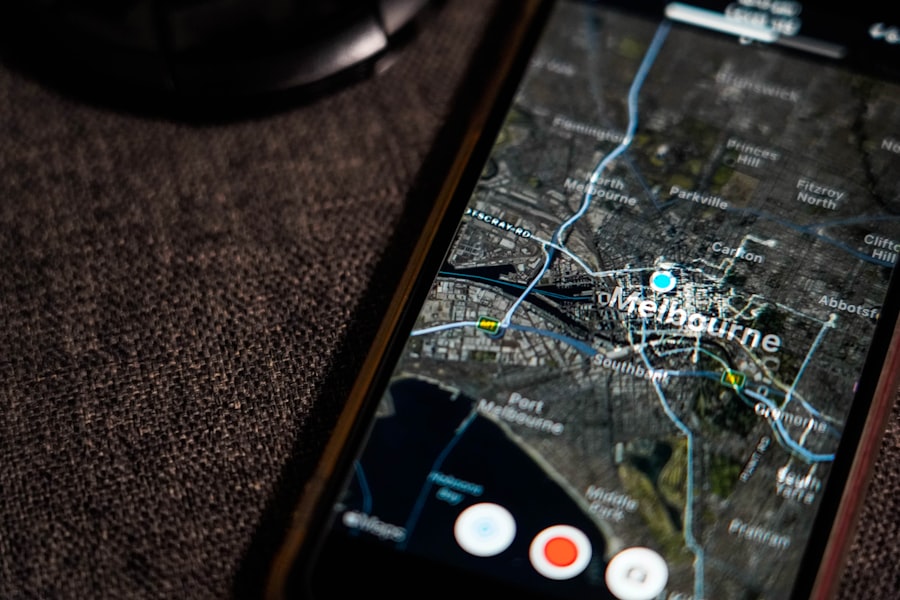
Your phone doesn’t operate in a vacuum. The vast networks of cellular towers, Wi-Fi access points, and sophisticated data providers form the invisible infrastructure that makes location tracking possible.
Cellular Networks: The Backbone of Mobility
Your mobile carrier’s cellular network is fundamental to your phone’s ability to connect and be located.
How Towers Pinpoint Your General Area
As discussed earlier, your phone communicates with cell towers to maintain a connection. By analyzing which towers your phone is communicating with and the strength of those signals, your carrier can determine your approximate location. This is especially crucial in areas where GPS and Wi-Fi are unavailable.
Data Aggregation by Carriers
Cellular carriers aggregate vast amounts of data about their users’ movements. While this data is primarily for network management and billing, it can be accessed by law enforcement under certain legal conditions.
The Role of Mobile Network Operators (MNOs)
MNOs are the companies that own and operate the cellular networks (e.g., Verizon, AT&T, T-Mobile). They have a foundational role in facilitating location tracking through their infrastructure.
Wi-Fi Databases: Mapping the Invisible
The accuracy of Wi-Fi positioning relies on extensive databases that map Wi-Fi access points to their geographical locations.
Who Collects and Maintains These Databases?
Companies like Google and Apple are major players in building and maintaining these Wi-Fi databases. They collect this information through various means, including:
- Crowdsourcing: When your phone’s location services are enabled, it can anonymously report the Wi-Fi networks it detects and its estimated location.
- Street View Cars and Other Survey Vehicles: Vehicles equipped with GPS and Wi-Fi scanners can systematically map Wi-Fi access points.
The Importance of Network Scanning
Your phone’s continuous scanning of Wi-Fi networks, even when not connected, is what contributes to the richness and accuracy of these databases. This is a background process that helps improve location services for everyone.
Privacy Implications of Wi-Fi Databases
While these databases are crucial for functionality, they also represent a significant collection of data about Wi-Fi network locations, which can indirectly reveal information about homes and businesses.
Third-Party Location Data Providers: The Data Brokers
Beyond the direct methods, a shadowy industry of third-party location data providers exists. These companies aggregate, analyze, and sell location data to advertisers, marketers, and other businesses.
How They Acquire Data
These providers often obtain data through:
- Apps with Broad Permissions: Many apps, especially free ones, collect location data and sell it to these brokers.
- Data Brokers who Purchase Data: Some companies specialize in buying data from various sources and then repackaging it.
- Publicly Available Records (less common for granular tracking): While less about real-time tracking, some demographic or property data can be linked to locations.
The Business of Location Data
The business model of these data providers is to monetize your movements. They create profiles of individuals and households based on their location patterns, which are then sold for targeted advertising, market research, and even risk assessment.
Your Data in the Wild
Once your location data enters the ecosystem of third-party providers, it can be difficult to track or control where it ends up. This is why understanding app permissions and being selective about the apps you install is paramount.
Have you ever wondered how your phone knows where you are at all times? This technology relies on a combination of GPS, Wi-Fi signals, and cell tower triangulation to pinpoint your location accurately. For a deeper understanding of this fascinating topic, you can check out a related article that explores the intricacies of location tracking and its implications for privacy. To learn more, visit this article for insights into how your device keeps you connected to the world around you.
Protecting Your Location Privacy: Taking Back Control
| Data/Metric | Description |
|---|---|
| GPS | Global Positioning System uses satellites to determine the device’s location. |
| Cell Tower Triangulation | Uses the signal strength from nearby cell towers to estimate the device’s location. |
| Wi-Fi Positioning | Utilizes nearby Wi-Fi networks to determine the device’s location based on signal strength and known locations of Wi-Fi access points. |
| Bluetooth Beacons | Uses Bluetooth signals from nearby beacons to estimate the device’s location. |
| Magnetometer | Measures the Earth’s magnetic field to determine the device’s orientation and movement, which can be used to infer location. |
The thought of your phone constantly tracking you can be unsettling. Fortunately, you have significant control over how your location data is collected and used. Implementing a few key strategies can help you reclaim your digital privacy.
Managing App Permissions: Your Primary Control Point
This is the most critical step you can take. Regularly review the location permissions granted to your apps.
Regular Audits of Your Permissions
Make it a habit to go through your phone’s privacy settings at least once a month. Look for apps that have “Always” access to your location and consider if that level of access is truly necessary for the app’s functionality.
The Principle of Least Privilege
Apply the principle of least privilege: grant apps only the location access they absolutely need to function. If an app only needs your location while you’re actively using it, choose “While Using the App.” If it doesn’t need your location at all, select “Never.”
Disabling Location Services for Non-Essential Apps
If an app doesn’t have a clear and compelling reason to know your location, revoke its permission entirely. Many apps will still function without this access, or with only approximate location data.
Adjusting System-Level Location Settings
Beyond individual app permissions, your phone’s operating system offers broader control over location services.
Turning Off Location Services Entirely (with caveats)
You can disable Location Services altogether for your entire phone. This will prevent any app or system service from accessing your location data through GPS, Wi-Fi, or cellular. However, be aware that this will significantly impact the functionality of many apps, including navigation, ride-sharing, and weather. Emergency services may also have a harder time locating you.
Precise vs. Approximate Location Settings
As mentioned earlier, your phone typically offers options for precise or approximate location. Whenever possible, opt for approximate location for apps that don’t require pinpoint accuracy. This provides a layer of privacy without completely sacrificing functionality.
Location History Management
Take advantage of the tools provided by services like Google Maps to manage and delete your Location History. Regularly reviewing and clearing this data can significantly reduce the digital footprint of your movements.
Understanding and Mitigating Background Activity
Many apps continue to track your location even when they are not actively open on your screen.
Identifying and Limiting Background App Refresh
On both iOS and Android, you can control which apps are allowed to refresh their content in the background. Some of these background refreshes can include location checks. Review these settings and disable them for apps that don’t require constant background updates.
The “Always” Permission Revisited
The “Always” permission is the primary enabler of background location tracking. If you’ve granted this permission, be acutely aware of it. Consider if the benefits truly outweigh the privacy implications.
Using Privacy-Focused Apps
Explore and consider using privacy-focused alternatives for apps that you use frequently. Some apps are designed with privacy as their core principle and may offer more transparency and control over location data.
Network Privacy: Beyond Your Phone
While your phone is the primary device, your network environment also plays a role.
Wi-Fi Security
When using public Wi-Fi networks, be aware that your location can be inferred by the network provider and potentially others. Use a Virtual Private Network (VPN) to encrypt your internet traffic and mask your IP address, which can indirectly help obscure your location.
Bluetooth and Other Wireless Technologies
Be mindful of other wireless technologies like Bluetooth. While not directly a location tracking mechanism in the same way as GPS, proximity to Bluetooth beacons can be used to infer location in certain environments. Ensure Bluetooth is turned off when not in use.
By understanding the multifaceted ways your phone tracks your location and by actively implementing these privacy-enhancing strategies, you can move from being a passive subject of tracking to an informed and empowered controller of your personal data. The journey to digital privacy is ongoing, but by taking these steps, you are well on your way to a more secure and private mobile experience.

Your Phone Can Still Know Where You Are in Airplane Mode
FAQs
1. How does my phone know where I am?
Your phone uses a combination of GPS, Wi-Fi, and cellular network signals to determine your location. GPS provides the most accurate location data, while Wi-Fi and cellular signals help to refine the location when GPS is not available.
2. What is GPS and how does it work on my phone?
GPS, or Global Positioning System, is a network of satellites that orbit the Earth and transmit signals to GPS receivers, such as the one in your phone. Your phone uses these signals to calculate its precise location, typically within a few meters.
3. How does Wi-Fi help my phone determine its location?
When Wi-Fi is enabled on your phone, it can detect nearby Wi-Fi networks and use their unique identifiers to determine your location. This is especially useful in urban areas where GPS signals may be obstructed by tall buildings.
4. Can my phone track my location without my consent?
In most cases, your phone will only track your location when location services are enabled and when you have given specific apps permission to access your location. However, it’s important to review your privacy settings and be aware of which apps are accessing your location data.
5. How accurate is the location data provided by my phone?
The accuracy of your phone’s location data can vary depending on the availability of GPS signals, the strength of nearby Wi-Fi networks, and the density of cellular towers. In ideal conditions, GPS can provide location accuracy within a few meters, while Wi-Fi and cellular signals can refine the location to within tens of meters.