
You’ve probably heard it a thousand times: “Please turn on airplane mode.” It’s an instruction you’ve dutifully followed, perhaps without much thought, as you settle into your seat for a flight. But what happens to your phone’s ability to pinpoint your location when that little airplane icon appears? Does it go dark, lost in the digital ether? The truth is, airplane mode doesn’t inherently disable your GPS receiver. Instead, it’s a nuanced topic that involves understanding how your device functions and what it actually turns off. This article will delve into the fascinating world of GPS and airplane mode, demystifying how you can still find your way, even when you’re miles above the clouds.
The Inner Workings of Your Device’s Location Services
Before we explore GPS specifically, it’s crucial to understand the broader ecosystem of how your device determines your location. It’s not a singular, monolithic system. Instead, it’s a sophisticated interplay of several technologies, each contributing to a more accurate and comprehensive picture of where you are. Think of it as a team of experts, each with their own specialized skills, working together to achieve a common goal.
Understanding the Pillars of Location
Your smartphone, that ever-present companion, employs a trifecta of technologies to track your position:
- Global Positioning System (GPS): This is the star of the show for many, the system that famously uses satellites to determine your precise coordinates. We’ll unpack this in greater detail shortly.
- Wi-Fi Positioning System (WPS): This technology leverages the vast network of Wi-Fi hotspots around the globe. Your device scans for nearby Wi-Fi networks, and by comparing the signal strengths and identifiers of these networks to a database of known Wi-Fi locations, it can estimate your position. This is particularly effective in urban environments where Wi-Fi signals are abundant.
- Cellular Triangulation: Similar to Wi-Fi positioning, this method uses the cellular towers your phone connects to. By measuring the signal strength and timing from at least three different cell towers, your device can calculate your approximate location. This is a less precise method than GPS or WPS, but it’s a valuable fallback when other signals are weak or unavailable.
The Synergistic Dance of Location Technologies
Modern smartphones are remarkably intelligent in how they combine these different methods. They don’t rely on just one. Instead, they employ a concept known as “sensor fusion.” This means your device takes the data from GPS, Wi-Fi, and cellular signals, along with other sensors like your accelerometer and gyroscope, and uses algorithms to create a more accurate and reliable location estimate. For example, if your GPS signal is temporarily blocked by a tall building, your device can seamlessly switch to relying more heavily on Wi-Fi or cellular data to maintain your positional awareness. This fusion is what allows for the smooth and continuous tracking you experience in navigation apps, even in challenging environments.
The Role of Assisted GPS (A-GPS)
To further enhance the speed and accuracy of GPS fixes, your device likely utilizes Assisted GPS (A-GPS). This technology supplements the standard GPS system by using cellular or Wi-Fi data to download crucial satellite information, such as almanac and ephemeris data. This data, which essentially tells your device where the satellites are and when they’ll be overhead, is vital for a quick GPS lock. Without A-GPS, acquiring a GPS signal could take several minutes, especially if you haven’t used GPS recently. With A-GPS, that process can be reduced to mere seconds, making your navigation experience much more responsive.
When considering the functionality of GPS location services while in airplane mode, it’s interesting to explore how modern technology allows for location tracking without an active cellular connection. For a deeper understanding of this topic, you can read a related article that discusses the intricacies of GPS technology and its applications. Check it out here: Freaky Science.
Understanding Airplane Mode: What It Actually Does
Now, let’s bring airplane mode into the picture. The primary purpose of airplane mode is to disable the radio transmitters within your device that could interfere with aircraft navigation systems. This includes cellular radios, Wi-Fi radios, and Bluetooth radios. The reasoning behind this is a safety precaution, designed to prevent any potential interference, however unlikely. However, it’s crucial to understand that disabling these radios doesn’t automatically mean disabling all your device’s capabilities.
The Core Functions of Airplane Mode Explained
When you toggle airplane mode on, you’re essentially engaging a master switch for wireless communication:
- Cellular Radio Deactivation: This is the most significant impact. Your phone will disconnect from the cellular network, meaning you won’t be able to make or receive calls, send or receive text messages, or use mobile data. This is why you lose service entirely when airplane mode is on.
- Wi-Fi Radio Deactivation: Similarly, your Wi-Fi connection will be turned off. You won’t be able to connect to any Wi-Fi networks, and therefore, you won’t have internet access through Wi-Fi.
- Bluetooth Radio Deactivation: Your Bluetooth connection will also be severed. This means any Bluetooth devices you’ve paired, such as headphones or smartwatches, will disconnect.
What Remains Active (and Why It Matters for GPS)
Here’s the crucial point for our discussion: **airplane mode generally does not disable your device’s GPS receiver.** This is because the GPS receiver is a passive listening device. It doesn’t transmit any radio signals that could interfere with aircraft systems. It simply listens for signals from GPS satellites orbiting the Earth. Think of it like a radio receiver – it can pick up signals without sending any out.
Furthermore, the GPS receiver itself does not require an internet connection to function. It operates independently, relying solely on the signals from the GPS constellation. This independence is key to its functionality even when other communication methods are shut down.
The Nuance: Wi-Fi and Cellular Data’s Role in GPS Enhancement
While the GPS receiver itself functions independently, the speed and accuracy of your GPS fix can be affected by airplane mode because of the disabling of A-GPS components that rely on Wi-Fi and cellular data. As we discussed earlier, A-GPS uses these connections to download satellite data quickly. Without them, your device will have to rely on its internal GPS receiver alone to acquire the necessary satellite information, which can take longer. This means your initial GPS lock might be slower when in airplane mode. However, once a fix is obtained, the GPS receiver will continue to track your location using satellite signals.
GPS Without a Network: The Satellite Connection
The magic of GPS lies in its independent global infrastructure. It’s a network that operates entirely separate from cellular or Wi-Fi networks. This independence is precisely why your GPS receiver can still function in airplane mode.
The Global Positioning System: A Brief Overview
At its core, GPS is a satellite-based navigation system composed of three main segments:
- Space Segment: This consists of a constellation of at least 24 operational satellites orbiting the Earth. These satellites transmit precise timing signals and their orbital data.
- Control Segment: This ground-based segment monitors and controls the satellites, ensuring their orbits and onboard clocks are accurate.
- User Segment: This is where your device comes in. Your GPS receiver listens for signals from these satellites.
How Satellites Guide You
Your GPS receiver works by calculating its distance from at least four different satellites. By measuring the time it takes for a signal to travel from a satellite to your receiver, and knowing the precise location of that satellite at the time the signal was sent, your device can determine its position. This process is known as trilateration. The more satellites your device can “see” and receive signals from, the more accurate your position will be.
The Power of Standalone GPS
The beauty of GPS is its standalone nature. It doesn’t require any ground-based infrastructure or internet connection to work. This means that as long as your device’s GPS receiver is powered on and has a clear view of the sky, it can pick up satellite signals and determine your location. This is why GPS is so vital for activities like hiking in remote areas, sailing, or even in emergency situations where other communication networks might be down.
Navigating in Airplane Mode: Practical Scenarios and Considerations
So, how does this knowledge translate into practical applications when you’re in airplane mode? You might be surprised by the ways you can still leverage your device’s location capabilities.
Offline Maps: Your Digital Navigator Companion
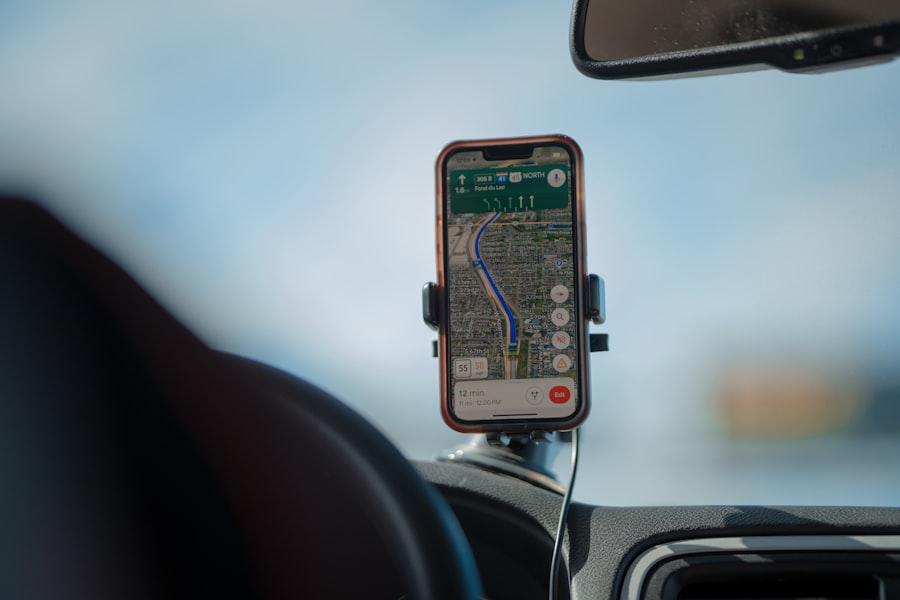
The most common and effective way to use GPS in airplane mode is by utilizing offline maps. Many navigation apps allow you to download map data for specific regions beforehand.
- Downloading Maps: Before you even board your flight, take the time to download the maps for your destination or any areas you plan to navigate. Most popular mapping applications, such as Google Maps, Maps.me, and OsmAnd, offer this functionality. You can usually select an area on the map and choose to download it for offline use.
- How Offline Maps Work: Once downloaded, these maps are stored locally on your device. When you’re in airplane mode, your GPS receiver can still determine your position, and the offline map data allows the app to display your location on the downloaded map. This means you can still see where you are, plan routes, and get turn-by-turn directions, even without an internet connection.
- Limitations of Offline Maps: While incredibly useful, offline maps do have limitations. They won’t have real-time traffic updates, information about temporary road closures, or live points of interest that rely on internet connectivity. However, for basic navigation and finding your way, they are more than sufficient.
Location Services for Non-Connected Apps
Beyond dedicated navigation apps, many other applications use your device’s location services, and some of these can function in airplane mode with pre-downloaded data.
- Fitness Trackers and Activity Logs: Apps that track your runs, walks, or bike rides often rely on GPS to record your route and distance. These can continue to function in airplane mode, logging your activity based on the satellite signals.
- Geotagging Photos (with a caveat): While you won’t be able to upload photos with geotags to social media in airplane mode, your camera app may still be able to record the GPS coordinates of where the photo was taken if the GPS receiver is active. This metadata can be useful later when you sync your photos and have an internet connection.
- Journaling and Note-Taking Apps: Some journaling or note-taking applications allow you to attach your location to entries. If you’ve pre-downloaded map data or your device has a strong GPS signal, these location tags can still be captured.
Emergency Situations: A Lifeline in Disguise
In unexpected and critical situations, your device’s ability to maintain a GPS signal in airplane mode can be a genuine lifeline.
- Finding Your Way Out: If you find yourself lost in an unfamiliar area without cell service, your GPS can still provide your coordinates. This information can be relayed to emergency services if you eventually find a way to communicate, or it can help you navigate back to a known location.
- Survival Scenarios: In extreme survival situations, having a functioning GPS on your device, even in airplane mode, can be crucial for self-rescue. Knowing your exact location can help you conserve energy and make informed decisions about your movements.
When using your smartphone in airplane mode, you might wonder about the functionality of GPS location services. Interestingly, a related article discusses how GPS can still operate effectively even when your device is not connected to cellular networks. For more insights on this topic, you can read the article here: GPS location in airplane mode. This feature allows users to navigate and track their location without the need for an internet connection, making it a valuable tool for travelers.
Re-enabling Connectivity: The Best of Both Worlds
The beauty of modern smartphones is their flexibility. While airplane mode is essential for flights, it’s not a permanent state of disconnection. Once you’ve landed and are cleared to use your device’s wireless functions, you can easily switch them back on.
The Simple Switch Back
Turning off airplane mode is as straightforward as turning it on. A quick tap on the airplane icon in your device’s quick settings or settings menu will reactivate your cellular, Wi-Fi, and Bluetooth radios.
Restoring Full Functionality and Enhanced GPS
Once airplane mode is off, your device will immediately attempt to reconnect to cellular networks, Wi-Fi hotspots, and Bluetooth devices. This reconnection has a direct impact on your GPS experience.
- Faster GPS Locks: With Wi-Fi and cellular data re-enabled, your device can once again leverage A-GPS. This means your GPS receiver will acquire a satellite lock much faster than it might have while in airplane mode.
- Real-time Updates and Information: You’ll regain access to all the features that rely on internet connectivity, including real-time traffic information, live navigation updates, and access to online databases for points of interest.
- Seamless Transition: The transition from airplane mode to full connectivity is typically seamless, with your device automatically re-establishing all its wireless connections.
Enjoying the Benefits of Both Worlds
By understanding how GPS and airplane mode interact, you can make the most of your device’s capabilities. You can enjoy the peace of mind of safe air travel by adhering to flight regulations while still having the ability to navigate and access essential location-based information when needed, especially with pre-downloaded resources. It’s about being informed and prepared, ensuring your technology serves you effectively, no matter your circumstances. The ability to find your way, even when disconnected, is a testament to the ingenuity of modern technology.

Your Phone Can Still Know Where You Are in Airplane Mode
FAQs
1. What is GPS location in airplane mode?
GPS location in airplane mode refers to the ability of a device to still receive and use GPS signals for location tracking and navigation, even when the device is in airplane mode.
2. How does GPS location work in airplane mode?
When a device is in airplane mode, it disables wireless communication functions such as cellular, Wi-Fi, and Bluetooth, but it does not necessarily disable the GPS receiver. The GPS receiver can still receive signals from satellites and determine the device’s location.
3. Can I use GPS location in airplane mode on my smartphone?
Yes, most smartphones allow users to access GPS location services even when the device is in airplane mode. This can be useful for navigation and location tracking without the need for other wireless communication functions.
4. Are there any limitations to using GPS location in airplane mode?
While GPS location can still work in airplane mode, it may not be as accurate or reliable as when the device is not in airplane mode. Additionally, some devices may restrict access to GPS location services when in airplane mode, so it’s important to check the specific capabilities of your device.
5. Is it legal to use GPS location in airplane mode during a flight?
Using GPS location in airplane mode is generally allowed and does not interfere with the aircraft’s communication systems. However, it’s important to follow airline regulations and guidelines regarding the use of electronic devices during a flight.