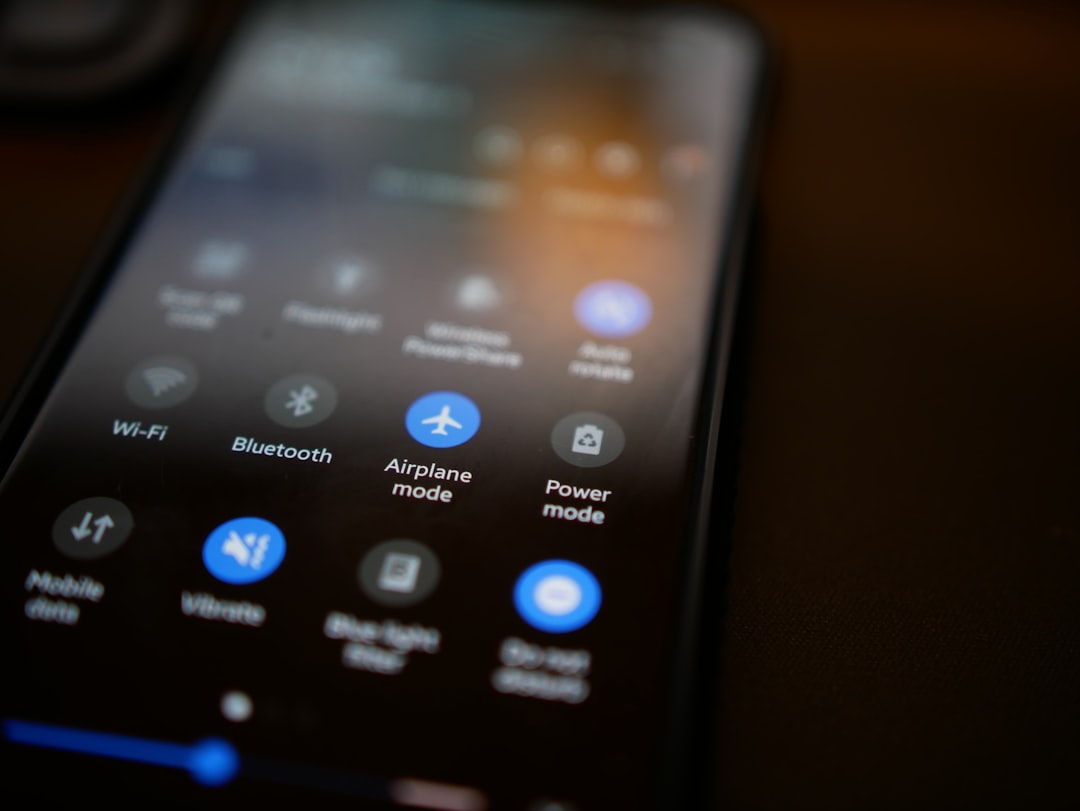
You’ve probably seen it a thousand times: that little airplane icon blinking on your phone screen, or the notification reminding you to enable airplane mode before takeoff. You tap it, the icon solidifies, and a wave of digital silence washes over your device. But what exactly happens when you enter airplane mode? It’s not as simple as just flipping a switch that disconnects you from the world. In fact, your phone remains remarkably connected, just in a fundamentally different way. This isn’t about cutting off your device; it’s about intelligently managing its connections to ensure both your safety and the integrity of air travel.
Your smartphone is a marvel of engineering, a sophisticated device that constantly communicates with a vast network of invisible signals. Airplane mode is essentially a way of telling your phone to pause certain types of these communications, specifically those that could interfere with the sensitive electronics of an aircraft.
Cellular Signals: The Backbone of Your Mobile Life
The most prominent connection your phone maintains is through cellular networks. When you’re not in airplane mode, your phone is constantly searching for and connecting to cell towers, allowing you to make calls, send texts, and access the internet. This communication relies on radio waves transmitted and received by your device.
How Cellular Communication Works
Think of cellular towers as the nodes in a vast, interconnected grid. When you make a call, your phone converts your voice into digital data and transmits it via radio waves to the nearest cell tower. This tower then routes your call through the network to its destination. The same principle applies to data: your phone sends and receives data packets through these towers, enabling everything from browsing social media to streaming videos. The frequency bands used for cellular communication are carefully regulated to minimize interference, but in the enclosed environment of an airplane, even minor emissions can become problematic.
The Role of Radio Frequencies
Cellular networks operate on specific radio frequency bands, typically in the range of hundreds of megahertz to a few gigahertz. Your phone has an antenna designed to transmit and receive signals within these bands. The strength of these signals is crucial for maintaining a connection. When you’re on the ground, your phone can adjust its transmission power to connect with the closest and strongest tower. This dynamic adjustment is a key part of how your phone maintains a persistent connection.
Wi-Fi Signals: Your Gateway to Wireless Internet
Beyond cellular, your phone also relies on Wi-Fi for internet access. Wi-Fi uses radio waves to create a local area network, connecting your device to a router. This is the technology you use at home, at cafes, and often in hotels.
Understanding Wi-Fi Frequencies
Wi-Fi typically operates on two main frequency bands: 2.4 GHz and 5 GHz. These bands are shared with many other devices, including microwaves, Bluetooth devices, and even some wireless phones. While generally robust, the continuous transmission of Wi-Fi signals can, in theory, create interference in sensitive aviation electronics.
The Difference Between Cellular and Wi-Fi Connections
While both cellular and Wi-Fi use radio waves, their range and purpose are different. Cellular networks are designed for wide-area coverage, allowing you to stay connected as you move across cities and countries. Wi-Fi, on the other hand, is designed for shorter-range, high-speed data transfer within a localized area. In the context of an airplane, Wi-Fi is often provided by the airline itself, offering a curated internet experience rather than direct access to public networks.
Bluetooth Signals: The Personal Area Network
Bluetooth is another short-range wireless technology that your phone utilizes for connecting to devices like headphones, speakers, and smartwatches. It operates on the 2.4 GHz band, the same as some Wi-Fi networks.
How Bluetooth Enables Device Connectivity
Bluetooth uses a technique called frequency hopping to mitigate interference. It rapidly switches between different frequencies within its allocated band, making it less likely to cause persistent interference with other devices. However, even this sophisticated system has a limit to its potential impact, especially when considering the cumulative effect of numerous devices in a confined space.
The Low Power Consumption of Bluetooth
A key characteristic of Bluetooth is its low power consumption, which is why it’s ideal for connecting to battery-powered accessories. This low power emission is generally considered less of a concern for aviation interference compared to cellular or Wi-Fi, but it’s still part of the digital ecosystem that airplane mode addresses.
When exploring the functionality of phones in airplane mode, it’s interesting to consider how this feature disables wireless communication while still allowing access to certain applications and settings. For a deeper understanding of the science behind this technology, you can check out a related article that delves into the mechanics of mobile devices and their various modes. To learn more, visit Freaky Science.
What Happens When You Engage Airplane Mode?
When you tap that airplane icon, it’s not a single switch being flipped. Instead, it’s a coordinated shutdown of specific radio transmitters within your phone.
The Immediate Disconnection of Cellular Transmitters
The primary action of airplane mode is to disable your phone’s cellular radio. This means your phone can no longer communicate with cell towers. You won’t be able to make or receive calls, send or receive text messages, or use mobile data.
Why Cellular is the Primary Target
Cellular transmissions, especially when your phone is trying to find a signal or boost its connection, can emit relatively strong radio waves. In the past, there were concerns that these transmissions could interfere with aircraft navigation and communication systems. While modern aircraft have sophisticated shielding, the precautionary principle remains paramount in aviation.
The Power Adjustment Mechanism
Your phone’s cellular modem is designed to be adaptive. When it has a strong signal, it uses less power. When the signal is weak, it increases its transmission power to try and reach a farther tower. This dynamic power adjustment is a crucial aspect of cellular communication, but it’s also the reason why it’s a primary target for airplane mode. Imagine hundreds of phones all trying to boost their signal in a confined metallic tube – the potential for interference, however small, is something aviation authorities err on the side of caution to avoid.
Selective Disabling of Wi-Fi and Bluetooth
While cellular is the most immediate casualty, airplane mode also typically disables your Wi-Fi and Bluetooth radios by default. This is a general precautionary measure.
The Default Setting and Its Rationale
The default setting for airplane mode is to turn off all wireless radios. This is the simplest and safest approach. It ensures that no unintended emissions can occur. However, this has evolved with technology.
The Evolution of Airplane Mode: The Rise of “Wi-Fi Calling” and Onboard Connectivity
You might have noticed that modern phones offer a way to re-enable Wi-Fi and Bluetooth after you’ve activated airplane mode. This is a significant shift and reflects advancements in both phone technology and aviation.
Wi-Fi Calling: Staying Connected Through the Air
Many smartphones now support “Wi-Fi Calling.” This feature allows you to make and receive calls and texts over a Wi-Fi network, rather than a cellular network. When you’re on a plane with onboard Wi-Fi, you can enable airplane mode, then individually turn on your Wi-Fi. This allows you to use Wi-Fi Calling to stay in touch with loved ones, provided the airline permits it and you have a stable Wi-Fi connection. Your phone is still wirelessly connected, but it’s using a different set of radio waves and protocols.
Onboard Wi-Fi Networks: A Controlled Environment
Airlines themselves have invested heavily in providing in-flight Wi-Fi. These onboard Wi-Fi systems are designed with aviation safety in mind. They operate on specific frequencies and have been tested to ensure they do not interfere with the aircraft’s critical systems. By allowing you to re-enable Wi-Fi after engaging airplane mode, airlines are essentially saying, “We’ve created a safe, controlled environment for you to connect.”
Bluetooth’s Status in Airplane Mode
Generally, Bluetooth is also disabled when you initially enter airplane mode. However, similar to Wi-Fi, many devices allow you to re-enable Bluetooth individually.
The Benefit of Re-enabling Bluetooth
Re-enabling Bluetooth is particularly useful for using wireless headphones during your flight. This allows you to enjoy your entertainment without being tethered by cables, and it’s considered a low-risk activity in the context of aviation safety. The short-range and frequency-hopping nature of Bluetooth makes its potential for interference very low.
The Subtle Differences in Emission Power
It’s important to understand that the power output of Wi-Fi and Bluetooth radios is generally much lower than that of cellular radios. This is why they are often permitted to be re-enabled after the initial engagement of airplane mode, once the aircraft’s onboard systems are deemed stable and the specific wireless environments (like the aircraft’s Wi-Fi) are certified as safe.
Why the Strict Rules? Understanding Aviation Safety
The rules surrounding electronic devices on airplanes are not arbitrary; they are rooted in a deep commitment to safety.
The Potential for Electromagnetic Interference (EMI)
Electromagnetic Interference (EMI) is the disruption of a device’s operation by another electronic device emitting electromagnetic radiation. In the context of an airplane, EMI can be a serious concern.
The Sensitive Nature of Aircraft Systems
Aircraft are packed with sophisticated electronic systems that control everything from navigation and communication to engine performance and flight stability. These systems are designed to be highly resilient, but they can still be susceptible to interference from external radio frequency emissions.
Historical Concerns and Evolving Technology
In the early days of air travel and mobile phones, the technology was less advanced, and the potential for interference was a more significant concern. While modern aircraft and mobile devices are far more sophisticated, the precautionary principle remains. The aviation industry is inherently risk-averse when it comes to passenger safety. Any potential threat, however small, is taken very seriously.
The Role of Regulatory Bodies
Aviation authorities worldwide, such as the Federal Aviation Administration (FAA) in the United States and the European Union Aviation Safety Agency (EASA), set the guidelines for electronic device usage on aircraft.
Setting the Standards for Device Usage
These bodies conduct extensive research and testing to determine which devices and technologies pose a risk. They then issue regulations and recommendations for airlines to follow. Airlines, in turn, implement these rules and educate passengers.
The Constant Evolution of Regulations
As technology advances, so do the regulations. What was once prohibited may become permissible as devices become more shielded and aircraft systems become more robust. The ability to re-enable Wi-Fi and Bluetooth in airplane mode is a direct result of this ongoing evolution.
The Importance of Compliance: What Happens if You Don’t Comply?
While it’s rare for passengers to face severe consequences for minor violations, there are reasons why compliance is important.
Communication with Flight Crew
Flight attendants are trained to enforce these rules for your safety. If they ask you to switch to airplane mode, it’s not just a suggestion. They have the authority to ensure compliance.
The Safety of All Passengers
Your compliance contributes to the safety of everyone on board. By adhering to the guidelines, you help maintain a secure and interference-free environment for the aircraft’s critical systems.
Beyond the Airplane: Other Uses for Airplane Mode
While its name suggests a single purpose, airplane mode has found utility in various other situations where you might want to minimize your phone’s radio activity.
Conserving Battery Life
One of the most common secondary uses of airplane mode is to conserve battery power. When your phone isn’t constantly searching for cellular signals or connecting to Wi-Fi, it uses significantly less battery.
How Disabling Radios Saves Power
Cellular radios, in particular, are power-hungry. When your phone has a weak signal, it expends a lot of energy trying to boost its transmission. By disabling this search, you can drastically extend your battery life. Wi-Fi and Bluetooth also consume power, so disabling them contributes to overall battery savings.
Strategic Use for Extended Use
This makes airplane mode a valuable tool when you know you’ll be away from a charger for an extended period. You can enable it when you don’t need to be reachable and disable it when you do.
Avoiding Distractions and Enhancing Focus
In today’s hyper-connected world, constant notifications can be a major distraction. Airplane mode offers a simple and effective way to disconnect and focus.
Creating a Digital Detox Zone
Whether you’re trying to study, work on a project, or simply enjoy some quiet time, airplane mode can create a digital sanctuary. It removes the temptation of checking emails, social media, or incoming messages.
Enhancing Sleep Quality
Using your phone in bed can disrupt sleep due to the blue light emitted from the screen and the mental stimulation from notifications. Putting your phone in airplane mode before sleeping can help you disconnect and improve your sleep quality.
Navigating Without Cellular Data
While it might seem counterintuitive, airplane mode can be useful for navigation in certain scenarios.
Offline Maps and GPS
If you’ve downloaded offline maps for a region, your phone’s GPS receiver can still function even in airplane mode. GPS doesn’t require a cellular connection; it uses signals from satellites.
Planning and Reviewing Routes
This allows you to use your downloaded maps to navigate, review routes, or even track your location without consuming cellular data or worrying about unexpected signal drops. It’s a great way to save on data charges when traveling abroad or in areas with poor cellular coverage.
When you activate airplane mode on your phone, it disables all wireless communication, including cellular, Wi-Fi, and Bluetooth, allowing you to use your device without interruptions during flights. This feature not only helps in complying with airline regulations but also conserves battery life. If you’re curious to learn more about the science behind how phones operate in different modes, you can check out this insightful article on the topic. For further details, visit this link to explore the fascinating mechanics of mobile technology.
The Future of Connectivity in the Skies
| Aspect | Explanation |
|---|---|
| Functionality | When in airplane mode, the phone’s wireless communication features are disabled, including cellular, Wi-Fi, and Bluetooth. |
| Benefits | Using airplane mode can extend battery life and reduce interference with aircraft communication systems. |
| Limitations | While in airplane mode, the phone cannot send or receive calls, messages, or data unless Wi-Fi is re-enabled separately. |
| Usage | It is recommended to use airplane mode during flights to comply with airline regulations and to avoid potential interference. |
The relationship between personal devices and air travel is constantly evolving. What was once a strict prohibition is gradually becoming more accommodating.
The Advancement of In-Flight Connectivity Technology
Airlines are investing in more robust and reliable in-flight Wi-Fi systems, and aircraft manufacturers are designing planes with better electromagnetic shielding. This allows for a safer and more seamless connectivity experience.
Enhanced Wi-Fi Capabilities
Newer aircraft are equipped with advanced Wi-Fi systems that can handle a larger number of users and offer faster speeds. These systems are specifically designed to coexist with the aircraft’s other electronic systems.
Improved Shielding and Interference Mitigation
Aircraft themselves are increasingly designed with materials and configurations that better shield sensitive electronics from external radio frequency emissions. This creates a more secure environment for electronic devices.
The “Connected Aircraft” Concept
The future envisions a more integrated approach, where the aircraft itself is a connected hub, and passenger devices can interact with it more intelligently.
Seamless Integration of Passenger Devices
Imagine a scenario where your phone can securely connect to the aircraft’s entertainment system, receive flight information in real-time, and even order refreshments without needing to disable all your device’s communication capabilities.
Intelligent Device Management
Future regulations and technologies may allow for more granular control over device emissions, enabling specific types of communication while still ensuring absolute safety. This could mean that instead of a blanket “airplane mode,” you might have personalized settings that are approved for in-flight use.
The Ongoing Balancing Act
The pursuit of connectivity will always be balanced against the paramount importance of aviation safety. It’s a delicate dance between technological advancement and the unwavering commitment to getting you from point A to point B safely. So, the next time you’re asked to enable airplane mode, remember that it’s not just about silencing your phone; it’s about participating in a carefully orchestrated system that prioritizes your well-being in the skies. Your phone, even in airplane mode, remains a sophisticated piece of technology, simply re-tasked for a specific, critical environment.

Your Phone Can Still Know Where You Are in Airplane Mode
FAQs
1. What is airplane mode on a phone?
Airplane mode is a setting on mobile devices that disables the device’s wireless communication functions. This includes disabling the phone’s ability to make or receive calls, send or receive text messages, and connect to the internet via cellular data or Wi-Fi.
2. Can you use your phone in airplane mode?
Yes, you can still use your phone in airplane mode for certain functions. While in airplane mode, you can still use the phone’s non-wireless features such as the camera, calculator, clock, and offline games or apps.
3. How does airplane mode work on a phone?
When airplane mode is activated, the phone’s radio frequency transmission functions are turned off. This prevents the device from emitting signals that could interfere with aircraft communication and navigation systems.
4. Can you use Wi-Fi in airplane mode?
While in airplane mode, the phone’s Wi-Fi function is also disabled. However, some airlines offer in-flight Wi-Fi services that can be used by enabling Wi-Fi while in airplane mode. This allows passengers to connect to the internet during the flight.
5. Why is it important to use airplane mode on a phone during a flight?
Using airplane mode on a phone during a flight is important to comply with airline regulations and ensure that the phone’s signals do not interfere with the aircraft’s communication and navigation systems. Additionally, it helps conserve the phone’s battery life by disabling power-consuming wireless functions.