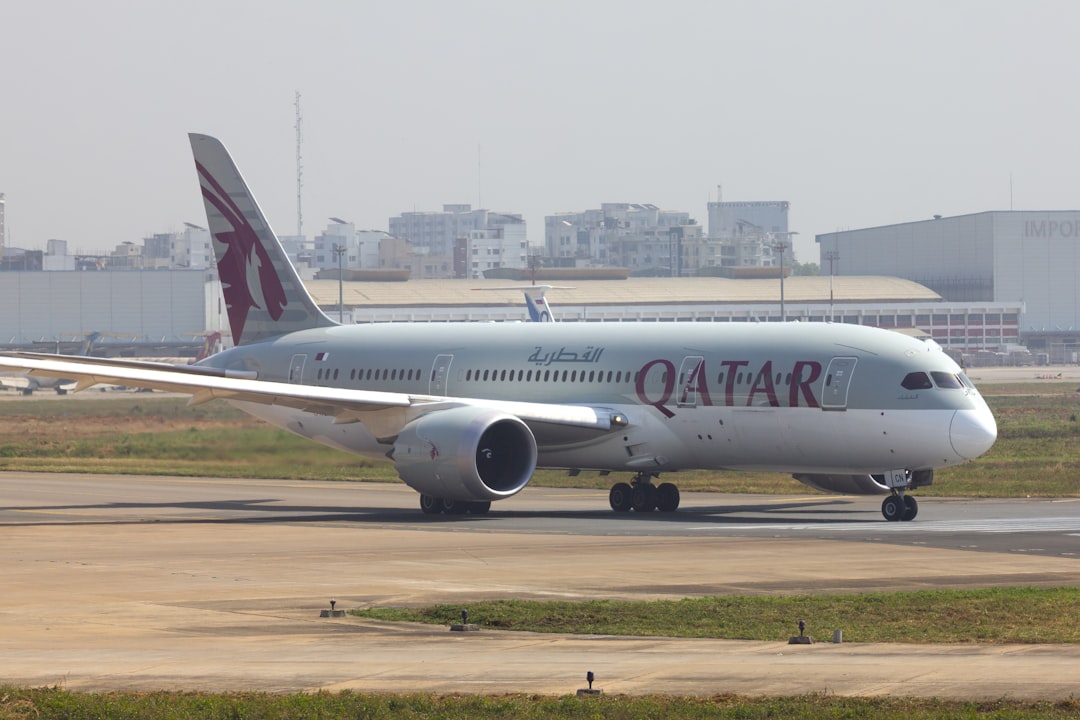
You probably toggle airplane mode on and off without a second thought. It’s that little icon you tap when you board a flight, and then swiftly tap again once you’re cleared for landing. But have you ever stopped to wonder what’s really happening when you activate it? Beyond its obvious in-flight utility, airplane mode is a surprisingly versatile tool with a hidden arsenal of functions that can enhance your daily tech life. Get ready to unlock the secrets of this seemingly simple setting.
At its core, airplane mode is designed to prevent your electronic devices from interfering with sensitive aircraft systems. This is a crucial safety measure, and one that has been in place for decades. But understanding this fundamental purpose is the first step to appreciating its other, less obvious, benefits.
Demystifying Electromagnetic Interference (EMI)
Your smartphone, tablet, and even laptops are packed with tiny transmitters and receivers that constantly send and receive radio waves. These waves, when operating at full power, can potentially interfere with the delicate navigation and communication equipment on an airplane. While modern aircraft are designed with robust shielding, the precautionary principle still dictates that devices should be switched to a mode that eliminates this risk.
The Science Behind the Signals
Think of it like a crowded room where everyone is trying to talk at once. Without a system, communication breaks down. Radio waves from your devices, operating on various frequencies (cellular, Wi-Fi, Bluetooth), can create “noise” that might be misinterpreted by aircraft systems, leading to potential errors or disruptions.
The Evolution of Airplane Mode
Initially, airplane mode meant a complete shutdown of all wireless capabilities. However, as technology has advanced and aircraft have become more sophisticated, regulations have relaxed, allowing for the use of Wi-Fi and Bluetooth on flights under specific conditions. This evolution highlights the dynamic nature of technology and safety protocols.
The FAA and International Regulations
The Federal Aviation Administration (FAA) in the United States, along with aviation authorities worldwide, set the guidelines for electronic device usage on aircraft. Their primary concern is passenger and crew safety. Airplane mode is their primary tool for ensuring that devices do not pose a threat.
Understanding the “No-Fly” Zones for Signals
Aviation authorities meticulously study the potential impact of various radio frequencies. Airplane mode is essentially a switch that turns off these regulated “no-fly” zones for your device’s signals.
The Shift Towards Gradual Permissiveness
You’ll notice that airlines now often allow Wi-Fi and Bluetooth usage after the aircraft has reached cruising altitude. This isn’t a random decision; it’s based on rigorous testing and the understanding that at a certain altitude and distance from ground-based infrastructure, the interference potential is significantly reduced.
If you’re curious about the hidden features of airplane mode, you might find the article on Freaky Science particularly enlightening. It explores various functionalities that can enhance your device’s performance while in this mode, such as saving battery life and improving connectivity. To read more, check out the article here: Freaky Science.
Beyond the Skies: Everyday Benefits of Airplane Mode
While its primary function is airborne, airplane mode offers a surprising number of practical advantages for your everyday life. You might not have considered these uses before, but once you do, you’ll find yourself reaching for that airplane mode icon more often than you think.
Conserving Battery Life: A Stealthy Power Saver
This is perhaps the most significant and widely applicable benefit of airplane mode outside of flying. By disabling your device’s cellular and Wi-Fi radios, you’re cutting off a major source of power consumption.
The Constant Quest for Signal
Your smartphone is constantly searching for cellular signals, especially in areas with weak reception. This “searching” is a power-hungry process. When you enable airplane mode, you tell your device to stop this perpetual hunt, significantly extending your battery life.
The “Low Signal” Drain
Ever noticed how your battery drains faster in areas with poor cell service? That’s your phone working overtime to connect. Airplane mode completely bypasses this issue.
Turning Off Unnecessary Radios
Beyond cellular, Wi-Fi and Bluetooth radios also consume power when active, even if they aren’t actively connected to a network or device. Airplane mode efficiently shuts down all of these, leading to a noticeable improvement in battery longevity.
The Wi-Fi Wanderer
Your phone might be scanning for available Wi-Fi networks even when you’re not actively using them. This background activity contributes to battery drain.
The Bluetooth Buddy
Similarly, an always-on Bluetooth connection, even if not actively paired with anything, can still draw power.
Minimizing Distractions: A Digital Detox Tool
In our hyper-connected world, constant notifications can be a major source of distraction. Airplane mode offers a simple yet effective way to regain control of your attention.
The Notification Deluge
Every buzz, ping, and pop-up from your apps pulls you away from what you’re doing. Whether you’re trying to focus on work, enjoy a quiet moment, or have a conversation, these interruptions can be maddening.
Reclaiming Your Focus
By switching to airplane mode, you effectively silence the digital noise. No more urgent emails, social media alerts, or game notifications. It’s a digital pause button for your life.
Enhancing Productivity
For tasks requiring deep concentration, such as writing, coding, or studying, airplane mode is your secret weapon. It creates an environment free from digital interruptions, allowing you to enter a state of flow and accomplish more.
The Deep Work Enabler
Studies have shown that frequent interruptions significantly reduce productivity. Airplane mode creates a sanctuary for focused work.
Improving Sleep Quality
The blue light emitted from screens, coupled with the mental stimulation from notifications, can disrupt your sleep patterns. Using airplane mode in the hour before bed can help you wind down and prepare for a more restful night.
The Pre-Sleep Sanctuary
Imagine a screen that only shows your essential content, not a flood of incoming messages. That’s the peace airplane mode can bring to your evenings.
A Quick Network Reset: Troubleshooting with Ease
Sometimes, your device’s network connectivity can become glitchy. Instead of going through complex troubleshooting steps, a simple toggle of airplane mode can often resolve the issue.
The Glitchy Connection Conundrum
Whether it’s your cellular data struggling to connect, Wi-Fi acting up, or Bluetooth refusing to pair, these connectivity hiccups are common.
The “Off and On Again” Principle
Airplane mode acts like a hard reset for your device’s wireless radios. When you turn it on, it forces all wireless connections to sever. When you turn it off, it initiates a fresh connection process.
Re-establishing a Clean Slate
By effectively disconnecting and then reconnecting to the network, you often clear out any temporary glitches or corrupted data that might be causing the problem.
The Cellular Restart
If your phone is showing no service or has a weak signal, toggling airplane mode can prompt it to re-scan for available networks and establish a stronger connection.
Troubleshooting Wi-Fi Woes
Similarly, if your Wi-Fi is unstable or not connecting, enabling and disabling airplane mode can force your device to re-authenticate with the network, resolving many common issues.
The Bluetooth Re-Pair
For Bluetooth devices that are acting strangely, airplane mode can help reset the connection and allow for a cleaner re-pairing process.
Unlocking Advanced Features: Hidden Capabilities of Airplane Mode
Beyond the basic benefits, airplane mode can be leveraged to unlock some surprisingly advanced functionalities on your device. These are the tricks that often go unnoticed, but can be incredibly useful.
Faster Wi-Fi Speeds (Potentially): A Counterintuitive Boost
This might sound counterintuitive, but in certain scenarios, airplane mode can actually lead to faster Wi-Fi speeds. This is particularly true if you’re in an area with a very crowded Wi-Fi environment.
The Spectrum Scramble
In densely populated areas, your device might be struggling to choose the best Wi-Fi channel amidst a sea of competing signals.
The Wi-Fi Channel Choice
When you enable airplane mode, and then only turn on Wi-Fi, your device is forced to focus solely on establishing a Wi-Fi connection. This can sometimes lead it to select a less congested channel, resulting in improved speeds.
The “Wi-Fi Only” Optimization
By disabling cellular data, your device isn’t trying to manage both connections simultaneously. This focused approach can sometimes lead to a more stable and faster Wi-Fi experience.
The Network Focus
When your device isn’t actively looking for cellular signals, it can dedicate more processing power to managing its Wi-Fi connection.
When This Trick Works Best
This tip is most effective in environments with numerous Wi-Fi networks, like apartment buildings, hotels, or busy public spaces. It’s less likely to have a noticeable impact in areas with few competing networks.
Emergency Preparedness: Your Digital Lifeline
In situations where traditional communication channels are down, airplane mode can surprisingly play a role in your emergency preparedness.
The Offline Information Hub
Even with no cellular service, your device can still access downloaded content. This includes maps, emergency guides, and important personal information.
Pre-Downloaded Maps for Navigation
Services like Google Maps allow you to download offline maps for specific regions. In an emergency where you lose cell signal, these maps become invaluable for navigation.
The Offline Navigator
Imagine being stranded in an unfamiliar area with no service. Your downloaded maps can be your sole guide to safety.
Stored Emergency Contacts and Information
You can store essential emergency contact numbers, medical information, and even evacuation plans within your device’s notes or a dedicated emergency app. This information remains accessible even without a network connection.
The Digital Safety Net
Having critical information at your fingertips, regardless of network availability, can be a lifesaver.
Utilizing the Camera and Flashlight
Even in airplane mode, your device’s camera and flashlight remain fully functional. These are essential tools for signaling, documentation, or simply seeing in the dark during an emergency.
The Silent Signal
The flashlight can be used for signaling in low-visibility conditions, a crucial element in many emergency scenarios.
Playing Games and Consuming Offline Content: Entertainment Uninterrupted
Airplane mode is the perfect gateway to uninterrupted entertainment, allowing you to enjoy your favorite games and media without worrying about connectivity.
The Gaming Sanctuary
Many mobile games, especially single-player experiences, are designed to be played offline. Airplane mode ensures you won’t be interrupted by notifications or the need for a constant internet connection.
The Offline Adventure
Dive into that epic RPG or challenging puzzle game without the fear of a dropped connection ruining your progress.
Watching Downloaded Movies and Shows
Streaming services like Netflix, Disney+, and others allow you to download content for offline viewing. Airplane mode is the ideal setting to enjoy these without draining your mobile data or relying on potentially slow in-flight Wi-Fi.
The In-Flight Cinema
Transform your flight into a private viewing experience with your favorite movies and shows, all accessible offline.
Listening to Downloaded Music and Podcasts
Similarly, your music and podcast libraries, once downloaded, are fully accessible with airplane mode engaged.
The Personal Soundtrack
Create your perfect playlist or catch up on your favorite podcasts, free from the constraints of online access.
Customizing Airplane Mode: Advanced Settings and Workarounds
While the default airplane mode is effective, there are ways to customize its behavior and even create workarounds to access certain features while technically remaining in “airplane mode.”
The Selective Wi-Fi and Bluetooth Enablement
As mentioned earlier, modern aviation regulations allow for the use of Wi-Fi and Bluetooth at cruising altitude. Your device’s airplane mode setting often recognizes this.
The “Wi-Fi and Bluetooth Only” Option
When you activate airplane mode, you’ll often see options to then re-enable Wi-Fi and Bluetooth individually. This allows you to enjoy the benefits of airplane mode (battery saving, distraction reduction) while still using these specific wireless technologies.
The Smart Traveler’s Choice
This is the most common and intended way to use airplane mode on a flight, allowing for connectivity without interference.
The “Airplane Mode with Wi-Fi On” Trick
This is a very useful trick that you can use outside of flights as well. If you want to drastically save battery but still need to use Wi-Fi, you can turn on airplane mode first, and then immediately turn on Wi-Fi. Your phone will then only connect to Wi-Fi and won’t use cellular data.
The Wi-Fi Priority Power Play
This effectively tells your device to ignore cellular networks and focus solely on Wi-Fi, leading to significant battery savings.
Utilizing Bluetooth Headphones and Speakers
Many people use Bluetooth headphones or speakers for their audio experience. Airplane mode doesn’t prevent these from functioning.
The Uninterrupted Audio Experience
You can pair your Bluetooth headphones or speakers with your device and enjoy audio playback even when airplane mode is active. This is particularly useful for watching downloaded movies or listening to music without disturbing others.
The Silent Listening Solution
Enjoy your media without bothering your neighbors, all while keeping your device in a power-saving mode.
The Seamless Pairing Process
Once paired, your Bluetooth devices will generally reconnect automatically when you enable Bluetooth after activating airplane mode.
The Effortless Connection
No need to re-pair your headphones every time you enter airplane mode.
The “Flight Simulator” Mode (Unofficial)
While not an officially recognized feature, some users have discovered that certain older Android devices, when put into airplane mode and then having specific developer options enabled, can appear to enter a “flight simulator” mode. This is more of a curiosity than a practical function and is highly dependent on the device and Android version.
Exploring Developer Options
This workaround typically involves navigating to your device’s “About phone” settings and repeatedly tapping on the “Build number” to enable developer options.
The Hidden Paths of Android
Developer options unlock a plethora of advanced settings, some of which can have unexpected effects.
The Unintended Consequences
While it might seem like a fun trick, it’s important to note that tinkering with developer options can sometimes lead to instability or unintended behavior on your device. Proceed with caution if you choose to explore this.
The Experimental Playground
This is for the adventurous tech enthusiasts who enjoy pushing the boundaries of their devices.
Many people are aware of airplane mode primarily as a way to disable cellular connectivity on their devices, but there are several hidden features that can enhance your experience while using it. For instance, did you know that enabling airplane mode can actually extend your device’s battery life significantly? This is especially useful during long flights or when you’re in an area with poor reception. To learn more about these intriguing aspects, you can read a related article that delves deeper into the topic by clicking on this link.
The Future of Airplane Mode: Evolving Technologies and Regulations
| Hidden Features of Airplane Mode | Description |
|---|---|
| 1. Battery Saving | Enabling airplane mode can help conserve battery life by turning off wireless connections. |
| 2. Reduced Distractions | Using airplane mode can help reduce distractions from notifications and calls while still allowing access to offline content. |
| 3. Faster Charging | When in airplane mode, the device can charge faster as it is not using power for wireless connections. |
| 4. Privacy Protection | Airplane mode can provide a level of privacy by disabling wireless signals and preventing tracking or location services. |
As technology continues to advance and our understanding of electromagnetic interference evolves, the functionality and regulations surrounding airplane mode are likely to change.
The Rise of 5G and Beyond
The rollout of 5G technology and future generations of mobile networks will likely bring new considerations for aviation authorities.
New Frequencies, New Challenges
The increased complexity and range of newer cellular technologies may require updated regulations and potentially more sophisticated methods for managing interference.
The Spectrum Challenge
As more devices and technologies vie for bandwidth, managing potential interference becomes even more critical.
The Impact on Airplane Mode Settings
It’s possible that future versions of airplane mode might offer even more granular control over specific wireless technologies, allowing for even greater flexibility.
The Adaptive Setting
Imagine an airplane mode that intelligently adjusts based on the aircraft’s specific systems and altitudes.
Satellite Connectivity and New Communication Methods
The increasing integration of satellite connectivity into consumer devices could also influence how airplane mode is perceived and used.
Direct-to-Device Satellite Communication
As devices gain the ability to connect directly to satellites, the rules around their use during flights may need to be re-evaluated.
The Skyward Connection
This opens up new possibilities for communication, but also raises questions about potential interference with air traffic control.
The Potential for Enhanced In-Flight Connectivity
In the future, it’s conceivable that airplane mode could evolve to facilitate limited, regulated satellite communication for emergency or essential purposes.
The Connected Cabin
The dream of seamless connectivity, even at 30,000 feet, might one day be realized, with airplane mode playing a role in managing it.
The Ever-Present Importance of Safety
Despite technological advancements, the core purpose of airplane mode – ensuring flight safety – will remain paramount.
Continuous Research and Development
Aviation authorities and device manufacturers will continue to collaborate to ensure that electronic devices do not pose a risk to air travel.
The Safety First Mandate
The priority will always be to maintain the highest standards of safety for passengers and crew.
The User’s Role in Compliance
Ultimately, understanding and complying with the guidelines for using electronic devices on aircraft, including the proper use of airplane mode, is crucial for everyone’s safety.
The Responsible Tech User
Your understanding and adherence to these guidelines contribute to a safer flying experience for all.

Your Phone Can Still Know Where You Are in Airplane Mode
FAQs
What is airplane mode and why is it used?
Airplane mode is a setting available on most smartphones and other electronic devices that disables the device’s wireless communication functions. It is used to comply with airline regulations and to prevent interference with aircraft systems during flight.
Can airplane mode be used to save battery life?
Yes, using airplane mode can help save battery life by disabling the device’s wireless communication functions, such as cellular, Wi-Fi, and Bluetooth. This can be especially useful in situations where a device needs to conserve power.
Are there any hidden features of airplane mode?
Yes, there are hidden features of airplane mode that are not commonly known. For example, it can be used to improve GPS accuracy, reduce distractions, and improve focus by limiting notifications and incoming calls.
Can airplane mode be used to improve GPS accuracy?
Yes, enabling airplane mode can improve GPS accuracy by reducing interference from other wireless signals. This can be particularly helpful when using GPS navigation in areas with weak signal reception.
How does airplane mode help reduce distractions and improve focus?
Airplane mode can help reduce distractions and improve focus by silencing incoming calls, messages, and notifications. This can be beneficial in situations where uninterrupted concentration is needed, such as during work or study sessions.