
You’re holding it right now, aren’t you? That sleek rectangle of glass and metal in your hand. It’s more than just a device; it’s your portal to the world. But have you ever stopped to wonder how it actually works? How does this little gadget connect you to people across continents, stream high-definition videos, or download massive files in seconds? Understanding phone connectivity is key to unlocking its full potential and troubleshooting when things go awry. This isn’t about being a tech guru; it’s about demystifying the invisible threads that bind your phone to the digital universe.
The Foundation: How Your Phone Talks to the World
At its core, your phone connectivity is about communication. It’s a complex dance between hardware, software, and a vast, invisible network. Think of it as learning a new language, but instead of words, you’re learning about radio waves, data packets, and network protocols. This guide will break down the essential components, from the physical antennas to the digital highways, so you can finally understand what’s happening behind the scenes every time you tap that screen.
Your phone isn’t just a piece of plastic; it’s a finely tuned piece of engineering designed for communication. Inside its compact frame lies a sophisticated array of hardware responsible for sending and receiving signals. You can’t directly see these components, but they are the bedrock of your phone’s connectivity.
1.1. The Antenna: Your Phone’s Ears and Mouth
The antenna is arguably the most crucial hardware component for connectivity. It’s the physical interface that allows your phone to interact with radio waves, the invisible carriers of information.
1.1.1. Types of Antennas
You might think there’s just one antenna, but your phone actually houses multiple, each optimized for different communication technologies and frequencies.
- Cellular Antennas: These are the workhorses for your mobile voice calls and data. They are designed to communicate with cellular towers, which form the backbone of mobile networks. Modern smartphones have several cellular antennas, often dedicated to different frequency bands used by 4G and 5G networks. This allows for better signal reception and higher data speeds.
- Wi-Fi Antennas: These antennas are specifically tuned to the frequencies used by Wi-Fi routers (typically 2.4 GHz and 5 GHz). They enable your phone to connect to local wireless networks, providing internet access without using your cellular data.
- Bluetooth Antennas: Smaller and designed for shorter-range communication, these antennas facilitate connections with devices like headphones, smartwatches, and speakers. They operate on a different frequency band than Wi-Fi.
- GPS Antennas: While primarily for receiving signals, the GPS antenna is essential for location services. It picks up signals from satellites to determine your precise geographical position.
1.1.2. Antenna Placement and Design
The placement and design of antennas within your phone are critical for optimal performance. Manufacturers spend a lot of time and effort ensuring antennas are positioned to minimize interference from other internal components and to maximize signal reception, even in challenging environments. You might notice the antenna lines on some phone casings – these are not just aesthetic but are actually part of the antenna structure.
1.2. The Modem: The Translator of Signals
The modem (modulator-demodulator) is the chip responsible for converting digital data from your phone into analog signals that can be transmitted over radio waves, and vice versa. It’s the intermediary that allows your phone’s internal systems to communicate with the outside world.
1.2.1. Cellular Modems
Your phone’s cellular modem is a complex piece of silicon that supports various cellular technologies, from older 2G and 3G standards to the latest 4G LTE and 5G. It manages the connection to cellular towers, handles signal strength, and determines the data speeds you experience.
1.2.2. Wi-Fi and Bluetooth Chips
Separate chips often handle Wi-Fi and Bluetooth functionalities. These chips perform similar modulation and demodulation tasks but for their respective wireless protocols. They manage the pairing and communication with Wi-Fi routers and Bluetooth devices.
1.3. The SIM Card (or eSIM): Your Network Identifier
The Subscriber Identity Module (SIM) card is a small chip that contains your unique identification information for your mobile carrier. It’s what allows the network to recognize you as a legitimate subscriber.
1.3.1. Physical SIM Cards
These are the traditional cards you insert into your phone. They store your International Mobile Subscriber Identity (IMSI), which is used to authenticate you with the network.
1.3.2. eSIM (Embedded SIM)
An eSIM is a digital SIM that is built directly into your phone’s hardware. It can be programmed remotely by your carrier, eliminating the need for a physical card. This offers convenience and allows for more flexibility in switching carriers.
For a deeper understanding of phone connectivity and its various aspects, you might find the article on “The Evolution of Mobile Networks” particularly insightful. It explores the advancements in technology that have shaped how we connect our devices today. You can read it here: The Evolution of Mobile Networks.
2. Wireless Networks: The Invisible Highways
Your phone’s hardware is useless without the infrastructure to transmit and receive signals. This is where wireless networks come in – the invisible highways that carry your data and voice.
2.1. Cellular Networks: Your Mobile Lifeline
Cellular networks are the most ubiquitous form of wireless communication for your phone, enabling you to make calls and access data wherever you have a signal.
2.1.1. How Cellular Networks Work
Cellular networks are divided into geographical areas called “cells.” Each cell is served by a base station, commonly known as a cell tower. Your phone constantly communicates with the nearest tower. As you move between cells, your phone “hands off” its connection from one tower to another, ensuring a seamless experience.
2.1.2. Generations of Cellular Technology (2G, 3G, 4G, 5G)
Each generation of cellular technology represents a significant leap in speed, capacity, and functionality.
- 2G (Second Generation): Introduced digital communication, enabling SMS (text messages) and basic data services like GPRS and EDGE. Speeds were very slow.
- 3G (Third Generation): Marked a major improvement, offering faster data speeds that enabled mobile internet browsing and basic video streaming.
- 4G LTE (Fourth Generation Long-Term Evolution): Provided significant speed increases, making mobile broadband a reality. This is what most people rely on for everyday internet use on their phones.
- 5G (Fifth Generation): The latest evolution, promising much higher speeds, lower latency (delay), and the ability to connect a massive number of devices. This opens up possibilities for advanced applications like augmented reality, virtual reality, and widespread IoT (Internet of Things) connectivity.
2.1.3. Frequency Bands and Spectrum
Cellular networks operate on specific radio frequency bands. Different frequency bands have different characteristics. Lower frequencies travel further and penetrate obstacles better (good for coverage), while higher frequencies offer greater bandwidth and thus higher speeds (good for capacity). Your phone’s modem and antennas are designed to work with a specific range of these bands to ensure compatibility with different carriers and network types.
2.2. Wi-Fi Networks: Your Local Connection
Wi-Fi networks provide a convenient and often faster way to connect your phone to the internet within a limited range, typically your home, office, or public hotspots.
2.2.1. How Wi-Fi Works
Wi-Fi uses radio waves to transmit data between your phone and a wireless router. The router is connected to a wired internet connection (like DSL, cable, or fiber optic) and broadcasts a wireless signal that your phone can connect to.
2.2.2. Wi-Fi Standards (802.11 a/b/g/n/ac/ax)
Just like cellular technology, Wi-Fi has evolved through different standards, each offering improvements in speed, range, and efficiency. The most common standards you’ll encounter are:
- 802.11n (Wi-Fi 4): An older standard, but still widely used.
- 802.11ac (Wi-Fi 5): Offers significantly faster speeds than 802.11n, especially on the 5 GHz band.
- 802.11ax (Wi-Fi 6): The latest standard, designed for higher efficiency in crowded environments and improved performance with multiple devices. Wi-Fi 6E extends this to the 6 GHz band.
2.2.3. Wi-Fi Bands (2.4 GHz and 5 GHz)
- 2.4 GHz: Offers a longer range and better penetration through walls but has slower speeds and is more prone to interference from other devices (microwaves, Bluetooth).
- 5 GHz: Offers faster speeds and less interference but has a shorter range and struggles with obstacles.
Your phone’s Wi-Fi chip will support a combination of these standards and bands to maximize its compatibility and performance.
2.3. Bluetooth: For Short-Range Wireless Peripherals
Bluetooth is a low-power, short-range wireless technology primarily used for connecting devices directly to each other, like your phone to headphones, speakers, or car systems.
2.3.1. Bluetooth Versions and Profiles
Similar to Wi-Fi and cellular, Bluetooth has evolved through different versions (e.g., Bluetooth 4.0, 5.0, 5.2), with each offering improvements in speed, range, power efficiency, and features. Bluetooth profiles define how devices communicate for specific tasks (e.g., A2DP for audio streaming, HFP for hands-free calls).
3. Data Transmission: How Information Travels
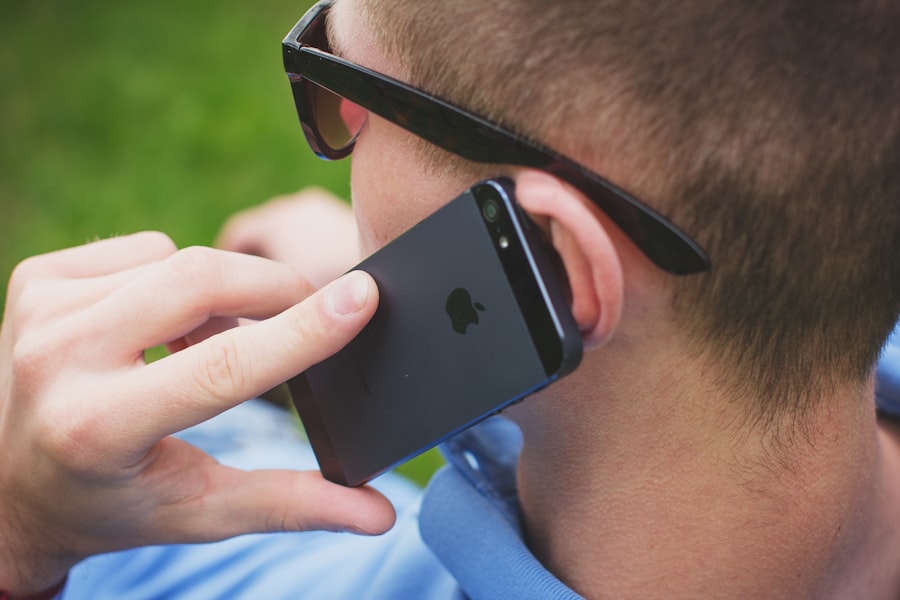
Once your phone is connected to a network, how does the actual information – your messages, photos, videos, and web pages – get from here to there? This involves breaking down data into manageable pieces and sending them across the network.
3.1. Packets and Protocols: The Digital Language
The internet and wireless networks don’t send raw, continuous streams of data. Instead, data is broken down into small, manageable units called “packets.”
3.1.1. What are Data Packets?
Each packet contains a portion of the data, along with addressing information (where it came from and where it’s going) and error-checking information. This allows data to be routed efficiently and reliably across complex networks.
3.1.2. The Role of Protocols (TCP/IP)
Protocols are sets of rules that govern how data is formatted, transmitted, and received. The most fundamental set of protocols for the internet is the Transmission Control Protocol/Internet Protocol (TCP/IP) suite.
- IP (Internet Protocol): Handles the addressing and routing of packets across networks. It’s like the postal service, ensuring packets reach the correct destination.
- TCP (Transmission Control Protocol): Ensures reliable delivery of data. It breaks data into packets, reassembles them at the destination, and checks for errors. If a packet is lost, TCP requests it to be resent.
Other protocols work at different layers of the network stack to manage specific types of communication, such as HTTP for web browsing or SMTP for email.
3.2. Bandwidth and Throughput: The Data Highway’s Capacity
These terms describe the capacity of a network connection and how much data can be transferred over it.
3.2.1. Bandwidth: The Theoretical Maximum
Bandwidth refers to the maximum amount of data that can be transmitted over a network connection in a given amount of time. It’s often measured in bits per second (bps), kilobits per second (Kbps), megabits per second (Mbps), or gigabits per second (Gbps). Think of it as the width of the pipe.
3.2.2. Throughput: The Actual Performance
Throughput is the actual rate at which data is successfully transferred. It’s almost always lower than bandwidth due to various factors like network congestion, signal interference, and the overhead of protocols. This is the actual amount of water flowing through the pipe.
3.3. Latency: The Delay in Communication
Latency refers to the time it takes for a packet of data to travel from its source to its destination. It’s the delay you experience in communication.
3.3.1. What Causes Latency?
Latency is influenced by several factors, including the distance the data has to travel, the number of network hops (routers) it passes through, and the processing time at each hop.
3.3.2. Impact of Latency
High latency can significantly affect your experience, especially for real-time applications like online gaming, video conferencing, and voice calls. Low latency is crucial for responsive and smooth interactions. 5G networks are a major advancement in reducing latency.
4. Network Performance Factors: Why Some Connections Are Better Than Others

You’ve probably experienced the frustration of a slow connection or dropped calls. Several factors influence the performance of your phone’s connectivity. Understanding these can help you troubleshoot and optimize your experience.
4.1. Signal Strength: The Quality of Your Wireless Link
Signal strength, often represented by bars on your phone’s display, is a critical indicator of how well your phone is communicating with the nearest network tower or Wi-Fi router.
4.1.1. What Affects Signal Strength?
- Distance from the Source: The further you are from a cell tower or Wi-Fi router, the weaker the signal will be.
- Obstacles: Physical barriers like walls, buildings, hills, and even dense foliage can weaken or block wireless signals.
- Interference: Other electronic devices operating on similar frequencies (e.g., microwaves, cordless phones, other Wi-Fi networks) can interfere with your signal.
- Network Congestion: During peak usage times, a cell tower or Wi-Fi network might be overloaded, leading to reduced performance even with a strong signal.
4.1.2. Understanding Signal Strength Indicators
While the bars are a general indicator, more technical tools can provide precise signal strength measurements (e.g., in dBm – decibel-milliwatts). Generally, a stronger signal is represented by a value closer to 0 (e.g., -60 dBm is stronger than -100 dBm).
4.2. Network Congestion: Too Many Users, Not Enough Capacity
When too many devices try to access the same network resource simultaneously, it leads to congestion. This is like too many cars trying to use the same road.
4.2.1. Cellular Network Congestion
During busy hours in crowded areas, cell towers can become overloaded, resulting in slower data speeds, dropped calls, or difficulty connecting.
4.2.2. Wi-Fi Network Congestion
Similarly, a Wi-Fi network with many devices connected can become slow, especially if the router is not powerful enough to handle the load.
4.3. Your Phone’s Capabilities: Hardware and Software
The hardware and software within your phone play a significant role in its connectivity performance.
4.3.1. Modem and Antenna Quality
Higher-end phones often have more advanced modems and better-designed antennas, capable of supporting more network bands and offering superior signal reception.
4.3.2. Software Optimization
Operating system updates and carrier-specific optimizations can also improve your phone’s ability to manage network connections and utilize available bandwidth efficiently.
4.4. Carrier and Network Infrastructure: The Provider’s Role
The quality and coverage of your mobile carrier’s network, as well as the infrastructure of your Wi-Fi provider, are fundamental to your connectivity experience.
4.4.1. Carrier Coverage Maps
It’s important to check your carrier’s coverage maps to understand where you can expect reliable service.
4.4.2. Wi-Fi Router Performance
If you’re experiencing slow Wi-Fi, your router might be outdated or not powerful enough for your needs. Upgrading your router can significantly improve your home network performance.
For those looking to deepen their understanding of phone connectivity, a related article can be found on Freaky Science, which delves into the intricacies of how various technologies enable seamless communication. This informative piece explores the evolution of mobile networks and the impact of 5G technology on connectivity. You can read more about it in this insightful article on Freaky Science.
5. Troubleshooting Connectivity Issues: When Things Go Wrong
| Metrics | Data |
|---|---|
| Number of mobile phone users | 5.22 billion (2020) |
| Global mobile phone penetration rate | 67% |
| Number of smartphone users | 3.5 billion (2020) |
| Global smartphone penetration rate | 45% |
| Number of mobile phone subscriptions | 8.1 billion (2020) |
Despite all this technology, your phone’s connectivity can sometimes falter. Fortunately, many common issues can be resolved with a few simple steps.
5.1. Basic Troubleshooting Steps
These are the first things you should try when you’re experiencing connectivity problems.
5.1.1. Restart Your Phone
A simple restart can often resolve temporary software glitches that might be affecting your network connections.
5.1.2. Toggle Airplane Mode
Turning Airplane Mode on for a few seconds and then off again forces your phone to disconnect from all wireless networks and then reconnect. This can refresh your network connection.
5.1.3. Check Your Signal Strength
Before assuming a problem, check if you have a good signal. If the signal is weak, moving to a location with better reception is the easiest solution.
5.1.4. Reset Network Settings
This option, usually found in your phone’s settings, will erase all saved Wi-Fi passwords and Bluetooth pairings, and reset cellular network settings to their defaults. It can often resolve persistent connectivity issues.
5.2. Wi-Fi Specific Troubleshooting
If you’re having trouble with Wi-Fi, consider these steps.
5.2.1. Restart Your Router and Modem
Just like your phone, your router and modem can benefit from a restart. Unplug them for about 30 seconds, then plug them back in.
5.2.2. Forget and Reconnect to the Wi-Fi Network
On your phone, go to Wi-Fi settings, select the network you’re having trouble with, and choose to “Forget” it. Then, search for the network again and reconnect, entering the password if necessary.
5.2.3. Check Your Router’s Placement and Interference
Ensure your router is in a central location, away from major obstructions and other sources of interference.
5.3. Cellular Data Troubleshooting
If your cellular data isn’t working, try these.
5.3.1. Ensure Cellular Data is Enabled
Double-check that cellular data is turned on in your phone’s settings and that you haven’t exceeded your data limit.
5.3.2. Check Your Carrier’s Outage Status
Sometimes, the issue might be with your carrier. Check their website or social media for any reported outages in your area.
5.3.3. Update Your Carrier Settings
Your phone periodically receives carrier settings updates that can improve network performance and compatibility.
5.4. When to Contact Support
If you’ve tried all the basic troubleshooting steps and are still experiencing issues, it might be time to contact your mobile carrier or the manufacturer of your phone for further assistance. They can help diagnose more complex hardware or network-related problems.
Understanding phone connectivity is not about memorizing technical jargon; it’s about appreciating the intricate system that allows you to stay connected. From the antennas within your device to the vast networks stretching across the globe, each component plays a vital role. By grasping these fundamental concepts, you’re better equipped to enjoy a seamless digital experience and troubleshoot effectively when the invisible threads that bind you to the world encounter a snag.

Your Phone Can Still Know Where You Are in Airplane Mode
FAQs
What is phone connectivity?
Phone connectivity refers to the ability of a mobile phone to connect to other devices or networks, such as Wi-Fi, Bluetooth, cellular networks, and other mobile devices. It allows the phone to transfer data, make calls, and access the internet.
What are the different types of phone connectivity?
There are several types of phone connectivity, including Wi-Fi, Bluetooth, NFC (Near Field Communication), cellular network (3G, 4G, 5G), and USB. Each type of connectivity serves different purposes, such as wireless data transfer, device pairing, mobile payments, and internet access.
How does Wi-Fi connectivity work on a phone?
Wi-Fi connectivity on a phone allows the device to connect to a wireless network, typically provided by a router. This enables the phone to access the internet, transfer data, and communicate with other devices on the same network.
What is Bluetooth connectivity used for on a phone?
Bluetooth connectivity on a phone is used for short-range wireless communication between devices. It allows the phone to pair with other devices, such as headphones, speakers, smartwatches, and car systems, for data transfer and audio streaming.
How does cellular network connectivity work on a phone?
Cellular network connectivity on a phone enables it to connect to a mobile network provider’s infrastructure, allowing for voice calls, text messaging, and internet access. This connectivity is provided through the use of SIM cards and radio frequency signals.